On Tue, Sep 10, 2019 at 07:33:30PM +0100, Keith Packard wrote:
> Denis Banovic <[email protected]> writes:
>
> > Dear Keith,
> >
> > it's almost BALLS, any news so far?
> > Will the App be ready soon?
>
> Yeah, we're doing testing and integration -- LDRS took way more time
> than we had hoped.
Hi Denis & others,

I've been working away on updating AltosDroid to a newer Android API level
(as is now required by Google for all apps on the Google Play Store), and
have now got a version built which Keith and I would love to have tested by
those of you who are keen.

It has not been uploaded to the store yet, as it's very rough around the
edges (in fact, this version won't be at all).

Here's the salient points:

* You will need to "sideload" the APK. There's a few steps to doing this,
  which I'll leave as an exercise to the reader.

* If you already have AltosDroid installed from the Play Store, this will be
  treated as an upgrade - it's signed with the same release key, so you
  don't need to remove the version you already have installed.

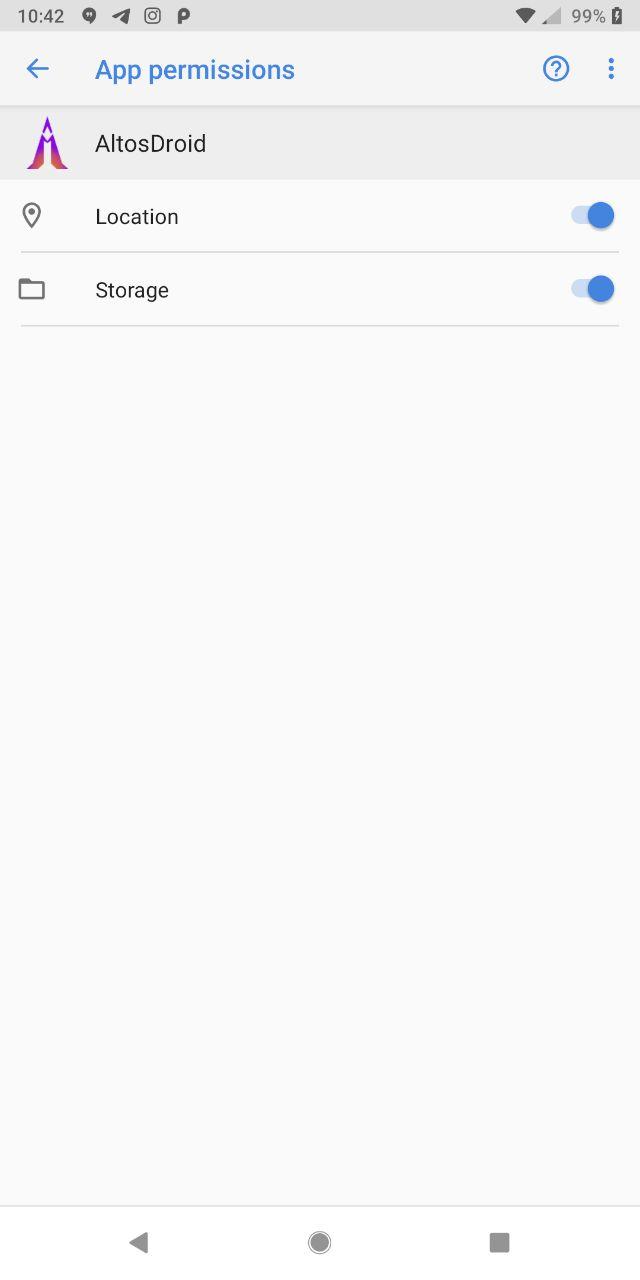
* If you don't have AltosDroid installed, then you will also need to make
  sure that the permissions are granted in the app info page - the app does
  not yet request the permissions after startup, as this requires some
  refactoring of the code that will take a while.
  The permissions should already be granted if you have AltosDroid installed
  already, but it might pay to check anyway.

* If you need to downgrade, you'll need to uninstall the app, and then visit
  the play store to install the older version.

Please let us know of course if you notice other stuff that's broken.

Without further ado, here's the APK:

https://www.ethernal.org/~mjb/altosdroid/AltosDroid_1.9.1rc1.apk

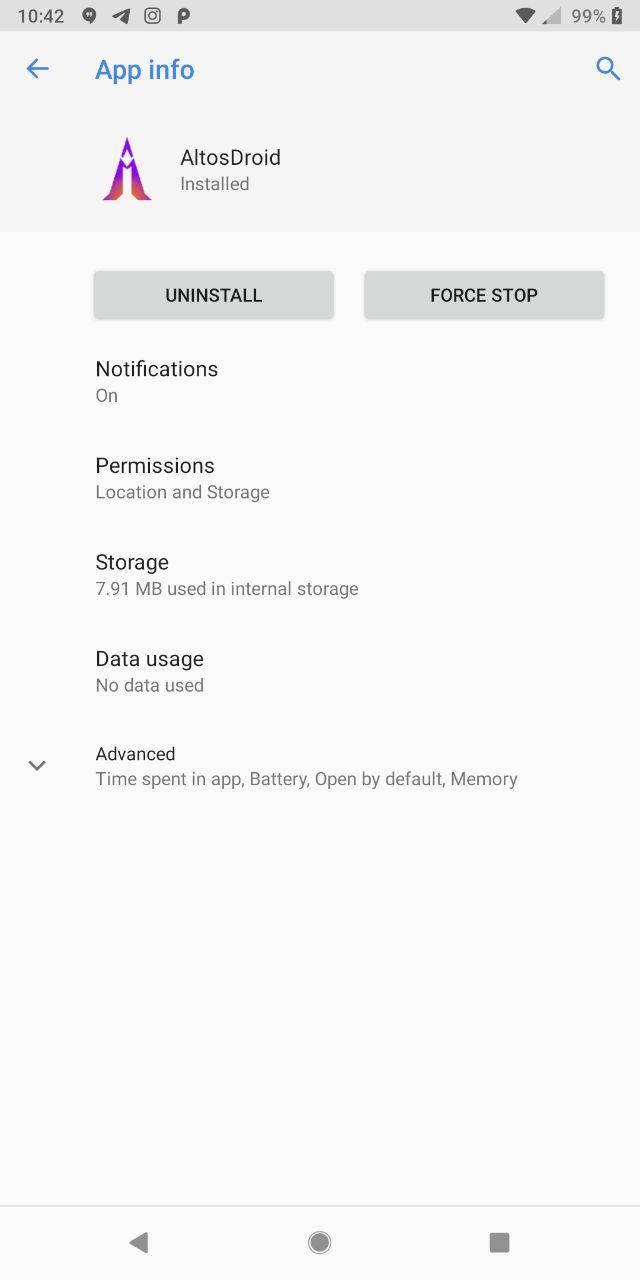
There's also a couple of pictures of the app info page an permissions if you
need to see what I mean about making sure they're granted:

https://www.ethernal.org/~mjb/altosdroid/permissions_1.jpg
https://www.ethernal.org/~mjb/altosdroid/permissions_2.jpg

To get there - in the app drawer, tap and hold on AltosDroid, tap "App Info"
in the small menu that pops up. Select the permissions page in the App Info
page that opens (that's for recent versions of android).

Cheers,
Mike.
--
Mike Beattie <[email protected]>
 signature.asc
Description: PGP signature
_______________________________________________
altusmetrum mailing list
[email protected]
http://lists.gag.com/mailman/listinfo/altusmetrum