# [Tails 7.10](https://tails.net/news/version_7.10/)
# New features ## New shutdown procedure Tails now uses the standard shutdown procedure from GNOME. The [standard shutdown](https://tails.net/doc/first_steps/shutdown/index.en.html) procedure is a bit slower, but better prevents data loss. For example, the **Power Off** confirmation dialog informs you if an application needs to be closed or an open document needs to be saved before shutting down. [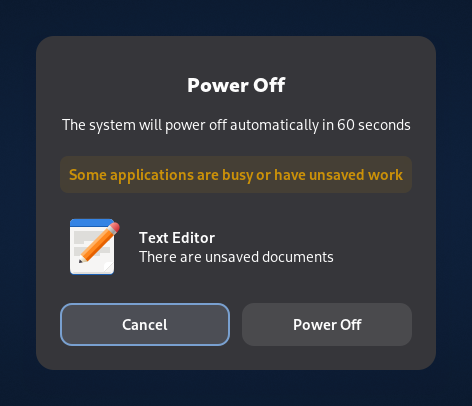](https://tails.net/doc/first_steps/shutdown/power_off_with_inhibitor.png) Even without confirming or saving the open documents, Tails will shut down after 60 seconds. You can still use the faster [emergency shutdown](https://tails.net/doc/first_steps/shutdown/index.en.html#emergency) as before. ## _Celluloid_ video player We replaced _GNOME Videos_ with _Celluloid_ , a more modern and reliable video player. [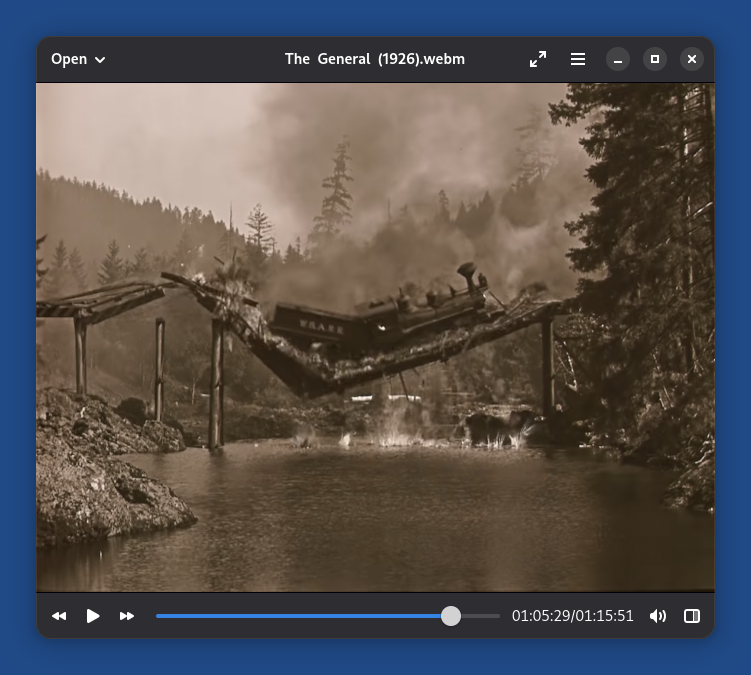](https://tails.net/news/version_7.10/celluloid.png) For added security, _Celluloid_ cannot access the network. You can either: * Open online videos, like MP4 and AVI files, in _Tor Browser_. * Open online streaming addresses, like IPTV and HLS addresses, in _VLC_ , installed as [additional software](https://tails.net/doc/persistent_storage/additional_software/index.en.html). _Celluloid_ doesn't work on some computer from 2011 or earlier. You can use _VLC_ instead, installed as [additional software](https://tails.net/doc/persistent_storage/additional_software/index.en.html). # Changes and updates * Update _Tor Browser_ to [15.0.19](https://blog.torproject.org/new-release-tor-browser-15019/). * Update some firmware packages. This improves support for newer hardware: graphics, Wi-Fi, and so on. For more details, read our [changelog](https://gitlab.tails.boum.org/tails/tails/-/blob/master/debian/changelog). # Get Tails 7.10 ## To upgrade your Tails USB stick and keep your Persistent Storage * Automatic upgrades are available from Tails 7.0 or later to 7.10. * If you cannot do an automatic upgrade or if Tails fails to start after an automatic upgrade, please try to do a [manual upgrade](https://tails.net/doc/upgrade/index.en.html#manual). ## To install Tails 7.10 on a new USB stick Follow our [installation instructions](https://tails.net/install/index.en.html). The Persistent Storage on the USB stick will be lost if you install instead of upgrading. ## To download only If you don't need installation or upgrade instructions, you can download Tails 7.10 directly: * [For USB sticks (USB image)](https://tails.net/install/download/index.en.html) * [For DVDs and virtual machines (ISO image)](https://tails.net/install/download-iso/index.en.html) URL: <https://tails.net/news/version_7.10/>
--
Tails News
https://www.autistici.org/mailman/listinfo/amnesia-news
To unsubscribe, send an empty email to [email protected].


