actually, no hacking needed, just follow these steps:

1) install the USB drivers if you're on Windows (found on this forum)
2) turn on debugging on the phone
3) set the phone to allow unsigned applications
4) install the apk file using the adb application found in the tools
folder of the SDK
then you'll be ready to go

On Nov 9, 2:58 pm, NuuNeoI <[EMAIL PROTECTED]> wrote:
> Hi,
>
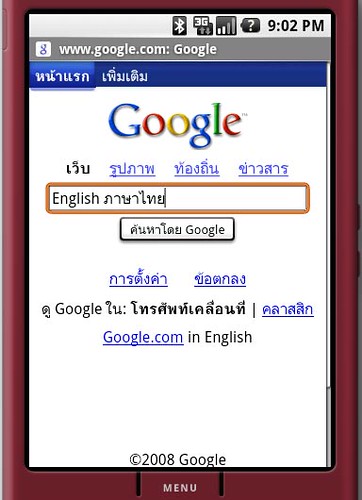
> Just for information. I just finished hacking the android core to add
> my local language display and input (Thai).
>
> Here are the pictures.
>
> - Typing in
> English:http://farm4.static.flickr.com/3252/3015085799_7192835c90.jpg
> - Language Switcher ( by press Alt+Shift+X
> ):http://farm4.static.flickr.com/3061/3015085801_ce488de23c.jpg
> - Now Typing in Thai
> :http://farm4.static.flickr.com/3296/3015085809_2fd1099d45.jpg
>
> It works quite great in Emulator but I still didn't test it on real
> device yet since it's the hacking thing.
>
> Regards,
> Sittiphol Phanvilaihttp://www.neuvex.com
--~--~---------~--~----~------------~-------~--~----~
You received this message because you are subscribed to the Google
Groups "Android Developers" group.
To post to this group, send email to [email protected]
To unsubscribe from this group, send email to
[EMAIL PROTECTED]
For more options, visit this group at
http://groups.google.com/group/android-developers?hl=en
-~----------~----~----~----~------~----~------~--~---