Hi guys,

I'm trying to follow the "Hello World" at the Android Developer site,
but am stuck on a step where it asks me to open up the "Android SDK
and AVD Manager" in Eclipse. [http://developer.android.com/resources/
tutorials/hello-world.html#avd]
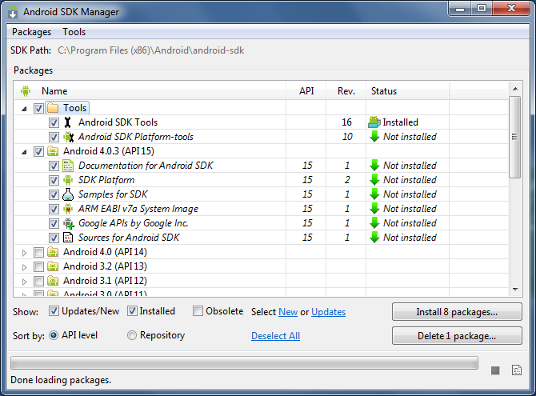
I gather that what I'm meant to be seeing is a combined SDK and AVD
manager, like this one:
http://developer.android.com/images/sdk_manager_packages.png

However, I don't seem to have that. From what I should be able to get
to it by opening up "SDK Manager.exe" in the SDK root. But that just
gives me a single SDK Manager window, not the combined one. Without
the combined one obviously the "Window > Android SDK and AVD Manager"
option in Eclipse is out of the question.

So how can I get the combined Android SDK and AVD Manager window to
show? Are these separate windows a feature of the newest SDK package?
Help!

--
You received this message because you are subscribed to the Google
Groups "Android Developers" group.
To post to this group, send email to [email protected]
To unsubscribe from this group, send email to
[email protected]
For more options, visit this group at
http://groups.google.com/group/android-developers?hl=en