Thanks!
I tried to put a transparent layout onto the top and make it cover the full
screen.OnTouchEvent of this layout had been overrided and it actually
catched all OnTouch event;
but the problem is that some Views under this layout can not catch OnKeyDown
after OnTouchEvent happend onto the top layout. It looks that though
OnTouchevent is consumed by the top view but Focus still changed?

My doubt is that all OnTouchevents are consumed by the toplayout , why some
Views under this layout looks still be effected by this OnTouchevent? should
framework do some elsejob to process this Touch Event?

Thanks!

On Thu, Aug 20, 2009 at 1:19 PM, Dianne Hackborn <[email protected]>wrote:

> Well put a transparent full-size view on top of the rest of your hierarchy
> and have it consume all the events.
>
>
> On Wed, Aug 19, 2009 at 6:44 PM, Leon Zhang <[email protected]> wrote:
>
>> Thanks!
>> In fact, I have tried overriding OnTouch(), and I tried two cases to
>> overriding OnTouch():
>> 1 OnTouch(){
>>    return false;
>> }
>> In this case, OnTouch event will be passed to the next  view in Viewgroup.
>> It is not I want.
>> 2 OnTouch(){
>>    return ture;
>> }
>> In this case, OnTouch event will not be passed to other view. But it will
>> cause this iew's OnKeyDown() not called even key pressed. I think it is
>> caused by Focus changed.
>> Because there are many views in my application and app will manage all
>> focus by it's own way . It means when TouchEvent happens, the Focus will be
>> distored. App has to revert the Focus to the previous state before
>> TouchEvent happens.
>>
>> For my application, it is special and all operation should be done by Key
>> not by Touch.
>>
>> So I have to ask for Group to find the way to avoid any OnTouch event.
>>
>> ZL
>>
>>
>> On Thu, Aug 20, 2009 at 1:26 AM, Yusuf Saib (T-Mobile USA) <
>> [email protected]> wrote:
>>
>>>
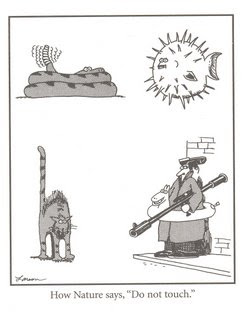
>>> Have you tried overriding OnTouch()? Another way may be to embed the
>>> aphephobic view in another view that overrides OnTouch rather than
>>> passing it down to its child.
>>>
>>>
>>> http://2.bp.blogspot.com/_jFEYq3Edff8/SFr1srC_VSI/AAAAAAAAAnU/oucw8hzS8BA/s400/FarSideNoTouch%2B001(2).jpg<http://2.bp.blogspot.com/_jFEYq3Edff8/SFr1srC_VSI/AAAAAAAAAnU/oucw8hzS8BA/s400/FarSideNoTouch%2B001%282%29.jpg>
>>>
>>> Yusuf Saib
>>> Android
>>> ·T· · ·Mobile· stick together
>>> The views, opinions and statements in this email are those of the
>>> author solely in their individual capacity, and do not necessarily
>>> represent those of T-Mobile USA, Inc.
>>>
>>>
>>>
>>>
>>> On Aug 19, 2:40 am, Zhangli <[email protected]> wrote:
>>> > Hi, all:
>>> >
>>> > I am trying to use "setClickable(false)" + "setLongClickable(false)" +
>>> > "setFocusableInTouchMode(false)" to disable Touch Event for every
>>> > views but failed. When mouse clicks, OnTouchEvent() of some view will
>>> > still be called.
>>> > What I want is only to disable Touch event because my application need
>>> > not Touch and Touch event will disturb the running of app. Is there
>>> > any way to disable Touch ?
>>> >
>>> > Thank you !
>>> > ZL
>>>
>>>
>
>
> --
> Dianne Hackborn
> Android framework engineer
> [email protected]
>
> Note: please don't send private questions to me, as I don't have time to
> provide private support, and so won't reply to such e-mails.  All such
> questions should be posted on public forums, where I and others can see and
> answer them.
>
>
>
> >
>

--~--~---------~--~----~------------~-------~--~----~
You received this message because you are subscribed to the Google
Groups "Android Developers" group.
To post to this group, send email to [email protected]
To unsubscribe from this group, send email to
[email protected]
For more options, visit this group at
http://groups.google.com/group/android-developers?hl=en
-~----------~----~----~----~------~----~------~--~---