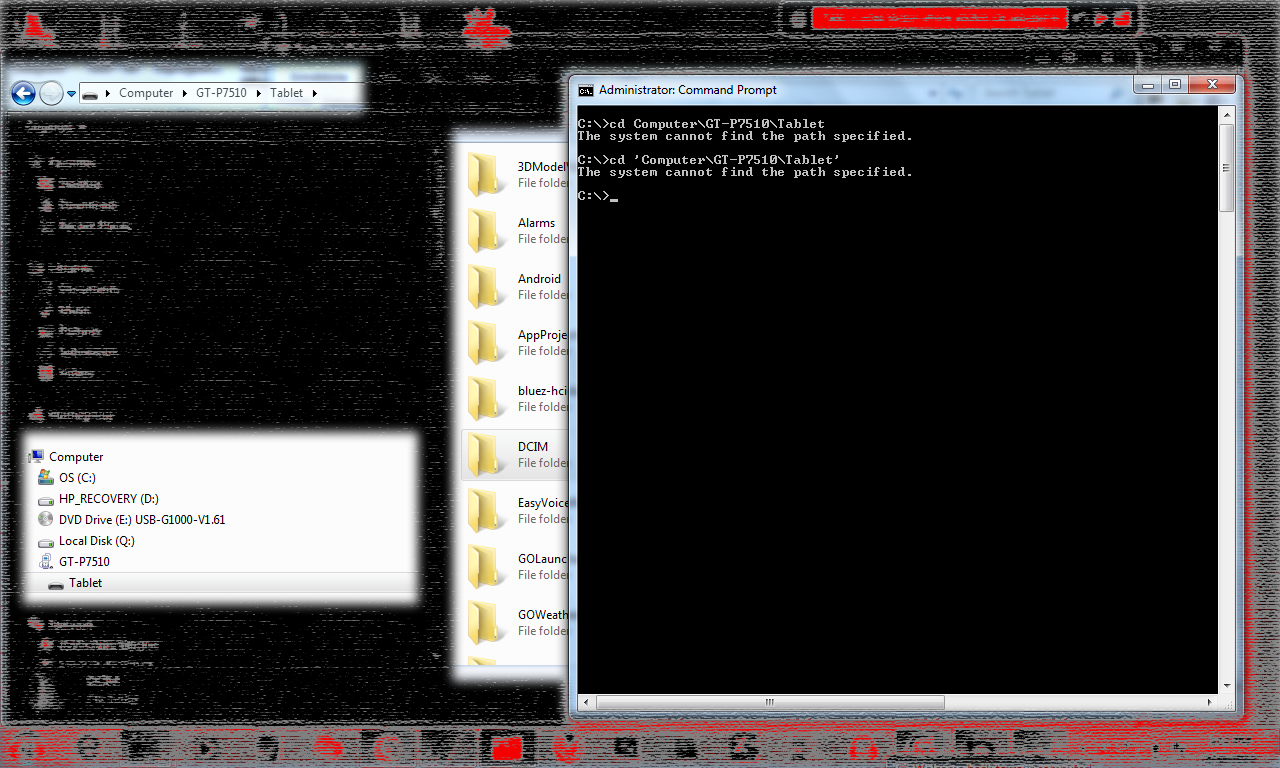
What are you trying to do with it? Assuming that the Galaxy's file system
is mounted on your PC as, say, drive J, then if you enter J: at the command
prompt your prompt should change to J:\> and then you can issue commands
such as dir, cd, etc.
On Thursday, April 18, 2013 4:20:54 PM UTC-4, bob wrote:
>
> So, I plugged in my Galaxy Tab 1 into Windows 7.
>
>
> I turned off USB Debugging because I wanted to browse the file system.
>
>
> I can browse it thru Windows Explorer, but I don't know how to do it from
> the command prompt.
>
>
> Is there any way to access the file system from the command prompt in
> Windows?
>
>
> <https://lh4.googleusercontent.com/-_yvKtgAZz4w/UXBVm0II-6I/AAAAAAAAAY0/FAQh9uX0UQY/s1600/image2.png>
>
>
> Thank you.
>
>
>

--
You received this message because you are subscribed to the Google Groups
"Android Discuss" group.
To unsubscribe from this group and stop receiving emails from it, send an email
to [email protected].
To post to this group, send email to [email protected].
Visit this group at http://groups.google.com/group/android-discuss?hl=en.
For more options, visit https://groups.google.com/groups/opt_out.