Tryton Release 7.0 Photo: Pexels, Monstera Production We are proud to announce the 7.0 Long Term Support release of Tryton which will be supported until November 2028. As usual the migration from previous series is fully supported. The Migration Category lists all manual operations that may be required. In the 7.0 release we fixed many bugs and misbehaviours, sped-up performance issues and added many new features some in form of new modules. We also released bug fixes for the maintained series 5.0, 6.0, 6.6 and 6.8. But with the release of branch 7.0 we’ll merge the latest changes to the 6.6 branch and close it afterwards. Branch 6.6 then is no longer maintained by the Tryton project. Changes for the UserNew ModulesOur modules collection is growing up to 204 functional modules:
Sales, Purchase and ProjectTryton now warns the user when receiving more quantity of a product than ordered. This should avoid mistakes like putting or forgetting the decimal delimiter or typos. The same applies to receiving returned products sold. Now the price is only required on purchase confirmation. This way users can send requests for quotation without prices and when receiving a quotation, they edit the draft purchase to set the received prices. With the use of the For purchases and sales we’ve added actions to trigger the creation of draft documents to make following-up manual invoice and shipment methods easier for the users. As the user may need to manually create those documents anyway, we provide an action that creates those documents as if the method On Order had been used. The sale and purchase amendment fields are now displayed when an order transitions into the processing state, to allow the creation of amendments directly. 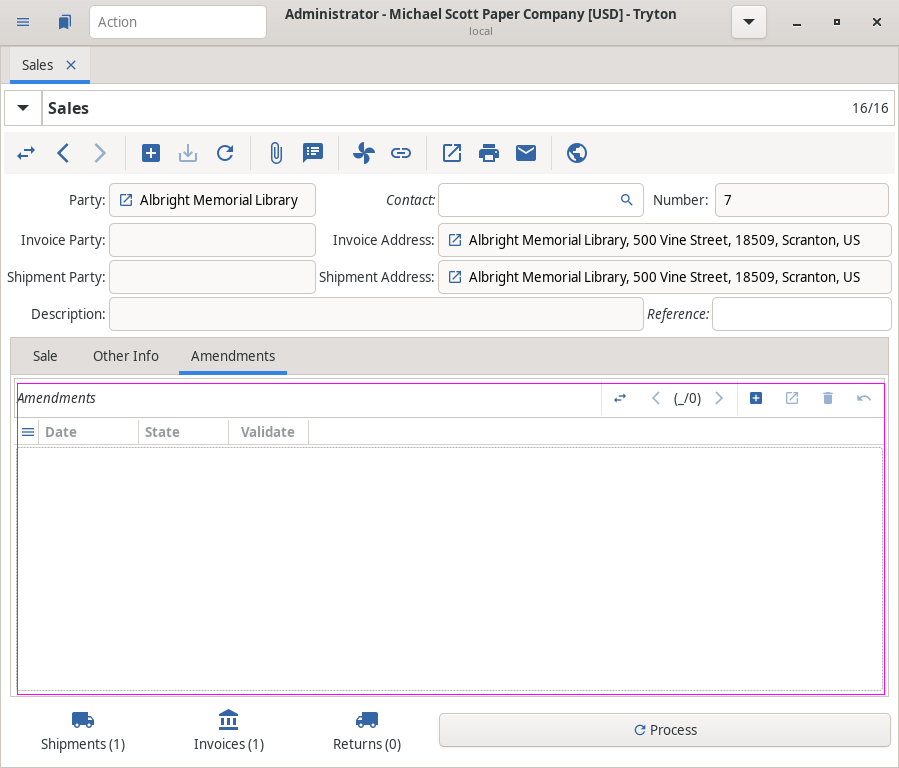 Depending on the complexity of an order, users sometimes wanted to have a different delay for the state change to processing for sales and purchases, which is now possible. Read More… (click for more details)Accounting, Invoicing and PaymentOn account moves Tryton now displays the description of the origin-field when no other description is filled. Usually we let the user relay on the origin record name to understand the ledger. But it is not always enough, the origin may have a description content which could be useful for the accountant. Tryton now warns when a move line with payment is going to be cancelled, grouped, rescheduled or delegated. And vice versa now Tryton warns when a payment with reconciled line is going to be submitted, approved or proceeded. Now we allow an account admin user to print a posted or paid invoice to refresh data without using the cached invoice document. This way, some data (like layout, addresses, etc.) can be updated on the invoice report. The previous printed report revisions are stored in an invoice cache. The account moves generated from currency exchange values are now automatically posted by the system. This prevents the need to handle forgotten unposted currency exchange moves and avoids having to deal with them manually. To correctly consider payable and receivable lines, we also post cancelled, grouped, rescheduled and delegated accounting moves when an origin accounting move is posted. The supplier invoice’s reference can now be changed in non draft states. 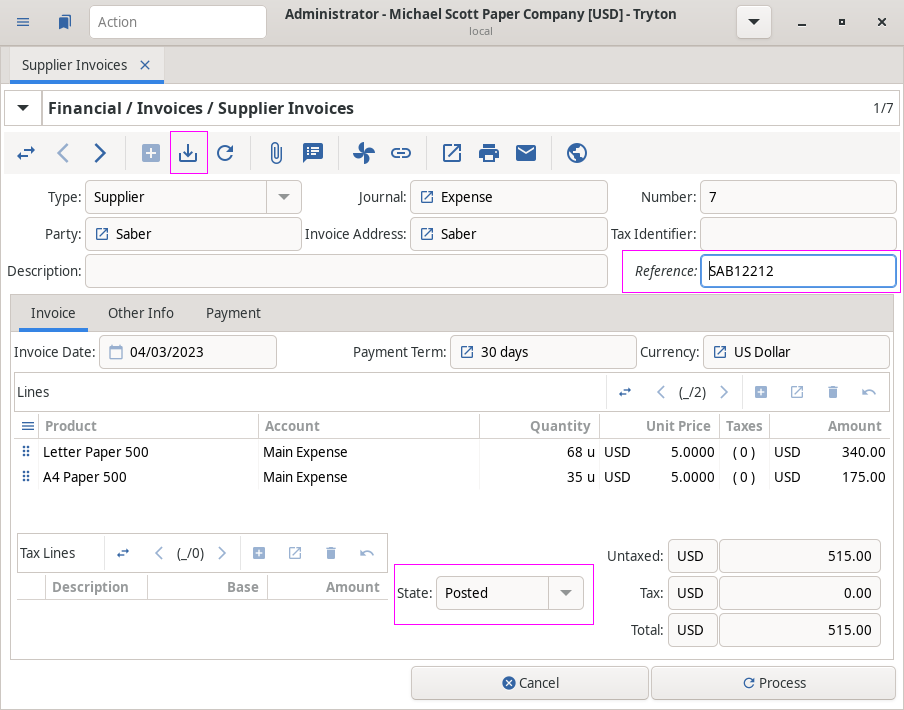 When deferring an invoice with an analytic setup the analytic account is now also deferred. Tryton now asks for a date when creating an account move from a template. We now show the reconciliation lines of an invoice that is in a cancelled state, because when it is refunded with a credit note, it is cancelled instead of paid. As it is very useful to get the total of waiting balances, we added the sum to the aged balance terms and balance. 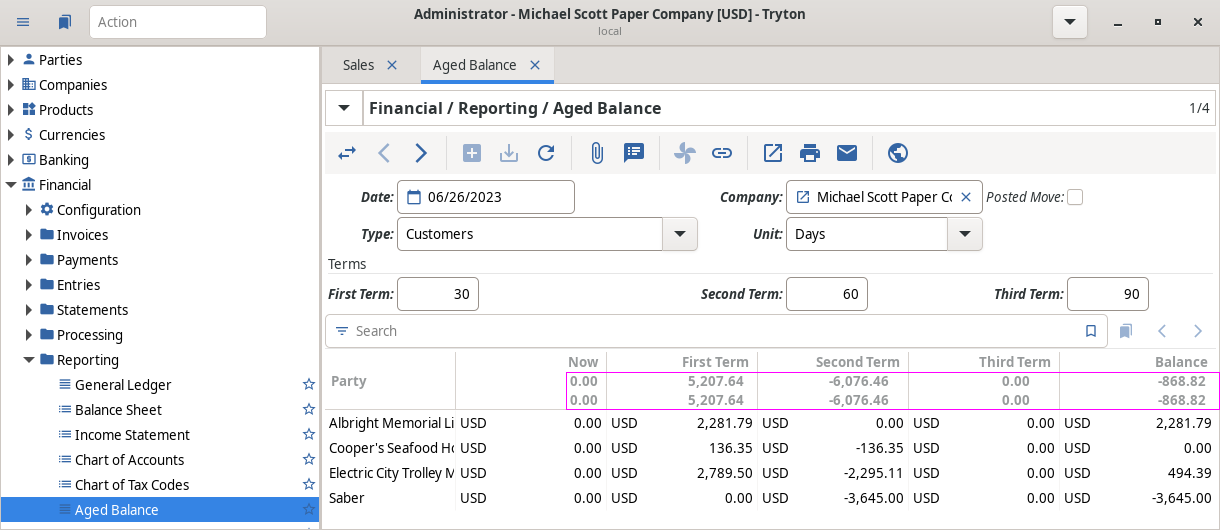 In the To have a clearer picture of the debts of a company, we’ve added receivables and payables to it. Invoice lines now have pay, block and unblock payment buttons to be able to directly create payments from within the invoice form. Read More… (click for more details)Stock, Production, Quality and ShipmentWe defined a new menu entry Inventory & Stock / Warehouses which opens a view to list all warehouses to get the knowledge of product quantities for selected warehouses. The (shipment state is now printed on several stock reports)[Prevent printing delivery note (#12501) · Issues · Tryton / Tryton · GitLab] and warehouse country is printed on the delivery note Now we check all quantities in shipments for products and lots. Tryton now displays the delay for stock moves and shipments. It stores the original planned date from the sale and purchase. As moves and shipments are rescheduled by a cron task, Tryton now computes the delay with the actual planned date or the effective date. This provides a visual hint about the delay and can be used as a trigger for delay-notifications. We now reschedule and update the planned date for late productions and allow it to be changed while running the production. This avoids generating new production requests if there is already one running. On production works we now store the employee who set a cycle to running, done or cancelled. We’ve updated the UPS shipping to use the new OAuth 2.0 security model for all APIs. User InterfaceFollowing the Google Materials Icon convention we now distinguish the icons for save and download. Because save is used to store on the server and download is used to retrieve data from the server and store it locally. Tryton is now able to auto-complete values on demand from external sources. Now we use the grid layout instead of table-layout to implement the form-container in sao. Now it is possible to directly copy the link from the URL-widget, without the need to open it before. The Tryton client does no longer set automatically the value if only one record was found. As the search is fuzzy we need to ensure that the user always validates the resulting value by manually selecting it. User applications that are created from the user’s preferences are now put directly in the validated state to improve the user experience. We added several new identifiers in Tryton according to the The search offset is now reset when the filter is changed. This is an improvement on the old behaviour because if a user moved to a later page (updating the offset), then changed the filter, it resulted in no records being shown. This was because not enough records were found to show any at that offset. With the new behaviour, the first page of the records will be always shown after the filter is updated. It is now possible to copy selected records on the web-client. A new contextual menu item has been added to mimic the feature which is available on the desktop client using the keyboard shortcut. All the number fields are now first sorted by length. This provides a more natural order for the most common cases where the content is just a number or a number with a prefix. We now validate and normalize email addresses and convert them to ASCII to help avoid user input mistakes. 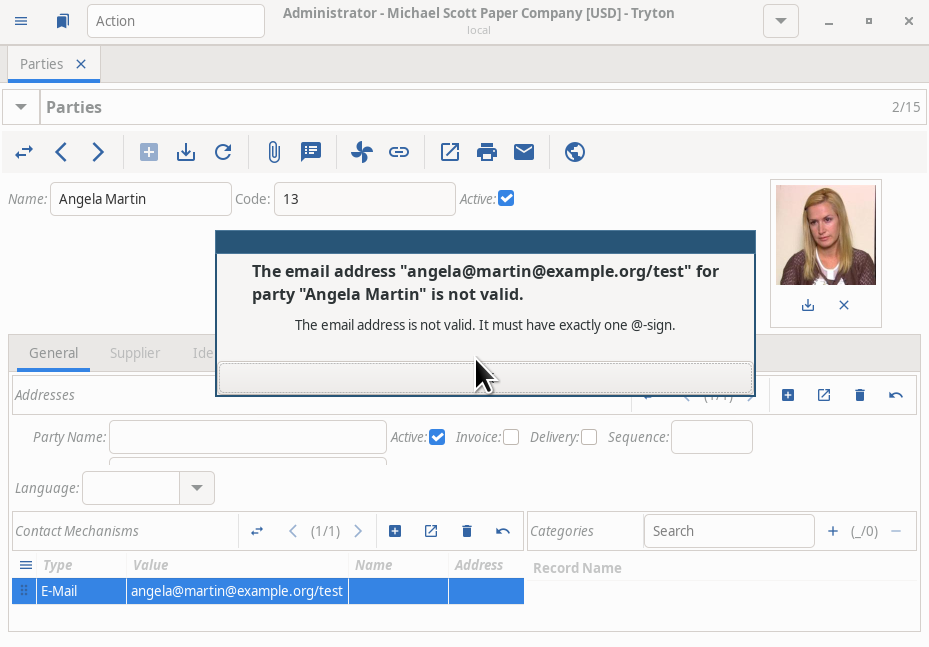 In CSV exports with the option selected to use locale format, we now use the local time zone for date-time fields. Master Data and ConfigurationNow Tryton displays a preview of sequence to be generated, because users may have difficulties to realize how the generated sequence will look like when they configure it. We now allow the use of the current date as a substitution in the sequence fields prefix and suffix, formatted using strftime-format. Instead of prefixing the strftime-format code with Changes for the System AdministratorNow Tryton also supports Python 3.12. The account dunning email logs have been merged into the general email archives. The Tryton client configuration, profiles and plug-ins are now transferred from the previous version to the new version on first use of a new client. Now, when saving a CSV export definition, the options to export listed records or selected records and to ignore search limit are also saved. Printing an export as a report will also make use of the new saved options. We removed migrations prior to 5.0. Changes for Implementers and DevelopersNow it is possible to specify a database statement timeout on RPC calls. It should avoid evaluating huge queries that can take up to some hours and more importantly eat up all the memory and CPU dedicated to the database. Thankfully postgres has an option available on the sessions: We added new attributes to buttons: We removed the Tryton now supports Tryton has now support for scanning codes like bar-codes or QR-codes. The PostgreSQL backend now supports At the start of a transaction we check if a used table is locked. Otherwise we raise a TransactionError and the transaction will be restarted with the table added to the list of tables to lock. This ensures that we always read the last committed values when a table is locked. It is now possible to use the Tryton now supports encoding We added a We moved the representation of  Our base documentation has been greatly improved with a new chapter about the internal resource module. Read More… (click for more details)1 post - 1 participant |
[tryton-announces] Tryton Release 7.0
News - Tryton Discussion: udono Tue, 31 Oct 2023 10:03:30 -0700
