Date: Monday, October 31, 2022 @ 20:46:06
  Author: arojas
Revision: 1339869
archrelease: copy trunk to community-x86_64
Added:
dvdstyler/repos/community-x86_64/PKGBUILD
(from rev 1339868, dvdstyler/trunk/PKGBUILD)
dvdstyler/repos/community-x86_64/dvdstyler.appdata.xml
(from rev 1339868, dvdstyler/trunk/dvdstyler.appdata.xml)
Deleted:
dvdstyler/repos/community-x86_64/PKGBUILD
dvdstyler/repos/community-x86_64/dvdstyler.appdata.xml
-----------------------+
PKGBUILD | 76 ++++++++++++++++-----------------
dvdstyler.appdata.xml | 110 ++++++++++++++++++++++++------------------------
2 files changed, 93 insertions(+), 93 deletions(-)
Deleted: PKGBUILD
===================================================================
--- PKGBUILD 2022-10-31 20:45:56 UTC (rev 1339868)
+++ PKGBUILD 2022-10-31 20:46:06 UTC (rev 1339869)
@@ -1,38 +0,0 @@
-# Maintainer: Balló György <ballogyor+arch at gmail dot com>
-# Contributor: Leonidas Spyropoulos <artafinde at gmail com>
-# Contributor: Miguel Revilla <[email protected]>
-# Contributor: Alexander Fehr <pizzapunk gmail com>
-# Contributor: Daniel J Griffiths <[email protected]>
-# Contributor: Mario J Steele <[email protected]>
-
-pkgname=dvdstyler
-pkgver=3.2.1
-pkgrel=1
-pkgdesc='DVD authoring application for the creation of professional-looking
DVDs'
-arch=('x86_64')
-url='https://www.dvdstyler.org/'
-license=('GPL2')
-depends=('cdrtools' 'dvdauthor' 'dvd+rw-tools' 'ffmpeg4.4' 'wxsvg')
-makedepends=('docbook-xsl' 'xmlto' 'zip' 'ffmpeg')
-source=("https://downloads.sourceforge.net/$pkgname/DVDStyler-$pkgver.tar.bz2";
- 'dvdstyler.appdata.xml')
-sha256sums=('0bb3348739f4c93097454b814ecb3a58f6bace8f030f41619a9feeafb4747558'
- '7c0abb349664e9a179e68feb2c614c4f9f5480b7fcd74040d043864b80cecd4a')
-
-prepare() {
- cd DVDStyler-$pkgver
- sed -i 's|/pixmaps|/icons/hicolor/48x48/apps|' data/Makefile.{am,in}
-}
-
-build() {
- cd DVDStyler-$pkgver
- export PKG_CONFIG_PATH='/usr/lib/ffmpeg4.4/pkgconfig'
- ./configure --prefix=/usr
- make
-}
-
-package() {
- cd DVDStyler-$pkgver
- make DESTDIR="$pkgdir" install
- install -Dm644 ../$pkgname.appdata.xml
"$pkgdir/usr/share/metainfo/$pkgname.appdata.xml"
-}
Copied: dvdstyler/repos/community-x86_64/PKGBUILD (from rev 1339868,
dvdstyler/trunk/PKGBUILD)
===================================================================
--- PKGBUILD (rev 0)
+++ PKGBUILD 2022-10-31 20:46:06 UTC (rev 1339869)
@@ -0,0 +1,38 @@
+# Maintainer: Balló György <ballogyor+arch at gmail dot com>
+# Contributor: Leonidas Spyropoulos <artafinde at gmail com>
+# Contributor: Miguel Revilla <[email protected]>
+# Contributor: Alexander Fehr <pizzapunk gmail com>
+# Contributor: Daniel J Griffiths <[email protected]>
+# Contributor: Mario J Steele <[email protected]>
+
+pkgname=dvdstyler
+pkgver=3.2.1
+pkgrel=2
+pkgdesc='DVD authoring application for the creation of professional-looking
DVDs'
+arch=('x86_64')
+url='https://www.dvdstyler.org/'
+license=('GPL2')
+depends=('cdrtools' 'dvdauthor' 'dvd+rw-tools' 'ffmpeg4.4' 'wxsvg')
+makedepends=('docbook-xsl' 'xmlto' 'zip' 'ffmpeg')
+source=("https://downloads.sourceforge.net/$pkgname/DVDStyler-$pkgver.tar.bz2";
+ 'dvdstyler.appdata.xml')
+sha256sums=('0bb3348739f4c93097454b814ecb3a58f6bace8f030f41619a9feeafb4747558'
+ '7c0abb349664e9a179e68feb2c614c4f9f5480b7fcd74040d043864b80cecd4a')
+
+prepare() {
+ cd DVDStyler-$pkgver
+ sed -i 's|/pixmaps|/icons/hicolor/48x48/apps|' data/Makefile.{am,in}
+}
+
+build() {
+ cd DVDStyler-$pkgver
+ export PKG_CONFIG_PATH='/usr/lib/ffmpeg4.4/pkgconfig'
+ ./configure --prefix=/usr
+ make
+}
+
+package() {
+ cd DVDStyler-$pkgver
+ make DESTDIR="$pkgdir" install
+ install -Dm644 ../$pkgname.appdata.xml
"$pkgdir/usr/share/metainfo/$pkgname.appdata.xml"
+}
Deleted: dvdstyler.appdata.xml
===================================================================
--- dvdstyler.appdata.xml 2022-10-31 20:45:56 UTC (rev 1339868)
+++ dvdstyler.appdata.xml 2022-10-31 20:46:06 UTC (rev 1339869)
@@ -1,55 +0,0 @@
-<?xml version="1.0" encoding="UTF-8"?>
-<component type="desktop">
- <id>dvdstyler.desktop</id>
- <metadata_license>CC0-1.0</metadata_license>
- <project_license>GPL-2.0</project_license>
- <summary>Cross-platform DVD authoring application</summary>
- <description>
- <p>
- DVDStyler is a cross-platform free DVD authoring application for
the
- creation of professional-looking DVDs. It allows not only burning
of
- video files on DVD that can be played practically on any
standalone DVD
- player, but also creation of individually designed DVD menus. It is
- Open Source Software and is completely free.
- </p>
- <p>
- Features
- Tip: DVDStyler is PC software, not self-hosted web software, so a
web hosting plan is not required.
- </p>
- <ul>
- <li>Create and burn DVD video with interactive menus</li>
- <li>Design your own DVD menu or select one from the list of ready to use
menu templates</li>
- <li>Create photo slideshow</li>
- <li>Add multiple subtitle and audio tracks</li>
- <li>Support of AVI, MOV, MP4, MPEG, OGG, WMV and other file formats</li>
- <li>Support of MPEG-2, MPEG-4, DivX, Xvid, MP2, MP3, AC-3 and other
audio and video formats</li>
- <li>Support of multi-core processor</li>
- <li>Use MPEG and VOB files without reencoding, see FAQ</li>
- <li>Put files with different audio/video format on one DVD (support of
titleset)</li>
- <li>User-friendly interface with support of drag & drop</li>
- <li>Flexible menu creation on the basis of scalable vector graphic</li>
- <li>Import of image file for background</li>
- <li>Place buttons, text, images and other graphic objects anywhere on
the menu screen</li>
- <li>Change the font/color and other parameters of buttons and graphic
objects</li>
- <li>Scale any button or graphic object</li>
- <li>Copy any menu object or whole menu</li>
- <li>Customize navigation using DVD scripting</li>
- </ul>
- </description>
- <url type="homepage">https://www.dvdstyler.org/</url>
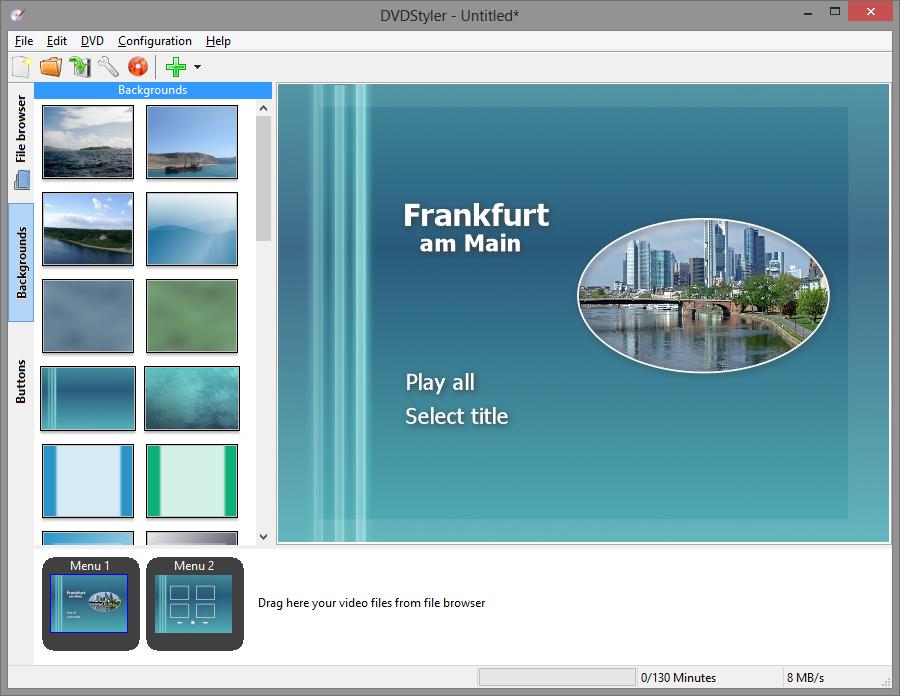
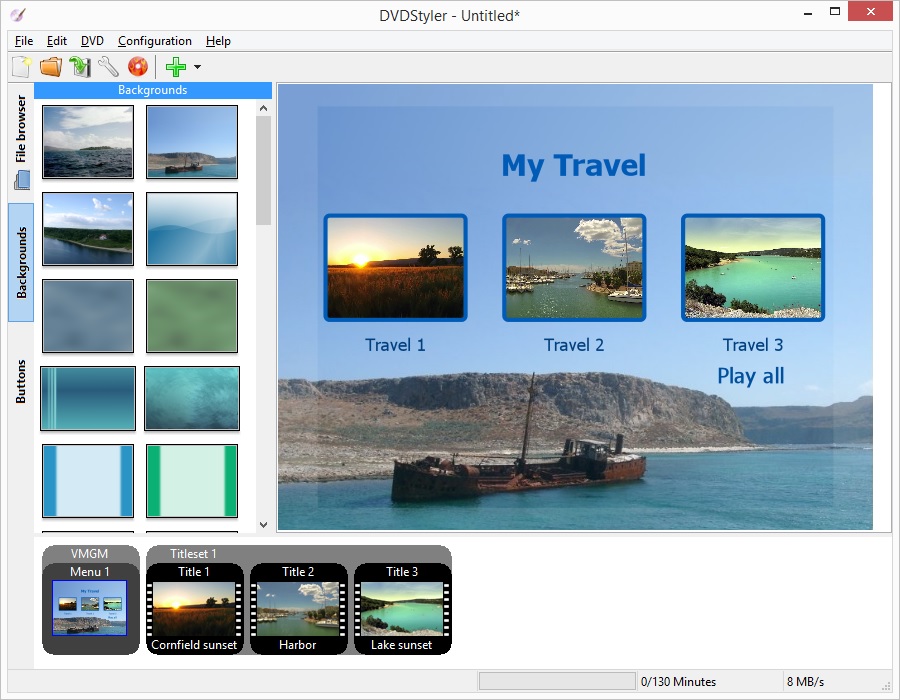
- <screenshots>
- <screenshot type="default">
- <image>https://www.dvdstyler.org/images/screenshots/ffm.jpg</image>
- </screenshot>
- <screenshot type="default">
- <image>https://www.dvdstyler.org/images/screenshots/blue.jpg</image>
- </screenshot>
- <screenshot type="default">
-
<image>https://www.dvdstyler.org/images/screenshots/filebrowser.jpg</image>
- </screenshot>
- <screenshot type="default">
- <image>https://www.dvdstyler.org/images/screenshots/travel.jpg</image>
- </screenshot>
- </screenshots>
- <update_contact>alex AT thuering.biz</update_contact>
-</component>
Copied: dvdstyler/repos/community-x86_64/dvdstyler.appdata.xml (from rev
1339868, dvdstyler/trunk/dvdstyler.appdata.xml)
===================================================================
--- dvdstyler.appdata.xml (rev 0)
+++ dvdstyler.appdata.xml 2022-10-31 20:46:06 UTC (rev 1339869)
@@ -0,0 +1,55 @@
+<?xml version="1.0" encoding="UTF-8"?>
+<component type="desktop">
+ <id>dvdstyler.desktop</id>
+ <metadata_license>CC0-1.0</metadata_license>
+ <project_license>GPL-2.0</project_license>
+ <summary>Cross-platform DVD authoring application</summary>
+ <description>
+ <p>
+ DVDStyler is a cross-platform free DVD authoring application for
the
+ creation of professional-looking DVDs. It allows not only burning
of
+ video files on DVD that can be played practically on any
standalone DVD
+ player, but also creation of individually designed DVD menus. It is
+ Open Source Software and is completely free.
+ </p>
+ <p>
+ Features
+ Tip: DVDStyler is PC software, not self-hosted web software, so a
web hosting plan is not required.
+ </p>
+ <ul>
+ <li>Create and burn DVD video with interactive menus</li>
+ <li>Design your own DVD menu or select one from the list of ready to use
menu templates</li>
+ <li>Create photo slideshow</li>
+ <li>Add multiple subtitle and audio tracks</li>
+ <li>Support of AVI, MOV, MP4, MPEG, OGG, WMV and other file formats</li>
+ <li>Support of MPEG-2, MPEG-4, DivX, Xvid, MP2, MP3, AC-3 and other
audio and video formats</li>
+ <li>Support of multi-core processor</li>
+ <li>Use MPEG and VOB files without reencoding, see FAQ</li>
+ <li>Put files with different audio/video format on one DVD (support of
titleset)</li>
+ <li>User-friendly interface with support of drag & drop</li>
+ <li>Flexible menu creation on the basis of scalable vector graphic</li>
+ <li>Import of image file for background</li>
+ <li>Place buttons, text, images and other graphic objects anywhere on
the menu screen</li>
+ <li>Change the font/color and other parameters of buttons and graphic
objects</li>
+ <li>Scale any button or graphic object</li>
+ <li>Copy any menu object or whole menu</li>
+ <li>Customize navigation using DVD scripting</li>
+ </ul>
+ </description>
+ <url type="homepage">https://www.dvdstyler.org/</url>
+ <screenshots>
+ <screenshot type="default">
+ <image>https://www.dvdstyler.org/images/screenshots/ffm.jpg</image>
+ </screenshot>
+ <screenshot type="default">
+ <image>https://www.dvdstyler.org/images/screenshots/blue.jpg</image>
+ </screenshot>
+ <screenshot type="default">
+
<image>https://www.dvdstyler.org/images/screenshots/filebrowser.jpg</image>
+ </screenshot>
+ <screenshot type="default">
+ <image>https://www.dvdstyler.org/images/screenshots/travel.jpg</image>
+ </screenshot>
+ </screenshots>
+ <update_contact>alex AT thuering.biz</update_contact>
+</component>