Hello all,

First off - Batik rules!!  We've been using it in our apps for the past
3 years - awesome.  Now, we've been asked to customize one of our
applications for a foreign audience, and so, we must support Arabic and
Hebrew.
Our application renders text and graphics to a JPanel, and then, using
SVGGraphics2D, we export from the JPanel to SVG.

Using the version of Batik we had before (we had compiled the 1.5
source), the resulting (Hebrew) SVG was being rendered backwards - that
is, any text with Hebrew characters was being rendered L2R as opposed to
R2L.  English text was just fine.

I just downloaded Batik 1.6.  Thankfully, the Hebrew text is rendered in
the proper order - most of the time...  Attached is an SVG file which
renders the text properly for all but the middle one in the right column
(it is that way in squiggle).  As you will see, there is ONE Hebrew char
which overlaps with the "33" - but instead that char needs to be placed
to the very right of the text - i.e. it is the very first character in
that text (as depicted in the attached gif).

Any ideas as to what's going on?

Thank you,
Elias.
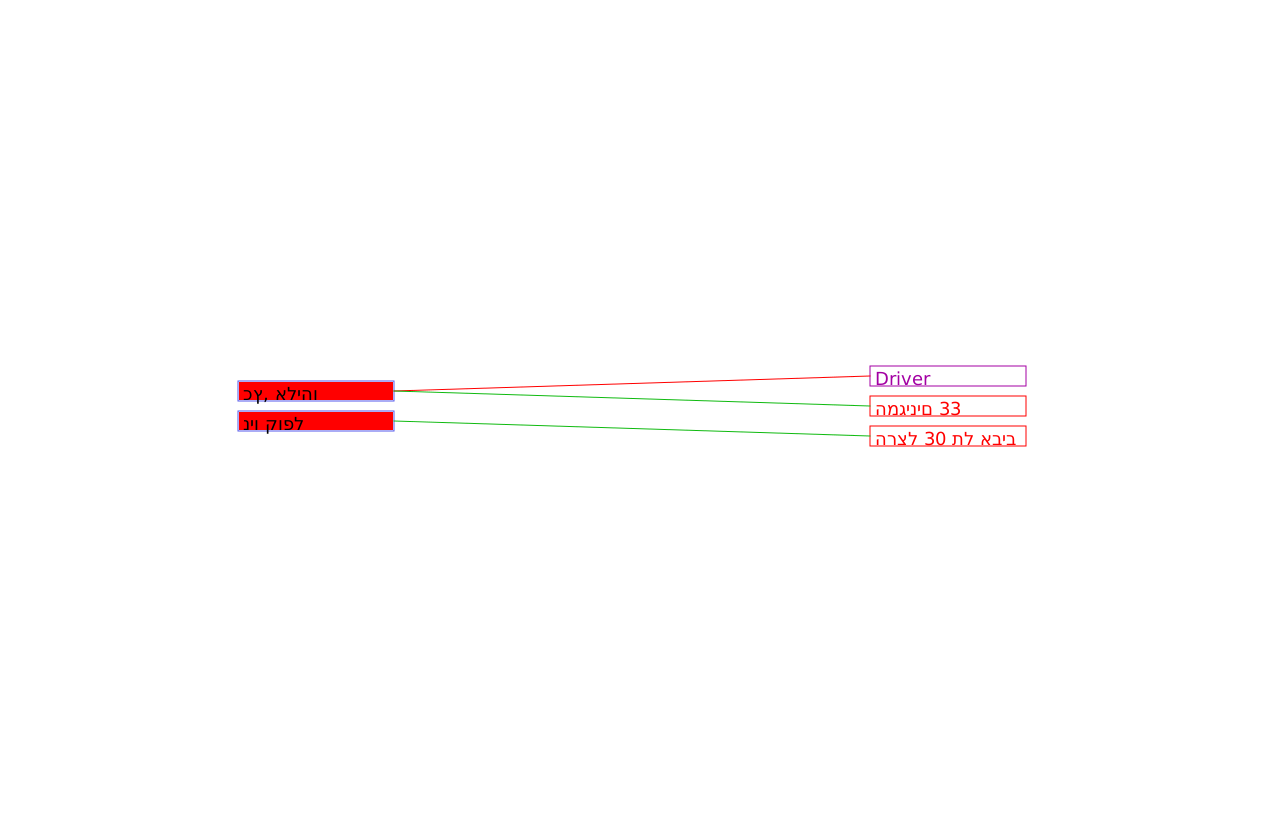 test-hebrew.svg
Description: test-hebrew.svg
 ProperlyRendered.gif
Description: ProperlyRendered.gif
---------------------------------------------------------------------
To unsubscribe, e-mail: [EMAIL PROTECTED]
For additional commands, e-mail: [EMAIL PROTECTED]
