Hi Tux Leonard,

I think I want to try the Cygwin way because I have at least a little
experience using it. After some Googling, I found this document with all
the steps needed:
http://www.add.ece.ufl.edu/4924/docs/arm/ARM%20Code%20Development%20in%20Windows.pdf
For anyone who is curious, I followed through with the steps in this guide
and got everything up and running and was able to continue with Malloy's
video. Some things to note:

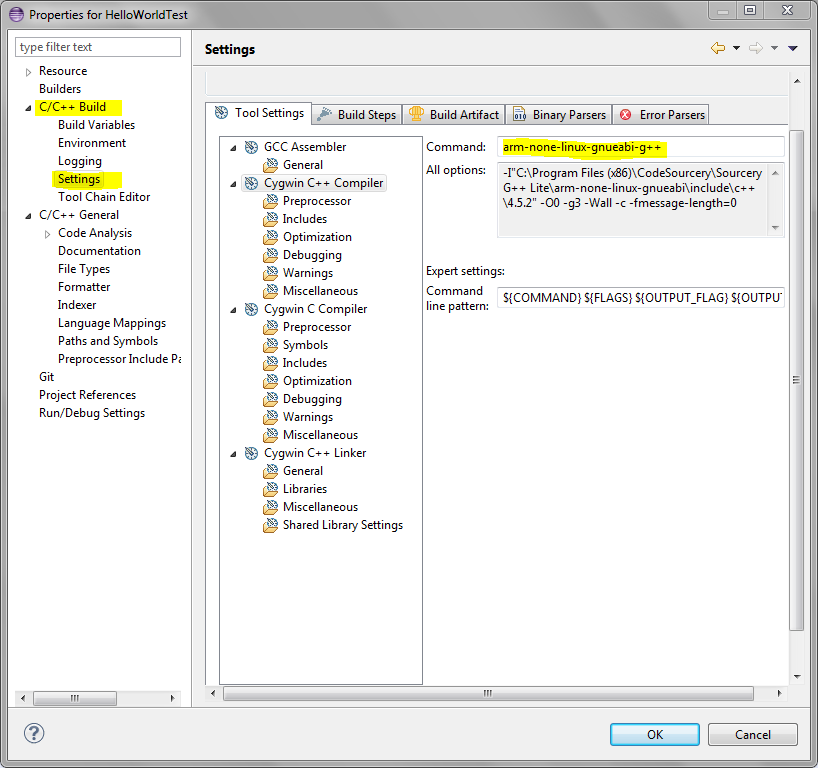
Whenever Malloy uses *arm-linux-gnueabi*, just use
*arm-none-linux-gnueabi*instead (see below screenshot).

<https://lh5.googleusercontent.com/-UFHt6YGIl8A/UrtznuvjYAI/AAAAAAAAAg0/bhiAeYp5w60/s1600/malloy1.PNG>
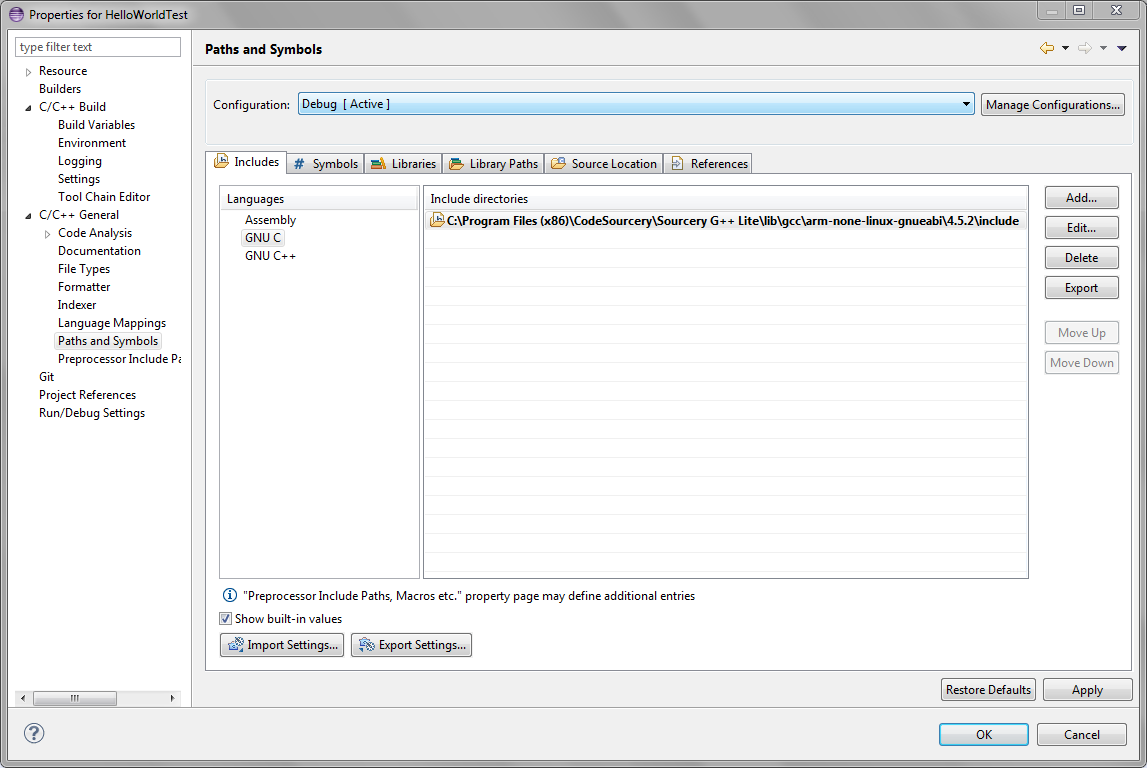
Likewise, when he goes to change the include paths, when he uses
/usr/arm-linux-gnueabi/ instead use the path of Sourcery (shown below).

In this case instead of using */usr/arm-linux-gnueabi/include*, I used
C:\Program
Files (x86)\CodeSourcery\Sourcery G++
Lite\lib\gcc\arm-none-linux-gnueabi\4.5.2\*include*.


<https://lh6.googleusercontent.com/-7Fg5q1Vfrbk/Urt0kFGanII/AAAAAAAAAg8/m0VPzRNVF_A/s1600/malloy2.PNG>
Everything else is more or less the same and *I was able to get the C++
code working to make my user LED blink ten times! :-D*

*The part where I'm now stuck on is when he tries to remotely debug the
BBB*from his local machine using a tool from Ubuntu called *gdb-multiarch
*(around 35:20). I am now going to see if there is a similar tool for this
on Windows (but if you guys know about it or can find it faster, please
post here!).

--
For more options, visit http://beagleboard.org/discuss
---
You received this message because you are subscribed to the Google Groups
"BeagleBoard" group.
To unsubscribe from this group and stop receiving emails from it, send an email
to [email protected].
For more options, visit https://groups.google.com/groups/opt_out.