I hoped somebody would see this new feature... but oh well, I'll ask you
to comment on it :-)
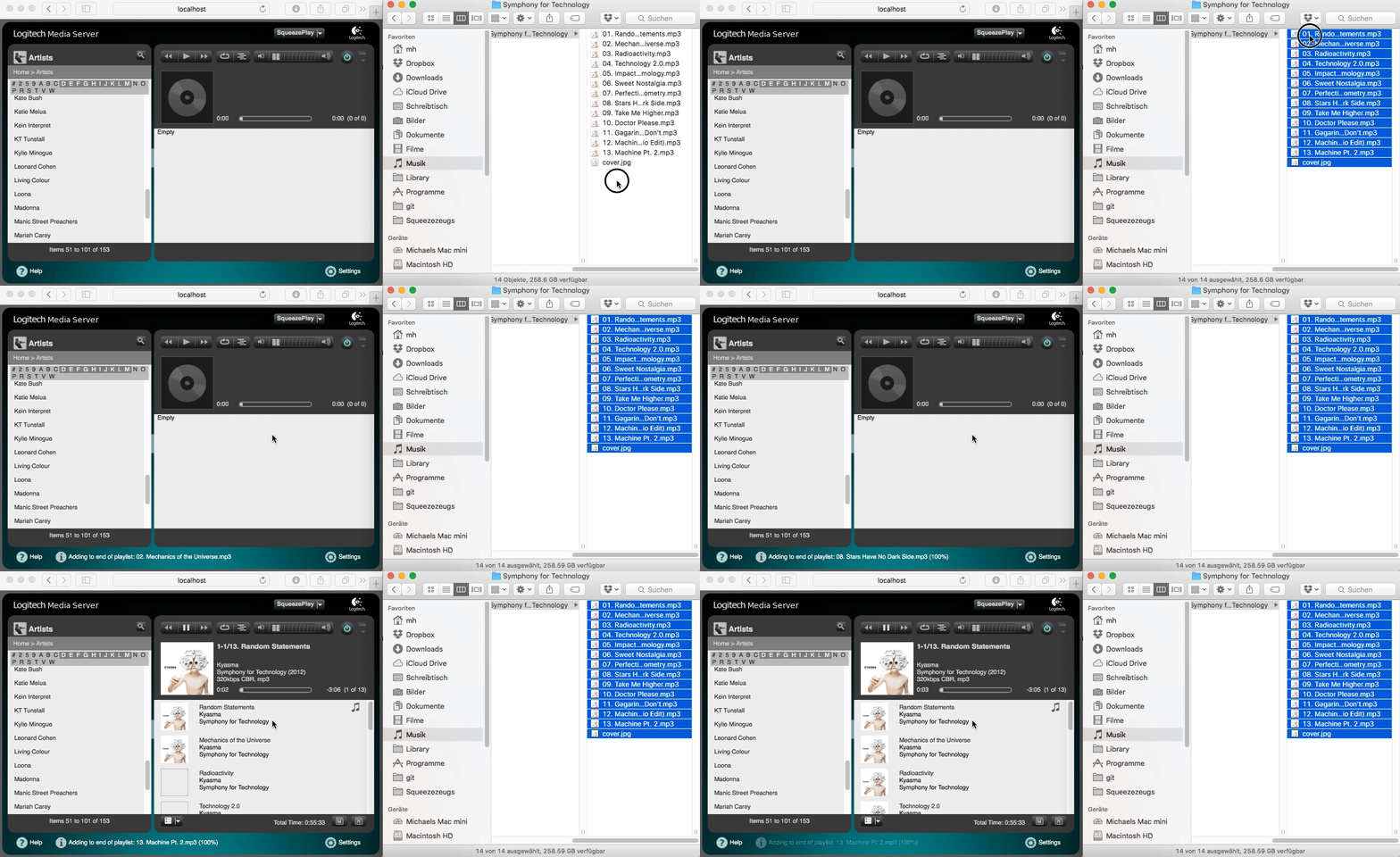
I've added a way to play music files from your computer by dropping them
on the web UI's right hand side panel. This would be one way to play
your music if you preferred browsing your collection in Windows Explorer
or the Mac's Finder (please let me know whether this works on desktop
Linux, too). Grab a bunch of files, drop them to the browser window, and
they'll be played. If they're available from LMS, those files will be
used. Otherwise the browser will send the files to the server to be
played through your Squeezebox.

[image: http://www.herger.net/slim-plugins/dnd.gif]

There are a few caveats:

- Currently you can't play files larger than 100MB if they're not on
  the server already.
- I've had mixed results with MSIE 11...
- Playing files which are not on your LMS machine already will store
  them in your cache folder. While that folder is being cleaned up
  regularly (files removed once they're no longer queued up on any
  player), you could potentially bring your server to a halt if your
  cache folder was on a small partition, or if you decided to queue up
  dozens of 100MB files.
-


Please give it a try and let me know what you think about it. Have fun!


Michael

http://www.herger.net/slim-plugins - MusicArtistInfo, MusicInfoSCR,
Smart Mix
------------------------------------------------------------------------
mherger's Profile: http://forums.slimdevices.com/member.php?userid=50
View this thread: http://forums.slimdevices.com/showthread.php?t=105055

_______________________________________________
beta mailing list
[email protected]
http://lists.slimdevices.com/mailman/listinfo/beta