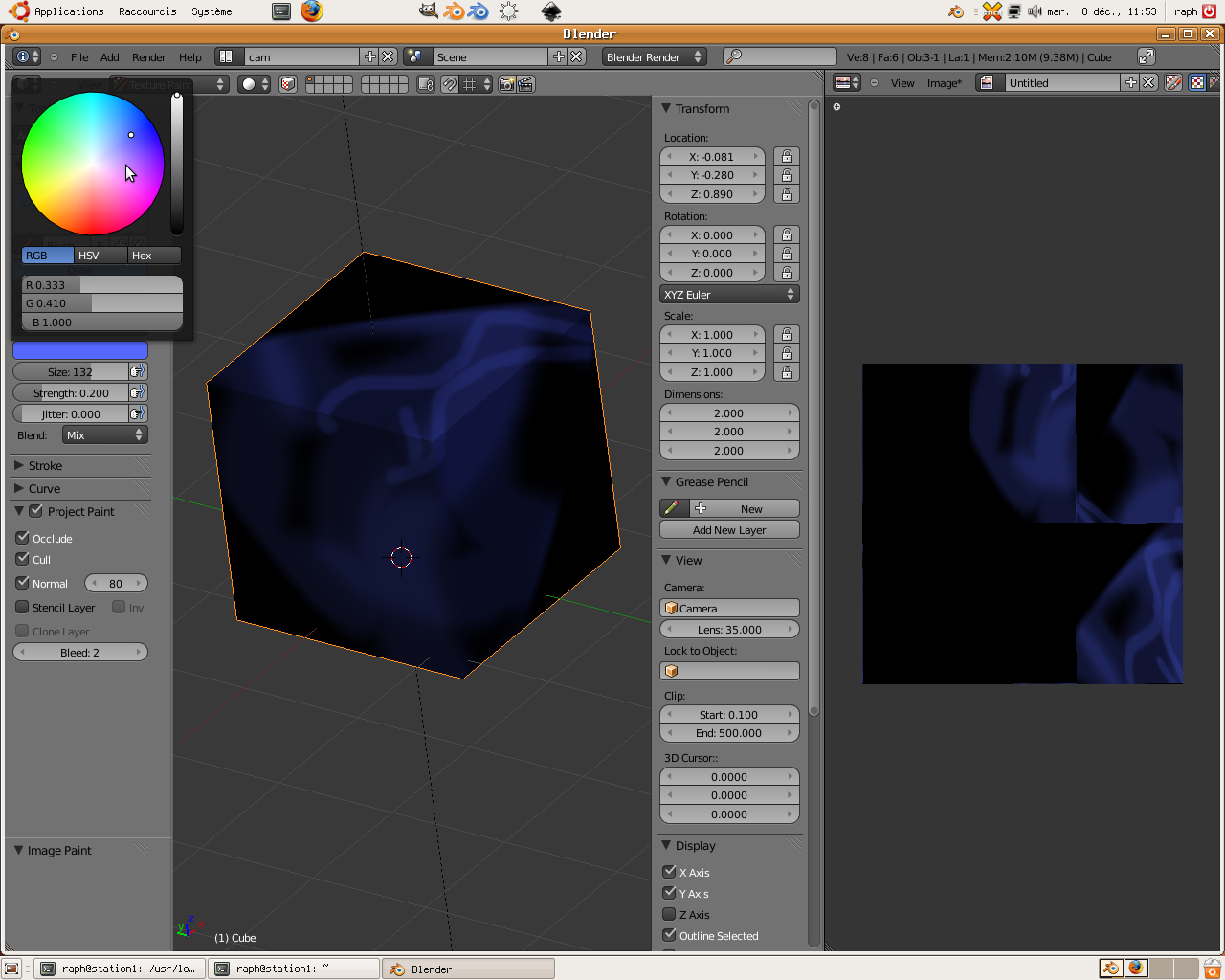
Hi,
[email protected] (2009-12-08 at 1410.28 +0100):
> > just 2 screenshots, it's an attempt to transpose
> > a 2.49 layout too 2.5
> > 2.49 http://dwarf.free.fr/blender2.5/Capture-4.png
> > 2.50 http://dwarf.free.fr/blender2.5/Capture-3.png
> I see what you are saying here but with 2.5 you can just use the N and
> T keys to get rid of those panels in a flash and bring them back but
> most of the time you can just use hot keys.
And after they appear, navigate them. Fast keys and then not so fast,
too many things behind every key, so there will be need for extra
actions.

Probably there should be 2 bars more, operator and view, to move out
parts of toolbox and properties. The reasons are simple, operator is
basic now, and sometimes it is rather huge (try extrude), but it gets
tucked in small space of a panel penalizing heavy keyboard users by
having the toolbox and also mouse users by having to rearrange the
separation. And object/transform properties are being mixed with view
settings, ie, something of common use with something that is used
sparingly.

Currently you can move things around and colapse some panels, but the
default are what they are, and every area you use will need
intervention to setup panel order, drag the zone or click the headers
over and over. Plus things keep on moving and hiding, which was
criticised in previous version (and with reason, it is not very good
for muscle memory if things are barely constant). Defaults matter,
being able to reconfigure is not a good reason to not improve
defaults, the user efforts should be in the real work and not the
"metawork" of handling app widgets.

GSR

_______________________________________________
Bf-committers mailing list
[email protected]
http://lists.blender.org/mailman/listinfo/bf-committers