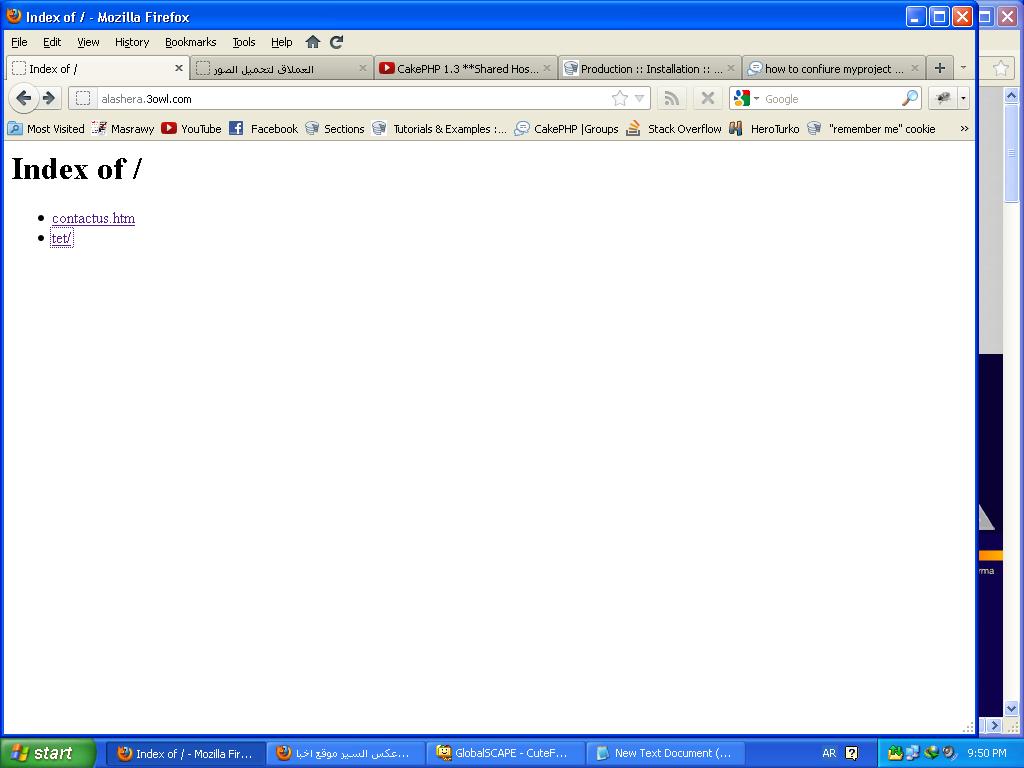
Your project files should be in the root of public_html. So move everything
out of the "tet" folder down one level, then delete it.
public_html should look like this:
public_html/
    app
    lib
    plugins
    vendors
    index.php

Also, check with your webhost that the .htaccess files will be processed.
If not, consult the documentation site as there are some workarounds.

You may need to "show hidden files" in your ftp client to see the .htaccess
files - so make sure they are visible and got uploaded to the host. The
.htaccess files are located in the root folder as well as "app" and
"app/webroot".

 {c}


On Mon, Jan 30, 2012 at 2:55 PM, ahmed fakher <[email protected]> wrote:

> ok i uploaded it into public_html , project name is (tet)
> now i see this page
> http://www12.0zz0.com/2012/01/30/19/838270121.jpg
> when click on my project (tet) i see this page
> http://www6.0zz0.com/thumbs/2012/01/30/19/650556076.jpg
> so what i can do to see my project pleaaaaase
>
> --
> Our newest site for the community: CakePHP Video Tutorials
> http://tv.cakephp.org
> Check out the new CakePHP Questions site http://ask.cakephp.org and help
> others with their CakePHP related questions.
>
>
> To unsubscribe from this group, send email to
> [email protected] For more options, visit this group
> at http://groups.google.com/group/cake-php
>

--
Our newest site for the community: CakePHP Video Tutorials
http://tv.cakephp.org
Check out the new CakePHP Questions site http://ask.cakephp.org and help others
with their CakePHP related questions.


To unsubscribe from this group, send email to
[email protected] For more options, visit this group at
http://groups.google.com/group/cake-php