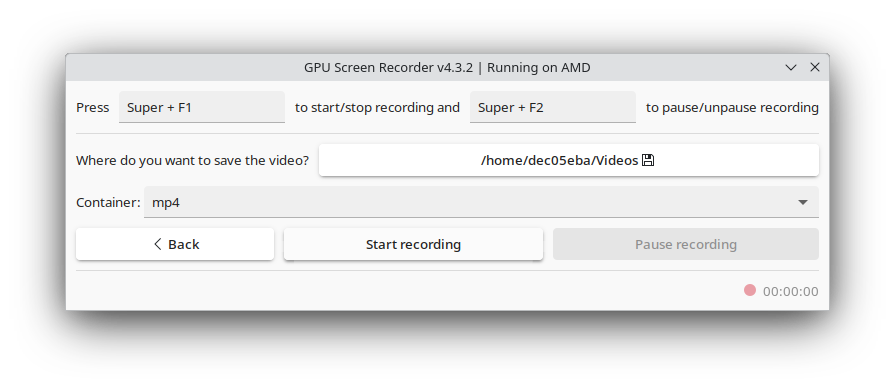
Script 'mail_helper' called by obssrc
Hello community,

here is the log from the commit of package gpu-screen-recorder-gtk for
openSUSE:Factory checked in at 2025-06-26 11:38:19
++++++++++++++++++++++++++++++++++++++++++++++++++++++++++++++++++++++++
Comparing /work/SRC/openSUSE:Factory/gpu-screen-recorder-gtk (Old)
 and      /work/SRC/openSUSE:Factory/.gpu-screen-recorder-gtk.new.7067 (New)
++++++++++++++++++++++++++++++++++++++++++++++++++++++++++++++++++++++++
Package is "gpu-screen-recorder-gtk"
Thu Jun 26 11:38:19 2025 rev:20 rq:1288426 version:20250624
Changes:
--------
---
/work/SRC/openSUSE:Factory/gpu-screen-recorder-gtk/gpu-screen-recorder-gtk.changes
2025-06-11 16:23:55.321953785 +0200
+++
/work/SRC/openSUSE:Factory/.gpu-screen-recorder-gtk.new.7067/gpu-screen-recorder-gtk.changes
2025-06-26 11:39:17.357699024 +0200
@@ -1,0 +2,13 @@
+Tue Jun 24 20:12:33 UTC 2025 - Muhammad Akbar Yanuar Mantari <[email protected]>
+
+- Update to version 20250624:
+ * Launch new ui immediately after switching to it
+ * Show new ui immediately, show new ui when clicking on desktop
+ icon and it's already running
+ * Remove version from title, there wont be any new versions
+ * Remove appdata file
+ * Record all applications when selecting 'Record audio from all
+ applications except the selected ones' without selecting any
+ application to exclude
+
+-------------------------------------------------------------------
Old:
----
gpu-screen-recorder-gtk-20250608.tar.zst
New:
----
gpu-screen-recorder-gtk-20250624.tar.zst
++++++++++++++++++++++++++++++++++++++++++++++++++++++++++++++++++++++++
Other differences:
------------------
++++++ gpu-screen-recorder-gtk.spec ++++++
--- /var/tmp/diff_new_pack.nsAGsM/_old 2025-06-26 11:39:18.101729886 +0200
+++ /var/tmp/diff_new_pack.nsAGsM/_new 2025-06-26 11:39:18.101729886 +0200
@@ -19,7 +19,7 @@
%bcond_with test
%define appid com.dec05eba.gpu_screen_recorder
Name: gpu-screen-recorder-gtk
-Version: 20250608
+Version: 20250624
Release: 0
Summary: GTK frontend for GPU Screen Recorder
License: GPL-3.0-only
++++++ _servicedata ++++++
--- /var/tmp/diff_new_pack.nsAGsM/_old 2025-06-26 11:39:18.145731711 +0200
+++ /var/tmp/diff_new_pack.nsAGsM/_new 2025-06-26 11:39:18.149731877 +0200
@@ -1,6 +1,6 @@
<servicedata>
<service name="tar_scm">
<param
name="url">https://repo.dec05eba.com/gpu-screen-recorder-gtk.git</param>
- <param
name="changesrevision">e493a390b119e8a44f60c3ae93ed92cf227313f3</param></service></servicedata>
+ <param
name="changesrevision">c52c77212d98448eabbb455809e17dd3484ca4dd</param></service></servicedata>
(No newline at EOF)
++++++ gpu-screen-recorder-gtk-20250608.tar.zst ->
gpu-screen-recorder-gtk-20250624.tar.zst ++++++
diff -urN '--exclude=CVS' '--exclude=.cvsignore' '--exclude=.svn'
'--exclude=.svnignore'
old/gpu-screen-recorder-gtk-20250608/com.dec05eba.gpu_screen_recorder.appdata.xml
new/gpu-screen-recorder-gtk-20250624/com.dec05eba.gpu_screen_recorder.appdata.xml
---
old/gpu-screen-recorder-gtk-20250608/com.dec05eba.gpu_screen_recorder.appdata.xml
2025-06-08 13:25:43.000000000 +0200
+++
new/gpu-screen-recorder-gtk-20250624/com.dec05eba.gpu_screen_recorder.appdata.xml
1970-01-01 01:00:00.000000000 +0100
@@ -1,912 +0,0 @@
-<?xml version="1.0" encoding="UTF-8"?>
-<component type="desktop-application">
- <id>com.dec05eba.gpu_screen_recorder</id>
- <name>GPU Screen Recorder</name>
- <summary>A shadowplay-like screen recorder for Linux. The fastest screen
recorder for Linux</summary>
- <developer id="com.dec05eba.gpu_screen_recorder">
- <name>dec05eba</name>
- </developer>
- <metadata_license>CC0-1.0</metadata_license>
- <project_license>GPL-3.0</project_license>
- <url
type="homepage">https://git.dec05eba.com/gpu-screen-recorder/about/</url>
- <url type="bugtracker">https://git.dec05eba.com/?p=about</url>
- <url type="contribute">https://git.dec05eba.com/?p=about</url>
- <url type="donation">https://git.dec05eba.com/?p=about</url>
- <url type="help">https://git.dec05eba.com/gpu-screen-recorder/about/</url>
- <url type="faq">https://git.dec05eba.com/gpu-screen-recorder/about/</url>
-
- <supports>
- <control>pointing</control>
- <control>keyboard</control>
- </supports>
-
- <description>
- <p>
- This is a screen recorder that has minimal impact on system
performance by recording a monitor using the GPU only, similar to shadowplay on
windows. This is the fastest screen recording tool for Linux. This screen
recorder works on X11 and Wayland on AMD, Intel and NVIDIA.
- </p>
- <p>
- This screen recorder can be used for recording your desktop
offline, for live streaming and for nvidia-like instant replay, where only the
last few minutes are saved.
- </p>
- <p>Supported video codecs:</p>
- <ul>
- <li>H264 (default)</li>
- <li>HEVC (Optionally with HDR)</li>
- <li>AV1 (Optionally with HDR. Not currently supported on NVIDIA if
you use GPU Screen Recorder flatpak)</li>
- <li>VP8</li>
- <li>VP9</li>
- </ul>
- <p>Supported audio codecs:</p>
- <ul>
- <li>Opus (default)</li>
- <li>AAC</li>
- </ul>
- <p>Supported image formats:</p>
- <ul>
- <li>JPEG</li>
- <li>PNG</li>
- </ul>
- <p>
- At the moment the program comes with two different UIs. A gtk
based one and a new experimental ShadowPlay-like fullscreen overlay UI. The gtk
based UI will be removed in the future.
- You can switch to the new UI by clicking on "Try out the new UI"
and then after that is done press Left Alt+Z to open it.
- </p>
- <p>AV1 is currently not supported in the flatpak for Nvidia since GPU
Screen Recorder uses an older ffmpeg version to support older Nvidia cards.
Install GPU Screen Recorder from source or from AUR if you want to use AV1 on
Nvidia.</p>
- <p>For more information visit the GPU Screen Recorder homepage.</p>
- <p>
- If you use the new UI and also keyboard remapping software such as
keyd then make sure you make the keyboard remapping software ignores "gsr-ui
virtual keyboard" (dec0:5eba device id), otherwise you may be unable to use
your keyboard.
- You can press (left) ctrl+shift+alt+esc to close gpu screen
recorder and remove it from system startup if this happens.
- You should also change hotkeys option in gpu screen recorder to
only grab virtual devices when using keyboard remapping software.
- </p>
- <p>GPU Screen Recorder flatpak can install files in
$HOME/.local/share/gpu-screen-recorder. If you want to uninstall GPU Screen
Recorder then you will have to remove this directory manually.</p>
- <p>If you tried out the new UI then a systemd service was added to
~/.local/share/systemd/user/gpu-screen-recorder-ui.service. If you want to
uninstall GPU Screen Recorder then you will have to remove this file.</p>
- </description>
-
- <launchable
type="desktop-id">com.dec05eba.gpu_screen_recorder.desktop</launchable>
- <screenshots>
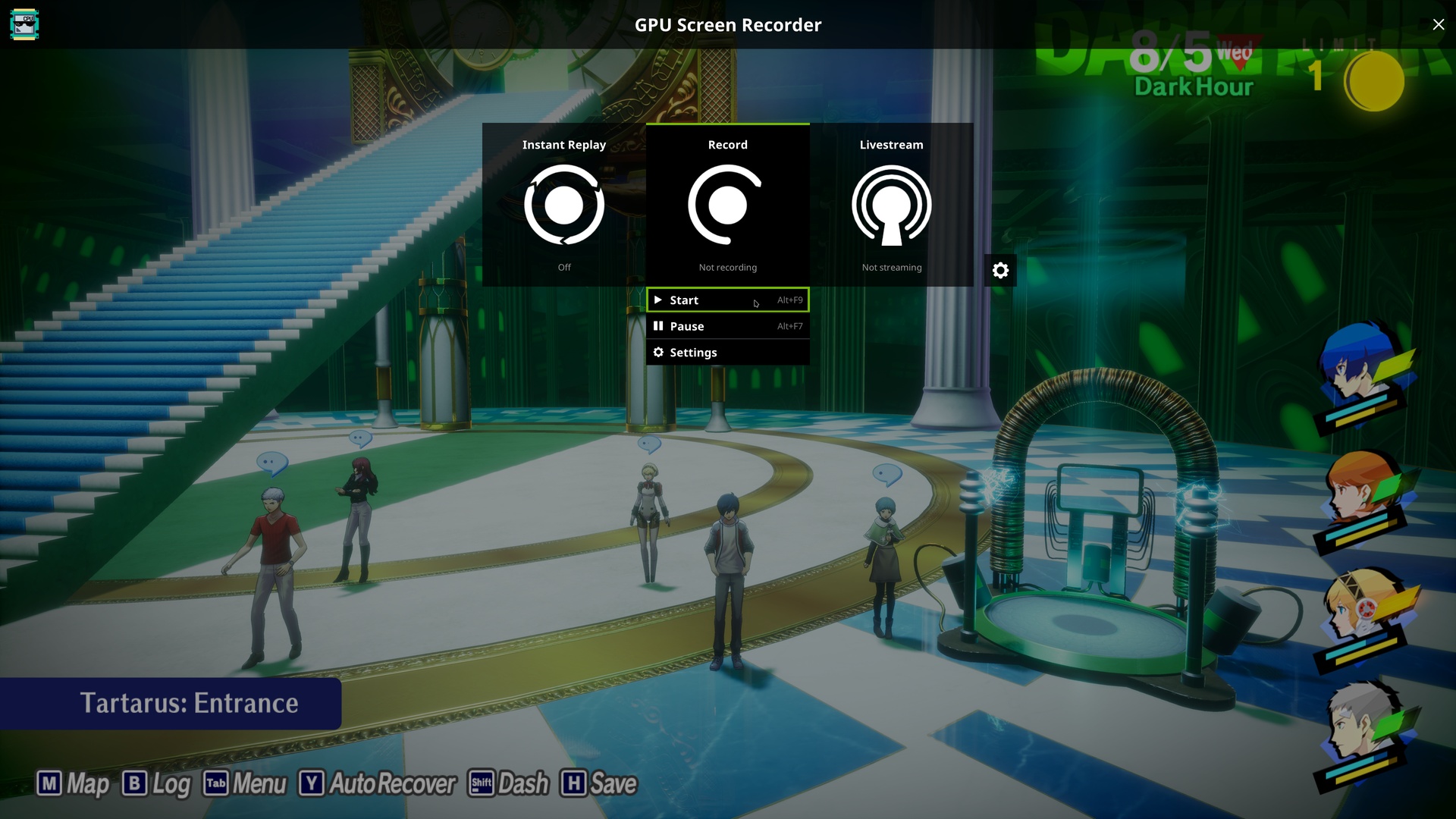
- <screenshot type="default">
- <caption>Front page</caption>
-
<image>https://raw.githubusercontent.com/dec05eba/com.dec05eba.gpu_screen_recorder/master/resources/front_page.jpg</image>
- </screenshot>
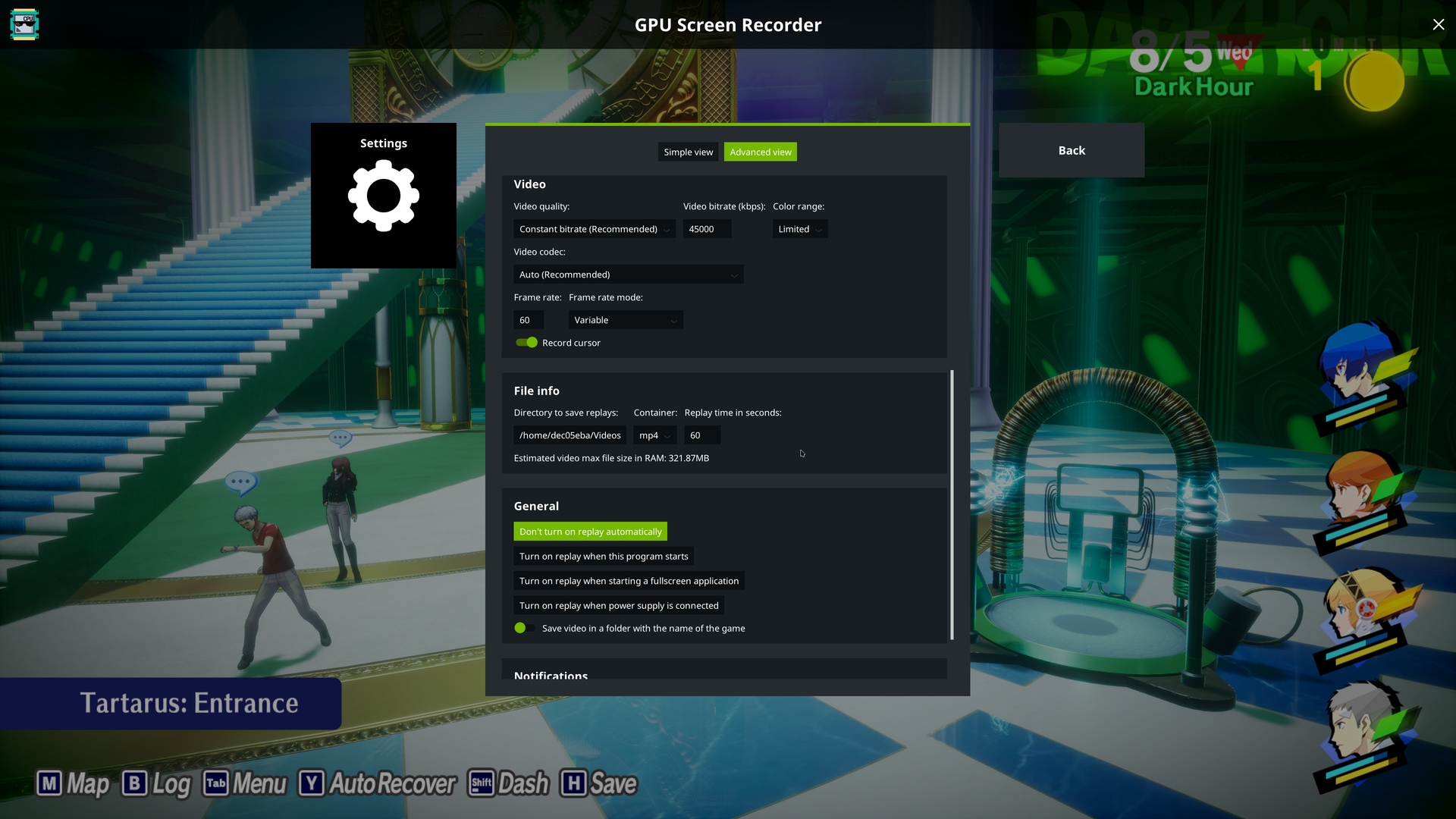
- <screenshot>
- <caption>Settings page</caption>
-
<image>https://raw.githubusercontent.com/dec05eba/com.dec05eba.gpu_screen_recorder/master/resources/settings_page.jpg</image>
- </screenshot>
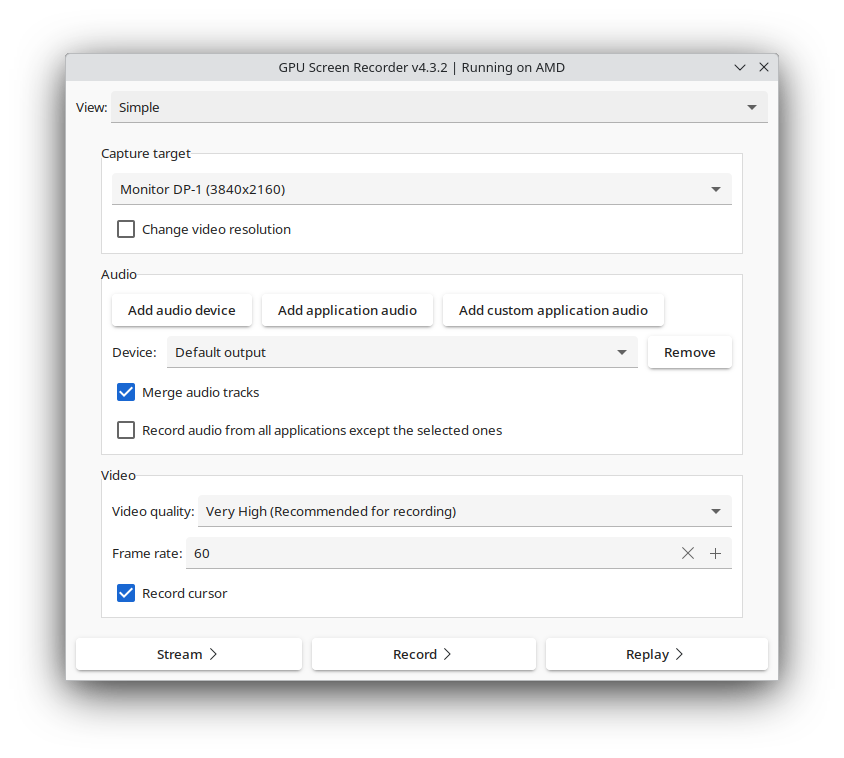
- <screenshot>
- <caption>Simple view in the old UI</caption>
-
<image>https://raw.githubusercontent.com/dec05eba/com.dec05eba.gpu_screen_recorder/master/resources/screenshot1.png</image>
- </screenshot>
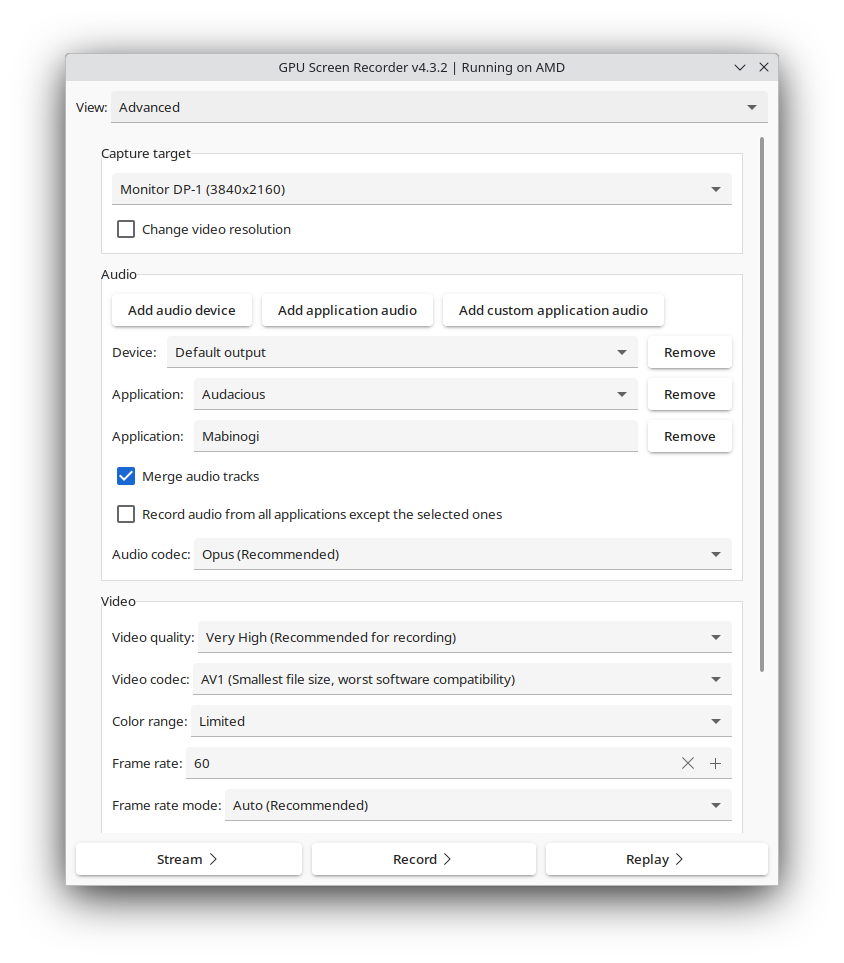
- <screenshot>
- <caption>Advanced view in the old UI</caption>
-
<image>https://raw.githubusercontent.com/dec05eba/com.dec05eba.gpu_screen_recorder/master/resources/screenshot2.png</image>
- </screenshot>
- <screenshot>
- <caption>Recording page in the old UI</caption>
-
<image>https://raw.githubusercontent.com/dec05eba/com.dec05eba.gpu_screen_recorder/master/resources/screenshot3.png</image>
- </screenshot>
- </screenshots>
-
- <releases>
- <release version="5.6.0" date="2025-05-05">
- <description>
- <ul>
- <li>Add option to store temporary replay data on disk
instead of ram (in the new UI)</li>
- <li>Fix UI opening on the wrong monitor/incorrect size and
focused monitor capture using the wrong monitor if vrr is enabled on kde plasma
wayland</li>
- <li>Fix h264 software encoding option not working</li>
- <li>Fix capture not working if multiple audio devices have
been selected in one audio track and one of them is a noise torch audio that
has forward slash in its name (id)</li>
- <li>Redesign audio in the new UI to separate audio output
and input, to make it clear which device is an output/input device</li>
- </ul>
- </description>
- </release>
- <release version="5.5.0" date="2025-04-26">
- <description>
- <ul>
- <li>Allow recording while using replay/streaming (in the
new UI). This is done without any extra performance cost as it only records
once</li>
- <li>Add option to save a shorter replay instead of a full
replay (1 min/10 min) (in the new UI)</li>
- </ul>
- </description>
- </release>
- <release version="5.4.0" date="2025-04-20">
- <description>
- <ul>
- <li>Redesign audio settings in the new UI to allow more
complex audio setup (allow configuring each audio track separately)</li>
- </ul>
- </description>
- </release>
- <release version="5.3.0" date="2025-04-05">
- <description>
- <ul>
- <li>Improve capture performance in certain games on amd
when gpu usage is 100% (from less than half of the games fps to the same fps as
the game, for example from 21 fps to 60 fps). Report if this update caused an
issue</li>
- <li>Add option to capture the focused monitor in the new
ui (experimental on wayland). This is now the default option</li>
- <li>Fix region capture on wlroots (sway, etc) and Hyprland
when multiple monitors are connected</li>
- <li>Add support for using f16-f24 keys as hotkeys in the
new ui</li>
- </ul>
- </description>
- </release>
- <release version="5.2.0" date="2025-03-15">
- <description>
- <ul>
- <li>Add option to record/screenshot a region of the
screen</li>
- <li>Fix unable to take a screenshot while recording on
nvidia x11 (workaround nvidia driver limitation)</li>
- <li>Add support for more global hotkey key options (media
keys)</li>
- </ul>
- </description>
- </release>
- <release version="5.1.8" date="2025-03-08">
- <description>
- <ul>
- <li>Fix monitor recording/switching to new UI not working
if the home drive is encrypted</li>
- <li>Fix global hotkeys not working on some systems</li>
- </ul>
- </description>
- </release>
- <release version="5.1.7" date="2025-03-05">
- <description>
- <ul>
- <li>Fix pipewire audio server breaking (unable to change
default audio output) in some pipewire versions when opening the gpu screen
recorder ui</li>
- </ul>
- </description>
- </release>
- <release version="5.1.6" date="2025-02-27">
- <description>
- <ul>
- <li>Only start replay on system startup (in the new ui)
when the audio device becomes available. This fixes an issue where replay can
record the wrong device when using a bluetooth device</li>
- <li>When default output/input audio is selected it will
now automatically switch the device it records from when the default
output/input is changed in system audio settings</li>
- <li>Fix microphone capture not working when the microphone
is mono input and when it's mixed with app audio</li>
- </ul>
- </description>
- </release>
- <release version="5.1.5" date="2025-02-22">
- <description>
- <ul>
- <li>Fix new UI and monitor capture not working on some
distros such as openSUSE tumbleweed. Needs password prompted update</li>
- <li>Add option to take a screenshot (alt+F1 by
default)</li>
- </ul>
- </description>
- </release>
- <release version="5.1.4" date="2025-02-05">
- <description>
- <ul>
- <li>Fix virtual hotkey option not working with some
keyboard remapping software such as kanata</li>
- <li>Fix too long audio device name hiding the remove audio
device button</li>
- </ul>
- </description>
- </release>
- <release version="5.1.3" date="2025-02-03">
- <description>
- <ul>
- <li>Fix unable to type keys (except hotkeys) when
switching to new ui on steam deck (and possibly other devices)</li>
- </ul>
- </description>
- </release>
- <release version="5.1.2" date="2025-01-26">
- <description>
- <ul>
- <li>Fix hotkeys not working on some keyboards (usually
laptops)</li>
- </ul>
- </description>
- </release>
- <release version="5.1.1" date="2025-01-25">
- <description>
- <ul>
- <li>Fix microphone volume being low when merging audio
devices (don't normalize audio)</li>
- </ul>
- </description>
- </release>
- <release version="5.1.0" date="2025-01-24">
- <description>
- <ul>
- <li>Make hotkeys configurable, fix hotkey keyboard layout
issues and add option to save replay with (ps4) controller</li>
- <li>Make notification smoother on wayland and other
wayland fixes</li>
- <li>Improve startup time (fixes key getting grabbed for
too long)</li>
- </ul>
- </description>
- </release>
- <release version="5.0.10" date="2025-01-18">
- <description>
- <ul>
- <li>Add a workaround for amd recording performance issue
on wayland with a 10-bit monitor when recording a monitor instead of desktop
portal. This is fixed in mesa version 25.0.0</li>
- </ul>
- </description>
- </release>
- <release version="5.0.9" date="2025-01-17">
- <description>
- <ul>
- <li>Workaround possibly incorrect opengl setup and buggy
nvidia driver (uses glx instead of egl)</li>
- <li>Workaround teamspeak bug causing teamspeak to crash
when recording application audio</li>
- <li>Fix possibility of monitor capture changing to another
monitor on wayland when monitors are reconfigured</li>
- <li>Fix overlay background not being transparent on sway
(and other wlroots based wayland compositors) when opening the ui when a
wayland window is focused</li>
- </ul>
- </description>
- </release>
- <release version="5.0.8" date="2025-01-08">
- <description>
- <ul>
- <li>Fix global hotkeys not working in the new UI on some
older systems, such as Linux Mint 21.3. Requires restarting the new UI</li>
- </ul>
- </description>
- </release>
- <release version="5.0.7" date="2025-01-07">
- <description>
- <ul>
- <li>Fix UI opening on the wrong monitor on gnome and
sometimes not being properly fullscreen</li>
- <li>Support different keyboard layouts where Z is switched
to another location on the keyboard</li>
- </ul>
- </description>
- </release>
- <release version="5.0.6" date="2025-01-05">
- <description>
- <ul>
- <li>Fix unable to open the UI on some kde plasma wayland
systems when a wayland native application is focused</li>
- <li>Only grab left alt for global hotkeys to allow AltGr+Z
to be pressed to allow some characters to be typed on some keyboards, such as ż
on a polish keyboard</li>
- </ul>
- </description>
- </release>
- <release version="5.0.5" date="2025-01-04">
- <description>
- <ul>
- <li>Fix some applications receiving mouse input when gpu
screen recorder UI is open. Please report if this causes issues for you.</li>
- <li>Make the old UIs popup menu text selectable to allow
copying commands from it.</li>
- </ul>
- </description>
- </release>
- <release version="5.0.4" date="2025-01-01">
- <description>
- <ul>
- <li>Fix regression: incorrect window resulting in
incorrect game name for video, and background for uncomposited x11</li>
- </ul>
- </description>
- </release>
- <release version="5.0.3" date="2024-12-31">
- <description>
- <ul>
- <li>Fix unable to properly add program to system startup
on immutable distros</li>
- </ul>
- </description>
- </release>
- <release version="5.0.2" date="2024-12-31">
- <description>
- <ul>
- <li>Fix streaming not working in the new UI</li>
- </ul>
- </description>
- </release>
- <release version="5.0.1" date="2024-12-30">
- <description>
- <ul>
- <li>Open the running new UI when trying to launch it again
instead of showing an error, to allow switching back to the old UI in case of
errors</li>
- </ul>
- </description>
- </release>
- <release version="5.0.0" date="2024-12-29">
- <description>
- <ul>
- <li>Add a new experimental UI, a ShadowPlay-like
fullscreen overlay UI with support for global hotkeys on any Wayland
compositor</li>
- <li>Better compatibility and performance on some older AMD
GPUs</li>
- <li>Better handle application audio nodes, fixing possible
issue with application audio not working</li>
- </ul>
- </description>
- </release>
- <release version="4.3.3" date="2024-11-22">
- <description>
- <ul>
- <li>Fix application not starting on pulseaudio systems
(for example linux mint 21.3)</li>
- <li>Dont display monitor capture option when not
available</li>
- </ul>
- </description>
- </release>
- <release version="4.3.2" date="2024-11-21">
- <description>
- <ul>
- <li>Allow recording from both audio devices and
application audio at the same time</li>
- <li>Workaround amd driver bug that causes garbage output
on some gpus in some amd driver versions</li>
- </ul>
- </description>
- </release>
- <release version="4.3.1" date="2024-11-17">
- <description>
- <ul>
- <li>Improve window content sizing behavior (no more
horizontal scroll)</li>
- </ul>
- </description>
- </release>
- <release version="4.3.0" date="2024-11-16">
- <description>
- <ul>
- <li>Add option to record audio from applications instead
of audio devices (pipewire only)</li>
- </ul>
- </description>
- </release>
- <release version="4.2.6" date="2024-11-05">
- <description>
- <ul>
- <li>Add option to change video resolution</li>
- <li>Change quality parameters, file size was too large by
default</li>
- </ul>
- </description>
- </release>
- <release version="4.2.5" date="2024-11-04">
- <description>
- <ul>
- <li>Add option to change video resolution</li>
- <li>Fix bitrate calculation being incorrect (it was too
low)</li>
- </ul>
- </description>
- </release>
- <release version="4.2.4" date="2024-10-22">
- <description>
- <ul>
- <li>Fix capture not working if one of the audio inputs is
a virtual audio device with forward slash in its name, for example if
NoiseTorch is used</li>
- </ul>
- </description>
- </release>
- <release version="4.2.2" date="2024-10-15">
- <description>
- <ul>
- <li>Enable amd low latency mode (only available since mesa
24.1.4, released in july 17, 2024). This reduces stutter in video in some cases
but increases power usage when idle</li>
- </ul>
- </description>
- </release>
- <release version="4.2.1" date="2024-10-12">
- <description>
- <ul>
- <li>Better frame timing when hardware is too slow to
record at the desired framerate</li>
- </ul>
- </description>
- </release>
- <release version="4.2.0" date="2024-10-11">
- <description>
- <ul>
- <li>Better frame timing for smoother video, especially
when recording a game that runs at the same fps as the recording or lower.</li>
- <li>Add constant bitrate option, for better live streaming
experience and for lower file size at the cost of quality.</li>
- </ul>
- </description>
- </release>
- <release version="4.1.11" date="2024-09-21">
- <description>
- <ul>
- <li>Fix recording not working on some amd systems</li>
- </ul>
- </description>
- </release>
- <release version="4.1.10" date="2024-09-21">
- <description>
- <ul>
- <li>Revert frame timing change as it badly affected slower
devices</li>
- </ul>
- </description>
- </release>
- <release version="4.1.9" date="2024-09-20">
- <description>
- <ul>
- <li>Improve frame timing for smoother video</li>
- <li>Improve screen recording performance on AMD when the
system usage is very high</li>
- <li>Fix recording not working on old nvidia gpus (that are
stuck on nvidia driver version 470)</li>
- </ul>
- </description>
- </release>
- <release version="4.1.8" date="2024-09-17">
- <description>
- <ul>
- <li>Improve video capture sync, making the video smoother.
The video is smoother on X11 than Wayland</li>
- <li>Improve video recording performance on AMD when the
system usage is 100%</li>
- </ul>
- </description>
- </release>
- <release version="4.1.7" date="2024-09-06">
- <description>
- <ul>
- <li>Fix tearing/stutter/cursor flicker on amd after recent
amd driver update</li>
- </ul>
- </description>
- </release>
- <release version="4.1.6" date="2024-08-30">
- <description>
- <ul>
- <li>Workaround steam deck driver bug and enable steam deck
support again</li>
- <li>Improve startup time on certain systems</li>
- </ul>
- </description>
- </release>
- <release version="4.1.5" date="2024-08-20">
- <description>
- <ul>
- <li>Disable support for steam deck at the moment because
steam deck drivers are broken</li>
- <li>Improve quality again</li>
- </ul>
- </description>
- </release>
- <release version="4.1.4" date="2024-08-20">
- <description>
- <ul>
- <li>Reduce video file size</li>
- </ul>
- </description>
- </release>
- <release version="4.1.3" date="2024-08-18">
- <description>
- <ul>
- <li>Fix capture not working on wayland when recording a
monitor instead of desktop portal</li>
- </ul>
- </description>
- </release>
- <release version="4.1.2" date="2024-08-17">
- <description>
- <ul>
- <li>Allow capturing external monitors on a laptop with a
dedicated gpu on X11 (for example an intel laptop with a nvidia gpu), where the
monitor is connected to the dedicated gpu</li>
- <li>Fix capture not working if audio device id has space
in it (happens with virtual audio sources)</li>
- <li>Add 10 bit color depth options for hevc and av1 to
reduce banding</li>
- <li>Fix cursor not visible when using multiple monitors in
some wayland compositors</li>
- </ul>
- </description>
- </release>
- <release version="4.1.1" date="2024-08-15">
- <description>
- <ul>
- <li>Fix error when starting application on wayland when
portal capture option is available but laptop monitor is disabled</li>
- </ul>
- </description>
- </release>
- <release version="4.1.0" date="2024-08-08">
- <description>
- <ul>
- <li>Fix possible lag on monitor/desktop portal capture</li>
- </ul>
- </description>
- </release>
- <release version="4.0.1" date="2024-07-23">
- <description>
- <ul>
- <li>Fix capture broken on amd on wayland</li>
- <li>Fix hdr capture causing crash when in replay mode</li>
- </ul>
- </description>
- </release>
- <release version="4.0.0" date="2024-07-22">
- <description>
- <ul>
- <li>Added desktop portal (pipewire) capture option. This
fixes issue with glitched capture on certain Intel iGPUS (on Wayland)</li>
- <li>Added global hotkeys on Wayland. KDE Plasma is the
only Wayland environment that supports this properly at the moment</li>
- <li>Add separate hotkeys for start and stop and option to
show notification when starting/stopping recording</li>
- <li>Fix HDR capture (HDR metadata is now correct). Note
that HDR capture is only available on Wayland and when recording a monitor
without the desktop portal option</li>
- <li>Added VP8 and VP9 video codecs if supported by the
hardware</li>
- <li>Added software encoding option</li>
- </ul>
- </description>
- </release>
- <release version="3.8.2" date="2024-06-22">
- <description>
- <ul>
- <li>Default to h264 video codec because of amd driver
issues (black bar) and for better compatibility with software</li>
- </ul>
- </description>
- </release>
- <release version="3.8.1" date="2024-06-16">
- <description>
- <ul>
- <li>Properly cutout cursor outside video area when dealing
with AMD HEVC padding driver bug</li>
- </ul>
- </description>
- </release>
- <release version="3.8.0" date="2024-06-10">
- <description>
- <ul>
- <li>Add system tray icon</li>
- <li>Fix screen recording on Intel ARC GPU</li>
- <li>Workaround AMD driver bug with HEVC video codec that
causes glitched graphics on the right/bottom side with certain video
resolutions. It's now replaced with black color</li>
- <li>Fix possible incorrect monitor rotation when using
multiple monitors with one monitor rotated on GNOME Wayland</li>
- <li>Add hls (m3u8) container option</li>
- </ul>
- </description>
- </release>
- <release version="3.7.7" date="2024-05-29">
- <description>
- <ul>
- <li>Fix recording freeze on nvidia when
__GL_SYNC_TO_VBLANK environment variable is set to 1</li>
- </ul>
- </description>
- </release>
- <release version="3.7.6" date="2024-05-20">
- <description>
- <ul>
- <li>Do not force constant framerate for live streams</li>
- </ul>
- </description>
- </release>
- <release version="3.7.5" date="2024-05-19">
- <description>
- <ul>
- <li>Fix twitch/youtube streaming not working</li>
- <li>Fix possible freeze on recording stop if stopping
quickly after starting recording</li>
- </ul>
- </description>
- </release>
- <release version="3.7.4" date="2024-05-13">
- <description>
- <p>Make audio sync even better. Audio sync is broken in all
applications anyways so what can be done really</p>
- </description>
- </release>
- <release version="3.7.3" date="2024-05-12">
- <description>
- <ul>
- <li>Re-enable opus audio codec</li>
- <li>Remove flac audio codec option until it's fixed</li>
- <li>Improve video quality when recording HDR</li>
- <li>Fix flv issues</li>
- <li>Add mpegts container and option to select codec for
custom streaming service</li>
- </ul>
- </description>
- </release>
- <release version="3.7.2" date="2024-04-20">
- <description>
- <ul>
- <li>Improve nvidia video encoding performance a lot on
certain GPUs</li>
- <li>Improve audio/video sync</li>
- <li>Increase audio bitrate</li>
- <li>Hide notifications after a few seconds</li>
- </ul>
- </description>
- </release>
- <release version="3.7.1" date="2024-04-12">
- <description>
- <p>Fix audio sync regression when using mixed audio</p>
- </description>
- </release>
- <release version="3.7.0" date="2024-04-11">
- <description>
- <p>Fix possible audio desync after some time for some users</p>
- </description>
- </release>
- <release version="3.6.5" date="2024-04-10">
- <description>
- <p>Fix nvidia x11 monitor capture breaking after
suspend/monitor reconfiguration (even after applying nvidia preserve video
memory on suspend)</p>
- </description>
- </release>
- <release version="3.6.4" date="2024-04-06">
- <description>
- <p>Fix recording breaking when updating flatpak on some
systems (where $HOME is symlinked to another location), requires password
prompt update</p>
- </description>
- </release>
- <release version="3.6.3" date="2024-03-21">
- <description>
- <ul>
- <li>Fix nvidia window capture/wayland capture if the user
has set __GL_THREADED_OPTIMIZATIONS to 1</li>
- <li>Fix full color range capture in nvidia window
capture</li>
- <li>Properly clear cursor in window capture</li>
- </ul>
- </description>
- </release>
- <release version="3.6.2" date="2024-03-20">
- <description>
- <ul>
- <li>Fix incorrect overclocking offset on some nvidia gpus
when enabling overclocking option</li>
- <li>Ignore color standards for more accurate colors</li>
- </ul>
- </description>
- </release>
- <release version="3.6.1" date="2024-03-11">
- <description>
- <p>Add the option to not record cursor</p>
- </description>
- </release>
- <release version="3.6.0" date="2024-03-10">
- <description>
- <ul>
- <li>Support HDR capture and full color range on nvidia</li>
- <li>Support cursor capture when recording a single
window</li>
- <li>Show the correct monitors when using prime-run</li>
- </ul>
- </description>
- </release>
- <release version="3.5.3" date="2024-02-16">
- <description>
- <p>Fix minor permissions issue</p>
- </description>
- </release>
- <release version="3.5.2" date="2024-02-14">
- <description>
- <p>Better error message for missing h264/hevc, ignore user
nvidia vaapi setting</p>
- </description>
- </release>
- <release version="3.5.1" date="2024-02-11">
- <description>
- <ul>
- <li>Fix crash on x11 nvidia when recording monitor</li>
- <li>Fix color issue when recording window on amd/intel</li>
- </ul>
- </description>
- </release>
- <release version="3.5.0" date="2024-02-11">
- <description>
- <ul>
- <li>Support monitor rotation</li>
- <li>Support hdr capture on amd/intel wayland (currently
missing hdr metadata because of driver bugs)</li>
- <li>Default to variable framerate videos on nvidia x11 as
well</li>
- <li>Center capture window/follow focused and clear
background</li>
- <li>Remove 'remove password prompts' button. Only ask for
password once and never again</li>
- </ul>
- </description>
- </release>
- <release version="3.4.2" date="2024-01-27">
- <description>
- <ul>
- <li>Support hardware cursor plane capture on nvidia
wayland</li>
- <li>Add record timer</li>
- </ul>
- </description>
- </release>
- <release version="3.4.1" date="2024-01-17">
- <description>
- <ul>
- <li>Improve audio drifting in some cases</li>
- <li>Fix audio stuttering with pulseaudio + opus/flac +
multiple audio sources merged</li>
- <li>Add option to remove hotkey with backspace</li>
- <li>Decide which audio device is default output/input when
starting to record</li>
- </ul>
- </description>
- </release>
- <release version="3.4.0" date="2024-01-07">
- <description>
- <p>Add option to pause recording</p>
- </description>
- </release>
- <release version="3.3.2" date="2023-12-31">
- <description>
- <p>Fix monitor capture on AMD/Intel or NVIDIA Wayland on some
distros, such as OpenSUSE</p>
- </description>
- </release>
- <release version="3.3.1" date="2023-12-02">
- <description>
- <ul>
- <li>Fix opus and flac</li>
- <li>Fix crash when live streaming without an audio
source</li>
- <li>Fix missing streaming show/hide key symbol</li>
- </ul>
- </description>
- </release>
- <release version="3.3.0" date="2023-12-01">
- <description>
- <ul>
- <li>Add option to remove password prompts (if possible on
the system)</li>
- <li>Add experimental av1 support (if supported by the
hardware). Currently only enabled for AMD/Intel in the flatpak.</li>
- <li>Configure quality settings to reduce file size on
amd/intel</li>
- <li>Workaround amd/intel driver issue when using h264 (or
fps > 60) and mkv (forcefully set video codec to hevc)</li>
- </ul>
- </description>
- </release>
- <release version="3.2.6" date="2023-11-27">
- <description>
- <p>Fix possible crash when recording multiple audio sources
(merged)</p>
- </description>
- </release>
- <release version="3.2.5" date="2023-11-18">
- <description>
- <p>Fix incorrect color on some nvidia wayland systems running
kde plasma (support 10-bit color depth)</p>
- </description>
- </release>
- <release version="3.2.4" date="2023-11-05">
- <description>
- <p>Nvidia x11: disable screen direct record option, as there
is an nvidia driver bug that causes some games to freeze/crash with this
option</p>
- </description>
- </release>
- <release version="3.2.3" date="2023-11-01">
- <description>
- <p>Use opengl context instead of egl2, might fix program
startup not working for some users</p>
- </description>
- </release>
- <release version="3.2.2" date="2023-10-31">
- <description>
- <p>Intel: attempt to fix glitched graphics on some intel gpus.
I dont know, ask intel why they are weird</p>
- </description>
- </release>
- <release version="3.2.1" date="2023-10-22">
- <description>
- <p>AMD/Intel wayland: fix broken colors when system uses
10-bit</p>
- </description>
- </release>
- <release version="3.2.0" date="2023-10-21">
- <description>
- <ul>
- <li>AMD/Intel: workaround driver bug that causes vram
leak</li>
- <li>Add frame rate mode option in advanced menu</li>
- <li>Redesign audio input to make it clear that you have to
add audio to use it</li>
- </ul>
- </description>
- </release>
- <release version="3.1.7" date="2023-08-15">
- <description>
- <p>NVIDIA: Workaround new nvidia driver bug that causes
recording of a small window to freeze recording.</p>
- </description>
- </release>
- <release version="3.1.6" date="2023-08-13">
- <description>
- <p>AMD/Intel: fix capture issue on some systems</p>
- </description>
- </release>
- <release version="3.1.5" date="2023-07-25">
- <description>
- <p>AMD/Intel: Fix too dark video in the flatpak version.</p>
- </description>
- </release>
- <release version="3.1.4" date="2023-07-23">
- <description>
- <p>AMD/Intel: Better color accuracy.</p>
- </description>
- </release>
- <release version="3.1.3" date="2023-07-22">
- <description>
- <p>Fix capture on wlroots based wayland compositors. Fix
cursor offset in amd/intel capture.</p>
- </description>
- </release>
- <release version="3.1.2" date="2023-07-22">
- <description>
- <p>Support cursor capture on AMD/Intel on Wayland. Attempt to
fix multi monitor offset capture in some cases.</p>
- </description>
- </release>
- <release version="3.1.1" date="2023-07-21">
- <description>
- <p>Support cursor capture on AMD/Intel on Wayland.</p>
- </description>
- </release>
- <release version="3.1.0" date="2023-07-21">
- <description>
- <ul>
- <li>Support wlroots capture when possible (no kms root access
required)</li>
- <li>Make window capture a bit more robust</li>
- <li>Fix possible lag on recording start on AMD/Intel</li>
- <li>Make capture on AMD/Intel possible without Xwayland</li>
- </ul>
- </description>
- </release>
- <release version="3.0.0" date="2023-07-18">
- <description>
- <p>Experimental wayland support on AMD/Intel/NVIDIA. Hotkeys
not supported.</p>
- </description>
- </release>
- <release version="2.2.0" date="2023-07-10">
- <description>
- <p>Attempt to fix screen recording when multiple graphics
cards are connected</p>
- </description>
- </release>
- <release version="2.1.7" date="2023-07-07">
- <description>
- <p>Show proper error when running on wayland. Preparing for
wayland support.</p>
- </description>
- </release>
- <release version="2.1.6" date="2023-06-10">
- <description>
- <p>AMD/Intel: fix multi monitor capture coordinate being
incorrect for some GPU driver versions.</p>
- </description>
- </release>
- <release version="2.1.5" date="2023-05-22">
- <description>
- <p>Attempt to fix a recent nvidia (cuda) driver bug on RTX
cards that causes a freeze when stopping recording.</p>
- </description>
- </release>
- <release version="2.1.4" date="2023-05-17">
- <description>
- <p>Fix issue where the application freezes and keyboard
freezes when selecting a new hotkey and another widget is clicked.</p>
- </description>
- </release>
- <release version="2.1.3" date="2023-05-12">
- <description>
- <p>Attempt to fix possible issue on some systems with
amd/intel where capture region is incorrect when multiple monitors are
connected.</p>
- </description>
- </release>
- <release version="2.1.2" date="2023-04-27">
- <description>
- <p>Attempt to fix possible audio/video sync on NVIDIA after
recording for a long time. Temporary disable opus/flac because it breaks when
recording multiple audio inputs.</p>
- </description>
- </release>
- <release version="2.1.1" date="2023-04-22">
- <description>
- <p>AMD/Intel: Add support for capturing cursor when recording
a monitor. Fix some cases of capture being glitched when using multiple
monitors.</p>
- </description>
- </release>
- <release version="2.1.0" date="2023-04-18">
- <description>
- <p>Enable AMD/Intel monitor capture. Requires the flatpak to
be installed system-wide and it requires restricted root access. Record a
single window if you dont like these restrictions. Videos created on AMD/Intel
should be played with MPV otherwise it might have issues such as stuttering.</p>
- </description>
- </release>
- <release version="2.0.0" date="2023-04-11">
- <description>
- <p>Add experimental support for AMD/Intel. Quality might not
be well tuned yet and the video is in variable framerate mode, which might
cause issues with some out of date video editing software or video players.
Recording on AMD/intel is currently limited to a window (monitor capture is not
possible yet).</p>
- </description>
- </release>
- <release version="1.3.5" date="2023-03-22">
- <description>
- <p>Show error when using wayland (because wayland is not
supported)</p>
- </description>
- </release>
- <release version="1.3.4" date="2023-03-17">
- <description>
- <p>Add option to workaround a NVIDIA driver "bug" that causes
framerate to drop a bit when recording (overclock memory transfer rate back to
normal)</p>
- </description>
- </release>
- <release version="1.3.3" date="2023-03-11">
- <description>
- <p>Make it clear when graphics card is not supported</p>
- </description>
- </release>
- <release version="1.3.2" date="2023-03-04">
- <description>
- <ul>
- <li>Add VRR record option, only use with VRR as it might have
driver issues!</li>
- <li>Add opus/flac audio options. opus/flac is only supported
by .mp4/.mkv. Automatically changes audio codec if not supported by the
container</li>
- </ul>
- </description>
- </release>
- <release version="1.3.1" date="2023-02-22">
- <description>
- <p>Fix broken replay when recording with audio (possibly broken in
normal recording as well)</p>
- </description>
- </release>
- <release version="1.3.0" date="2023-02-20">
- <description>
- <ul>
- <li>Switch to EGL (fixes possible window capture issues when
using a compositor)</li>
- <li>Add option to change hotkeys</li>
- <li>Add option to merge audio tracks into one audio track</li>
- <li>Add option to follow the focused window</li>
- <li>Add option to force set h264/hevc (services such as
discord can't play hevc videos directly in the application)</li>
- <li>Show proper error when NVIDIA GPU is not in use</li>
- </ul>
- </description>
- </release>
- <release version="1.2.1" date="2022-11-24">
- <description>
- <p>Allow choosing between mp4, flv and mkv for record/replay. mkv
survives system crashes</p>
- </description>
- </release>
- <release version="1.2.0" date="2022-10-27">
- <description>
- <p>Re-enable screen-direct, disable h264 forced fallback and use
p6 again</p>
- </description>
- </release>
- <release version="1.1.8" date="2022-10-18">
- <description>
- <p>Attempt to fix stuttering in video that can happen sometimes
(especially when vsync is enabled)</p>
- </description>
- </release>
- <release version="1.1.7" date="2022-10-16">
- <description>
- <p>Properly fallback to h264 if hevc is not supported by the
gpu</p>
- </description>
- </release>
- <release version="1.1.6" date="2022-10-15">
- <description>
- <p>Fix livestreaming: flv does not properly fallback to h264</p>
- </description>
- </release>
- <release version="1.1.5" date="2022-10-11">
- <description>
- <p>Use lower preset on older gpus (kepler) and switch to h264 if
h265 is not supported</p>
- </description>
- </release>
- <release version="1.1.4" date="2022-10-11">
- <description>
- <p>Tune options to try and reduce file size</p>
- </description>
- </release>
- <release version="1.1.3" date="2022-10-08">
- <description>
- <p>Better tune quality options for different resolutions</p>
- </description>
- </release>
- <release version="1.1.2" date="2022-10-07">
- <description>
- <p>Fix crash caused by invalid memory write when recording
audio</p>
- </description>
- </release>
- <release version="1.1.1" date="2022-10-05">
- <description>
- <p>Fix possible pulseaudio crash</p>
- </description>
- </release>
- <release version="1.1.0" date="2022-10-05">
- <description>
- <p>Fixes some streaming issues (mostly metadata missing)</p>
- </description>
- </release>
- <release version="1.0.0" date="2022-09-30"/>
- </releases>
- <content_rating type="oars-1.1"/>
-</component>
diff -urN '--exclude=CVS' '--exclude=.cvsignore' '--exclude=.svn'
'--exclude=.svnignore' old/gpu-screen-recorder-gtk-20250608/meson.build
new/gpu-screen-recorder-gtk-20250624/meson.build
--- old/gpu-screen-recorder-gtk-20250608/meson.build 2025-06-08
13:25:43.000000000 +0200
+++ new/gpu-screen-recorder-gtk-20250624/meson.build 2025-06-24
17:18:01.000000000 +0200
@@ -1,4 +1,4 @@
-project('gpu-screen-recorder-gtk', ['c', 'cpp'], version : '5.7.3',
default_options : ['warning_level=2'])
+project('gpu-screen-recorder-gtk', ['c', 'cpp'], version : '5.7.6',
default_options : ['warning_level=2'])
add_project_arguments('-Wshadow', language : ['c', 'cpp'])
if get_option('buildtype') == 'debug'
diff -urN '--exclude=CVS' '--exclude=.cvsignore' '--exclude=.svn'
'--exclude=.svnignore' old/gpu-screen-recorder-gtk-20250608/project.conf
new/gpu-screen-recorder-gtk-20250624/project.conf
--- old/gpu-screen-recorder-gtk-20250608/project.conf 2025-06-08
13:25:43.000000000 +0200
+++ new/gpu-screen-recorder-gtk-20250624/project.conf 2025-06-24
17:18:01.000000000 +0200
@@ -1,7 +1,7 @@
[package]
name = "gpu-screen-recorder-gtk"
type = "executable"
-version = "5.7.3"
+version = "5.7.6"
platforms = ["posix"]
[config]
diff -urN '--exclude=CVS' '--exclude=.cvsignore' '--exclude=.svn'
'--exclude=.svnignore' old/gpu-screen-recorder-gtk-20250608/src/main.cpp
new/gpu-screen-recorder-gtk-20250624/src/main.cpp
--- old/gpu-screen-recorder-gtk-20250608/src/main.cpp 2025-06-08
13:25:43.000000000 +0200
+++ new/gpu-screen-recorder-gtk-20250624/src/main.cpp 2025-06-24
17:18:01.000000000 +0200
@@ -1679,13 +1679,15 @@
struct AudioTracksUserdata {
std::vector<std::string> &result;
bool application_audio_invert;
+ int num_app_audio = 0;
};
static std::vector<std::string> create_audio_tracks_real_names(std::string
&merge_audio_tracks) {
std::vector<std::string> result;
AudioTracksUserdata audio_tracks_userdata {
result,
-
(bool)gtk_toggle_button_get_active(GTK_TOGGLE_BUTTON(record_app_audio_inverted_button))
+
(bool)gtk_toggle_button_get_active(GTK_TOGGLE_BUTTON(record_app_audio_inverted_button)),
+ 0
};
gtk_container_foreach(GTK_CONTAINER(audio_devices_items_box), [](GtkWidget
*widget, gpointer userdata) {
@@ -1703,6 +1705,7 @@
std::string audio_input_name =
audio_tracks_userdata.application_audio_invert ? "app-inverse:" : "app:";
audio_input_name +=
gtk_combo_box_get_active_id(GTK_COMBO_BOX(row_item_widget));
audio_tracks_userdata.result.push_back(std::move(audio_input_name));
+ ++audio_tracks_userdata.num_app_audio;
} else if(strcmp(audio_track_type, "app-custom") == 0) {
if(!gsr_info.system_info.supports_app_audio)
return;
@@ -1710,9 +1713,13 @@
std::string audio_input_name =
audio_tracks_userdata.application_audio_invert ? "app-inverse:" : "app:";
audio_input_name += gtk_entry_get_text(GTK_ENTRY(row_item_widget));
audio_tracks_userdata.result.push_back(std::move(audio_input_name));
+ ++audio_tracks_userdata.num_app_audio;
}
}, &audio_tracks_userdata);
+ if(audio_tracks_userdata.num_app_audio == 0 &&
audio_tracks_userdata.application_audio_invert)
+ audio_tracks_userdata.result.push_back("app-inverse:");
+
merge_audio_tracks.clear();
for(size_t i = 0; i < result.size(); ++i) {
if(i > 0)
@@ -2815,7 +2822,7 @@
}
static void launch_gsr_ui(bool launched_by_daemon) {
- const char *args[] = { "gsr-ui", launched_by_daemon ? "launch-daemon" :
"launch-hide", nullptr };
+ const char *args[] = { "gsr-ui", launched_by_daemon ? "launch-daemon" :
"launch-show", nullptr };
execvp(args[0], (char* const*)args);
// TODO: This is incorrect because window wont be defined here if this is
called from startup.
// This is fine for not because this is only called inside the flatpak
where gsr-ui is always available.
@@ -2924,7 +2931,6 @@
"flatpak-spawn --host -- install -Dm644
/var/lib/flatpak/app/com.dec05eba.gpu_screen_recorder/current/active/files/share/gpu-screen-recorder/gpu-screen-recorder-ui.service
\"$data_home/systemd/user/gpu-screen-recorder-ui.service\"") == 0);
service_install_successful &= (system("flatpak-spawn --host -- systemctl
--user daemon-reload") == 0);
service_install_successful &= (system("flatpak-spawn --host -- systemctl
enable --user gpu-screen-recorder-ui") == 0);
- service_install_successful &= (system("flatpak-spawn --host -- systemctl
start --user gpu-screen-recorder-ui") == 0);
if(!service_install_successful) {
GtkWidget *dialog = gtk_message_dialog_new(GTK_WINDOW(window),
GTK_DIALOG_MODAL, GTK_MESSAGE_WARNING, GTK_BUTTONS_OK,
"Failed to add GPU Screen Recorder to system startup. If you want
the new UI to start on system startup then you need to add this command to
system startup:\n"
@@ -2934,9 +2940,7 @@
gtk_widget_destroy(dialog);
}
- if(!service_install_successful)
- launch_gsr_ui(true);
-
+ launch_gsr_ui(false);
g_application_quit(G_APPLICATION(select_window_userdata.app));
return true;
}
@@ -4412,7 +4416,7 @@
page_navigation_userdata.app = app;
- std::string window_title = "GPU Screen Recorder v" +
std::string(GSR_VERSION) + " | Running on ";
+ std::string window_title = "GPU Screen Recorder | Running on ";
window_title += gpu_vendor_to_name(gsr_info.gpu_info.vendor);
window = gtk_application_window_new(app);
@@ -4598,15 +4602,15 @@
if(dpy)
XCloseDisplay(dpy);
- launch_gsr_ui(!launched_by_daemon);
+ launch_gsr_ui(launched_by_daemon);
exit(0);
}
int main(int argc, char **argv) {
setlocale(LC_ALL, "C");
- const bool use_old_ui_opt = argc == 2 && strcmp(argv[1], "use-old-ui") ==
0;
- const bool launched_by_daemon_opt = argc == 2 && strcmp(argv[1], "gsr-ui")
== 0;
+ const bool use_old_ui_opt = argc >= 2 && strcmp(argv[1], "use-old-ui") ==
0;
+ const bool launched_by_daemon_opt = argc >= 2 && strcmp(argv[1], "gsr-ui")
== 0;
argc = 1;
if(geteuid() == 0) {
@@ -4619,6 +4623,11 @@
config_empty = false;
config = read_config(config_empty);
+ if(!dpy && launched_by_daemon_opt && config.main_config.use_new_ui) {
+ fprintf(stderr, "Error: failed to connect to the X11 server, assuming
no graphical session has started yet\n");
+ exit(1);
+ }
+
gsr_info_exit_status = get_gpu_screen_recorder_info(&gsr_info);
if(gsr_info_exit_status == GsrInfoExitStatus::OK) {
if(gsr_info.system_info.display_server == DisplayServer::WAYLAND) {