This is an automated email from the ASF dual-hosted git repository.

asf-gitbox-commits pushed a commit to branch master
in repository https://gitbox.apache.org/repos/asf/cayenne.git
The following commit(s) were added to refs/heads/master by this push:
new d80004a8b cleaner README, focused on 5.0
d80004a8b is described below
commit d80004a8b6b484b715d3f8cb81247b727aeee182
Author: Andrus Adamchik <[email protected]>
AuthorDate: Fri May 22 17:17:00 2026 -0400
cleaner README, focused on 5.0
---
README.md | 178 ++++++++------------------------------------------------------
1 file changed, 22 insertions(+), 156 deletions(-)
diff --git a/README.md b/README.md
index caf00d9eb..fc6313c26 100644
--- a/README.md
+++ b/README.md
@@ -16,8 +16,7 @@
specific language governing permissions and limitations
under the License.
-->
-Apache Cayenne
-==============
+# Apache Cayenne
[](https://cayenne.apache.org/download/)
[](https://github.com/apache/cayenne/actions/workflows/verify-deploy-on-push.yml)
@@ -29,143 +28,37 @@ Apache Cayenne
[Apache Cayenne](https://cayenne.apache.org) is an open source persistence
framework licensed under the Apache License, providing object-relational
mapping (ORM) and remoting services.
-Table Of Contents
------------------
-* [Quick Start](#quick-start)
- * [Create Project](#create-xml-mapping)
- * [Cayenne Modeler](#modeler-gui-application)
- * [Maven plugin](#maven-plugin)
- * [Gradle plugin](#gradle-plugin)
- * [Include Cayenne Into Project](#include-cayenne-into-project)
- * [Create Cayenne Runtime](#create-cayenne-runtime)
- * [Create New Objects](#create-new-objects)
- * [Queries](#queries)
- * [Select Objects](#select-objects)
- * [Aggregate Functions](#aggregate-functions)
- * [Raw SQL queries](#raw-sql-queries)
-* [Documentation](#documentation)
-* [About](#about)
-* [License](#license)
-* [Collaboration](#collaboration)
+## Quick Links
+* Getting Started https://cayenne.apache.org/docs/5.0/getting-started-guide/
+* Getting Started DB-First
https://cayenne.apache.org/docs/5.0/getting-started-db-first/
+* Documentation https://cayenne.apache.org/docs/5.0/cayenne-guide/
+* Upgrading from Older Cayenne [UPGRADE.md](UPGRADE.md)
-Quick Start
-----------------
+## Quick Start
-#### Create XML mapping
-
-##### Modeler GUI application
-
-You can use Cayenne Modeler to manually create Cayenne project without DB.
-Binary distributions can be downloaded from
https://cayenne.apache.org/download/
-
-[](https://cayenne.apache.org/download/)
+### Create XML Mapping
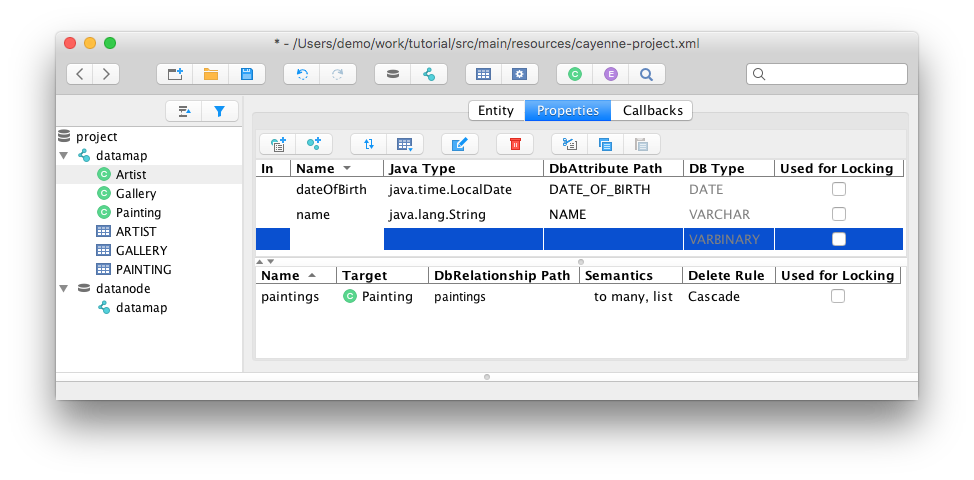
+Downloaded Cayenne Modeler from https://cayenne.apache.org/download/, start it
and create a Cayenne project.
See tutorial https://cayenne.apache.org/docs/4.2/getting-started-guide/
-##### Maven plugin
-
-Additionally, you can use Cayenne Maven (or [Gradle](#gradle-plugin)) plugin
to create model based on existing DB structure.
-Here is example of Cayenne Maven plugin setup that will do it:
-
-```xml
-<plugin>
- <groupId>org.apache.cayenne.plugins</groupId>
- <artifactId>cayenne-maven-plugin</artifactId>
- <version>4.2.1</version>
-
- <dependencies>
- <dependency>
- <groupId>com.mysql</groupId>
- <artifactId>mysql-connector-j</artifactId>
- <version>8.4.0</version>
- </dependency>
- </dependencies>
-
- <configuration>
- <map>${project.basedir}/src/main/resources/demo.map.xml</map>
-
<cayenneProject>${project.basedir}/src/main/resources/cayenne-demo.xml</cayenneProject>
- <dataSource>
-
<url>jdbc:mysql://localhost:3306/cayenne_demo?nullNamePatternMatchesAll=true</url>
- <driver>com.mysql.cj.jdbc.Driver</driver>
- <username>user</username>
- <password>password</password>
- </dataSource>
- <dbImport>
- <defaultPackage>org.apache.cayenne.demo.model</defaultPackage>
- </dbImport>
- </configuration>
-</plugin>
-```
-
-Run it:
-```bash
-mvn cayenne:cdbimport
-mvn cayenne:cgen
-```
-See tutorial https://cayenne.apache.org/docs/4.2/getting-started-db-first/
-
-##### Gradle plugin
-
-And here is example of Cayenne Gradle plugin setup:
-
-```gradle
-buildscript {
- repositories {
- mavenCentral()
- }
- dependencies {
- classpath 'org.apache.cayenne.plugins:cayenne-gradle-plugin:4.2.1'
- classpath 'com.mysql:mysql-connector-j:8.4.0'
- }
-}
-
-apply plugin: 'org.apache.cayenne'
-cayenne.defaultDataMap 'demo.map.xml'
-
-cdbimport {
- cayenneProject 'cayenne-demo.xml'
-
- dataSource {
- driver 'com.mysql.cj.jdbc.Driver'
- url
'jdbc:mysql://127.0.0.1:3306/cayenne_demo?nullNamePatternMatchesAll=true'
- username 'user'
- password 'password'
- }
-
- dbImport {
- defaultPackage = 'org.apache.cayenne.demo.model'
- }
-}
-
-cgen.dependsOn cdbimport
-compileJava.dependsOn cgen
-```
-
-Run it:
-```bash
-gradlew build
-```
-
-#### Include Cayenne into project
-
-##### Maven
+### Include Cayenne in a Project
+Maven
```xml
<dependencies>
<dependency>
<groupId>org.apache.cayenne</groupId>
<artifactId>cayenne-server</artifactId>
- <version>4.2.1</version>
+ <version>5.0-M1</version>
</dependency>
</dependencies>
```
-##### Gradle
-
+Gradle
```gradle
-compile group: 'org.apache.cayenne', name: 'cayenne-server', version: '4.2.1'
+compile group: 'org.apache.cayenne', name: 'cayenne-server', version: '5.0-M1'
// or, if Gradle plugin is used
compile cayenne.dependency('server')
@@ -174,7 +67,7 @@ compile cayenne.dependency('server')
#### Create Cayenne Runtime
```java
-ServerRuntime cayenneRuntime = ServerRuntime.builder()
+CayenneRuntime cayenneRuntime = CayenneRuntime.builder()
.addConfig("cayenne-demo.xml")
.dataSource(DataSourceBuilder
.url("jdbc:mysql://localhost:3306/cayenne_demo")
@@ -185,7 +78,7 @@ ServerRuntime cayenneRuntime = ServerRuntime.builder()
.build();
```
-#### Create New Objects
+### Create New Objects
```java
ObjectContext context = cayenneRuntime.newContext();
@@ -212,9 +105,9 @@ stein.setGallery(metropolitan);
context.commitChanges();
```
-#### Queries
+### Queries
-##### Select Objects
+#### Select Objects
```java
List<Painting> paintings = ObjectSelect.query(Painting.class)
@@ -223,7 +116,7 @@ List<Painting> paintings =
ObjectSelect.query(Painting.class)
.select(context);
```
-##### Aggregate functions
+#### Aggregate Functions
```java
// this is artificial property signaling that we want to get full object
@@ -243,7 +136,7 @@ for(Object[] next : artistAndPaintingCount) {
```
-##### Raw SQL queries
+#### Raw SQL Queries
```java
// Selecting objects
@@ -269,42 +162,15 @@ int inserted = SQLExec
```
-Documentation
-----------------
-
-#### Getting Started
-
-https://cayenne.apache.org/docs/4.2/getting-started-guide/
-
-#### Getting Started Db-First
-
-https://cayenne.apache.org/docs/4.2/getting-started-db-first/
-
-#### Full documentation
-
-https://cayenne.apache.org/docs/4.2/cayenne-guide/
-
-#### JavaDoc
-
-https://cayenne.apache.org/docs/4.2/api/
-
-About
------
-
+## About
With a wealth of unique and powerful features, Cayenne can address a wide
range of persistence needs. Cayenne seamlessly binds one or more database
schemas directly to Java objects, managing atomic commit and rollbacks, SQL
generation, joins, sequences, and more.
Cayenne is designed to be easy to use, without sacrificing flexibility or
design. To that end, Cayenne supports database reverse engineering and
generation, as well as a Velocity-based class generation engine. All of these
functions can be controlled directly through the CayenneModeler, a fully
functional GUI tool. No cryptic XML or annotation based configuration is
required! An entire database schema can be mapped directly to Java objects
within minutes, all from the comfort of the GUI- [...]
Cayenne supports numerous other features, including caching, a complete object
query syntax, relationship pre-fetching, on-demand object and relationship
faulting, object inheritance, database auto-detection, and generic persisted
objects. Most importantly, Cayenne can scale up or down to virtually any
project size. With a mature, 100% open source framework, an energetic user
community, and a track record of solid performance in high-volume environments,
Cayenne is an exceptional choice [...]
-Collaboration
---------------
-
+# Collaboration and Support
* [Bug/Feature Tracker](https://issues.apache.org/jira/browse/CAY)
* [Mailing lists](https://cayenne.apache.org/mailing-lists.html)
* [Support](https://cayenne.apache.org/support.html)
* [Contributing](https://cayenne.apache.org/how-can-i-help.html)
-
-License
----------
-Cayenne is available as free and open source under the [Apache License,
Version 2.0](https://www.apache.org/licenses/LICENSE-2.0).



