keon94 commented on code in PR #246:
URL:
https://github.com/apache/incubator-devlake-website/pull/246#discussion_r992823901
########## docs/Plugins/webhook.md: ########## @@ -4,34 +4,26 @@ description: > Webhook Plugin --- -## Summary +## Overview -[Webhooks](https://en.wikipedia.org/wiki/Webhook) are user-defined HTTP callbacks that can be used for causing an event on one site that will trigger certain behavior on another site. They can be triggered in your deployment and bug recording systems, such as build shells in Jenkins or Jira. +An Incoming Webhook allows users to actively push data to DevLake. It's particularly useful when DevLake is missing the plugin that pulls data from your DevOps tool. -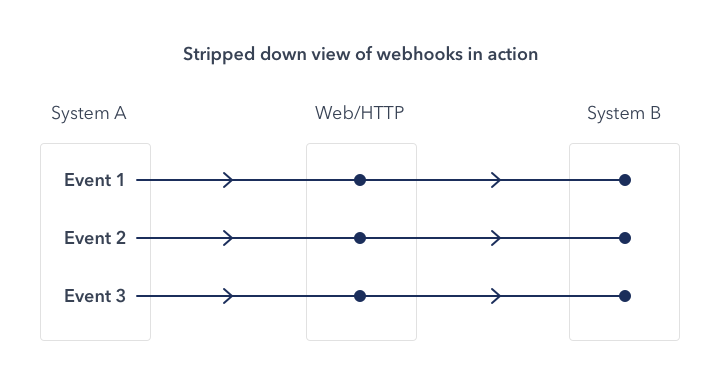 -(Image from the Internet) - -While using webhooks in DevLake, your systems play the roles of system A as shown in the above image, and Apache DevLake as system B. You can use webhooks to: - -* record bugs or incidents when DevLake cannot collect data from issue applications directly. -* detect code deployments by using custom deploy-time measurement +When you create an Incoming Webhook within DevLake, DevLake generates a unique URL. You can post JSON payloads to this URL to push data to DevLake. -DevLake does not limit the number of webhook requests. **But be aware** that your Database or other servers may not handle unlimited requests. +As of v0.14.0, users can push incidents and deployments data required by DORA metrics to DevLake via Incoming Webhook. -## Configuration -Configuring webhooks via the Config UI. +## Creating webhooks in DevLake -First, you can create a webhook connection from the Integration page. +### Add a new webhook +To add a new webhook, go to "Data Connections" page in config-ui and select "Issue/Deployment Incoming/Webhook".  We recommand that you give your webhook connection a unique name so that you can identify and manage where you have used it later. -After cicking on "Generate POST URL", you will find four webhook URLs. Copy the ones that suits your usage into your CI or issue tracking systems. You can always come back to the webhook page to copy the URLs later on. +After clicking on "Generate POST URL", you will find four webhook URLs. Copy the ones that suits your usage into your CI or issue tracking systems. You can always come back to the webhook page to copy the URLs later on. Review Comment: fix: After clicking on the "Generate POST URL" button, you will find four webhook URLs. Copy the ones that suit your usage into your CI or issue tracking systems. -- This is an automated message from the Apache Git Service. To respond to the message, please log on to GitHub and use the URL above to go to the specific comment. To unsubscribe, e-mail: [email protected] For queries about this service, please contact Infrastructure at: [email protected]


