Startrekzky commented on code in PR #311:
URL:
https://github.com/apache/incubator-devlake-website/pull/311#discussion_r1012553459
########## docs/UserManuals/ConfigUI/GitLab.md: ########## @@ -27,24 +27,22 @@ If you are behind a corporate firewall or VPN you may need to utilize a proxy se #### Test and Save Connection Click `Test Connection`, if the connection is successful, click `Save Connection` to add the connection. - ### Step 2 - Setting Data Scope -#### Projects -Enter the GitLab repos to collect. How to get `GitLab` repos? -- Visit the repository page on GitLab -- Find the project id below the title +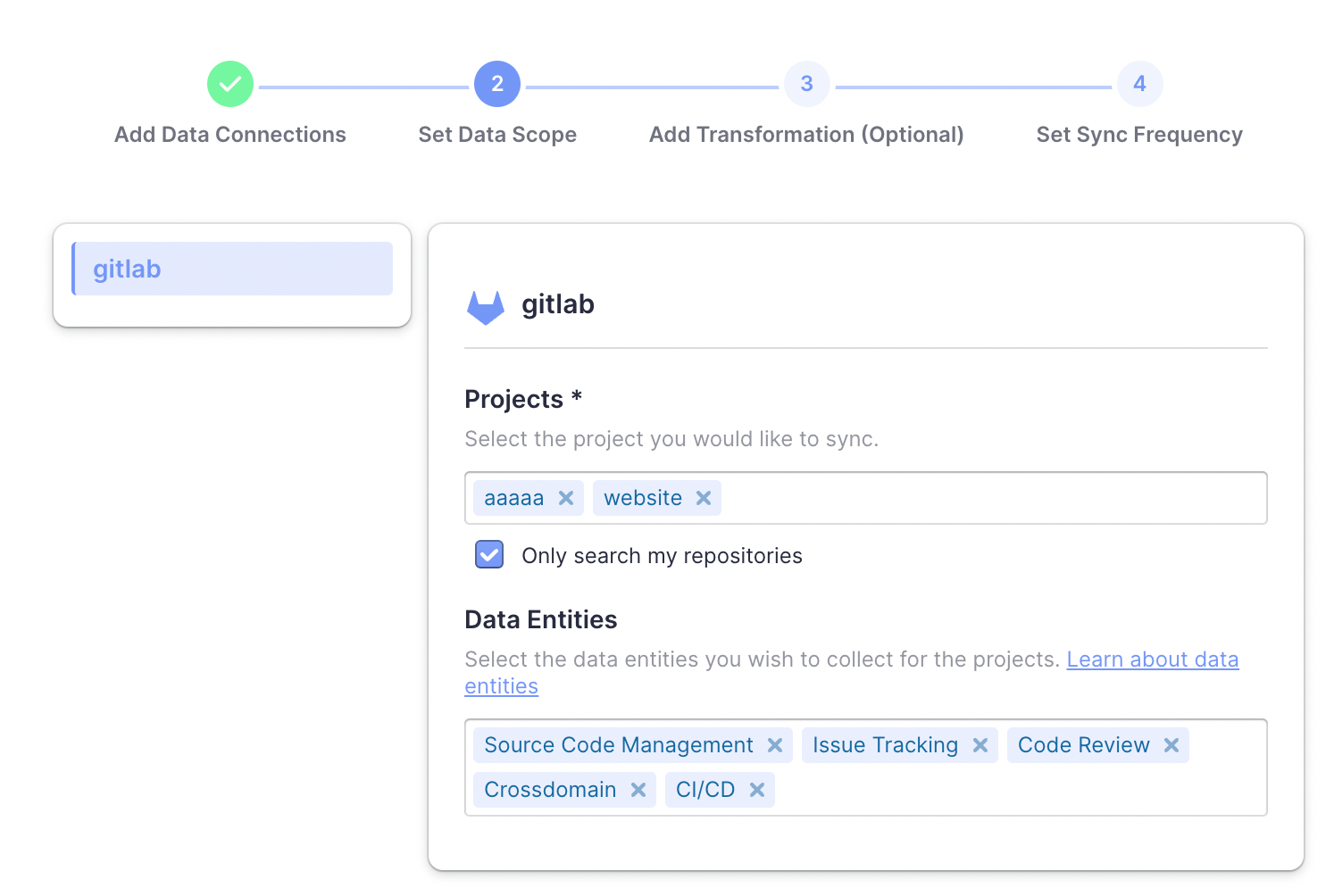 - +#### Projects +Choose the Gitlab projects to collect. Limited by GitLab API, You need to type more than 2 characters to search. -If you want to collect more than 1 repo, please separate repos with comma. For example, "apache/incubator-devlake,apache/incubator-devlake-website". +* If you want to collect public repo in GitLab, please uncheck "Only search my repositories" to find all projects. Review Comment: Text Change: “If you want to collect public repos in GitLab, please uncheck "Only search my repositories" to find all public repos.” ########## docs/UserManuals/ConfigUI/GitLab.md: ########## @@ -27,24 +27,22 @@ If you are behind a corporate firewall or VPN you may need to utilize a proxy se #### Test and Save Connection Click `Test Connection`, if the connection is successful, click `Save Connection` to add the connection. - ### Step 2 - Setting Data Scope -#### Projects -Enter the GitLab repos to collect. How to get `GitLab` repos? -- Visit the repository page on GitLab -- Find the project id below the title + - +#### Projects +Choose the Gitlab projects to collect. Limited by GitLab API, You need to type more than 2 characters to search. -If you want to collect more than 1 repo, please separate repos with comma. For example, "apache/incubator-devlake,apache/incubator-devlake-website". +* If you want to collect public repo in GitLab, please uncheck "Only search my repositories" to find all projects. #### Data Entities Usually, you don't have to modify this part. However, if you don't want to collect certain GitLab entities, you can unselect some entities to accerlerate the collection speed. - Issue Tracking: GitLab issues, issue comments, issue labels, etc. - Source Code Management: GitLab repos, refs, commits, etc. - Code Review: GitLab MRs, MR comments and reviews, etc. - Cross Domain: GitLab accounts, etc. +- CI/CD: GitLab pipelines, etc. Review Comment: 1. CI/CD: GitLab pipelines, jobs, etc. 2. Put it before 'Cross Domain' ########## docs/UserManuals/ConfigUI/GitHub.md: ########## @@ -42,11 +42,12 @@ Usually, you don't have to modify this part. However, if you don't want to colle - Source Code Management: GitHub repos, refs, commits, etc. - Code Review: GitHub PRs, PR comments and reviews, etc. - Cross Domain: GitHub accounts, etc. +- CI/CD: GitHub Workflow runs, GitHub Workflow jobs, etc. Review Comment: Can you move the CI/CD part to the place before 'Cross Domain'? ########## docs/UserManuals/ConfigUI/Jenkins.md: ########## @@ -24,7 +24,18 @@ For help on Username and Password, please see Jenkins docs on [using credentials Click `Test Connection`, if the connection is successful, click `Save Connection` to add the connection. ### Step 2 - Setting Data Scope -There is no data cope setting for Jenkins. + +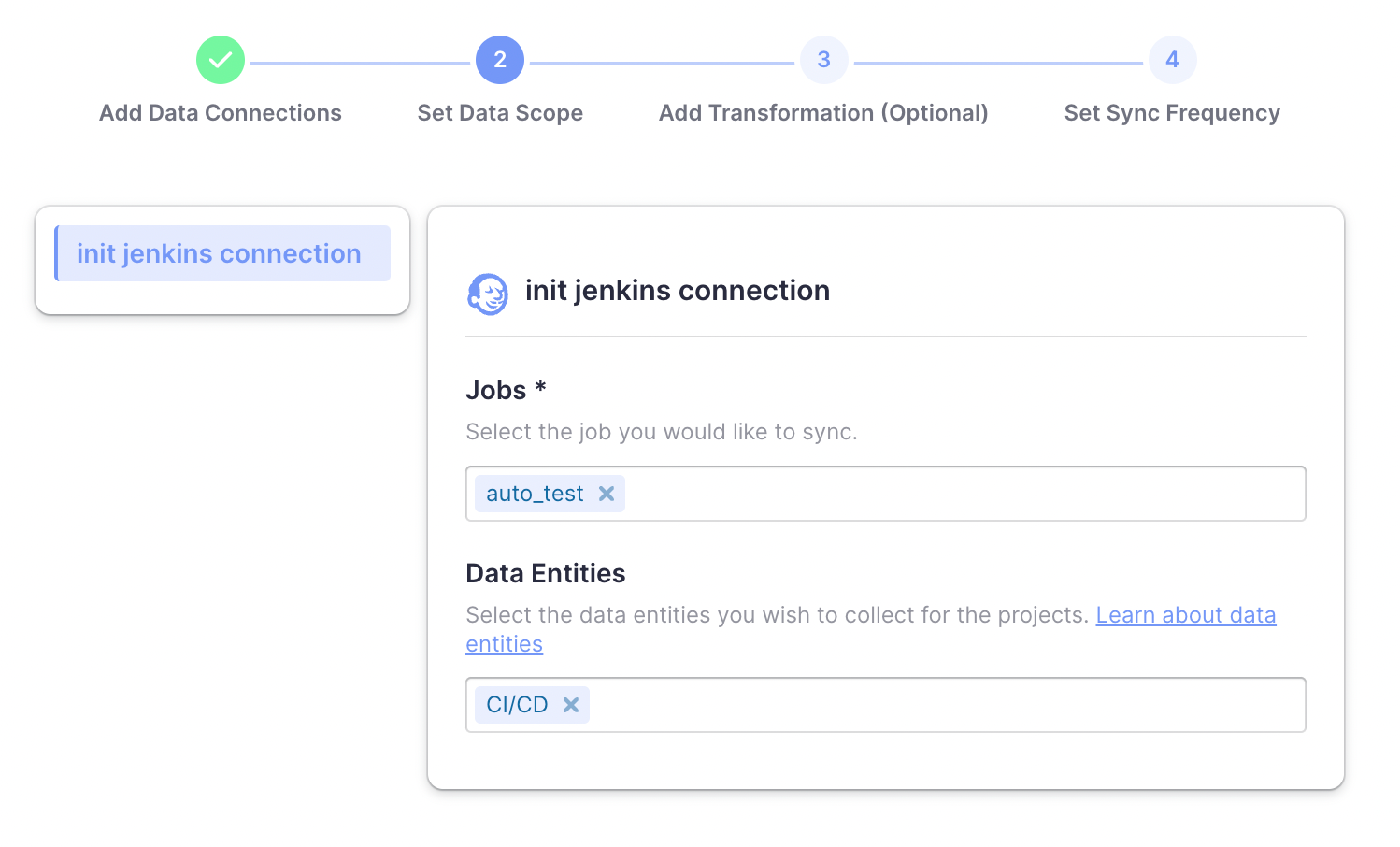 + +#### Jobs + +Choose the Jenkins jobs to collect. + +#### Data Entities + +Jenkins only support only one entity `CI/CD`. Review Comment: Text Change: "Jenkins only supports `CI/CD` domain entities, transformed from Jenkins builds and stages." -- This is an automated message from the Apache Git Service. To respond to the message, please log on to GitHub and use the URL above to go to the specific comment. To unsubscribe, e-mail: [email protected] For queries about this service, please contact Infrastructure at: [email protected]



