zixi0825 commented on pull request #2749:
URL:
https://github.com/apache/incubator-dolphinscheduler/pull/2749#issuecomment-630651939
> > I think thelocalParam's usage is like this, > > 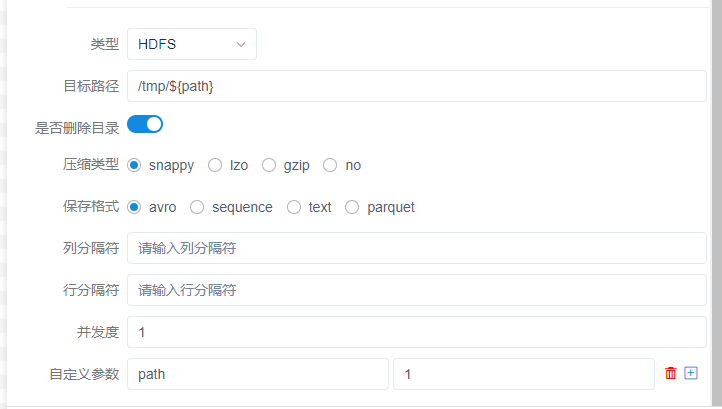 > > The sqoop command may be wrong if you modify it like the new code. > > You can add a new parameter in front ui to add the custom parameter of sqoop,and check that the parameters are correct > > HaHa,I think you may not understand what I mean. In the Sqoop node, there is currently no place where you can add custom parameters. Just like your screenshot, can the custom parameters you set be displayed in the generated Sqoop command? Hope to see the log of sqoop executed by your worker. look forward to your reply. Thank you. I added the code you modified and run the task 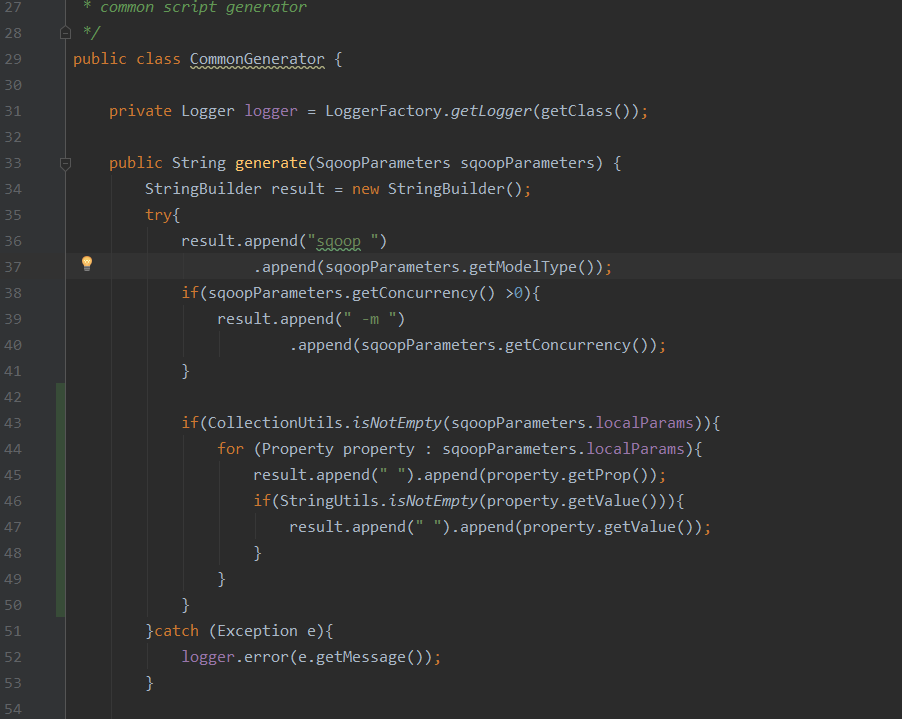 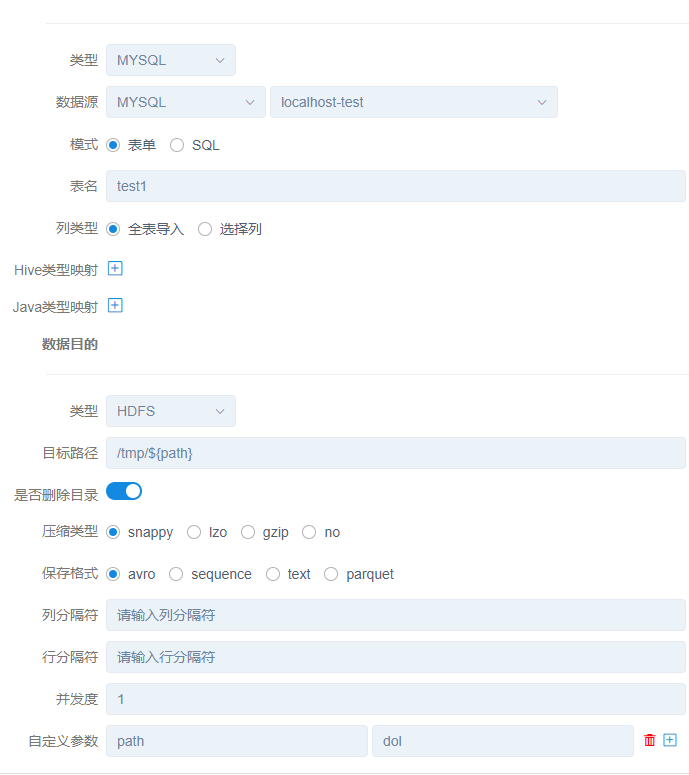 the log in the worker like this  sqoop import -m 1 path dol --connect jdbc:mysql://localhost:3306/test?autoReconnect=true --username root --password 123456 --table test1 --target-dir /tmp/dol --compression-codec snappy --as-avrodatafile --delete-target-dir --null-non-string 'NULL' --null-string 'NULL' the "path dol" should not appear here,because its role is to replace $ {path} with dol ———————————— 按照你的改动,sqoop 命令行就会出现 path dol 这样有问题的字符,因为它的作用是将${path}替换成dol。 我的想法有以下两种: 第一:你在进行自定义参数拼接的时候判断所添加的参数是否sqoop所支持的,并且是以--开头的 第二:或者在UI界面增加一个跟自定义参数一样的控件用于增加sqoop的自定义参数,同时按照第一的方式检验参数合法性 ---------------------------------------------------------------- This is an automated message from the Apache Git Service. To respond to the message, please log on to GitHub and use the URL above to go to the specific comment. For queries about this service, please contact Infrastructure at: [email protected]




