Tandoy opened a new issue #6086:
URL: https://github.com/apache/dolphinscheduler/issues/6086
**Steps to reproduce the behavior:** Click the restore failure button from the failed node to rerun the workflow failed **Describe the question** The workflow failed to run for the first time. When I modified the shell task content and went online again, I clicked the restore failure button, but still prompted an error. After checking the log, it was shown that the modified script content was unsuccessful or the original script content. But query the t_ds_process_definition table and find that the rawScript stored in JSON has been modified successfully **Which version of DolphinScheduler:** -[1.3.2] **Script before modification** 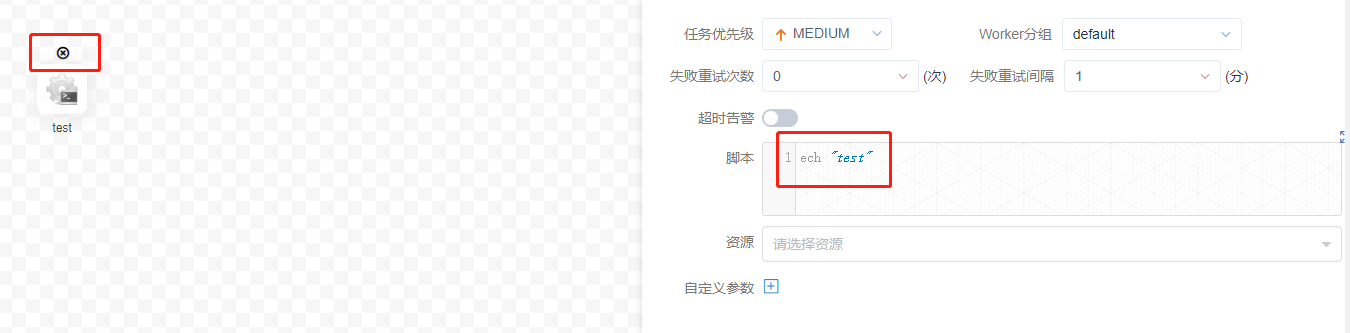 **Modified script**  **Recovery failed**  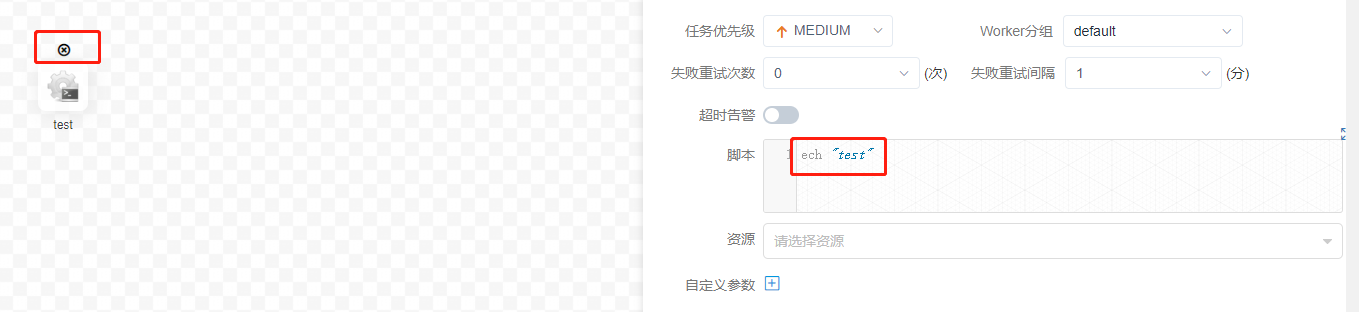 **t_ds_process_definition** 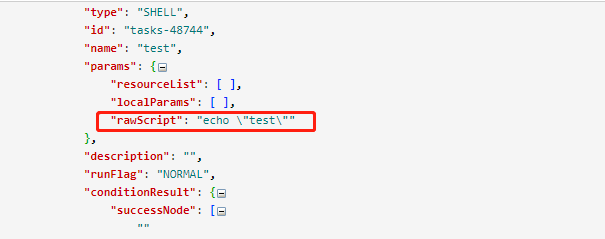 -- This is an automated message from the Apache Git Service. To respond to the message, please log on to GitHub and use the URL above to go to the specific comment. To unsubscribe, e-mail: [email protected] For queries about this service, please contact Infrastructure at: [email protected]





