luojieio opened a new issue #6273:
URL: https://github.com/apache/dolphinscheduler/issues/6273
### Search before asking - [X] I had searched in the [issues](https://github.com/apache/dolphinscheduler/issues?q=is%3Aissue) and found no similar issues. ### What happened dolphinscheduler-common build test fail I use the ubuntu 16.04 container to build, the build fails, and the error message is as follows: 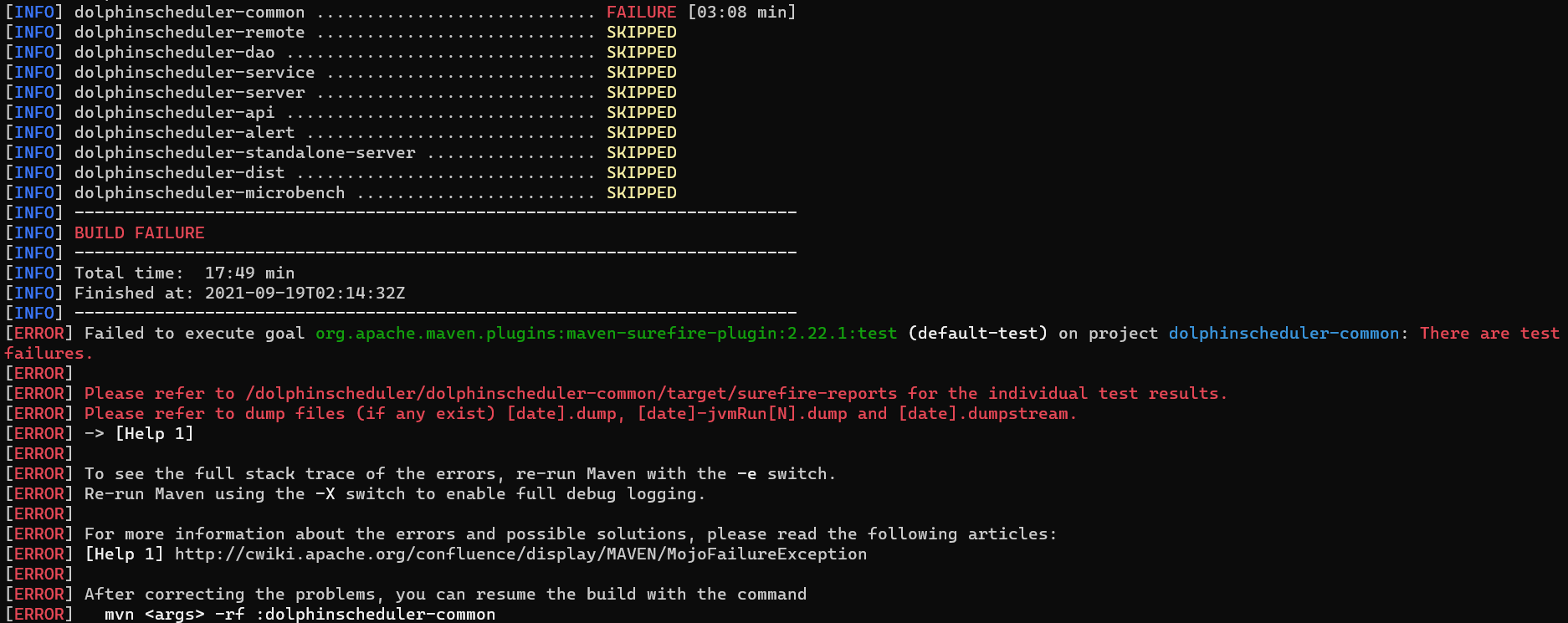 my build env is: - os:ubuntu16.04 - kernel:5.10.16.3-microsoft-standard-WSL2 - jdk: openjdk version "1.8.0_292" OpenJDK Runtime Environment (build 1.8.0_292-8u292-b10-0ubuntu1~16.04.1-b10) OpenJDK 64-Bit Server VM (build 25.292-b10, mixed mode) git code version:commit 69a153c5f5c9d91b4eececbcfbf9e2fb407f89c4 --- 我使用最新的仓库dev默认分支的代码进行构建,在干净的docker容器环境里进行构建,只通过apt安装了jdk与git的情况下, 构建环境: 操作系统:ubuntu:16.04 内核:5.10.16.3-microsoft-standard-WSL2 JDK:"1.8.0_292" 拉的代码:commit 69a153c5f5c9d91b4eececbcfbf9e2fb407f89c4 执行构建时报错如下: [INFO] Running org.apache.dolphinscheduler.common.os.OshiTest 02:14:31.109 [main] INFO org.apache.dolphinscheduler.common.os.OshiTest - Checking Memory... 02:14:31.172 [main] DEBUG oshi.util.FileUtil - Reading file /proc/meminfo 02:14:31.180 [main] DEBUG oshi.util.FileUtil - Reading file /proc/vmstat 02:14:31.181 [main] INFO org.apache.dolphinscheduler.common.os.OshiTest - memory avail:2365 MB 02:14:31.181 [main] INFO org.apache.dolphinscheduler.common.os.OshiTest - memory total:12692 MB 02:14:31.181 [main] INFO org.apache.dolphinscheduler.common.os.OshiTest - Checking CPU... 02:14:31.196 [main] DEBUG oshi.hardware.common.AbstractCentralProcessor - Oracle MXBean detected. 02:14:31.196 [main] DEBUG oshi.util.FileUtil - Reading file /proc/cpuinfo 02:14:31.197 [main] DEBUG oshi.util.FileUtil - Reading file /proc/cpuinfo 02:14:31.201 [main] DEBUG oshi.hardware.platform.linux.LinuxCentralProcessor - Initialized Processor 02:14:31.204 [main] INFO org.apache.dolphinscheduler.common.os.OshiTest - CPU load: 0.0% (OS MXBean) 02:14:31.205 [main] INFO org.apache.dolphinscheduler.common.os.OshiTest - CPU load averages : 1.39 02:14:31.205 [main] DEBUG oshi.util.FileUtil - Reading file /proc/uptime 02:14:31.206 [main] DEBUG oshi.util.FileUtil - Reading file /proc/uptime 02:14:31.228 [main] INFO org.apache.dolphinscheduler.common.os.OshiTest - Uptime: 3 days, 19:00:51 02:14:31.228 [main] DEBUG oshi.util.FileUtil - Reading file /proc/stat 02:14:31.229 [main] DEBUG oshi.util.FileUtil - Reading file /proc/stat 02:14:31.229 [main] INFO org.apache.dolphinscheduler.common.os.OshiTest - Context Switches/Interrupts: 2480580741 / 600053029 02:14:31.229 [main] DEBUG oshi.util.FileUtil - Reading file /proc/stat 02:14:31.230 [main] INFO org.apache.dolphinscheduler.common.os.OshiTest - CPU, IOWait, and IRQ ticks @ 0 sec:[4013713, 6916, 2757665, 253991205, 446276, 0, 991349, 0] 02:14:32.231 [main] DEBUG oshi.util.FileUtil - Reading file /proc/stat 02:14:32.231 [main] INFO org.apache.dolphinscheduler.common.os.OshiTest - CPU, IOWait, and IRQ ticks @ 1 sec:[4013724, 6916, 2757677, 253991972, 446278, 0, 991358, 0] 02:14:32.231 [main] INFO org.apache.dolphinscheduler.common.os.OshiTest - User: 1.4% Nice: 0.0% System: 1.5% Idle: 95.8% IOwait: 0.2% IRQ: 0.0% SoftIRQ: 1.1% Steal: 0.0% 02:14:32.231 [main] DEBUG oshi.util.FileUtil - Reading file /proc/stat 02:14:32.232 [main] INFO org.apache.dolphinscheduler.common.os.OshiTest - CPU load: 3.0% (counting ticks) 02:14:32.232 [main] INFO org.apache.dolphinscheduler.common.os.OshiTest - CPU load averages: 1.39 1.54 1.16 02:14:32.232 [main] DEBUG oshi.util.FileUtil - Reading file /proc/stat 02:14:32.233 [main] INFO org.apache.dolphinscheduler.common.os.OshiTest - CPU load per processor: 4.3% 2.9% 3.4% 2.3% 3.2% 2.2% 3.2% 2.2% [INFO] Tests run: 1, Failures: 0, Errors: 0, Skipped: 0, Time elapsed: 1.122 s - in org.apache.dolphinscheduler.common.os.OshiTest [INFO] [INFO] Results: [INFO] [ERROR] Failures: [ERROR] FileUtilsTest.testWriteContent2File:97 expected:<[???]faffdasfasdfas> but was:<[?????????]faffdasfasdfas> [INFO] [ERROR] Tests run: 207, Failures: 1, Errors: 0, Skipped: 0 [INFO] [INFO] ------------------------------------------------------------------------ [INFO] Reactor Summary for dolphinscheduler 1.3.6-SNAPSHOT: [INFO] [INFO] dolphinscheduler ................................... SUCCESS [04:15 min] [INFO] dolphinscheduler-spi ............................... SUCCESS [01:04 min] [INFO] dolphinscheduler-alert-plugin ...................... SUCCESS [ 0.161 s] [INFO] dolphinscheduler-alert-email ....................... SUCCESS [ 49.422 s] [INFO] dolphinscheduler-alert-wechat ...................... SUCCESS [ 7.343 s] [INFO] dolphinscheduler-alert-dingtalk .................... SUCCESS [ 2.733 s] [INFO] dolphinscheduler-alert-script ...................... SUCCESS [ 2.062 s] [INFO] dolphinscheduler-alert-http ........................ SUCCESS [ 2.740 s] [INFO] dolphinscheduler-alert-feishu ...................... SUCCESS [ 2.435 s] [INFO] dolphinscheduler-alert-slack ....................... SUCCESS [ 2.564 s] [INFO] dolphinscheduler-registry-plugin ................... SUCCESS [ 0.094 s] [INFO] dolphinscheduler-registry-zookeeper ................ SUCCESS [ 28.264 s] [INFO] dolphinscheduler-task-plugin ....................... SUCCESS [ 0.070 s] [INFO] dolphinscheduler-task-api .......................... SUCCESS [01:20 min] [INFO] dolphinscheduler-task-shell ........................ SUCCESS [ 1.395 s] [INFO] dolphinscheduler-task-datax ........................ SUCCESS [ 5.438 s] [INFO] dolphinscheduler-task-flink ........................ SUCCESS [ 1.354 s] [INFO] dolphinscheduler-task-http ......................... SUCCESS [ 1.532 s] [INFO] dolphinscheduler-task-mr ........................... SUCCESS [ 1.624 s] [INFO] dolphinscheduler-task-python ....................... SUCCESS [ 1.365 s] [INFO] dolphinscheduler-task-spark ........................ SUCCESS [ 1.506 s] [INFO] dolphinscheduler-task-sql .......................... SUCCESS [ 1.583 s] [INFO] dolphinscheduler-task-sqoop ........................ SUCCESS [ 2.075 s] [INFO] dolphinscheduler-task-procedure .................... SUCCESS [ 1.295 s] [INFO] dolphinscheduler-ui ................................ SUCCESS [05:26 min] [INFO] dolphinscheduler-common ............................ FAILURE [03:08 min] [INFO] dolphinscheduler-remote ............................ SKIPPED [INFO] dolphinscheduler-dao ............................... SKIPPED [INFO] dolphinscheduler-service ........................... SKIPPED [INFO] dolphinscheduler-server ............................ SKIPPED [INFO] dolphinscheduler-api ............................... SKIPPED [INFO] dolphinscheduler-alert ............................. SKIPPED [INFO] dolphinscheduler-standalone-server ................. SKIPPED [INFO] dolphinscheduler-dist .............................. SKIPPED [INFO] dolphinscheduler-microbench ........................ SKIPPED [INFO] ------------------------------------------------------------------------ [INFO] BUILD FAILURE [INFO] ------------------------------------------------------------------------ [INFO] Total time: 17:49 min [INFO] Finished at: 2021-09-19T02:14:32Z [INFO] ------------------------------------------------------------------------ [ERROR] Failed to execute goal org.apache.maven.plugins:maven-surefire-plugin:2.22.1:test (default-test) on project dolphinscheduler-common: There are test failures. [ERROR] [ERROR] Please refer to /dolphinscheduler/dolphinscheduler-common/target/surefire-reports for the individual test results. [ERROR] Please refer to dump files (if any exist) [date].dump, [date]-jvmRun[N].dump and [date].dumpstream. [ERROR] -> [Help 1] [ERROR] [ERROR] To see the full stack trace of the errors, re-run Maven with the -e switch. [ERROR] Re-run Maven using the -X switch to enable full debug logging. [ERROR] [ERROR] For more information about the errors and possible solutions, please read the following articles: [ERROR] [Help 1] http://cwiki.apache.org/confluence/display/MAVEN/MojoFailureException [ERROR] [ERROR] After correcting the problems, you can resume the build with the command [ERROR] mvn <args> -rf :dolphinscheduler-common ### What you expected to happen This is the first time I build the dev branch version, because the release version does not have the necessary functions for me, but the build fails. I don't understand java development. I wonder if I am missing any dependent libraries? Or version difference? Because I did not see any documentation on the construction in the official documentation, this is really confusing, I look forward to the answer, thank you --- 这是我第一次构建dev分支版本,因为release版本没有我必需的功能,但构建失败,我不懂java开发,我怀疑是否是我缺失什么依赖库?或版本差异?因为我在官方文档中没有看到有关于构建方面的说明文档,这真让人疑惑,期待解答,谢谢 ### How to reproduce windows 10 install docker desktop then exec this command in terminal: docker pull ubuntu:16.04 docker run -ti --rm ubuntu:16.04 bash apt-get update apt-get install openjdk-8-jdk git -y git clone https://github.com/apache/dolphinscheduler.git cd dolphinscheduler ./mvnw clean install -Prelease --- windows 10安装docker desktop 然后执行以下指令: docker pull ubuntu:16.04 docker run -ti --rm ubuntu:16.04 bash apt-get update apt-get install openjdk-8-jdk git -y git clone https://github.com/apache/dolphinscheduler.git cd dolphinscheduler ./mvnw clean install -Prelease ### Anything else _No response_ ### Are you willing to submit PR? - [ ] Yes I am willing to submit a PR! ### Code of Conduct - [X] I agree to follow this project's [Code of Conduct](https://www.apache.org/foundation/policies/conduct) -- This is an automated message from the Apache Git Service. To respond to the message, please log on to GitHub and use the URL above to go to the specific comment. To unsubscribe, e-mail: [email protected] For queries about this service, please contact Infrastructure at: [email protected]

