zhongjiajie commented on pull request #6269:
URL: https://github.com/apache/dolphinscheduler/pull/6269#issuecomment-953586971
> When I run python define code, I could see workflow was created and process instance start but failed. The screenshot as below 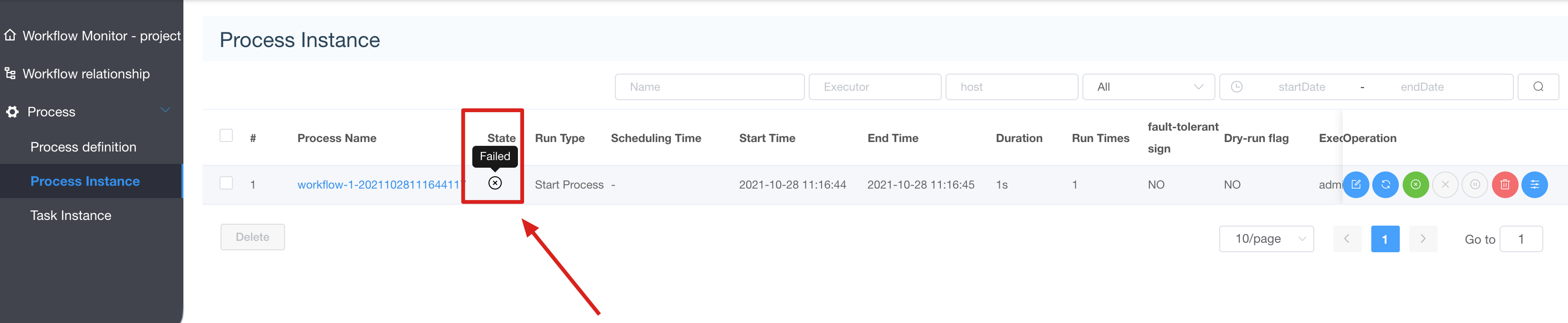 > > And I see some error log look like > > ``` > 2021-10-28 11:17:07.160 INFO 30083 --- [tp905404580-123] o.a.d.a.service.impl.LoggerServiceImpl : log host : 192.168.1.102 , logPath : , logServer port : 50051 > 2021-10-28 11:17:07.160 INFO 30083 --- [tp905404580-123] o.a.d.service.log.LogClientService : roll view log, host : 192.168.1.102, port : 50051, path , skipLineNum 0 ,limit 1000 > 2021-10-28 11:17:07.193 WARN 30083 --- [tp905404580-123] o.a.d.remote.NettyRemotingClient : connect to Host{address='192.168.1.102:50051', ip='192.168.1.102', port=50051} error > ``` After I inspect it, I find it cause due to my laptop cpu load too high and work do not available and task mark failed. Maybe we should add some notice for this? But for this PR, I think is ready to go now. -- This is an automated message from the Apache Git Service. To respond to the message, please log on to GitHub and use the URL above to go to the specific comment. To unsubscribe, e-mail: [email protected] For queries about this service, please contact Infrastructure at: [email protected]

