This is an automated email from the ASF dual-hosted git repository.

kezhenxu94 pushed a commit to branch master
in repository https://gitbox.apache.org/repos/asf/dolphinscheduler-operator.git
The following commit(s) were added to refs/heads/master by this push:
new 6a1f18d Polish readme doc (#1)
6a1f18d is described below
commit 6a1f18d8aa77d52c913581f4913e9da7276a7889
Author: kezhenxu94 <[email protected]>
AuthorDate: Wed Aug 3 22:03:36 2022 +0800
Polish readme doc (#1)
---
README.md | 84 +++++++++++++++++++++++++++++----------------------------------
1 file changed, 39 insertions(+), 45 deletions(-)
diff --git a/README.md b/README.md
index 7b5983b..b4deb9c 100644
--- a/README.md
+++ b/README.md
@@ -19,74 +19,68 @@
# dolphinscheduler-operator
-## feature
+## Features
-1. deployment the master ,worker moudle
-2. scale the pods numbers with one commond
-3. update the master,worker version quickly (not include the sql)
+- Deploy and manage the master, worker, alert, api components.
+- Scale the Pod numbers with one commond.
+- Update the component's version (not include the database schema).
## Project Status
-**Project status:** *'alpha1'*
+Project status: `alpha1`
-**Current API version:** *`v1alpha1`*
-
-## Prerequisites
-
-**go version :** *go1.17.6*
-
-**minikube version:** *v1.25.1*
-
-**kubebuilder version:** *3.3.0*
-
-**kubectl version:** *1.23.1*
+Current API version: `v1alpha1`
## Get Started
-1. **create namespace ds**
-
- kubectl create namespace ds
-
-2. **install postgres (not required)**
-
- if had no postgressql ,you can turn into config/ds/ and run *"kubectl
apply -f postgreSQL/"* ,but you need to replace your local document to
hostPath.path in postgres-pv.yaml first
-
- connect to postgressql and run the sql script in
dolphinscheduler/dolphinscheduler-dao/resources/sql
-
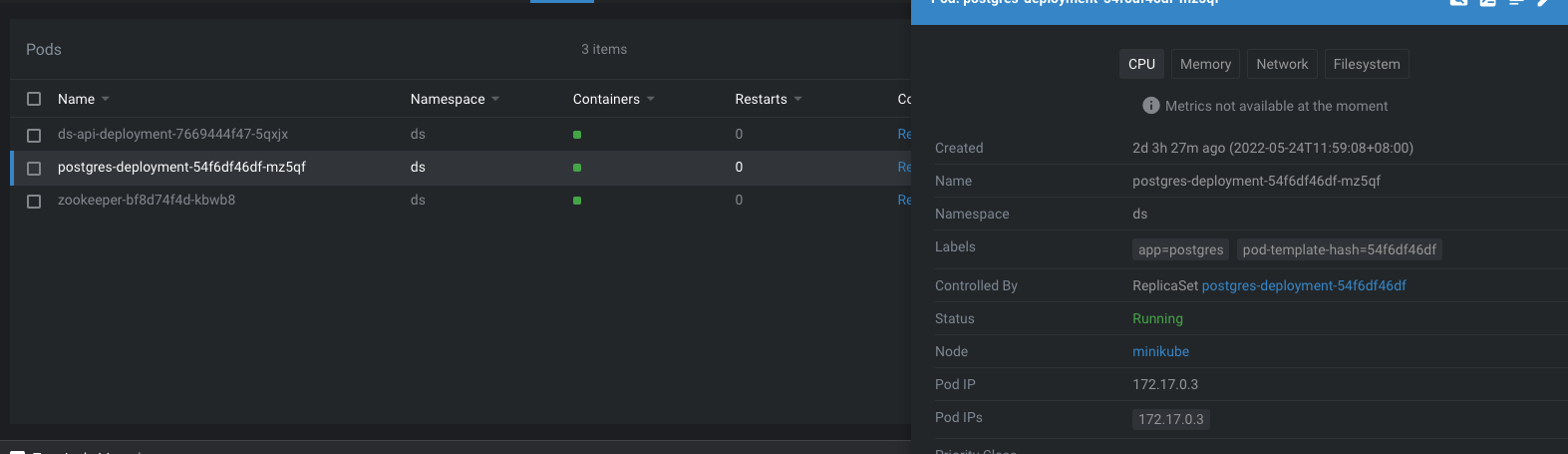
- record the deployment ip eg: 172.17.0.3
-
-
+- Create a namespace `ds`
+```shell
+kubectl create namespace ds
+```
-3. **install zookeeper(not required)**
+- Install PostgreSQL database (Optional)
- if had no zookeeper ,the doployment file is in config/ds/zookeeper ,run
*"kubectl apply -f zookeeper/"* and record the ip ,eg :172.17.0.4
+If you don't have a running database, you can run `kubectl apply -f
config/ds/postgreSQL`
+to create a demo database, note that this is only for demonstration, DO NOT
use it in production environment.
+You need to replace the `hostPath.path` in `postgres-pv.yaml` if you don't
have a directory `/var/lib/data`.
+Connect to PostgreSQL and initialize the database schema by executing
+[`dolphinscheduler/dolphinscheduler-dao/src/main/resources/sql/dolphinscheduler_postgresql.sql`](https://github.com/apache/dolphinscheduler/blob/dev/dolphinscheduler-dao/src/main/resources/sql/dolphinscheduler_postgresql.sql).
-4. **create pv and pvc (not required)**
+- Install zookeeper (Optional)
- if you had pv and pvc ,you can config it in config/sameples
+If you don't have a running zookeeper, the demo doployment file is in
`config/ds/zookeeper`,
+run `kubectl apply -f config/ds/zookeeper`.
- or you can create it with config/ds/ds-pv.yaml and
config/configmap/ds-pvc.yaml .notice to replace your local document address in
hostPath.path in ds-pv.yaml
+- Create pv and pvc (Optional)
- and you can mount the lib in dolphinscheduler /opt/soft in
config/samples/ds_v1alpha1_dsworker.yaml with paramter named lib_pvc_name
+If you have pv and pvc, you can config it in `config/sameples`.
- mount the logs in /opt/dolphinscheduler/logs with the paramters named
log_pvc_name with pvcname
+Or you can create it with `config/ds/ds-pv.yaml` and
`config/configmap/ds-pvc.yaml`.
+Notice to replace the `hostPath.path` in `ds-pv.yaml`.
- ## how to test
+And you can mount the lib in dolphinscheduler `/opt/soft` in
config/samples/ds_v1alpha1_dsworker.yaml with paramter named lib_pvc_name
- * replace the database config and zookeeper config paramters in
config/samples/*.yaml
+Mount the logs in `/opt/dolphinscheduler/logs` with the pvcname named
`log_pvc_name`.
- * replace the nodeport in *config/samples/ds_v1alpha1_api.yaml*
+## how to test
- * in current project run *"make build && make manifests && make install &&
make run"*
+* Replace the database config and zookeeper config paramters in
[`config/samples/`](./config/samples/).
- * cd to config/samples
+* Replace the nodeport in
[`config/samples/ds_v1alpha1_api.yaml`](./config/samples/ds_v1alpha1_dsapi.yaml)
- * first run *"kubectl apply -f ds_v1alpha1_dsalert.yaml "*
+* Install CRDs and controller
- * then run *"kubectl apply -f ds_v1alpha1_api.yaml -f
ds_v1alpha1_dsmaster.yaml -f ds_v1alpha1_dsworker.yaml "*
+```shell
+export IMG=ghcr.io/apache/dolphinscheduler-operator:latest
+make build && make manifests && make install && make deploy
+```
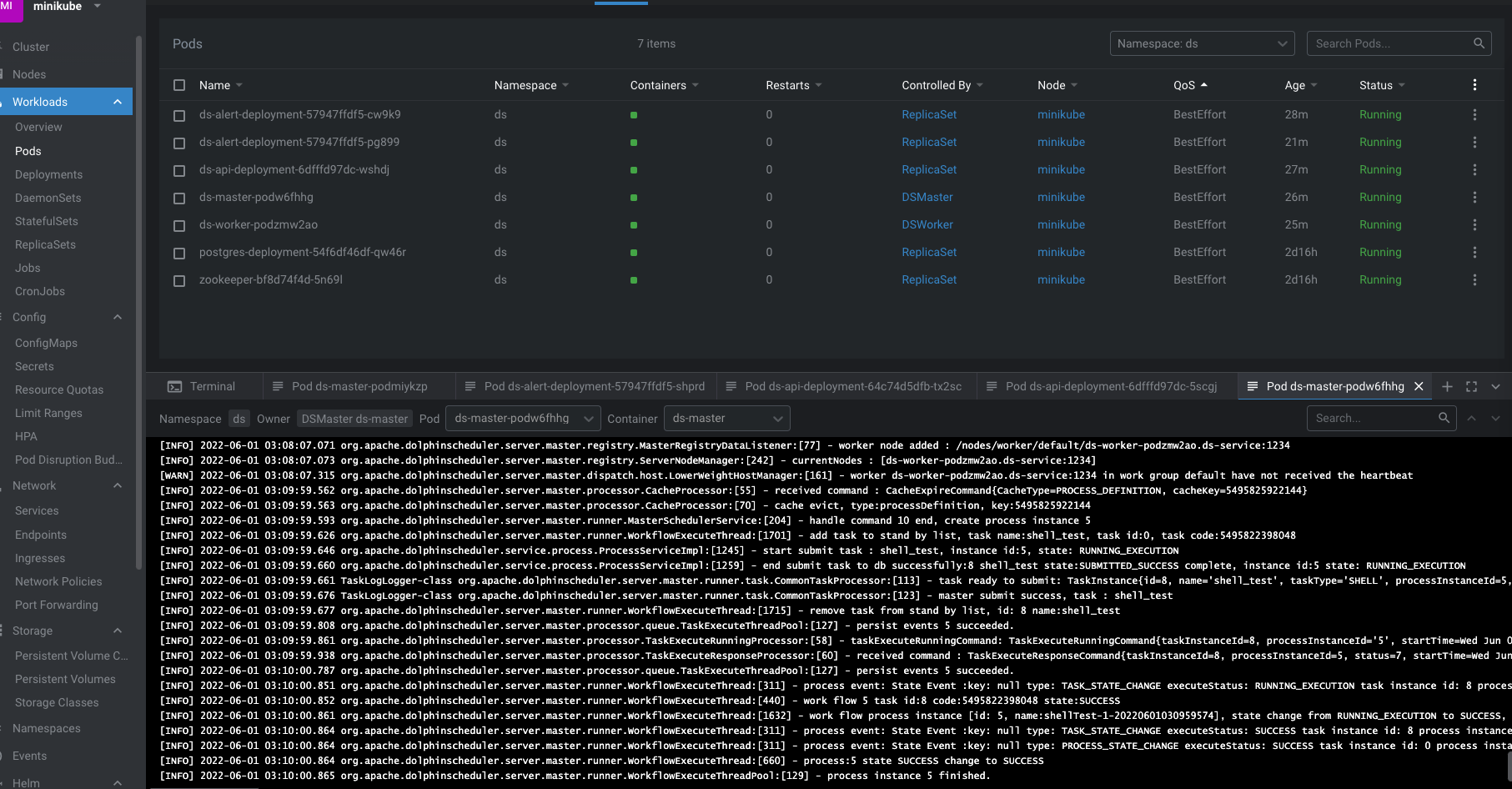
- ## the result
+* Deploy the sample
-
+```shell
+cd config/samples
+kubectl apply -f ds_v1alpha1_dsalert.yaml
+kubectl apply -f ds_v1alpha1_api.yaml -f ds_v1alpha1_dsmaster.yaml -f
ds_v1alpha1_dsworker.yaml
+```


