This is an automated email from the ASF dual-hosted git repository.

chufenggao pushed a commit to branch master
in repository https://gitbox.apache.org/repos/asf/dolphinscheduler-operator.git
commit 6a1f18d8aa77d52c913581f4913e9da7276a7889 Author: kezhenxu94 <[email protected]> AuthorDate: Wed Aug 3 22:03:36 2022 +0800 Polish readme doc (#1) --- README.md | 84 +++++++++++++++++++++++++++++---------------------------------- 1 file changed, 39 insertions(+), 45 deletions(-) diff --git a/README.md b/README.md index 7b5983b..b4deb9c 100644 --- a/README.md +++ b/README.md @@ -19,74 +19,68 @@ # dolphinscheduler-operator -## feature +## Features -1. deployment the master ,worker moudle -2. scale the pods numbers with one commond -3. update the master,worker version quickly (not include the sql) +- Deploy and manage the master, worker, alert, api components. +- Scale the Pod numbers with one commond. +- Update the component's version (not include the database schema). ## Project Status -**Project status:** *'alpha1'* +Project status: `alpha1` -**Current API version:** *`v1alpha1`* - -## Prerequisites - -**go version :** *go1.17.6* - -**minikube version:** *v1.25.1* - -**kubebuilder version:** *3.3.0* - -**kubectl version:** *1.23.1* +Current API version: `v1alpha1` ## Get Started -1. **create namespace ds** - - kubectl create namespace ds - -2. **install postgres (not required)** - - if had no postgressql ,you can turn into config/ds/ and run *"kubectl apply -f postgreSQL/"* ,but you need to replace your local document to hostPath.path in postgres-pv.yaml first - - connect to postgressql and run the sql script in dolphinscheduler/dolphinscheduler-dao/resources/sql - - record the deployment ip eg: 172.17.0.3 - -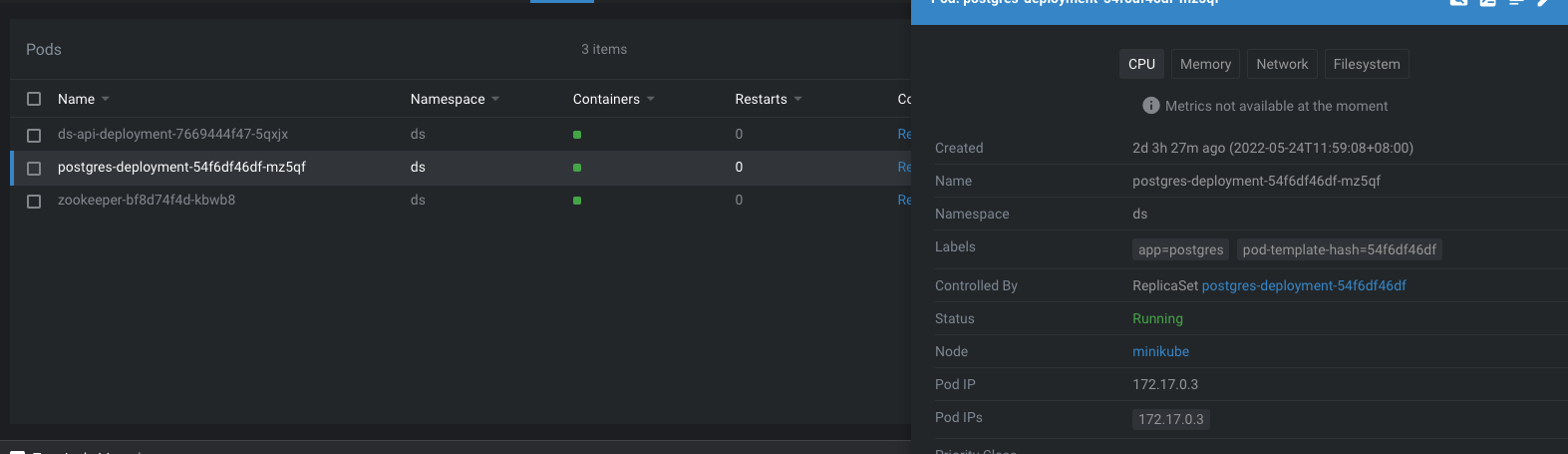 +- Create a namespace `ds` +```shell +kubectl create namespace ds +``` -3. **install zookeeper(not required)** +- Install PostgreSQL database (Optional) - if had no zookeeper ,the doployment file is in config/ds/zookeeper ,run *"kubectl apply -f zookeeper/"* and record the ip ,eg :172.17.0.4 +If you don't have a running database, you can run `kubectl apply -f config/ds/postgreSQL` +to create a demo database, note that this is only for demonstration, DO NOT use it in production environment. +You need to replace the `hostPath.path` in `postgres-pv.yaml` if you don't have a directory `/var/lib/data`. +Connect to PostgreSQL and initialize the database schema by executing +[`dolphinscheduler/dolphinscheduler-dao/src/main/resources/sql/dolphinscheduler_postgresql.sql`](https://github.com/apache/dolphinscheduler/blob/dev/dolphinscheduler-dao/src/main/resources/sql/dolphinscheduler_postgresql.sql). -4. **create pv and pvc (not required)** +- Install zookeeper (Optional) - if you had pv and pvc ,you can config it in config/sameples +If you don't have a running zookeeper, the demo doployment file is in `config/ds/zookeeper`, +run `kubectl apply -f config/ds/zookeeper`. - or you can create it with config/ds/ds-pv.yaml and config/configmap/ds-pvc.yaml .notice to replace your local document address in hostPath.path in ds-pv.yaml +- Create pv and pvc (Optional) - and you can mount the lib in dolphinscheduler /opt/soft in config/samples/ds_v1alpha1_dsworker.yaml with paramter named lib_pvc_name +If you have pv and pvc, you can config it in `config/sameples`. - mount the logs in /opt/dolphinscheduler/logs with the paramters named log_pvc_name with pvcname +Or you can create it with `config/ds/ds-pv.yaml` and `config/configmap/ds-pvc.yaml`. +Notice to replace the `hostPath.path` in `ds-pv.yaml`. - ## how to test +And you can mount the lib in dolphinscheduler `/opt/soft` in config/samples/ds_v1alpha1_dsworker.yaml with paramter named lib_pvc_name - * replace the database config and zookeeper config paramters in config/samples/*.yaml +Mount the logs in `/opt/dolphinscheduler/logs` with the pvcname named `log_pvc_name`. - * replace the nodeport in *config/samples/ds_v1alpha1_api.yaml* +## how to test - * in current project run *"make build && make manifests && make install && make run"* +* Replace the database config and zookeeper config paramters in [`config/samples/`](./config/samples/). - * cd to config/samples +* Replace the nodeport in [`config/samples/ds_v1alpha1_api.yaml`](./config/samples/ds_v1alpha1_dsapi.yaml) - * first run *"kubectl apply -f ds_v1alpha1_dsalert.yaml "* +* Install CRDs and controller - * then run *"kubectl apply -f ds_v1alpha1_api.yaml -f ds_v1alpha1_dsmaster.yaml -f ds_v1alpha1_dsworker.yaml "* +```shell +export IMG=ghcr.io/apache/dolphinscheduler-operator:latest +make build && make manifests && make install && make deploy +``` - ## the result +* Deploy the sample - 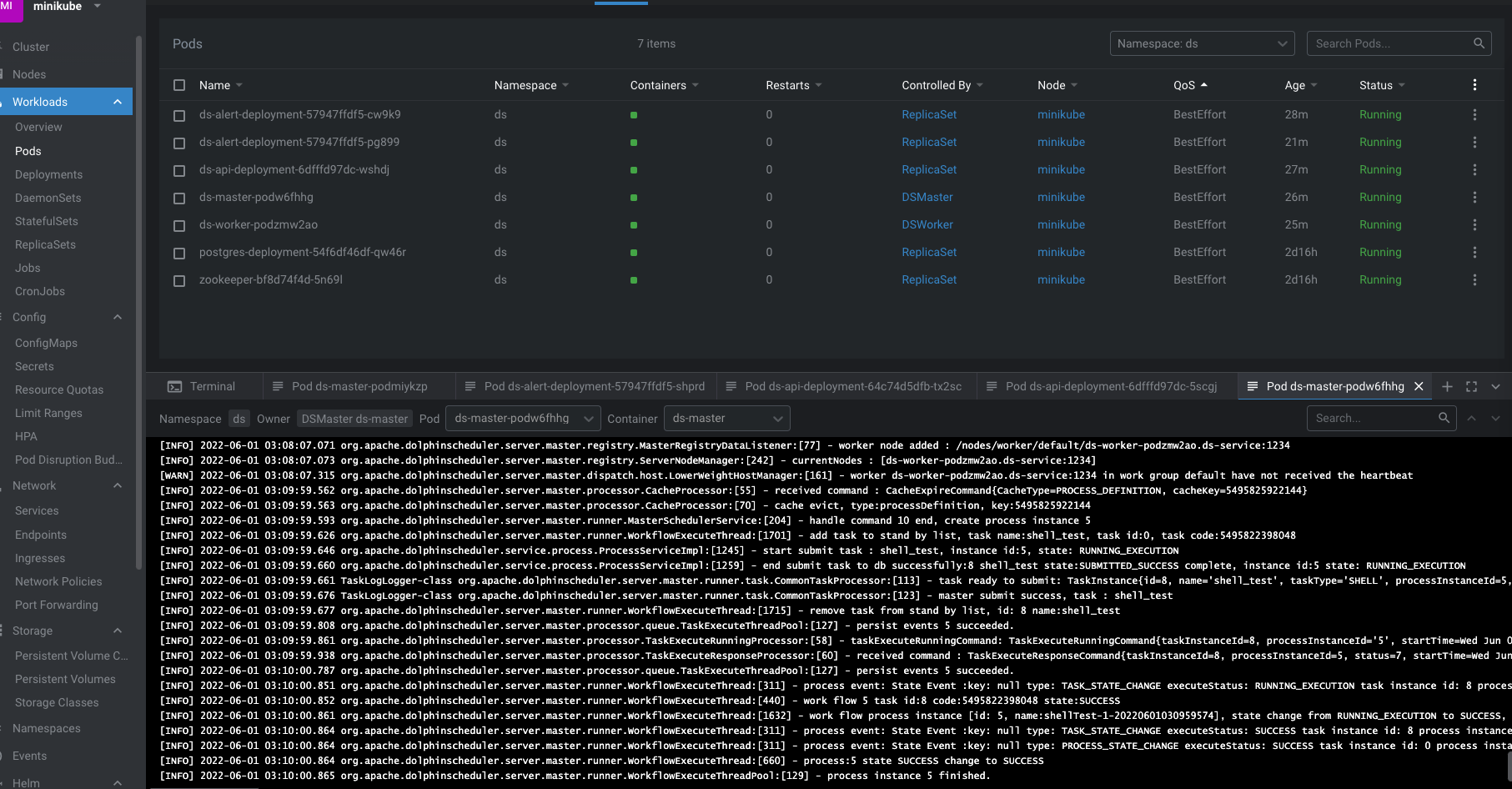 +```shell +cd config/samples +kubectl apply -f ds_v1alpha1_dsalert.yaml +kubectl apply -f ds_v1alpha1_api.yaml -f ds_v1alpha1_dsmaster.yaml -f ds_v1alpha1_dsworker.yaml +```


