GavinGYM commented on PR #12048:
URL:
https://github.com/apache/dolphinscheduler/pull/12048#issuecomment-1272568466
## Screenshots of newly added features ### 1. Admin can now grant read-only or read & write permissions to a single user for a single project Go to Security→User Manage→Operation→Authorize→Project, and you will see the new Project Authorize window, where admin user can grant different permissions for a project to a user, by simply selecting projects and clicking different authorization buttons. And I also implemented paging and query functions for ease of use. 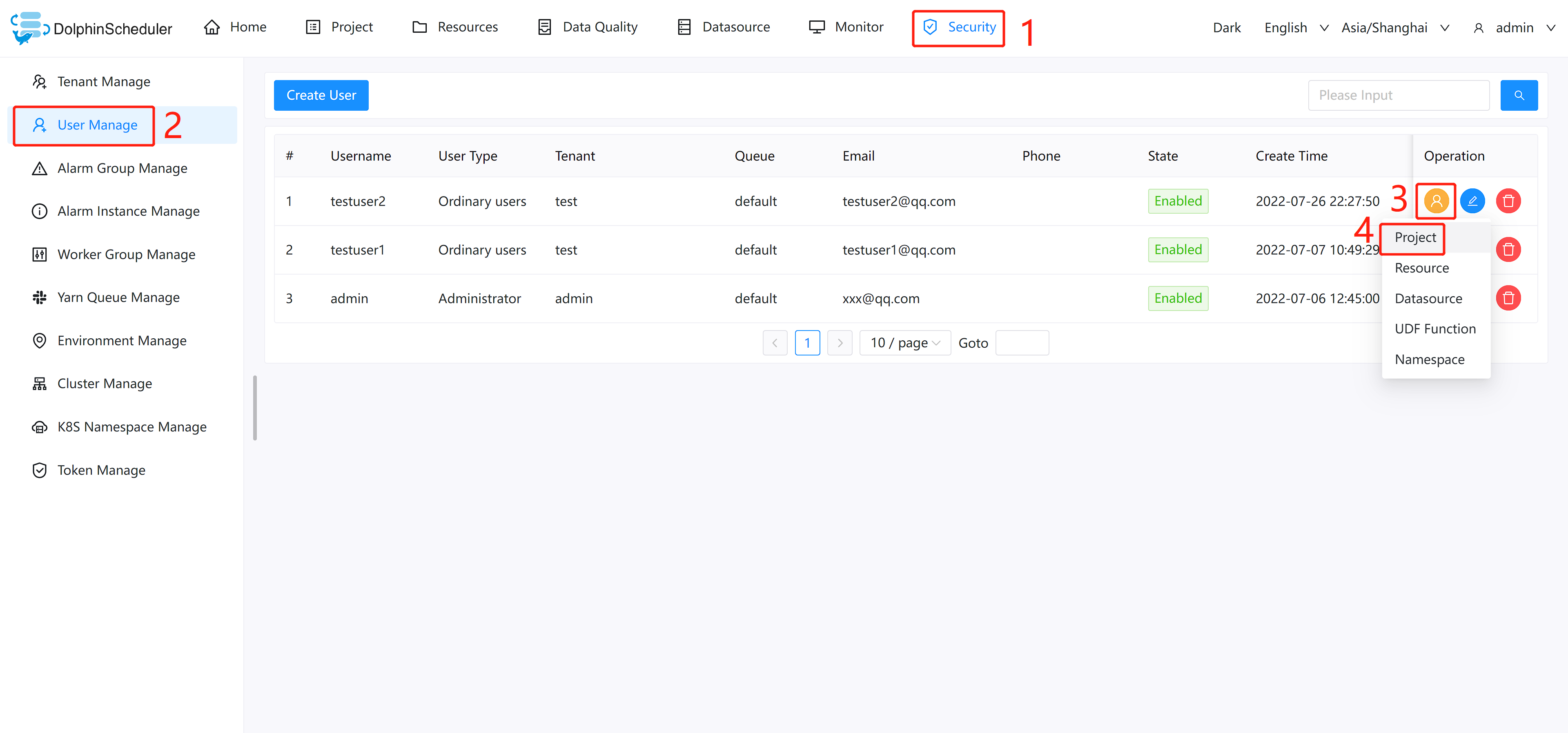 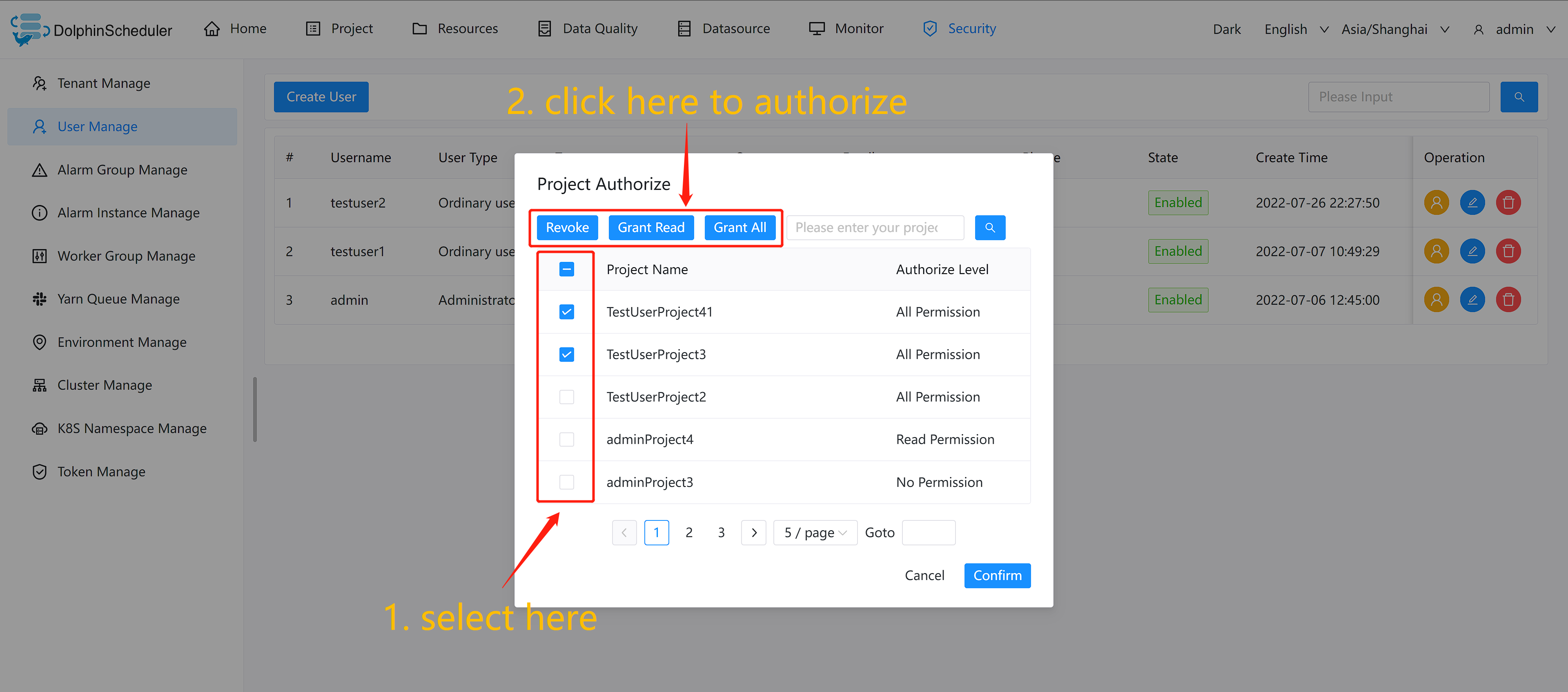 ### 2. Read and write permissions for the entire content of a single project are distinguished If a user has only the read permission but not the write permission for an project, and the user is trying to do something like delete or update the project, an error message is displayed indicating that the user has no write permission and cannot complete the operation. 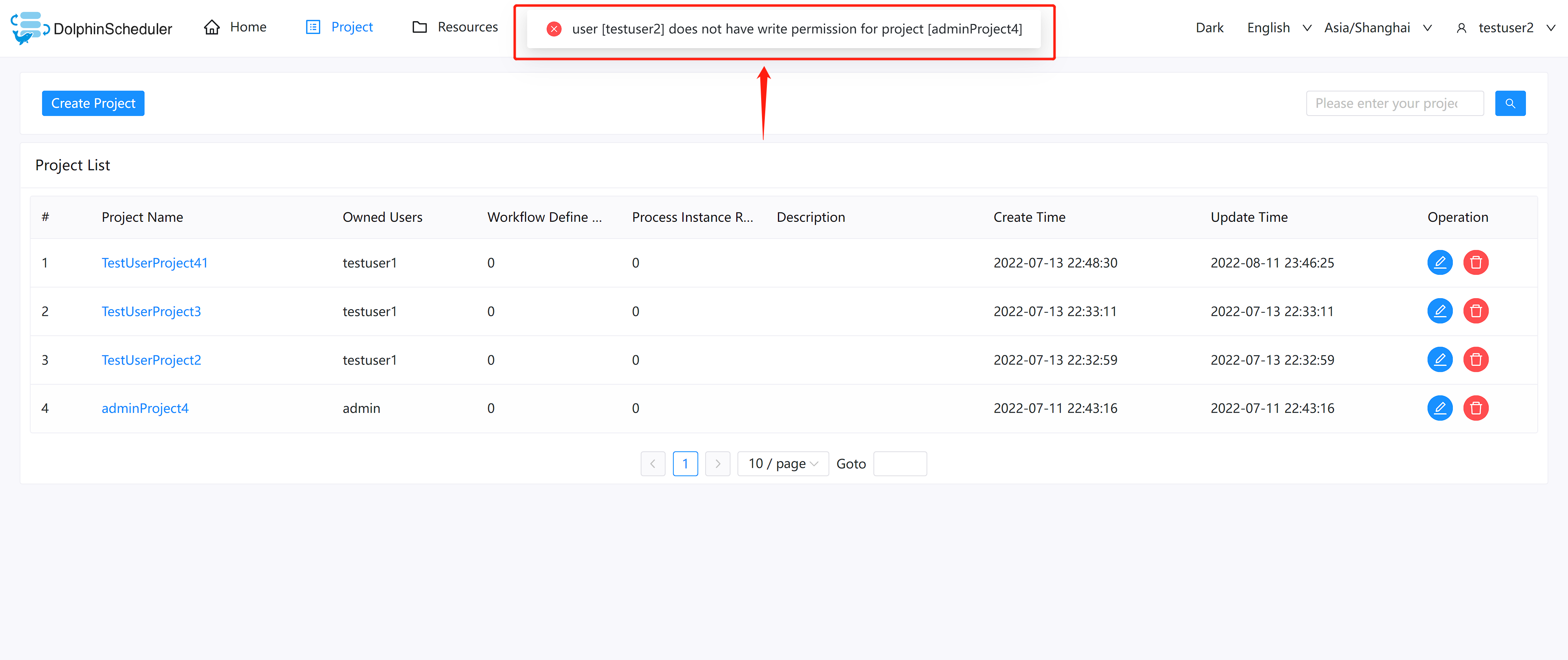 ### 3. Admin can now grant read-only or read & write permissions to a single user for a single item in resource center. Go to Security→User Manage→Operation→Authorize→Resource, and you will see the new Resource Authorize window, where admin user can grant different permissions for Resources Center items (including File Resource and UDF Resource) to a user. I kept the original Tree Select, and added a button to switch between different levels of permissions granted. 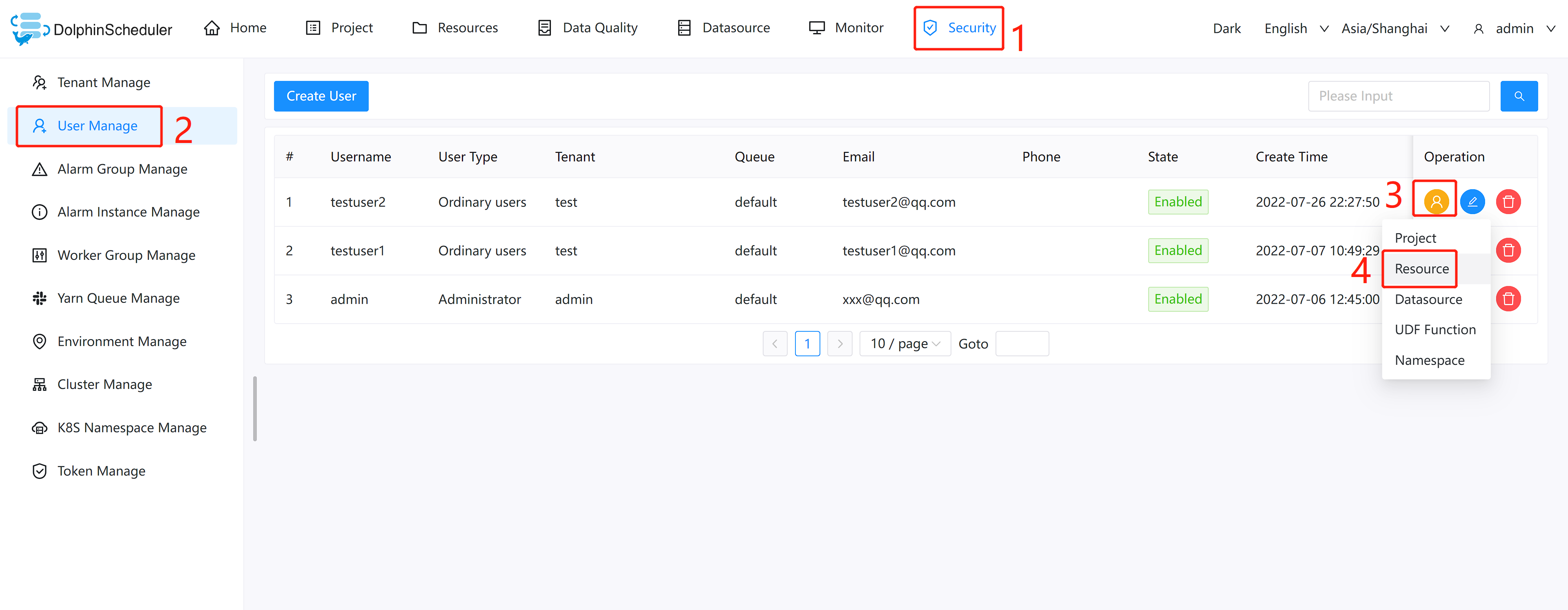 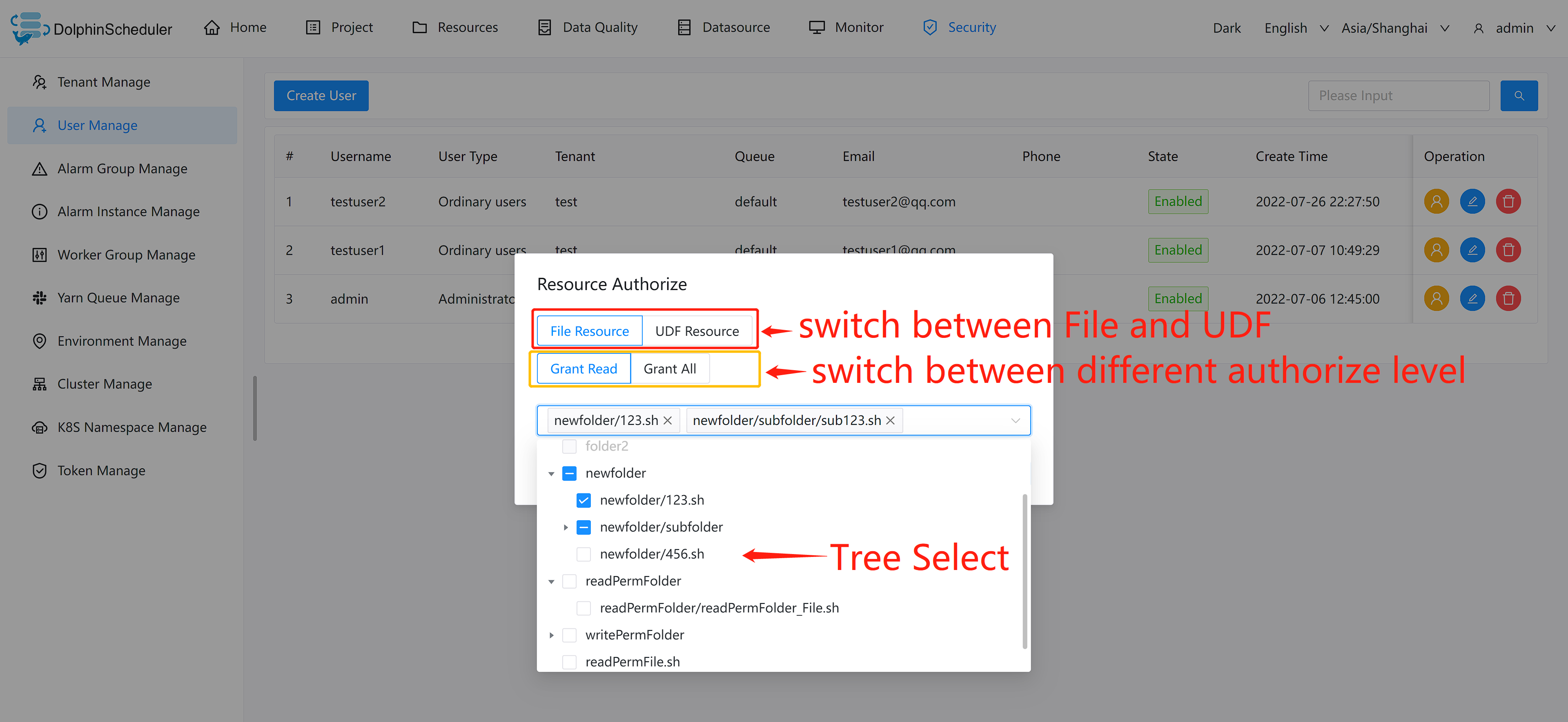 ### 4. Read and write permissions for all content in the resource center are distinguished. If a user has only the read permission but not the write permission for a content in the resource center, and the user is trying to do something like delete or update the resource, an error message is displayed indicating that the user has no write permission and cannot complete the operation. 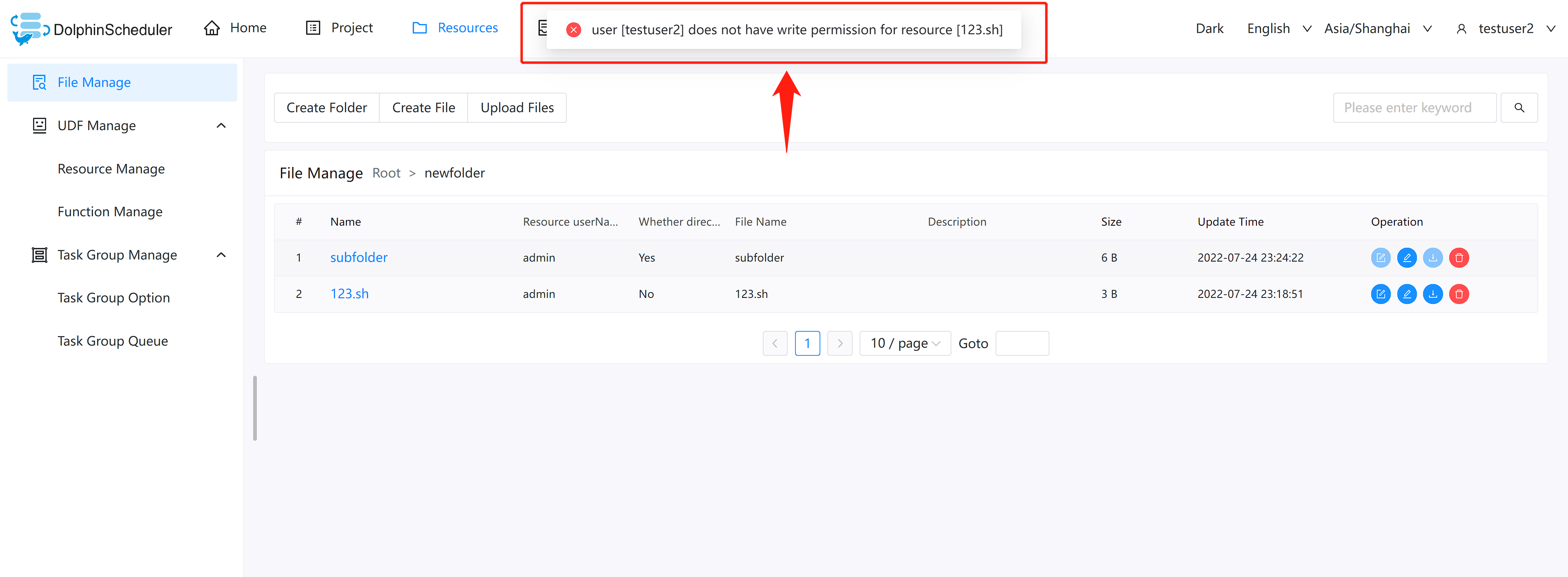 -- This is an automated message from the Apache Git Service. To respond to the message, please log on to GitHub and use the URL above to go to the specific comment. To unsubscribe, e-mail: [email protected] For queries about this service, please contact Infrastructure at: [email protected]






