github-actions[bot] commented on issue #13646:
URL:
https://github.com/apache/dolphinscheduler/issues/13646#issuecomment-1447840023
### Search before asking - [X] I had searched in the [issues](https://github.com/apache/dolphinscheduler/issues?q=is%3Aissue) and found no similar issues. ### What happened # version os: windows 11 ds: 3.1.3-release # Problem Description **Data Source Center -> Create/Edit Data Source**, the pop-up form cannot display underlines, as shown in the figure below, both `Data Source Name` and `User Name` contain underlines: 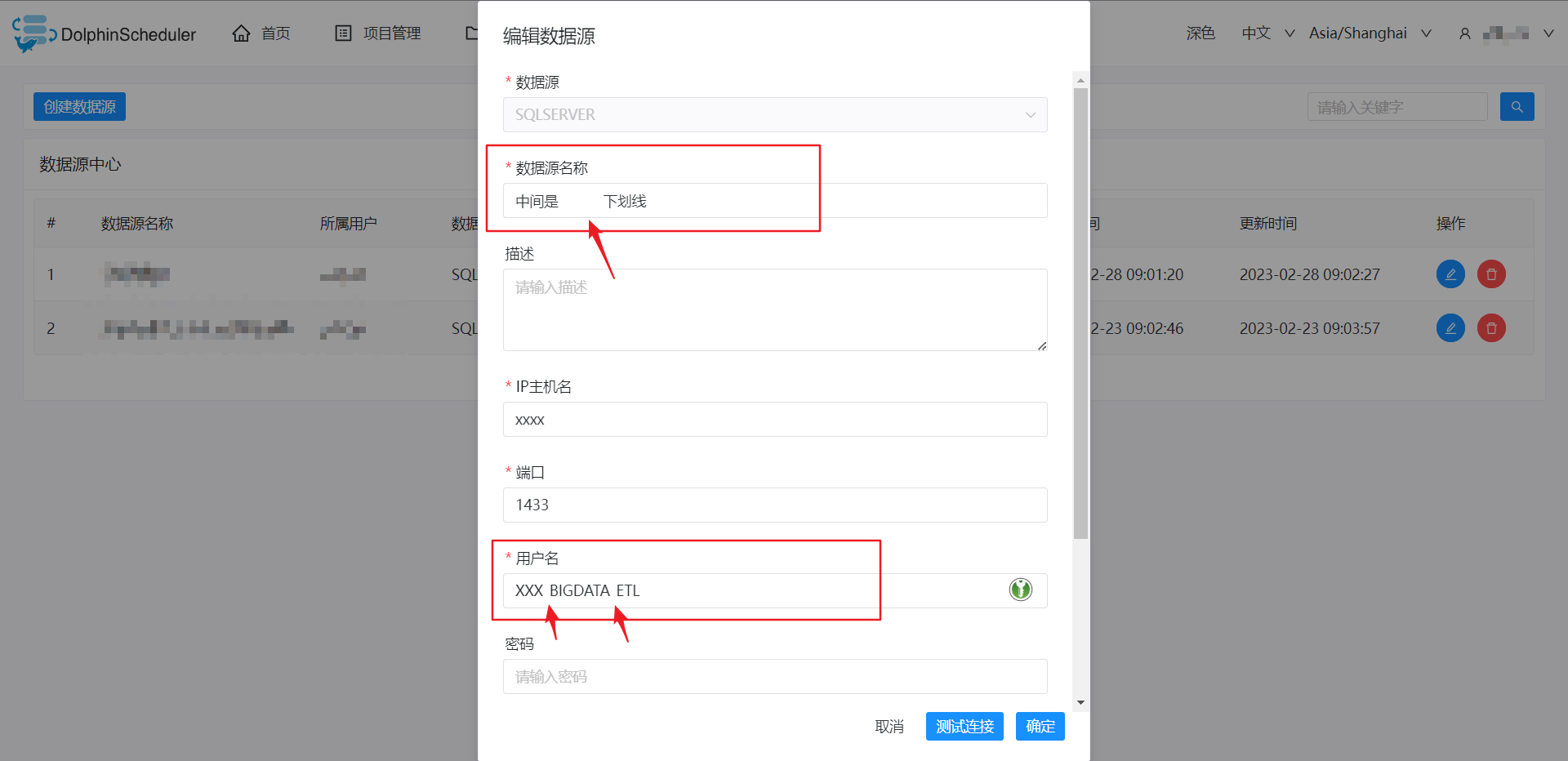 ### What you expected to happen Correctly and completely display the characters entered by the user. ### How to reproduce **Data Source Center -> Create/Edit Data Source**, enter the underlined content in **any field** ### Anything else _No response_ ### Version 3.1.x ### Are you willing to submit PR? - [ ] Yes I am willing to submit a PR! ### Code of Conduct - [X] I agree to follow this project's [Code of Conduct](https://www.apache.org/foundation/policies/conduct) -- This is an automated message from the Apache Git Service. To respond to the message, please log on to GitHub and use the URL above to go to the specific comment. To unsubscribe, e-mail: [email protected] For queries about this service, please contact Infrastructure at: [email protected]

