lukas-sl opened a new issue #16746:
URL: https://github.com/apache/echarts/issues/16746
### Version 5.3.1 ### Link to Minimal Reproduction https://codesandbox.io/s/echarts-datazoom-bug-q196p9 ### Steps to Reproduce 1. I have created a chart that contains both line and scatter series objects. 2. The x-axis is of type "category". 3. The filterMode of the dataZoom feature is set to "none" in order to prevent the line from disappearing if only one point of the line is in view after zooming. 4. Zoom in with the dataZoom feature in such a way that only one tick of the x-axis but the entire range of the y-axis is in view. Following picture shows the chart before zooming in: 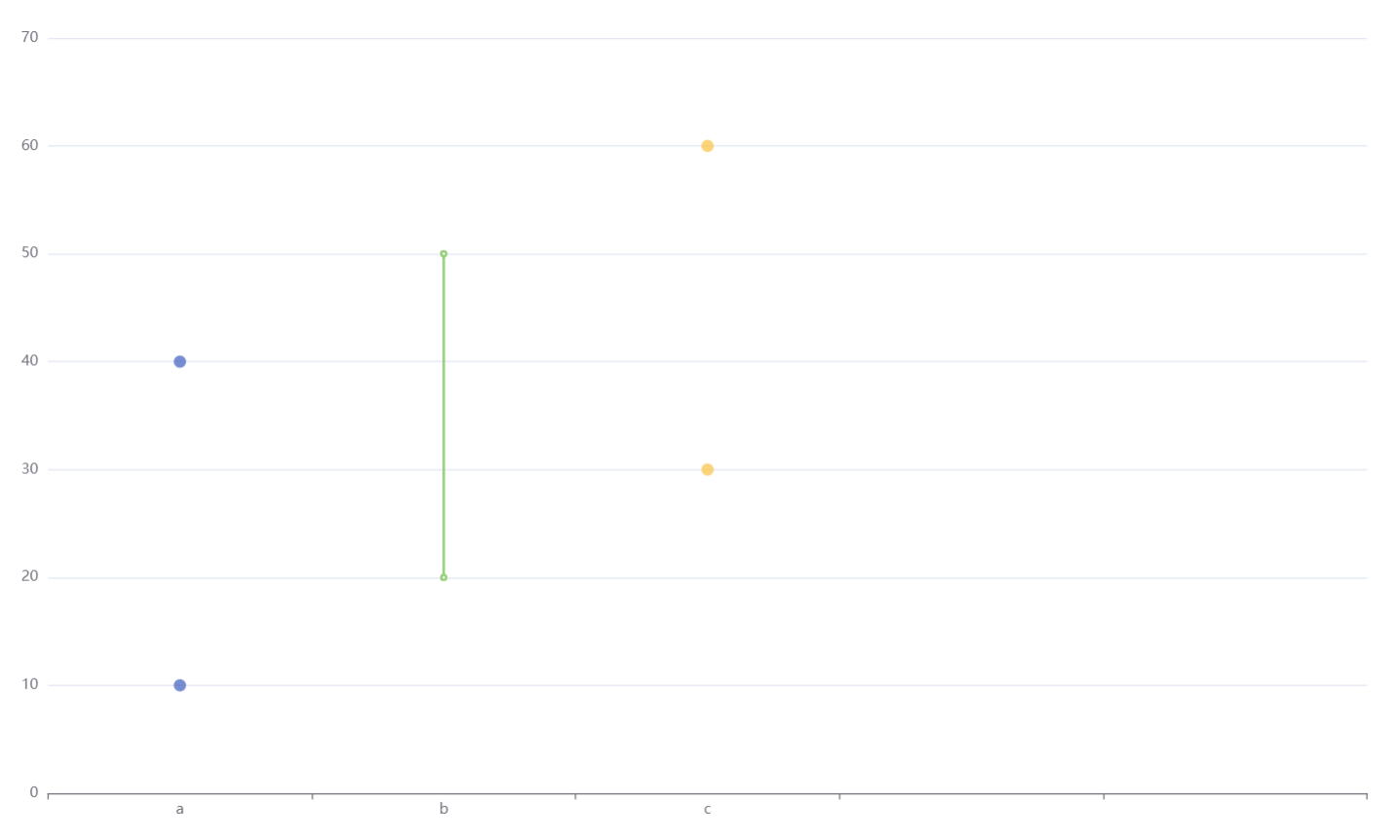 ### Current Behavior After zooming in as described in step 4, the data of the other ticks is plotted at the same x-position (see picture below). 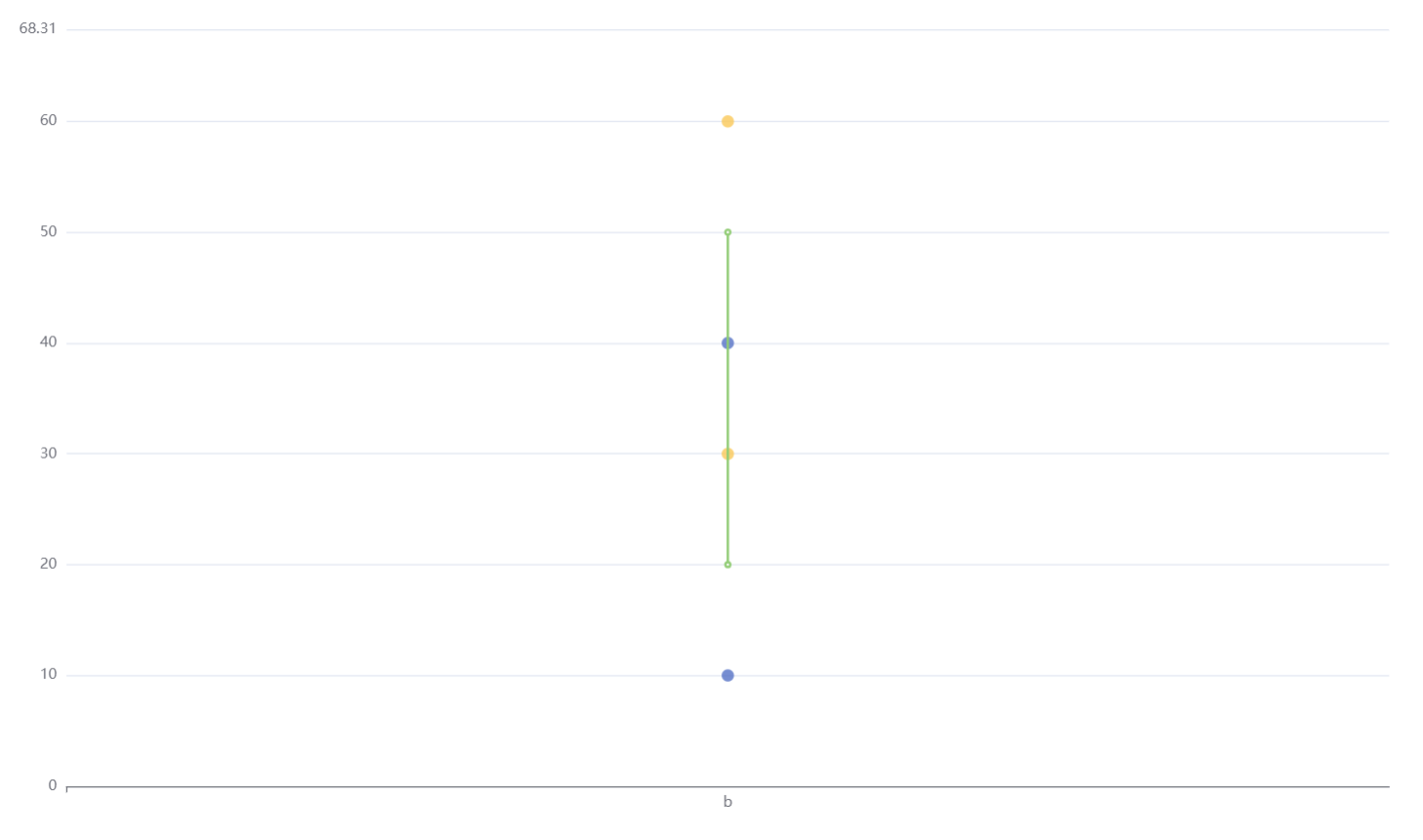 ### Expected Behavior After zooming in as described in step 4, only the data in view should be plotted at the correct position (as when filterMode is not set to "none"). 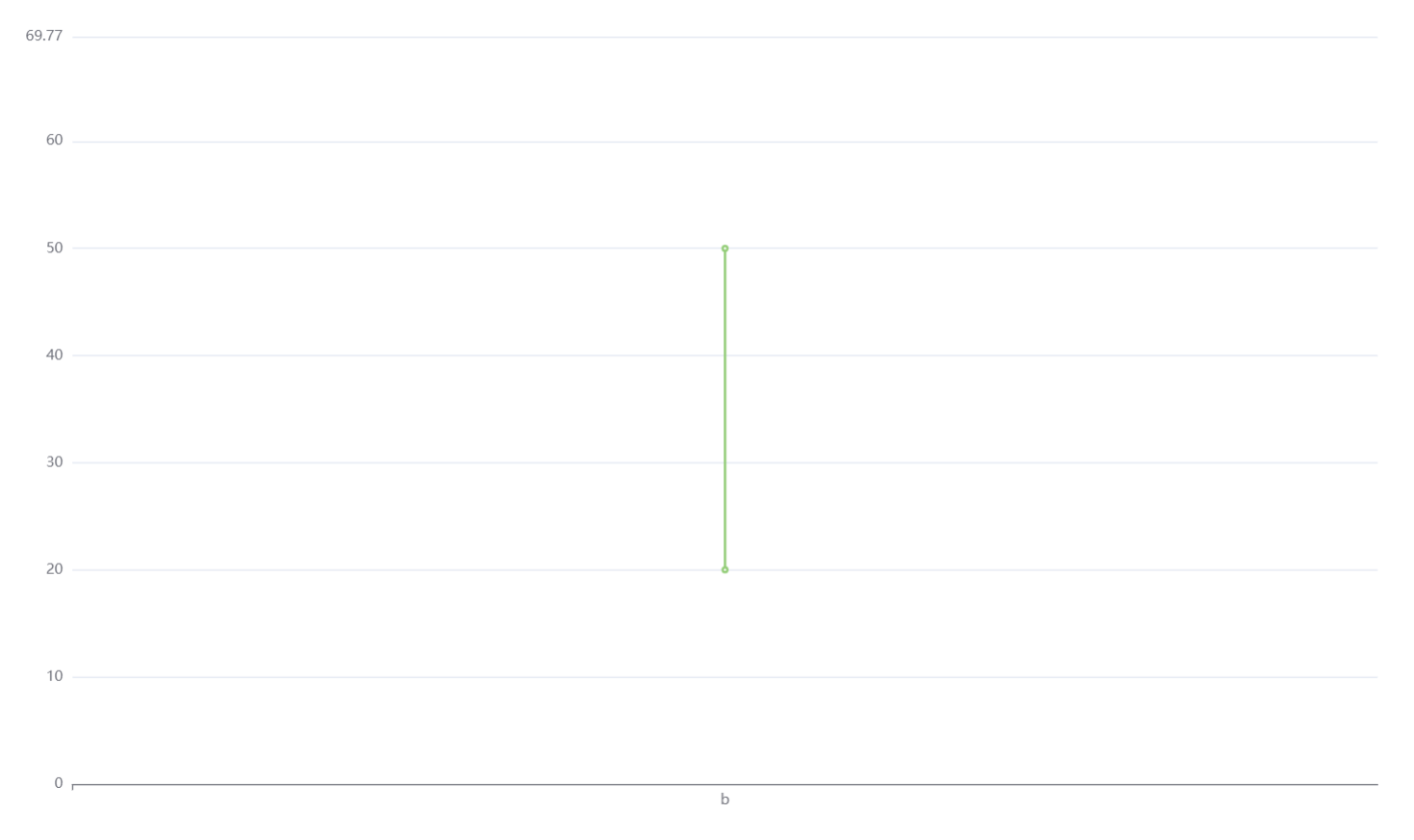 ### Environment ```markdown - OS: Windows 10 - Browser: Google Chrome 99.0.4844.51 - Framework: React 17.0.2 ``` ### Any additional comments? _No response_ -- This is an automated message from the Apache Git Service. To respond to the message, please log on to GitHub and use the URL above to go to the specific comment. To unsubscribe, e-mail: [email protected] For queries about this service, please contact Infrastructure at: [email protected] --------------------------------------------------------------------- To unsubscribe, e-mail: [email protected] For additional commands, e-mail: [email protected]



