jorgectf opened a new pull request, #9111:
URL: https://github.com/apache/hudi/pull/9111
Hello from [GitHub Security Lab](https://securitylab.github.com/)! Your repository is critical to the security of the Open Source Software (OSS) ecosystem, and as part of our mission to make OSS safer, we are contributing a [CodeQL configuration for code scanning](https://docs.github.com/en/code-security/code-scanning/automatically-scanning-your-code-for-vulnerabilities-and-errors/configuring-code-scanning-for-a-repository#setting-up-code-scanning-manually) to your repository. By enabling code scanning with CodeQL, you will be able to continuously analyze your code and surface potential vulnerabilities [before they can even reach your codebase](https://docs.github.com/en/code-security/code-scanning/automatically-scanning-your-code-for-vulnerabilities-and-errors/triaging-code-scanning-alerts-in-pull-requests#about-code-scanning-results-on-pull-requests). 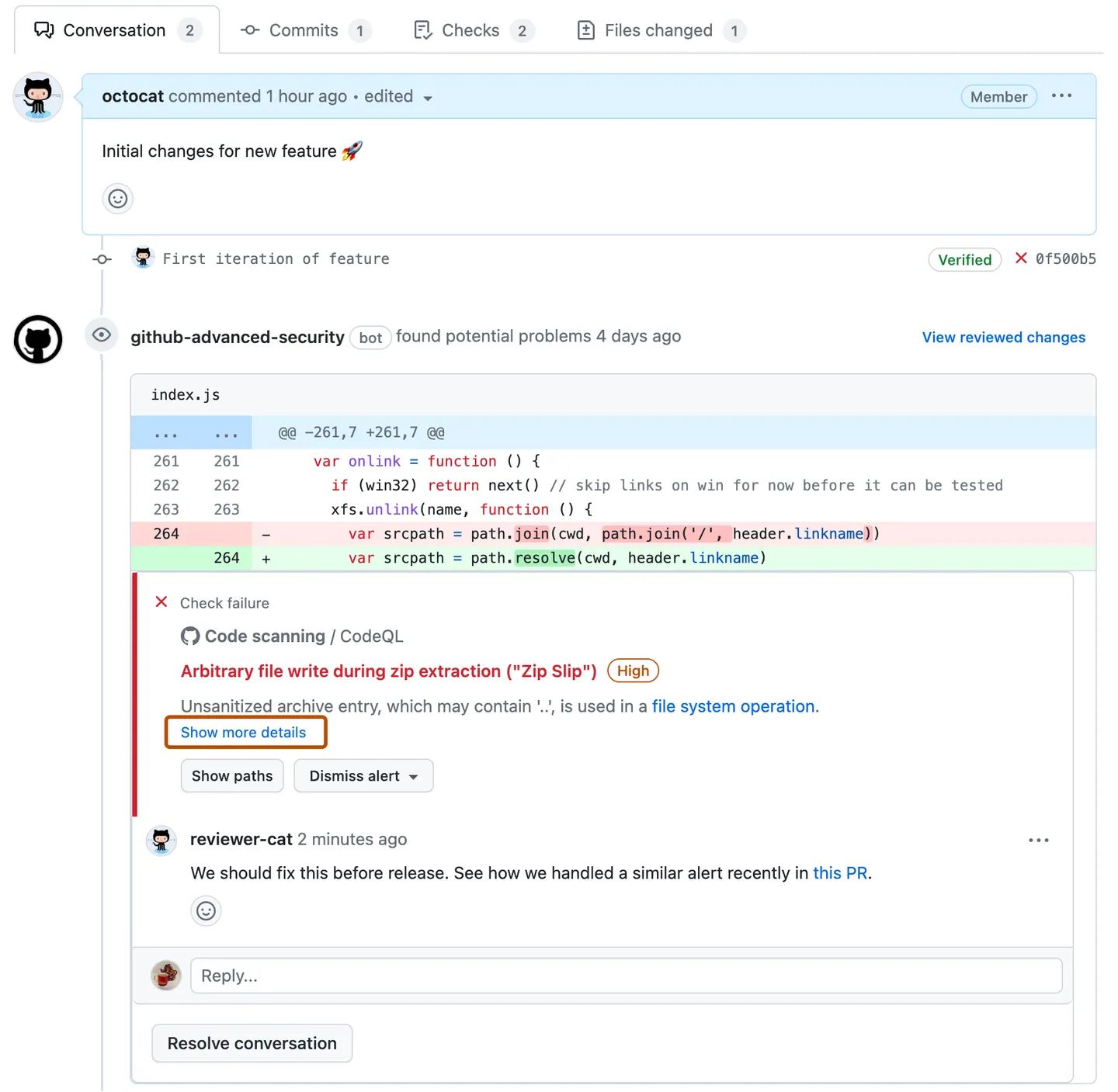 We’ve tested the configuration manually before opening this pull request and adjusted it to the needs of your particular repository, but feel free to tweak it further! Check [this page](https://docs.github.com/en/code-security/code-scanning/automatically-scanning-your-code-for-vulnerabilities-and-errors/configuring-code-scanning#editing-a-code-scanning-workflow) for detailed documentation. Questions? Check out the FAQ below! ### FAQ <details> <summary>Click here to expand the FAQ section</summary> #### How often will the code scanning analysis run? By default, code scanning will trigger a scan with the CodeQL engine on the following events: * On every pull request — to flag up potential security problems for you to investigate before merging a PR. * On every push to your default branch and other protected branches — this keeps the analysis results on your repository’s *Security* tab up to date. * Once a week at a fixed time — to make sure you benefit from the latest updated security analysis even when no code was committed or PRs were opened. #### What will this cost? Nothing! The CodeQL engine will run inside GitHub Actions, making use of your [unlimited free compute minutes for public repositories](https://docs.github.com/en/actions/learn-github-actions/usage-limits-billing-and-administration#about-billing-for-github-actions). #### Where can I see the results of the analysis? The results of the analysis will be available on the *Security* tab of your repository. You can find more information about the results [here](https://docs.github.com/en/code-security/code-scanning/automatically-scanning-your-code-for-vulnerabilities-and-errors/managing-code-scanning-alerts-for-your-repository#viewing-the-alerts-for-a-repository).  For Pull Requests, you can find the results of the analysis in the *Checks* tab. You can find more information about the Pull Request results [here](https://docs.github.com/en/code-security/code-scanning/automatically-scanning-your-code-for-vulnerabilities-and-errors/triaging-code-scanning-alerts-in-pull-requests#about-code-scanning-as-a-pull-request-check). 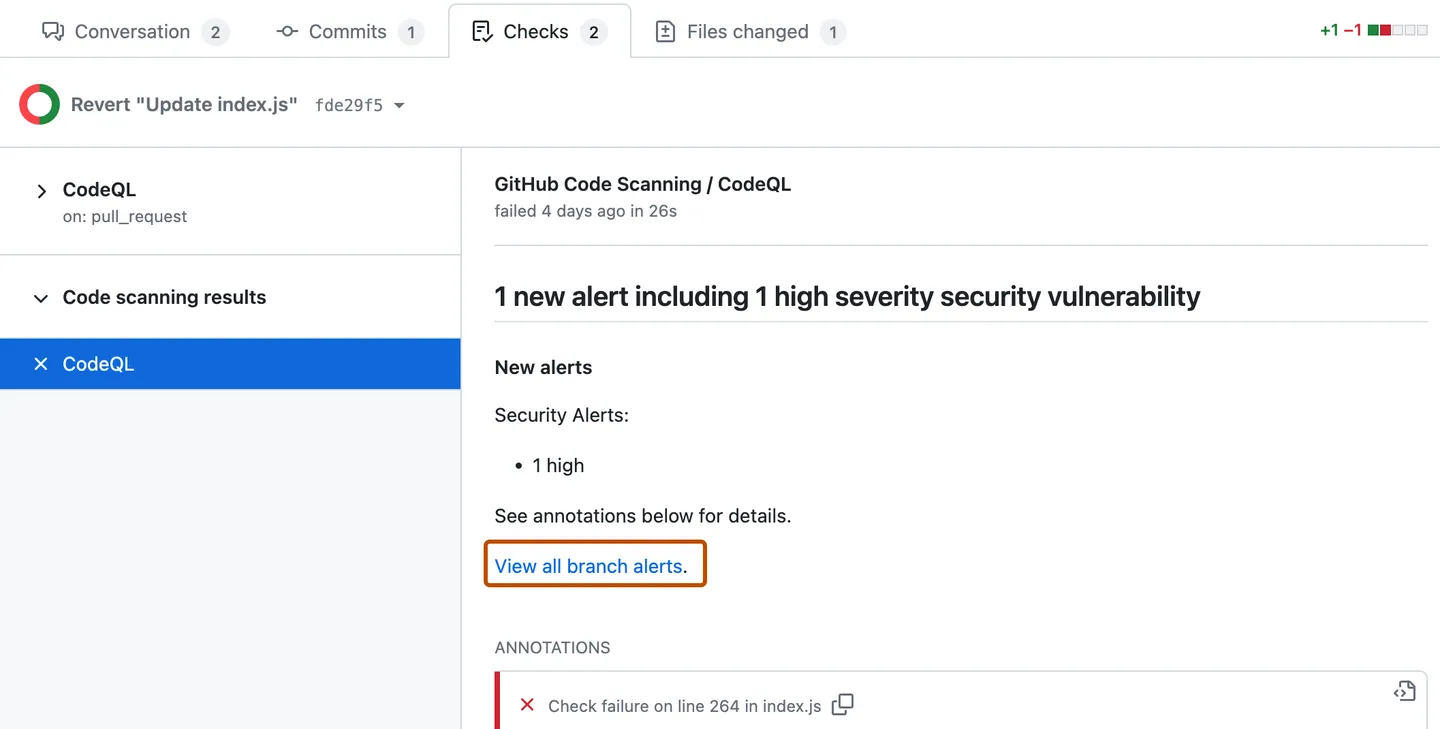 #### What types of problems does CodeQL find? CodeQL queries are hosted in the [`github/codeql`](https://github.com/github/codeql) repository. By default, code scanning runs the [`default` query suite](https://docs.github.com/en/code-security/code-scanning/automatically-scanning-your-code-for-vulnerabilities-and-errors/built-in-codeql-query-suites#default-query-suite). The queries in the `default` query suite are highly precise and return few false positive code scanning results. If you are looking for a more comprehensive analysis, which could return a greater number of false positives, you can enable the [`security-extended` query suite](https://docs.github.com/en/code-security/code-scanning/automatically-scanning-your-code-for-vulnerabilities-and-errors/built-in-codeql-query-suites#security-extended-query-suite) in the `queries` option of `github/codeql-action/init`. In the event of finding a false positive, please create a [false positive Issue](https://github.com/github/codeql/issues/new?assignees=&labels=false-positive&projects=&template=ql--false-positive.md&title=False+positive) in [`github/codeql`](https://github.com/github/codeql) so we can investigate and improve the query in question. You can also contribute to the query by opening a pull request against [`github/codeql`](https://github.com/github/codeql). #### How do I customize the analysis? You can customize the analysis by using a CodeQL configuration file. This way, you can specify which queries should [not] be run, and/or which files should be excluded from the analysis. You can find more information about the configuration file [here](https://docs.github.com/en/code-security/code-scanning/automatically-scanning-your-code-for-vulnerabilities-and-errors/customizing-code-scanning#using-a-custom-configuration-file). #### How do I upgrade my CodeQL engine? No need! New versions of the CodeQL analysis are constantly deployed on GitHub.com; your repository will automatically benefit from the most recently released version. #### The analysis doesn’t seem to be working If you get an error in GitHub Actions that indicates that CodeQL wasn’t able to analyze your code, please [follow the instructions here](https://docs.github.com/en/code-security/code-scanning/automatically-scanning-your-code-for-vulnerabilities-and-errors/troubleshooting-the-codeql-workflow) to debug the analysis. #### Which source code hosting platforms does code scanning support? GitHub code scanning is deeply integrated within GitHub itself. If you’d like to scan source code that is hosted elsewhere, we suggest that you create a mirror of that code on GitHub. </details> -- This is an automated message from the Apache Git Service. To respond to the message, please log on to GitHub and use the URL above to go to the specific comment. To unsubscribe, e-mail: [email protected] For queries about this service, please contact Infrastructure at: [email protected]



