This is an automated email from the ASF dual-hosted git repository.

haonan pushed a commit to branch rel/0.13
in repository https://gitbox.apache.org/repos/asf/iotdb.git
The following commit(s) were added to refs/heads/rel/0.13 by this push:
new 052b5b3ac4 Update dbeaver user guide (#5675)
052b5b3ac4 is described below
commit 052b5b3ac460740635a8742e463c5924fec10dff
Author: Haonan <[email protected]>
AuthorDate: Tue Apr 26 20:48:59 2022 +0800
Update dbeaver user guide (#5675)
---
docs/UserGuide/Ecosystem Integration/DBeaver.md | 22 +++++++++--------
docs/zh/UserGuide/Ecosystem Integration/DBeaver.md | 28 ++++++++++++----------
2 files changed, 27 insertions(+), 23 deletions(-)
diff --git a/docs/UserGuide/Ecosystem Integration/DBeaver.md
b/docs/UserGuide/Ecosystem Integration/DBeaver.md
index db1839a65a..25159978d5 100644
--- a/docs/UserGuide/Ecosystem Integration/DBeaver.md
+++ b/docs/UserGuide/Ecosystem Integration/DBeaver.md
@@ -51,23 +51,25 @@ DBeaver is a SQL client software application and a database
administration tool.
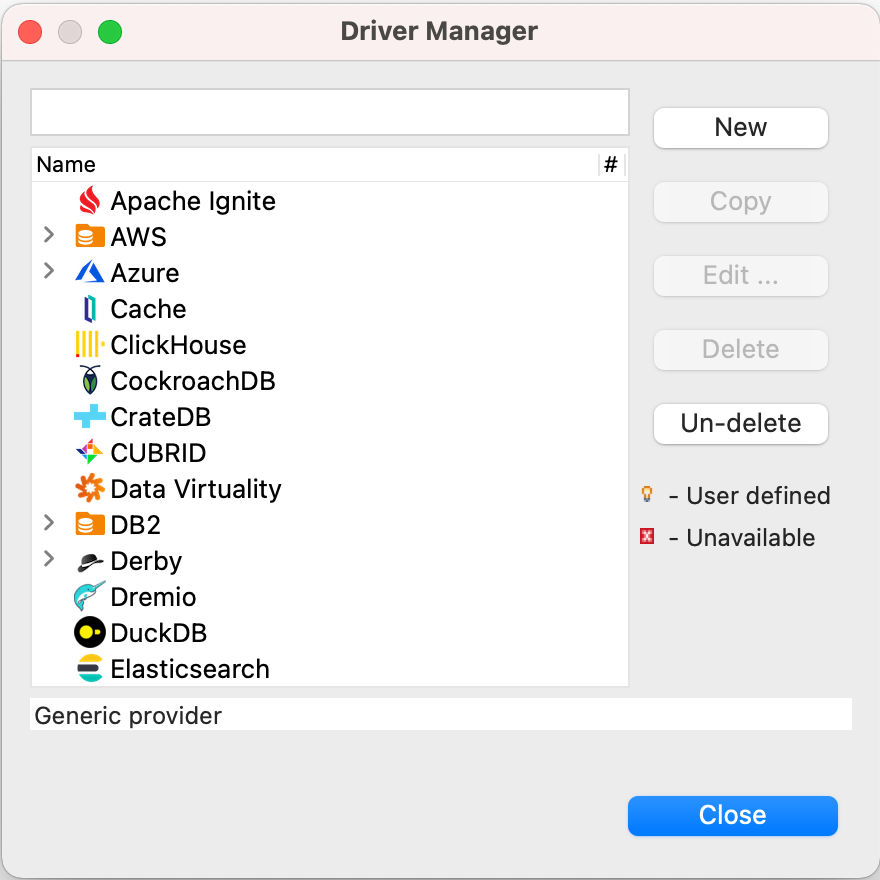
-5. Add libs listed below and click `Find Class`.
-
- Another way is after running `mvn clean package -pl jdbc -am -DskipTests -P
get-jar-with-dependencies`, finding and adding a lib names
`iotdb-jdbc-{version}-jar-with-dependencies.jar` under `iotdb/jdbc/target/`.
+5. Download [Sources](https://iotdb.apache.org/Download/),unzip it and compile
jdbc driver by the following command
+ ```shell
+ mvn clean package -pl jdbc -am -DskipTests -P get-jar-with-dependencies
+ ```
+6. Find and add a lib named
`apache-iotdb-jdbc-{version}-jar-with-dependencies.jar`, which should be under
`jdbc/target/`, then select `Find Class`.
-

+
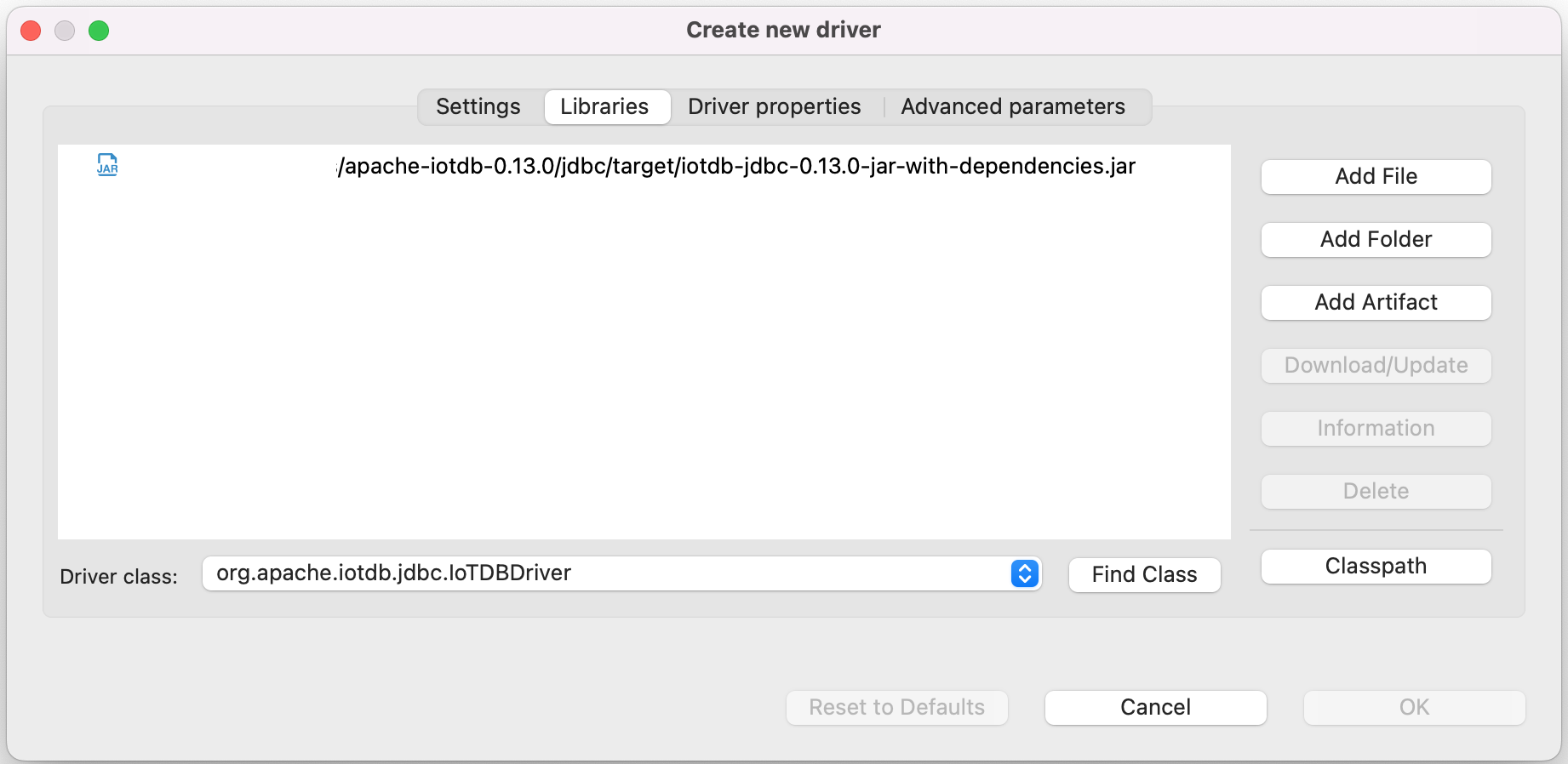
-6. Edit the driver Settings
+8. Edit the driver Settings

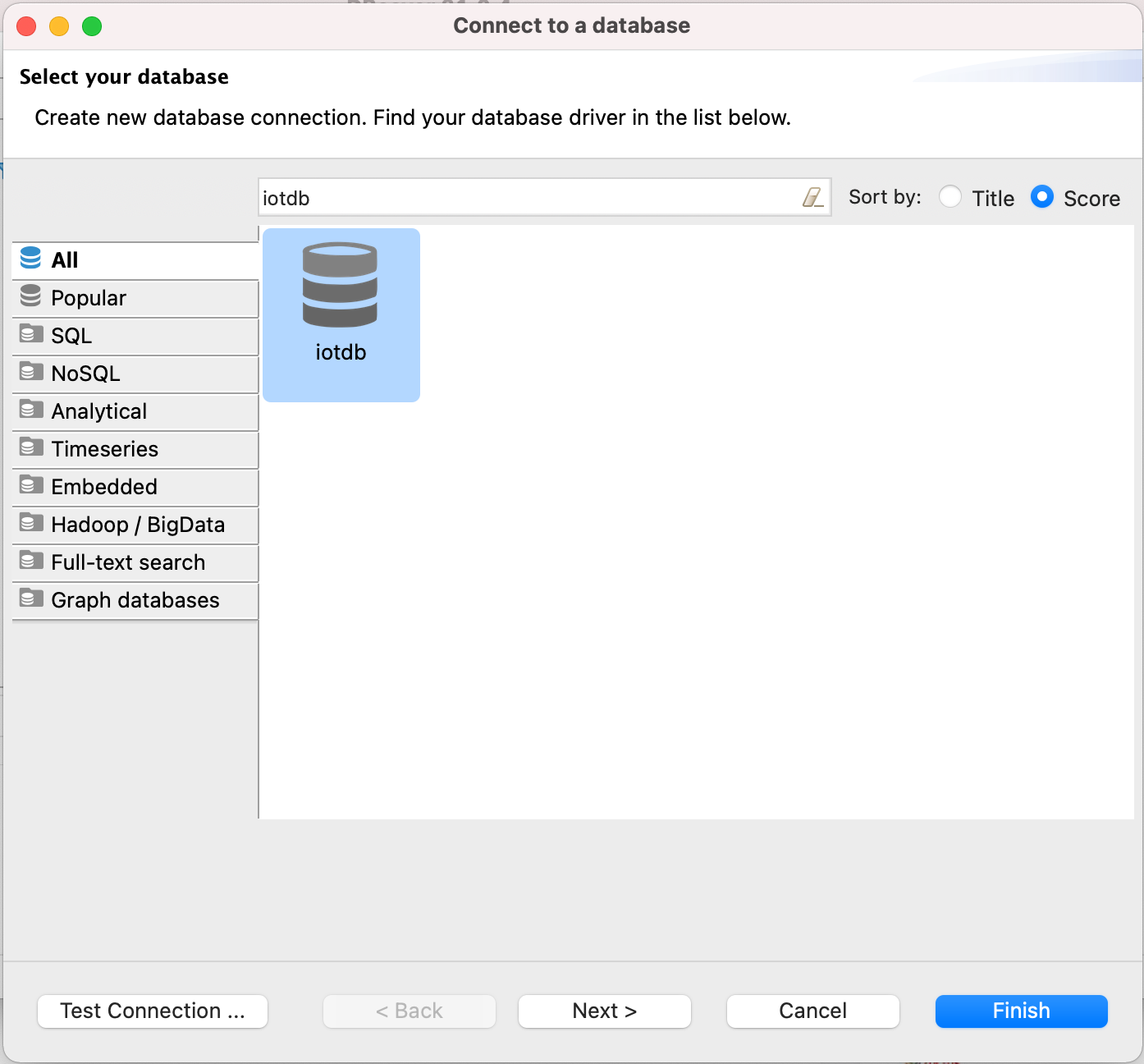
-7. Open New DataBase Connection and select iotdb
+9. Open New DataBase Connection and select iotdb
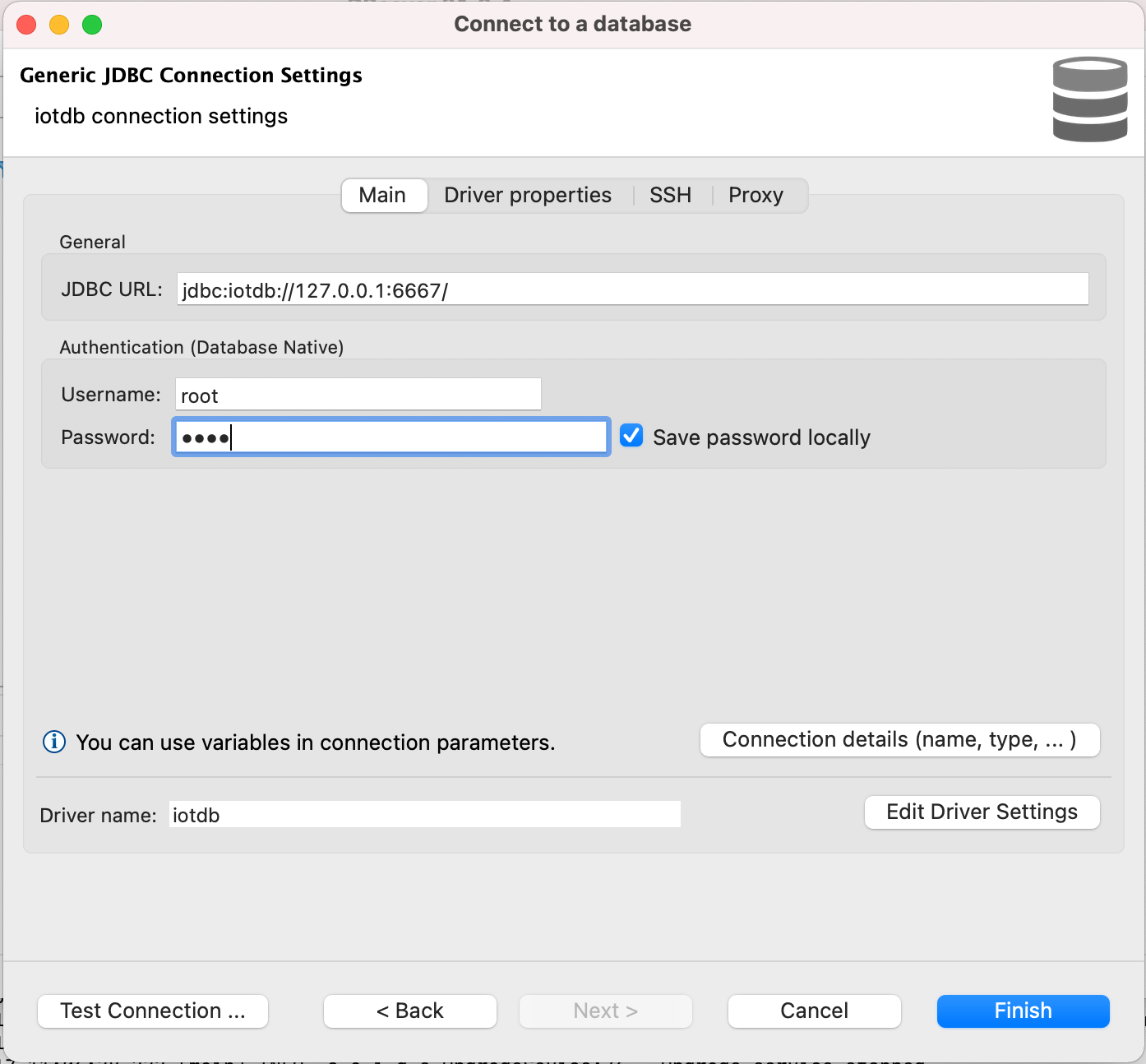
-8. Edit JDBC Connection Settings
-
+10. Edit JDBC Connection Settings
+
```
JDBC URL: jdbc:iotdb://127.0.0.1:6667/
Username: root
@@ -75,10 +77,10 @@ DBeaver is a SQL client software application and a database
administration tool.
```
-9. Test Connection
+11. Test Connection

-10. Enjoy IoTDB with DBeaver
+12. Enjoy IoTDB with DBeaver
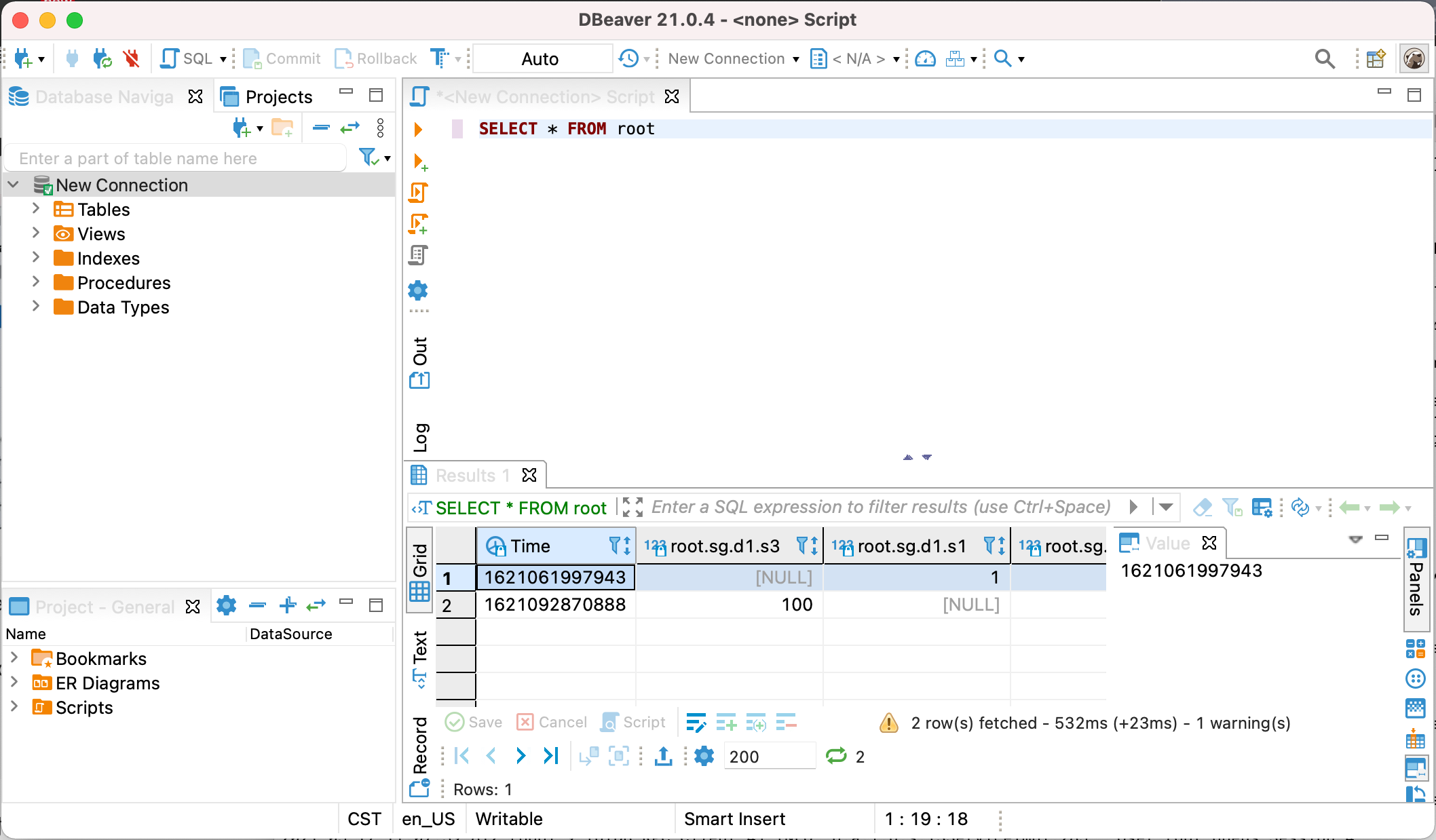
diff --git a/docs/zh/UserGuide/Ecosystem Integration/DBeaver.md
b/docs/zh/UserGuide/Ecosystem Integration/DBeaver.md
index d35d56f4a9..26b198dd47 100644
--- a/docs/zh/UserGuide/Ecosystem Integration/DBeaver.md
+++ b/docs/zh/UserGuide/Ecosystem Integration/DBeaver.md
@@ -51,23 +51,25 @@ DBeaver 是一个 SQL 客户端和数据库管理工具。DBeaver 可以使用 I

-5. 添加下图中的这些库,点击 `Find Class`
-
- 也可以在源代码运行`mvn clean package -pl jdbc -am -DskipTests -P
get-jar-with-dependencies`后,在`iotdb/jdbc/target/`
下找到并添加名为`iotdb-jdbc-{version}-jar-with-dependencies.jar`的库。
-
+5. 下载[源代码](https://iotdb.apache.org/zh/Download/),解压并运行下面的命令编译 jdbc 驱动
-

+ ```shell
+ mvn clean package -pl jdbc -am -DskipTests -P get-jar-with-dependencies
+ ```
+7.
在`jdbc/target/`下找到并添加名为`apache-iotdb-jdbc-{version}-jar-with-dependencies.jar`的库,点击
`Find Class`。
-6. 编辑驱动设置
+

-

+8. 编辑驱动设置
+
+

-7. 新建 DataBase Connection, 选择 iotdb
+9. 新建 DataBase Connection, 选择 iotdb
+
+

-

+10. 编辑 JDBC 连接设置
-8. 编辑 JDBC 连接设置
-
```
JDBC URL: jdbc:iotdb://127.0.0.1:6667/
Username: root
@@ -75,10 +77,10 @@ DBeaver 是一个 SQL 客户端和数据库管理工具。DBeaver 可以使用 I
```

-9. 测试连接
+11. 测试连接

-10. 可以开始通过 DBeaver 使用 IoTDB
+12. 可以开始通过 DBeaver 使用 IoTDB









