This is an automated email from the ASF dual-hosted git repository.

cdutz pushed a commit to branch doc/updated-dbeaver-setup
in repository https://gitbox.apache.org/repos/asf/iotdb-docs.git
commit fb9620ac63d06f5839cdbf1d77b146a0187a9666 Author: Christofer Dutz <[email protected]> AuthorDate: Fri May 24 12:30:45 2024 +0200 Update DBeaver.md Added some "copyable" constants for setting up a connection in DBeaver --- src/UserGuide/latest/Ecosystem-Integration/DBeaver.md | 12 ++++++++++-- 1 file changed, 10 insertions(+), 2 deletions(-) diff --git a/src/UserGuide/latest/Ecosystem-Integration/DBeaver.md b/src/UserGuide/latest/Ecosystem-Integration/DBeaver.md index ad50638..ecdfdbe 100644 --- a/src/UserGuide/latest/Ecosystem-Integration/DBeaver.md +++ b/src/UserGuide/latest/Ecosystem-Integration/DBeaver.md @@ -62,11 +62,19 @@ DBeaver is a SQL client software application and a database administration tool. 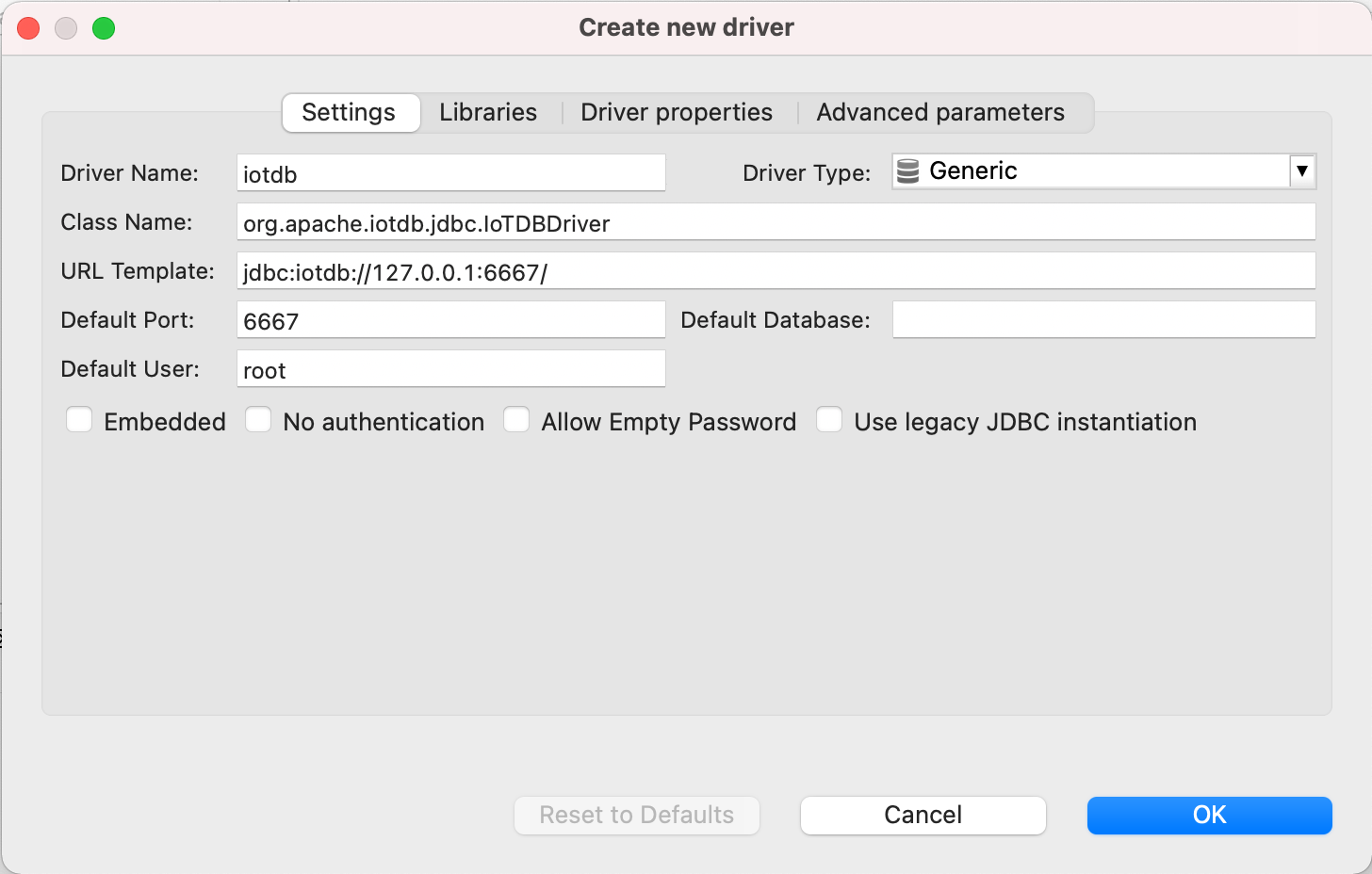 -8. Open New DataBase Connection and select iotdb + ``` + Driver Name: IoTDB + Driver Type: Generic + URL Template: jdbc:iotdb://{host}:{port}/ + Default Port: 6667 + Default User: root + ``` + +9. Open New DataBase Connection and select iotdb 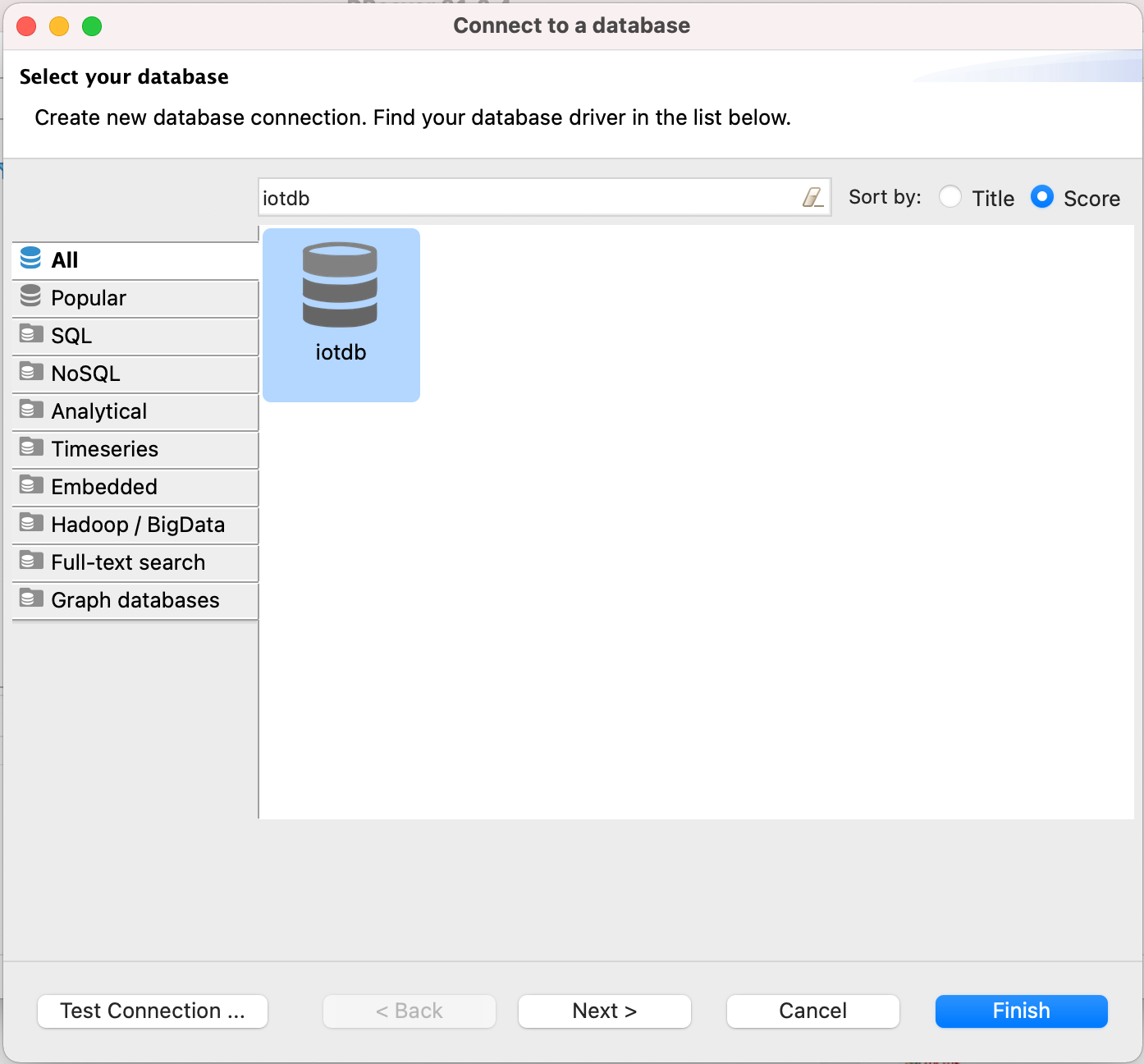 -9. Edit JDBC Connection Settings +10. Edit JDBC Connection Settings ``` JDBC URL: jdbc:iotdb://127.0.0.1:6667/


