yzhliu commented on a change in pull request #13162: [MXNET-1198] MXNet Java API
URL: https://github.com/apache/incubator-mxnet/pull/13162#discussion_r233610168
########## File path: docs/tutorials/java/mxnet_java_on_intellij.md ########## @@ -0,0 +1,210 @@ +# Run MXNet Java Examples Using the IntelliJ IDE (macOS) + +This tutorial guides you through setting up a simple Java project in IntelliJ IDE on macOS and demonstrates usage of the MXNet Java APIs. + +## Prerequisites: +To use this tutorial you need the following pre-requisites: + +- [Java 8 JDK](http://www.oracle.com/technetwork/java/javase/downloads/index.html) +- [Maven](https://maven.apache.org/install.html) +- [OpenCV](https://opencv.org/) +- [IntelliJ IDEA](https://www.jetbrains.com/idea/) (One can download the community edition from [here](https://www.jetbrains.com/idea/download)) + +### MacOS Prerequisites + +**Step 1.** Install brew: +``` +/usr/bin/ruby -e "$(curl -fsSL https://raw.githubusercontent.com/Homebrew/install/master/install)" +``` + +Or, if you already have brew, update it: +``` +brew update +``` + +**Step 2.** Install Java 8: +``` +brew tap caskroom/versions +brew cask install java8 +``` + +**Step 3.** Install maven: +``` +brew install maven +``` + +**Step 4.** Install OpenCV: +``` +brew install opencv +``` + +You can also run this tutorial on an Ubuntu machine after installing the following prerequisites. +### Ubuntu Prerequisites + +**Step 1.** Download the MXNet source. + +```bash +git clone --recursive https://github.com/apache/incubator-mxnet.git mxnet +cd mxnet +``` + +**Step 2.** Run the dependency installation scripts. + +```bash +sudo ./ci/docker/install/ubuntu_core.sh +sudo ./ci/docker/install/ubuntu_scala.sh +``` + +The `ubuntu_scala.sh` installs the common dependencies required for both MXNet Scala and MXNet Java packages. + +## Set Up Your Project + +**Step 1.** Install and setup [IntelliJ IDEA](https://www.jetbrains.com/idea/) + +**Step 2.** Create a new Project: + +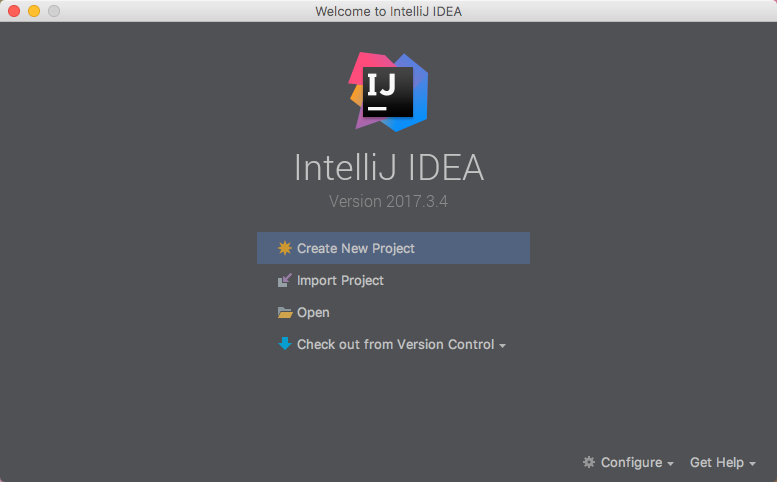 + +From the IntelliJ welcome screen, select "Create New Project". + +Choose the Maven project type. + +Select the checkbox for `Create from archetype`, then choose `org.apache.maven.archetypes:maven-archetype-quickstart` from the list below. More on this can be found on a Maven tutorial : [Maven in 5 Minutes](https://maven.apache.org/guides/getting-started/maven-in-five-minutes.html). + + + +click `Next`. + + + +Set the project's metadata. For this tutorial, use the following: + +**GroupId** +``` +mxnet +``` +**ArtifactId** +``` +ArtifactId: javaMXNet +``` +**Version** +``` +1.0-SNAPSHOT +``` + +TODO + + +Review the project's properties. The settings can be left as their default. + +TODO + + +Set the project's location. The rest of the settings can be left as their default. + +TODO + Review comment: what are these TODO for? ---------------------------------------------------------------- This is an automated message from the Apache Git Service. To respond to the message, please log on GitHub and use the URL above to go to the specific comment. For queries about this service, please contact Infrastructure at: [email protected] With regards, Apache Git Services




