This is an automated email from the ASF dual-hosted git repository.

xiangfu pushed a commit to branch new-site-dev
in repository https://gitbox.apache.org/repos/asf/pinot-site.git
The following commit(s) were added to refs/heads/new-site-dev by this push:
new d7fcec9f use scarf for apachepinot docker image
d7fcec9f is described below
commit d7fcec9fe9a13a5570083562ce0ee568a4756f93
Author: Xiang Fu <[email protected]>
AuthorDate: Thu Jan 1 04:05:43 2026 -0800
use scarf for apachepinot docker image
---
components/Terminal.tsx | 4 ++--
data/blog/2022-04-04-Announcing-Apache-Pinot-0-10.mdx | 2 +-
.../blog/2022-11-08-Apache Pinot-How-do-I-see-my-indexes.mdx | 4 ++--
data/blog/2022-11-17-Apache Pinot-Inserts-from-SQL.mdx | 2 +-
data/blog/2022-11-22-Apache-Pinot-Timestamp-Indexes.mdx | 12 ++++++------
.../2022-11-28-Apache-Pinot-Pausing-Real-Time-Ingestion.mdx | 2 +-
...-01-29-Apache-Pinot-Deduplication-on-Real-Time-Tables.mdx | 6 +++---
.../2023-03-30-Apache-Pinot-0-12-Consumer-Record-Lag.mdx | 2 +-
...not-tutorial-for-getting-started-a-step-by-step-guide.mdx | 10 +++++-----
...w-to-ingest-streaming-data-from-kafka-to-apache-pinot.mdx | 2 +-
...on-usage-with-apache-kafka-apache-pinot-and-streamlit.mdx | 2 +-
11 files changed, 24 insertions(+), 24 deletions(-)
diff --git a/components/Terminal.tsx b/components/Terminal.tsx
index 88e0048c..f5a5ec26 100644
--- a/components/Terminal.tsx
+++ b/components/Terminal.tsx
@@ -9,12 +9,12 @@ const Terminal: FC = () => {
const commands = {
x86: [
'docker run -p 9000:9000 \\',
- 'apachepinot/pinot:1.4.0 \\',
+ 'apachepinot.docker.scarf.sh/apachepinot/pinot:1.4.0 \\',
'QuickStart -type hybrid'
],
ARM64: [
'docker run -p 9000:9000 \\',
- 'apachepinot/pinot:1.4.0-arm64 \\',
+ 'apachepinot.docker.scarf.sh/apachepinot/pinot:1.4.0-arm64 \\',
'QuickStart -type hybrid'
]
};
diff --git a/data/blog/2022-04-04-Announcing-Apache-Pinot-0-10.mdx
b/data/blog/2022-04-04-Announcing-Apache-Pinot-0-10.mdx
index 80dc5cae..1fdee0df 100644
--- a/data/blog/2022-04-04-Announcing-Apache-Pinot-0-10.mdx
+++ b/data/blog/2022-04-04-Announcing-Apache-Pinot-0-10.mdx
@@ -123,7 +123,7 @@ bastani added an empty QuickStart command, which lets you
quickly spin up an emp
docker run \
-p 8000:8000 \
-p 9000:9000 \
- apachepinot/pinot:0.10.0 QuickStart \
+ apachepinot.docker.scarf.sh/apachepinot/pinot:0.10.0 QuickStart \
-type empty
```
diff --git a/data/blog/2022-11-08-Apache Pinot-How-do-I-see-my-indexes.mdx
b/data/blog/2022-11-08-Apache Pinot-How-do-I-see-my-indexes.mdx
index 9057efde..48444ecc 100644
--- a/data/blog/2022-11-08-Apache Pinot-How-do-I-see-my-indexes.mdx
+++ b/data/blog/2022-11-08-Apache Pinot-How-do-I-see-my-indexes.mdx
@@ -20,7 +20,7 @@ We’re going to spin up the Batch
[QuickStart](https://docs.pinot.apache.org/ba
docker run \
-p 8000:8000 \
-p 9000:9000 \
- apachepinot/pinot:0.11.0 \
+ apachepinot.docker.scarf.sh/apachepinot/pinot:0.11.0 \
QuickStart -type BATCH
```
@@ -30,7 +30,7 @@ Or if you’re on a Mac M1, change the name of the image to
have the arm-64 suff
docker run \
-p 8000:8000 \
-p 9000:9000 \
- apachepinot/pinot:0.11.0-arm64 \
+ apachepinot.docker.scarf.sh/apachepinot/pinot:0.11.0-arm64 \
QuickStart -type BATCH
```
diff --git a/data/blog/2022-11-17-Apache Pinot-Inserts-from-SQL.mdx
b/data/blog/2022-11-17-Apache Pinot-Inserts-from-SQL.mdx
index 7d647c80..8abcce6f 100644
--- a/data/blog/2022-11-17-Apache Pinot-Inserts-from-SQL.mdx
+++ b/data/blog/2022-11-17-Apache Pinot-Inserts-from-SQL.mdx
@@ -65,7 +65,7 @@ docker run \
-v $PWD/config:/config \
-e AWS_ACCESS_KEY_ID=AKIARCOCT6DWLUB7F77Z \
-e AWS_SECRET_ACCESS_KEY=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 \
- apachepinot/pinot:0.11.0 LaunchDataIngestionJob \
+ apachepinot.docker.scarf.sh/apachepinot/pinot:0.11.0 LaunchDataIngestionJob \
-jobSpecFile /config/job-spec.yml \
-values PINOT_CONTROLLER=pinot-controller
```
diff --git a/data/blog/2022-11-22-Apache-Pinot-Timestamp-Indexes.mdx
b/data/blog/2022-11-22-Apache-Pinot-Timestamp-Indexes.mdx
index f883e5aa..3df02852 100644
--- a/data/blog/2022-11-22-Apache-Pinot-Timestamp-Indexes.mdx
+++ b/data/blog/2022-11-22-Apache-Pinot-Timestamp-Indexes.mdx
@@ -36,7 +36,7 @@ docker run \
-p 9000:9000 \
--name pinot-timestamp-blog \
--network timestamp_blog \
- apachepinot/pinot:0.11.0 \
+ apachepinot.docker.scarf.sh/apachepinot/pinot:0.11.0 \
QuickStart -type EMPTY
```
@@ -48,7 +48,7 @@ docker run \
-p 9000:9000 \
--network timestamp_blog \
--name pinot-timestamp-blog \
- apachepinot/pinot:0.11.0-arm64 \
+ apachepinot.docker.scarf.sh/apachepinot/pinot:0.11.0-arm64 \
QuickStart -type EMPTY
```
@@ -70,7 +70,7 @@ We’re going to create a schema and table named crimes by
running the following
docker run \
--network timestamp_blog \
-v $PWD/config:/config \
- apachepinot/pinot:0.11.0-arm64 AddTable \
+ apachepinot.docker.scarf.sh/apachepinot/pinot:0.11.0-arm64 AddTable \
-schemaFile /config/schema.json \
-tableConfigFile /config/table.json \
-controllerHost pinot-timestamp-blog \
@@ -97,7 +97,7 @@ docker run \
--network timestamp_blog \
-v $PWD/config:/config \
-v $PWD/data:/data \
- apachepinot/pinot:0.11.0-arm64 LaunchDataIngestionJob \
+ apachepinot.docker.scarf.sh/apachepinot/pinot:0.11.0-arm64
LaunchDataIngestionJob \
-jobSpecFile /config/job-spec.yml \
-values controllerHost=pinot-timestamp-blog
```
@@ -164,7 +164,7 @@ We can create the schema and table by running the following
command:
docker run \
--network timestamp_blog \
-v $PWD/config:/config \
- apachepinot/pinot:0.11.0-arm64 AddTable \
+ apachepinot.docker.scarf.sh/apachepinot/pinot:0.11.0-arm64 AddTable \
-schemaFile /config/schema-index.json \
-tableConfigFile /config/table-index.json \
-controllerHost pinot-timestamp-blog \
@@ -178,7 +178,7 @@ docker run \
--network timestamp_blog \
-v $PWD/config:/config \
-v $PWD/data:/data \
- apachepinot/pinot:0.11.0-arm64 LaunchDataIngestionJob \
+ apachepinot.docker.scarf.sh/apachepinot/pinot:0.11.0-arm64
LaunchDataIngestionJob \
-jobSpecFile /config/job-spec-download.yml \
-values controllerHost=pinot-timestamp-blog
```
diff --git a/data/blog/2022-11-28-Apache-Pinot-Pausing-Real-Time-Ingestion.mdx
b/data/blog/2022-11-28-Apache-Pinot-Pausing-Real-Time-Ingestion.mdx
index 1b2efbac..ab709525 100644
--- a/data/blog/2022-11-28-Apache-Pinot-Pausing-Real-Time-Ingestion.mdx
+++ b/data/blog/2022-11-28-Apache-Pinot-Pausing-Real-Time-Ingestion.mdx
@@ -173,7 +173,7 @@ If we create the table using the following command:
docker run \
--network pause-resume \
-v $PWD/pinot/config:/config \
- apachepinot/pinot:0.11.0-arm64 AddTable \
+ apachepinot.docker.scarf.sh/apachepinot/pinot:0.11.0-arm64 AddTable \
-schemaFile /config/schema.json \
-tableConfigFile /config/table.json \
-controllerHost pinot-controller-pause-resume \
diff --git
a/data/blog/2023-01-29-Apache-Pinot-Deduplication-on-Real-Time-Tables.mdx
b/data/blog/2023-01-29-Apache-Pinot-Deduplication-on-Real-Time-Tables.mdx
index 20d6a587..f3cfa33f 100644
--- a/data/blog/2023-01-29-Apache-Pinot-Deduplication-on-Real-Time-Tables.mdx
+++ b/data/blog/2023-01-29-Apache-Pinot-Deduplication-on-Real-Time-Tables.mdx
@@ -68,7 +68,7 @@ services:
networks:
- dedup_blog
pinot-controller:
- image: apachepinot/pinot:0.11.0-arm64
+ image: apachepinot.docker.scarf.sh/apachepinot/pinot:0.11.0-arm64
command: 'QuickStart -type EMPTY'
container_name: 'pinot-controller-dedup-blog'
volumes:
@@ -226,7 +226,7 @@ Let’s create the table using the following command:
docker run \
--network dedup_blog \
-v $PWD/pinot/config:/config \
- apachepinot/pinot:0.11.0-arm64 AddTable \
+ apachepinot.docker.scarf.sh/apachepinot/pinot:0.11.0-arm64 AddTable \
-schemaFile /config/schema.json \
-tableConfigFile /config/table.json \
-controllerHost "pinot-controller-dedup-blog" \
@@ -318,7 +318,7 @@ The changes to notice here are:
docker run \
--network dedup_blog \
-v $PWD/pinot/config:/config \
- apachepinot/pinot:0.11.0-arm64 AddTable \
+ apachepinot.docker.scarf.sh/apachepinot/pinot:0.11.0-arm64 AddTable \
-schemaFile /config/schema-dedup.json \
-tableConfigFile /config/table-dedup.json \
-controllerHost "pinot-controller-dedup-blog" \
diff --git a/data/blog/2023-03-30-Apache-Pinot-0-12-Consumer-Record-Lag.mdx
b/data/blog/2023-03-30-Apache-Pinot-0-12-Consumer-Record-Lag.mdx
index 169bde4b..0b346cd4 100644
--- a/data/blog/2023-03-30-Apache-Pinot-0-12-Consumer-Record-Lag.mdx
+++ b/data/blog/2023-03-30-Apache-Pinot-0-12-Consumer-Record-Lag.mdx
@@ -137,7 +137,7 @@ We can create both the table and schema using the
_AddTable_ command:
docker run \
--network lag_blog \
-v $PWD/config:/config \
- apachepinot/pinot:0.12.0-arm64 AddTable \
+ apachepinot.docker.scarf.sh/apachepinot/pinot:0.12.0-arm64 AddTable \
-schemaFile /config/schema.json \
-tableConfigFile /config/table.json \
-controllerHost "pinot-controller-lag-blog" \
diff --git
a/data/blog/2023-05-18-apache-pinot-tutorial-for-getting-started-a-step-by-step-guide.mdx
b/data/blog/2023-05-18-apache-pinot-tutorial-for-getting-started-a-step-by-step-guide.mdx
index 9f6707b0..c3ac4088 100644
---
a/data/blog/2023-05-18-apache-pinot-tutorial-for-getting-started-a-step-by-step-guide.mdx
+++
b/data/blog/2023-05-18-apache-pinot-tutorial-for-getting-started-a-step-by-step-guide.mdx
@@ -58,13 +58,13 @@ Now, let’s download the Docker image. On a Windows machine,
start a new PowerS
Use the following command to get (pull) the image we are looking for:
```bash
-docker pull apachepinot/pinot:0.12.0
+docker pull apachepinot.docker.scarf.sh/apachepinot/pinot:0.12.0
```
You can also download the latest version like so:
```bash
-docker pull apachepinot/pinot:latest
+docker pull apachepinot.docker.scarf.sh/apachepinot/pinot:latest
```
Here, apachepinot is the name of the repository in Docker Hub, pinot is the
name of the image, and :latest or :0.12.0 is the version for the image. Note
that we will be using the 0.12.0 version for this blog post.
@@ -86,12 +86,12 @@ It should show you the image like so:
Let’s run a container using the Docker image that we downloaded:
```bash
-docker run -it --entrypoint /bin/bash -p 9000:9000 apachepinot/pinot:0.12.0
+docker run -it --entrypoint /bin/bash -p 9000:9000
apachepinot.docker.scarf.sh/apachepinot/pinot:0.12.0
```

-The docker run command runs the image. The \-p 9000:00 option maps the docker
container port 9000 to the local machine port 9000. This allows us to access
the Pinot UI, which defaults to port 9000 to be accessible from the localhost.
We are using the –entrypoint to override the default entrypoint and replace it
with Bash. We want to override the default behavior so that we can start each
component one at a time. The next parameter apachepinot/pinot:0.12.0 is the
Docker image we pulled above.
+The docker run command runs the image. The \-p 9000:00 option maps the docker
container port 9000 to the local machine port 9000. This allows us to access
the Pinot UI, which defaults to port 9000 to be accessible from the localhost.
We are using the –entrypoint to override the default entrypoint and replace it
with Bash. We want to override the default behavior so that we can start each
component one at a time. The next parameter
apachepinot.docker.scarf.sh/apachepinot/pinot:0.12.0 is t [...]
After running the command, we’ll find ourselves in the Docker container
instance running Bash shell. We can use ls to list the contents of the Docker
container as shown above.
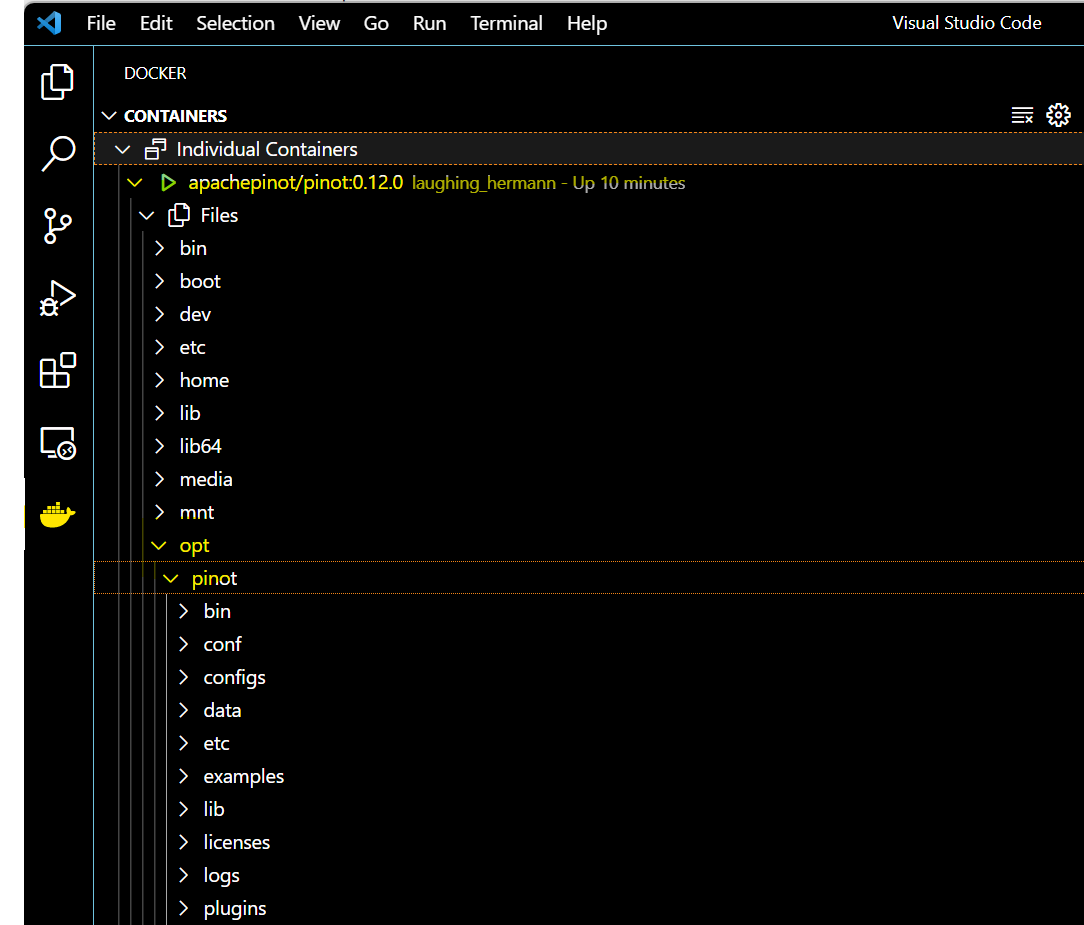
@@ -99,7 +99,7 @@ If you’re using VS Code, with the Docker extension installed,
you can click on

-Click on the Docker icon in the left menu, and apachepinot/pinot:0.12.0. This
should take a few seconds to connect to the running container. Now, you can
navigate to the files and see what we have under the opt folder.
+Click on the Docker icon in the left menu, and
apachepinot.docker.scarf.sh/apachepinot/pinot:0.12.0. This should take a few
seconds to connect to the running container. Now, you can navigate to the files
and see what we have under the opt folder.
### Step 4:
diff --git
a/data/blog/2023-05-30-how-to-ingest-streaming-data-from-kafka-to-apache-pinot.mdx
b/data/blog/2023-05-30-how-to-ingest-streaming-data-from-kafka-to-apache-pinot.mdx
index 69f07431..a4de9825 100644
---
a/data/blog/2023-05-30-how-to-ingest-streaming-data-from-kafka-to-apache-pinot.mdx
+++
b/data/blog/2023-05-30-how-to-ingest-streaming-data-from-kafka-to-apache-pinot.mdx
@@ -30,7 +30,7 @@ Make sure you have completed the first article in the series.
We will be installing Apache Kafka onto our already existing Pinot docker
image. To start the Docker image, run the following command:
-docker run -it --entrypoint /bin/bash -p 9000:9000 apachepinot/pinot:0.12.0
+docker run -it --entrypoint /bin/bash -p 9000:9000
apachepinot.docker.scarf.sh/apachepinot/pinot:0.12.0

diff --git
a/data/blog/2023-06-01-real-time-mastodon-usage-with-apache-kafka-apache-pinot-and-streamlit.mdx
b/data/blog/2023-06-01-real-time-mastodon-usage-with-apache-kafka-apache-pinot-and-streamlit.mdx
index ec1250f3..3844f118 100644
---
a/data/blog/2023-06-01-real-time-mastodon-usage-with-apache-kafka-apache-pinot-and-streamlit.mdx
+++
b/data/blog/2023-06-01-real-time-mastodon-usage-with-apache-kafka-apache-pinot-and-streamlit.mdx
@@ -178,7 +178,7 @@ We can create the Pinot table by running the following
command:
docker run \
--network mastodon \
-v $PWD/pinot:/config \
- apachepinot/pinot:0.12.0-arm64 AddTable \
+ apachepinot.docker.scarf.sh/apachepinot/pinot:0.12.0-arm64 AddTable \
-schemaFile /config/schema.json \
-tableConfigFile /config/table.json \
-controllerHost "pinot-controller" \
---------------------------------------------------------------------
To unsubscribe, e-mail: [email protected]
For additional commands, e-mail: [email protected]