akshayrai commented on a change in pull request #5720:
URL: https://github.com/apache/incubator-pinot/pull/5720#discussion_r457593185
##########
File path: thirdeye/docs/application.rst
##########
@@ -0,0 +1,96 @@
+..
+.. Licensed to the Apache Software Foundation (ASF) under one
+.. or more contributor license agreements.  See the NOTICE file
+.. distributed with this work for additional information
+.. regarding copyright ownership.  The ASF licenses this file
+.. to you under the Apache License, Version 2.0 (the
+.. "License"); you may not use this file except in compliance
+.. with the License.  You may obtain a copy of the License at
+..
+..   http://www.apache.org/licenses/LICENSE-2.0
+..
+.. Unless required by applicable law or agreed to in writing,
+.. software distributed under the License is distributed on an
+.. "AS IS" BASIS, WITHOUT WARRANTIES OR CONDITIONS OF ANY
+.. KIND, either express or implied.  See the License for the
+.. specific language governing permissions and limitations
+.. under the License.
+..
+
+.. _application:
+
+****************************
+Application
+****************************
+
+An application is a basic TE entity can serves as a container for metrics,
alerts and other entities.
+It also can be used to group a bunch of users.
+
+Creating an Application
+##########################################
+
+You can create an Application in ThirdEye using 2 ways:
+1. ThirdEye Admin
+2. Using the API
+
+From ThirdEye Admin UI
+***********************
+
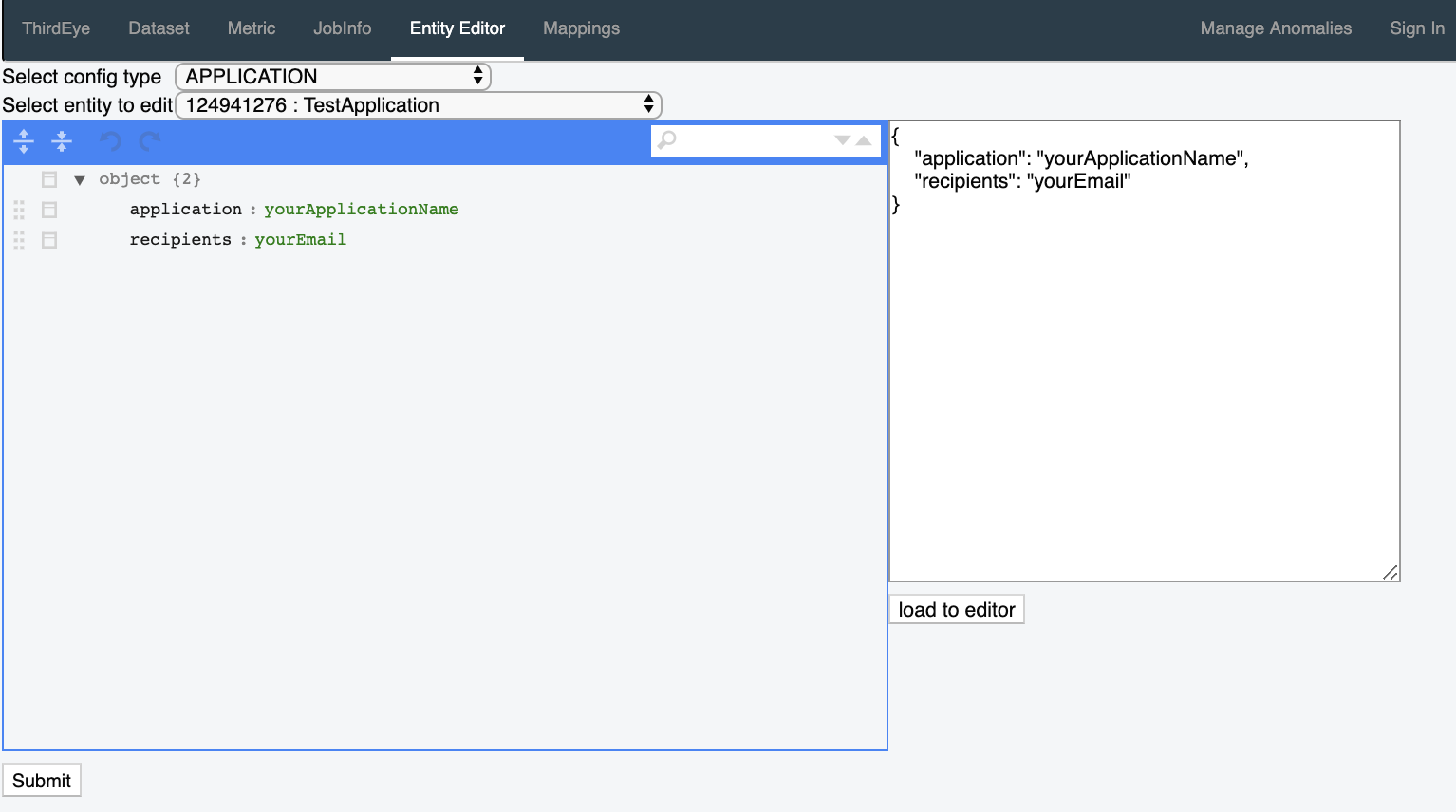
+In order to create an application, follow the steps below.
+
+1. Go to the ``thirdeye-admin`` page. http://localhost:1426/thirdeye-admin
+2. Click the ``Entity Editor`` tab
+3. Choose ``Application`` from ``Select config type``.
+4. In the ``Select Entity to Edit`` menu, select ``Create New``
+5. Copy paste the json block below into the textbox on the right and click
``load to editor``
+
+
+.. code-block:: json
+
+  {
+    "application": "myApp",
+    "recipients": "[email protected]"
+  }
+
+6. Click ``Submit`` on the bottom left to create an application.
+
+.. image::
https://user-images.githubusercontent.com/44730481/61093659-6c926700-a400-11e9-8690-6a1742671e5e.png
+  :width: 500
+
+From API
+***********************
+
+Here are the steps to create an Application from the terminal.
+
+1. Obtain an authentication token. By default, TE auth is disabled, so the
credentials are ignored.
+Feel free to modify the values in the script below.
+
+.. code-block:: bash
+
+  function tetoken {
+       curl -s --location --request POST --cookie-jar -
'http://localhost:1426/auth/authenticate' \
+               --header 'Authorization: Bearer temp' \
+               --header 'Content-Type: application/json' \
+               --data-raw '{
+                       "principal": "1",
+                       "password": "1"
+               }' | grep te_auth | awk '{print $NF}'
+  }
+  token=$(tetoken)
+2. Create the application using the command below. Feel free to update the
inline json as per your needs.
+
+.. code-block:: bash
+
+  function create_te_app {
+       token=$1
+       curl --location --request POST
'http://localhost:1426/thirdeye/entity?entityType=APPLICATION' \
+               --header "Authorization: Bearer ${token}" \
+               --header 'Content-Type: application/json' \
+               --header 'Cookie:
te_auth=8ba22acc7616b77fb62fc0aad88a638a16c74e7922209d30afe8a96fee4b55e9' \

Review comment:
       Shouldn't the te_auth token be replaced here?


----------------------------------------------------------------
This is an automated message from the Apache Git Service.
To respond to the message, please log on to GitHub and use the
URL above to go to the specific comment.

For queries about this service, please contact Infrastructure at:
[email protected]


---------------------------------------------------------------------
To unsubscribe, e-mail: [email protected]
For additional commands, e-mail: [email protected]