Anonymitaet commented on a change in pull request #13118:
URL: https://github.com/apache/pulsar/pull/13118#discussion_r766522806
########## File path: site2/docs/admin-api-packages.md ########## @@ -4,77 +4,57 @@ title: Manage packages sidebar_label: Packages --- -> **Important** -> -> This page only shows **some frequently used operations**. -> -> - For the latest and complete information about `Pulsar admin`, including commands, flags, descriptions, and more, see [Pulsar admin doc](https://pulsar.apache.org/tools/pulsar-admin/) -> -> - For the latest and complete information about `REST API`, including parameters, responses, samples, and more, see {@inject: rest:REST:/} API doc. -> -> - For the latest and complete information about `Java admin API`, including classes, methods, descriptions, and more, see [Java admin API doc](https://pulsar.apache.org/api/admin/). +Package managers or package-management systems automatically manage packages in a consistent manner. These tools simplify the installation tasks, upgrade process, and deletion operations for users. A package is the minimal unit that a package manager deals with. In Pulsar, packages are organized at the tenant- and namespace-level to manage Pulsar Functions and Pulsar IO connectors (i.e., source and sink). -Package management enables version management and simplifies the upgrade and rollback processes for Functions, Sinks, and Sources. When you use the same function, sink and source in different namespaces, you can upload them to a common package management system. +## What is a package? -## Package name +A package is a set of elements that the user would like to reuse in later operations. In Pulsar, a package can be a group of functions, sources, and sinks. You can define a package according to your needs. -A `package` is identified by five parts: `type`, `tenant`, `namespace`, `package name`, and `version`. +The package management system in Pulsar stores the data and metadata of each package (as shown in the table below) and tracks the package versions. -| Part | Description | -|-------|-------------| -|`type` |The type of the package. The following types are supported: `function`, `sink` and `source`. | -| `name`|The fully qualified name of the package: `<tenant>/<namespace>/<package name>`.| -|`version`|The version of the package.| +|**Metadata**|**Description**| Review comment: ```suggestion |Metadata|Description| ``` No need to use asterisks for headers. They are rendered as bold automatically. ########## File path: site2/docs/admin-api-packages.md ########## @@ -4,77 +4,57 @@ title: Manage packages sidebar_label: Packages --- -> **Important** -> -> This page only shows **some frequently used operations**. -> -> - For the latest and complete information about `Pulsar admin`, including commands, flags, descriptions, and more, see [Pulsar admin doc](https://pulsar.apache.org/tools/pulsar-admin/) -> -> - For the latest and complete information about `REST API`, including parameters, responses, samples, and more, see {@inject: rest:REST:/} API doc. -> -> - For the latest and complete information about `Java admin API`, including classes, methods, descriptions, and more, see [Java admin API doc](https://pulsar.apache.org/api/admin/). +Package managers or package-management systems automatically manage packages in a consistent manner. These tools simplify the installation tasks, upgrade process, and deletion operations for users. A package is the minimal unit that a package manager deals with. In Pulsar, packages are organized at the tenant- and namespace-level to manage Pulsar Functions and Pulsar IO connectors (i.e., source and sink). -Package management enables version management and simplifies the upgrade and rollback processes for Functions, Sinks, and Sources. When you use the same function, sink and source in different namespaces, you can upload them to a common package management system. +## What is a package? -## Package name +A package is a set of elements that the user would like to reuse in later operations. In Pulsar, a package can be a group of functions, sources, and sinks. You can define a package according to your needs. -A `package` is identified by five parts: `type`, `tenant`, `namespace`, `package name`, and `version`. +The package management system in Pulsar stores the data and metadata of each package (as shown in the table below) and tracks the package versions. -| Part | Description | -|-------|-------------| -|`type` |The type of the package. The following types are supported: `function`, `sink` and `source`. | -| `name`|The fully qualified name of the package: `<tenant>/<namespace>/<package name>`.| -|`version`|The version of the package.| +|**Metadata**|**Description**| +|--|--| +|description|The description of the package.| +|contact|The contact information of a package. For example, an email address of the developer team.| +|create_time|The time when the package is created.| +|modification_time|The time when the package is lastly modified.| +|properties|A user-defined key/value map to store other information.| -The following is a code sample. +## How to use a package -```java -class PackageName { - private final PackageType type; - private final String namespace; - private final String tenant; - private final String name; - private final String version; -} +Packages can efficiently use the same set of functions and IO connectors. For example, you can use the same function, source, and sink in multiple namespaces. The main steps are: -enum PackageType { - FUNCTION("function"), SINK("sink"), SOURCE("source"); -} +1. Create a package in the package manager by providing the following information: type, tenant, namespace, package name, and version. -``` + |Component|Description| + |-|-| + |type|Specify one of the supported package types: function, sink and source.| + |tenant|Specify the tenant where you want to create the package.| + |namespace|Specify the namespace where you want to create the package.| + |name|Specify the complete name of the package, using the format <tenant>/<namespace>/<package name>.| Review comment: ```suggestion |name|Specify the complete name of the package, using the format <tenant>/<namespace>/<package name>.| ``` ########## File path: site2/docs/admin-api-packages.md ########## @@ -109,142 +124,168 @@ bin/pulsar-admin packages download functions://public/default/[email protected] --pat <!--REST API--> -{@inject: endpoint|GET|/admin/v3/packages/:type/:tenant/:namespace/:packageName/:version/?version=[[pulsar:version_number]]} +{@inject: endpoint|GET|/admin/v3/packages/:type/:tenant/:namespace/:packageName/:version} <!--JAVA--> -Download a package to the package management service synchronously. +Download a package from the package management service synchronously. ```java - void download(String packageName, String path) throws PulsarAdminException; + void download(String packageName, String path) throws PulsarAdminException; ``` -Download a package to the package management service asynchronously. +Download a package from the package management service asynchronously. + ```java - CompletableFuture<Void> downloadAsync(String packageName, String path); + CompletableFuture<Void> downloadAsync(String packageName, String path); ``` <!--END_DOCUSAURUS_CODE_TABS--> -### List all versions of a package -You can get a list of all versions of a package in the following ways. +### Delete a package + +You can use the following commands to delete a package. + <!--DOCUSAURUS_CODE_TABS--> <!--pulsar-admin--> +The following command deletes a package of version 0.1. + ```shell -bin/pulsar-admin packages list --type function public/default +bin/pulsar-admin packages delete functions://public/default/[email protected] ``` <!--REST API--> -{@inject: endpoint|GET|/admin/v3/packages/:type/:tenant/:namespace/:packageName/?version=[[pulsar:version_number]]} +{@inject: endpoint|DELETE|/admin/v3/packages/:type/:tenant/:namespace/:packageName/:version} <!--JAVA--> -List all versions of a package synchronously. +Delete a specified package synchronously. ```java - List<String> listPackageVersions(String packageName) throws PulsarAdminException; + void delete(String packageName) throws PulsarAdminException; ``` -List all versions of a package asynchronously. + +Delete a specified package asynchronously. + ```java - CompletableFuture<List<String>> listPackageVersionsAsync(String packageName); + CompletableFuture<Void> deleteAsync(String packageName); ``` <!--END_DOCUSAURUS_CODE_TABS--> -### List all the specified type packages under a namespace -You can get a list of all the packages with the given type in a namespace in the following ways. +### Get the metadata of a package + +You can use the following commands to get the metadate of a package. + <!--DOCUSAURUS_CODE_TABS--> <!--pulsar-admin--> + ```shell -bin/pulsar-admin packages list --type function public/default +bin/pulsar-admin packages get-metadata function://public/default/test@v1 ``` <!--REST API--> -{@inject: endpoint|PUT|/admin/v3/packages/:type/:tenant/:namespace/?version=[[pulsar:version_number]]} +{@inject: endpoint|GET|/admin/v3/packages/:type/:tenant/:namespace/:packageName/:version/metadata} <!--JAVA--> -List all the packages with the given type in a namespace synchronously. +Get the metadata of a package synchronously. ```java - List<String> listPackages(String type, String namespace) throws PulsarAdminException; + PackageMetadata getMetadata(String packageName) throws PulsarAdminException; ``` -List all the packages with the given type in a namespace asynchronously. + +Get the metadata of a package asynchronously. + ```java - CompletableFuture<List<String>> listPackagesAsync(String type, String namespace); + CompletableFuture<PackageMetadata> getMetadataAsync(String packageName); ``` <!--END_DOCUSAURUS_CODE_TABS--> -### Get the metadata of a package -You can get the metadata of a package in the following ways. +### Update the metadata of a package + +You can use the following commands to update the metadata of a package. <!--DOCUSAURUS_CODE_TABS--> <!--pulsar-admin--> - ```shell -bin/pulsar-admin packages get-metadata function://public/default/test@v1 +bin/pulsar-admin packages update-metadata function://public/default/[email protected] --description update-description ``` <!--REST API--> -{@inject: endpoint|GET|/admin/v3/packages/:type/:tenant/:namespace/:packageName/:version/metadata/?version=[[pulsar:version_number]]} +{@inject: endpoint|PUT|/admin/v3/packages/:type/:tenant/:namespace/:packageName/:version/metadata} <!--JAVA--> -Get the metadata of a package synchronously. +Update the metadata of a package synchronously. ```java - PackageMetadata getMetadata(String packageName) throws PulsarAdminException; + void updateMetadata(String packageName, PackageMetadata metadata) throws PulsarAdminException; ``` -Get the metadata of a package asynchronously. + +Update the metadata of a package asynchronously. + ```java - CompletableFuture<PackageMetadata> getMetadataAsync(String packageName); + CompletableFuture<Void> updateMetadataAsync(String packageName, PackageMetadata metadata); ``` <!--END_DOCUSAURUS_CODE_TABS--> -### Update the metadata of a package -You can update the metadata of a package in the following ways. +### List all versions of a package + +You can use the following commands to list all versions of a package. + <!--DOCUSAURUS_CODE_TABS--> <!--pulsar-admin--> ```shell -bin/pulsar-admin packages update-metadata function://public/default/[email protected] --description update-description +bin/pulsar-admin packages list-versions type://tenant/namespace/packageName ``` <!--REST API--> -{@inject: endpoint|PUT|/admin/v3/packages/:type/:tenant/:namespace/:packageName/:version/metadata/?version=[[pulsar:version_number]]} +{@inject: endpoint|GET|/admin/v3/packages/:type/:tenant/:namespace/:packageName} <!--JAVA--> -Update a package metadata information synchronously. +List all versions of a package synchronously. ```java - void updateMetadata(String packageName, PackageMetadata metadata) throws PulsarAdminException; + List<String> listPackageVersions(String packageName) throws PulsarAdminException; ``` -Update a package metadata information asynchronously. + +List all versions of a package asynchronously. ```java - CompletableFuture<Void> updateMetadataAsync(String packageName, PackageMetadata metadata); + CompletableFuture<List<String>> listPackageVersionsAsync(String packageName); ``` <!--END_DOCUSAURUS_CODE_TABS--> -### Delete a specified package -You can delete a specified package with its package name in the following ways. +### List all packages of a specific type under a namespace + +You can use the following commands to list all packages of a specific type under a namespace. <!--DOCUSAURUS_CODE_TABS--> -<!--pulsar-admin--> -The following command example deletes a package of version 0.1. +<!--pulsar-admin--> ```shell -bin/pulsar-admin packages delete functions://public/default/[email protected] +bin/pulsar-admin packages list --type function public/default ``` <!--REST API--> -{@inject: endpoint|DELETE|/admin/v3/packages/:type/:tenant/:namespace/:packageName/:version/?version=[[pulsar:version_number]]} +{@inject: endpoint|PUT|/admin/v3/packages/:type/:tenant/:namespace} <!--JAVA--> -Delete a specified package synchronously. +List all packages of a specific type under a namespace synchronously. ```java - void delete(String packageName) throws PulsarAdminException; + List<String> listPackages(String type, String namespace) throws PulsarAdminException; ``` -Delete a specified package asynchronously. + +List all packages of a specific type under a namespace asynchronously. + ```java - CompletableFuture<Void> deleteAsync(String packageName); + CompletableFuture<List<String>> listPackagesAsync(String type, String namespace); ``` <!--END_DOCUSAURUS_CODE_TABS--> + + +> **Note** +> This page only includes some of the most frequently used operations. +> * For more information about the commands, flags, descriptions, and more in Pulsar administrator, see [Pulsar admin](https://pulsar.apache.org/tools/pulsar-admin/) page. +> * For more information about the parameters, responses, samples, and more in REST API, see [REST API](https://pulsar.incubator.apache.org/admin-rest-api#/) page. +> * For more information about the classes, methods, descriptions, and more Java administrator API, see [Java admin API](https://pulsar.apache.org/api/admin/2.8.0-SNAPSHOT/) page. Review comment: The reasons for moving `Important` to the beginning: 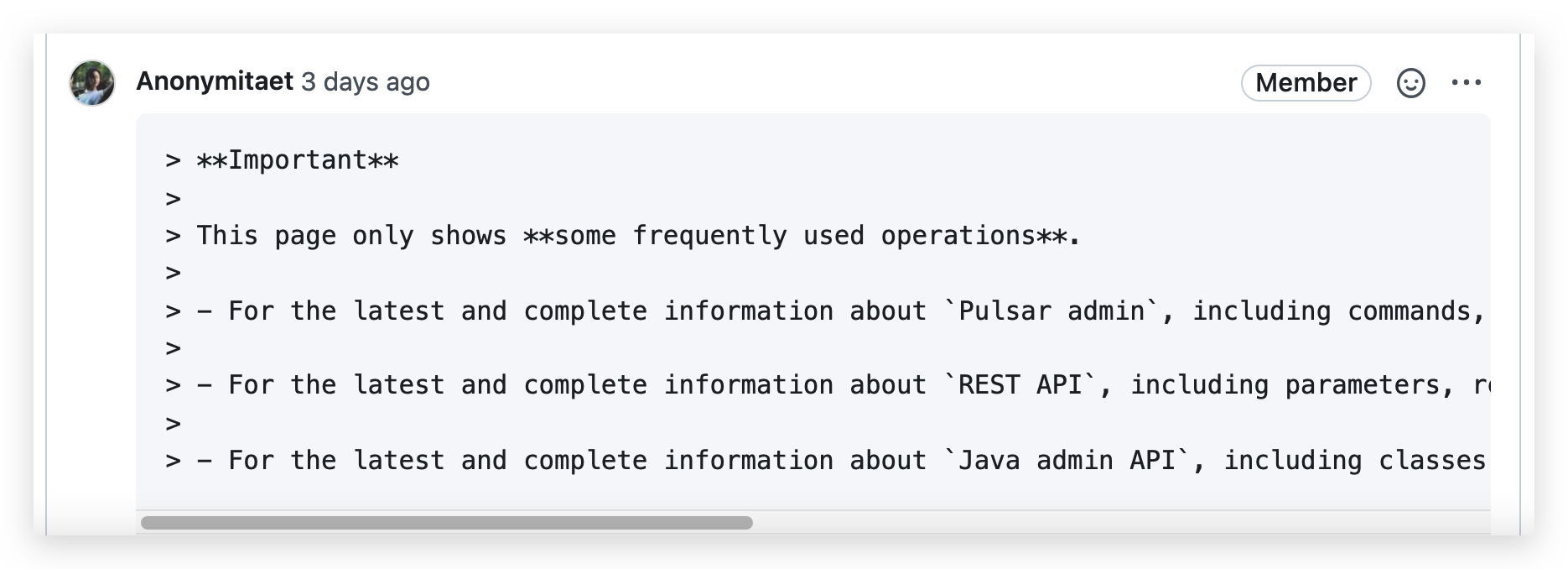 - These are several chapters in the `Admin API` guide, each chapter has its operations. However, in these chapters (except `Overview`), only frequently used operations (especially their flags and descriptions) are explained here since more detailed info is added directly to code files to generate various API docs automatically. This is beneficial for both developers/writers (contribute docs conveniently) and users (they are accustomed to go to the corresponding API pages which show the latest info). 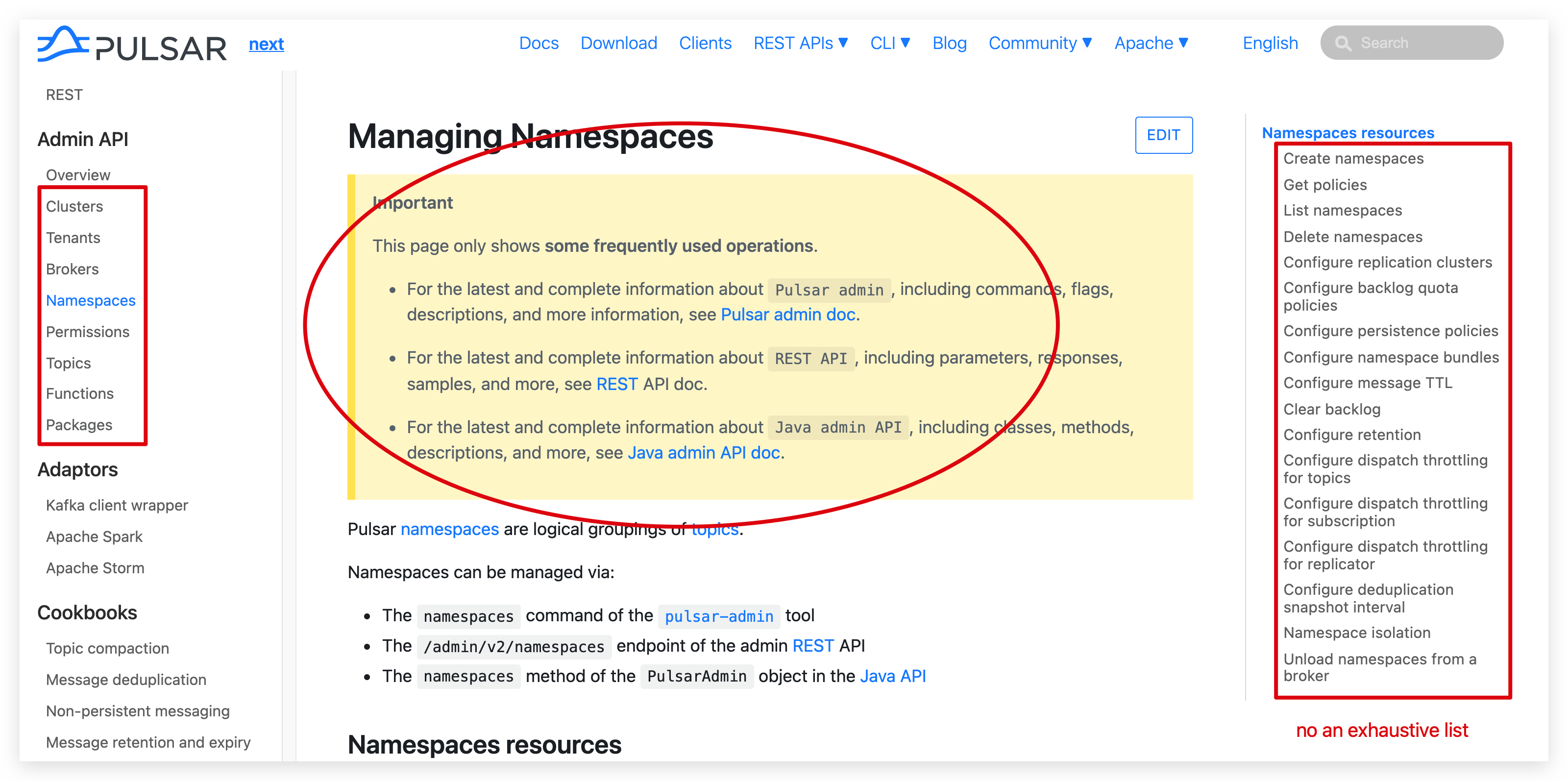 - Keep consistent with other chapters. As you can see, this `Important` is added to every chapter at the beginning to remind users to go to API websites (where host latest and complete info) directly, which reduces the chance that users do not find desired info after they read through the whole chapter. ########## File path: site2/docs/admin-api-packages.md ########## @@ -4,77 +4,89 @@ title: Manage packages sidebar_label: Packages --- -> **Important** -> -> This page only shows **some frequently used operations**. -> -> - For the latest and complete information about `Pulsar admin`, including commands, flags, descriptions, and more, see [Pulsar admin doc](https://pulsar.apache.org/tools/pulsar-admin/) -> -> - For the latest and complete information about `REST API`, including parameters, responses, samples, and more, see {@inject: rest:REST:/} API doc. -> -> - For the latest and complete information about `Java admin API`, including classes, methods, descriptions, and more, see [Java admin API doc](https://pulsar.apache.org/api/admin/). - -Package management enables version management and simplifies the upgrade and rollback processes for Functions, Sinks, and Sources. When you use the same function, sink and source in different namespaces, you can upload them to a common package management system. - -## Package name - -A `package` is identified by five parts: `type`, `tenant`, `namespace`, `package name`, and `version`. - -| Part | Description | -|-------|-------------| -|`type` |The type of the package. The following types are supported: `function`, `sink` and `source`. | -| `name`|The fully qualified name of the package: `<tenant>/<namespace>/<package name>`.| -|`version`|The version of the package.| - -The following is a code sample. - -```java -class PackageName { - private final PackageType type; - private final String namespace; - private final String tenant; - private final String name; - private final String version; -} - -enum PackageType { - FUNCTION("function"), SINK("sink"), SOURCE("source"); -} +Package managers or package-management systems automatically manage packages in a consistent manner. These tools simplify the installation tasks, upgrade process, and deletion operations for users. A package is the minimal unit that a package manager deals with. In Pulsar, packages are organized at the tenant- and namespace-level to manage Pulsar Functions and Pulsar IO connectors (i.e., source and sink). Review comment: I think `a` is appropriate since `unit` is a singular noun that is **unspecified**. @D-2-Ed thoughts? -- This is an automated message from the Apache Git Service. To respond to the message, please log on to GitHub and use the URL above to go to the specific comment. To unsubscribe, e-mail: [email protected] For queries about this service, please contact Infrastructure at: [email protected]


