leandron commented on a change in pull request #6597:
URL: https://github.com/apache/incubator-tvm/pull/6597#discussion_r498389331
##########
File path: tutorials/get_started/tvmc_command_line_driver.py
##########
@@ -0,0 +1,331 @@
+# Licensed to the Apache Software Foundation (ASF) under one
+# or more contributor license agreements.  See the NOTICE file
+# distributed with this work for additional information
+# regarding copyright ownership.  The ASF licenses this file
+# to you under the Apache License, Version 2.0 (the
+# "License"); you may not use this file except in compliance
+# with the License.  You may obtain a copy of the License at
+#
+#   http://www.apache.org/licenses/LICENSE-2.0
+#
+# Unless required by applicable law or agreed to in writing,
+# software distributed under the License is distributed on an
+# "AS IS" BASIS, WITHOUT WARRANTIES OR CONDITIONS OF ANY
+# KIND, either express or implied.  See the License for the
+# specific language governing permissions and limitations
+# under the License.
+"""
+Getting Started with TVM command line driver - TVMC
+===================================================
+**Authors**:
+`Leandro Nunes <https://github.com/leandron>`_,
+`Matthew Barrett <https://github.com/mbaret>`_
+
+This tutorial is an introduction to working with TVMC, the TVM command
+line driver. TVMC is a tool that exposes TVM features such as
+auto-tuning, compiling, profiling and execution of models, via a
+command line interface.
+
+In this tutorial we are going to use TVMC to compile, run and tune a
+ResNet-50 on a x86 CPU.
+
+We are going to start by downloading ResNet 50 V2. Then, we are going
+to use TVMC to compile this model into a TVM module, and use the
+compiled module to generate predictions. Finally, we are going to experiment
+with the auto-tuning options, that can be used to help the compiler to
+improve network performance.
+
+The final goal is to give an overview of TVMC's capabilities and also
+some guidance on where to look for more information.
+"""
+
+######################################################################
+# Using TVMC
+# ----------
+#
+# TVMC is a Python application, part of the TVM Python package.
+# When you install TVM using a Python package, you will get TVMC as
+# as a command line application called ``tvmc``.
+#
+# Alternatively, if you have TVM as a Python module on your
+# ``$PYTHONPATH``,you can access the command line driver functionality
+# via the executable python module, ``python -m tvm.driver.tvmc``.
+#
+# For simplicity, this tutorial will mention TVMC command line using
+# ``tvmc <options>``, but the same results can be obtained with
+# ``python -m tvm.driver.tvmc <options>``.
+#
+# You can check the help page using:
+#
+# .. code-block:: bash
+#
+#   tvmc --help
+#
+#
+# As you can see in the help page, the main features are
+# accessible via the subcommands ``tune``, ``compile`` and ``run``.
+# To read about specific options under a given subcommand, use
+# ``tvmc <subcommand> --help``.
+#
+# In the following sections we will use TVMC to tune, compile and
+# run a model. But first, we need a model.
+#
+
+
+######################################################################
+# Obtaining the model
+# -------------------
+#
+# We are going to use ResNet-50 V2 as an example to experiment with TVMC.
+# The version below is in ONNX format. To download the file, you can use
+# the command below:
+#
+# .. code-block:: bash
+#
+#   wget
https://github.com/onnx/models/raw/master/vision/classification/resnet/model/resnet50-v2-7.onnx
+#
+#
+
+######################################################################
+# .. note:: Supported model formats
+#
+#   TVMC supports models created with Keras, ONNX, TensorFlow, TFLite
+#   and Torch. Use the option``--model-format`` if you need to
+#   explicitly provide the model format you are using. See ``tvmc
+#   compile --help`` for more information.
+#
+
+
+######################################################################
+# Compiling the model
+# -------------------
+#
+# The next step once we've downloaded ResNet-50, is to compile it,
+# To accomplish that, we are going to use ``tvmc compile``. The
+# output we get from the compilation process is a TAR package,
+# that can be used to run our model on the target device.
+#
+# .. code-block:: bash
+#
+#   tvmc compile \
+#     --target "llvm" \
+#     --output compiled_module.tar \
+#     resnet50-v2-7.onnx
+#
+# Once compilation finishes, the output ``compiled_module.tar`` will be
created. This
+# can be directly loaded by your application and run via the TVM runtime APIs.
+#
+
+
+######################################################################
+# .. note:: Defining the correct target
+#
+#   Specifying the correct target (option ``--target``) can have a huge
+#   impact on the performance of the compiled module, as it can take
+#   advantage of hardware features available on the target. For more
+#   information, please refer to `Auto-tuning a convolutional network
+#   for x86 CPU
<https://tvm.apache.org/docs/tutorials/autotvm/tune_relay_x86.html#define-network>`_.
+#
+
+
+######################################################################
+#
+# In the next step, we are going to use the compiled module, providing it
+# with some inputs, to generate some predictions.
+#
+
+
+######################################################################
+# Input pre-processing
+# --------------------
+#
+# In order to generate predictions, we will need two things:
+#
+# - the compiled module, which we just produced;
+# - a valid input to the model
+#
+# Each model is particular when it comes to expected tensor shapes, formats
and data
+# types. For this reason, most models require some pre and
+# post processing, to ensure the input(s) is valid and to interpret the
output(s).
+#
+# In TVMC, we adopted NumPy's ``.npz`` format for both input and output data.
+# This is a well-supported NumPy format to serialize multiple arrays into a
file.
+#
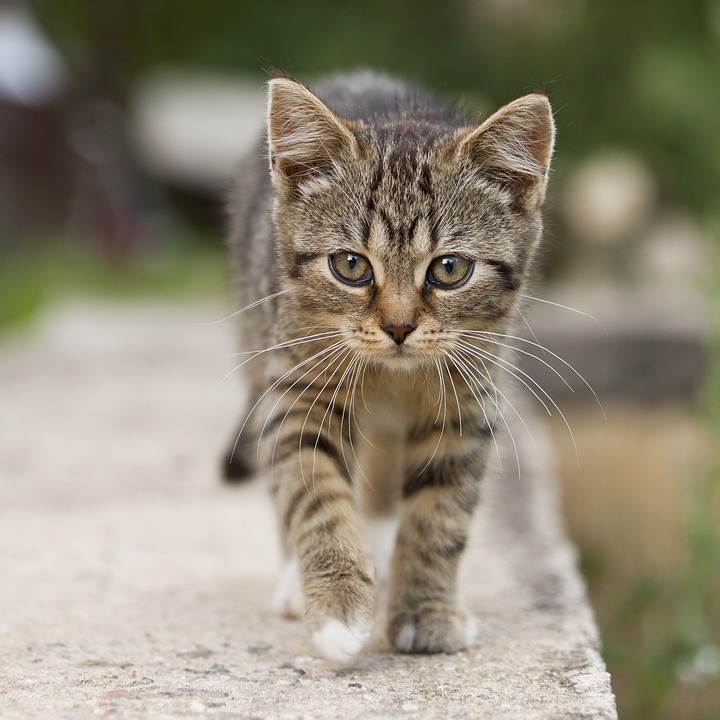
+# We will use the usual cat image, similar to other TVM tutorials:
+#
+# .. image:: https://s3.amazonaws.com/model-server/inputs/kitten.jpg
+#    :height: 224px
+#    :width: 224px
+#    :align: center
+#
+# For our ResNet 50 V2 model, the input is expected to be in ImageNet format.
+# Here is an example of a script to pre-process an image for ResNet 50 V2.
+#
+from tvm.contrib.download import download_testdata
+from PIL import Image
+import numpy as np
+
+img_url = "https://s3.amazonaws.com/model-server/inputs/kitten.jpg";
+img_path = download_testdata(img_url, "imagenet_cat.png", module="data")
+
+# Resize it to 224x224
+resized_image = Image.open(img_path).resize((224, 224))
+img_data = np.asarray(resized_image).astype("float32")
+
+# ONNX expects NCHW input, so convert the array
+img_data = np.transpose(img_data, (2, 0, 1))
+
+# Normalize according to ImageNet
+imagenet_mean = np.array([0.485, 0.456, 0.406])
+imagenet_stddev = np.array([0.229, 0.224, 0.225])
+norm_img_data = np.zeros(img_data.shape).astype("float32")
+for i in range(img_data.shape[0]):
+    norm_img_data[i, :, :] = (img_data[i, :, :] / 255 - imagenet_mean[i]) /
imagenet_stddev[i]
+
+# Add batch dimension
+img_data = np.expand_dims(norm_img_data, axis=0)
+
+# Save to .npz (outputs imagenet_cat.npz)
+np.savez("imagenet_cat", data=img_data)
+
+
+######################################################################
+# Running the compiled module
+# ---------------------------
+#
+# With both the compiled module and input file in hand, we can run it by
+# invoking ``tvmc run``.
+#
+# .. code-block:: bash
+#
+#    tvmc run \
+#      --inputs imagenet_cat.npz \
+#      --output predictions.npz \
+#      compiled_module.tar
+#
+# When running the above command, a new file ``predictions.npz`` should
+# be produced. It contains the output tensors.
+#
+# In this example, we are running the model on the same machine that we used
+# for compilation. In some cases we might want to run it remotely via
+# an RPC Tracker. To read more about these options please check ``tvmc
+# run --help``.
+#
+
+######################################################################
+# Output post-processing
+# ----------------------
+#
+# As previously mentioned, each model will have its own particular way
+# of providing output tensors.
+#
+# In our case, we need to run some post-processing to render the
+# outputs from ResNet 50 V2 into a more human-readable form.
+#
+# The script below shows an example of the post-processing to extract
+# labels from the output of our compiled module.
+#
+import os.path
+import numpy as np
+
+from scipy.special import softmax
+
+from tvm.contrib.download import download_testdata
+
+# Download a list of labels
+labels_url = "https://s3.amazonaws.com/onnx-model-zoo/synset.txt";
+labels_path = download_testdata(labels_url, "synset.txt", module="data")
+
+with open(labels_path, "r") as f:
+    labels = [l.rstrip() for l in f]
+
+output_file = "predictions.npz"
+
+# Open the output and read the output tensor
+if os.path.exists(output_file):
+    with np.load(output_file) as data:
+        scores = softmax(data["output_0"])
+        scores = np.squeeze(scores)
+        scores = np.argsort(scores)[::-1]
+
+        for i in scores[0:5]:
+            print("class='%s' with probability=%f" % (labels[i], scores[i]))
+
+
+########################################################################
+# When running the script, a list of predictions should be printed similar
+# the the example below.
+#
+# .. code-block:: bash
+#
+#   $ python post_processing.py
+#   class=n02123045 tabby, tabby cat ; probability=446.000000
+#   class=n02123159 tiger cat ; probability=675.000000
+#   class=n02124075 Egyptian cat ; probability=836.000000
+#   class=n02129604 tiger, Panthera tigris ; probability=917.000000
+#   class=n04040759 radiator ; probability=213.000000
+#
+
+
+######################################################################
+# Tuning the model

Review comment:
       Yeah, agreed it looks a little abrupt. Will link it better.


----------------------------------------------------------------
This is an automated message from the Apache Git Service.
To respond to the message, please log on to GitHub and use the
URL above to go to the specific comment.

For queries about this service, please contact Infrastructure at:
[email protected]