* [doc] Update cn docs, all changes are shown below:

- Weex supports horizontalpan/verticalpan currently;
- weex-toolkit@release supports Vue 2.0 template;
- Fix typo.
Project: http://git-wip-us.apache.org/repos/asf/incubator-weex/repo Commit: http://git-wip-us.apache.org/repos/asf/incubator-weex/commit/f6838783 Tree: http://git-wip-us.apache.org/repos/asf/incubator-weex/tree/f6838783 Diff: http://git-wip-us.apache.org/repos/asf/incubator-weex/diff/f6838783 Branch: refs/heads/master Commit: f683878399471b8171127983ec078cf22879328b Parents: 9dd6bdd Author: Yun Dong <[email protected]> Authored: Tue Mar 7 14:31:02 2017 +0800 Committer: Yun Dong <[email protected]> Committed: Tue Mar 7 14:31:02 2017 +0800 ---------------------------------------------------------------------- doc/source/cn/guide/set-up-env.md | 8 +- doc/source/cn/guide/tools/weexpack.md | 2 +- .../cn/references/advanced/extend-to-ios.md | 231 ++++++++++--------- doc/source/cn/references/components/cell.md | 2 +- doc/source/cn/references/gesture.md | 3 +- doc/source/guide/intro/devtools.md | 100 -------- doc/source/guide/set-up-env.md | 2 +- doc/source/guide/tools/weexpack.md | 2 + 8 files changed, 131 insertions(+), 219 deletions(-) ---------------------------------------------------------------------- http://git-wip-us.apache.org/repos/asf/incubator-weex/blob/f6838783/doc/source/cn/guide/set-up-env.md ---------------------------------------------------------------------- diff --git a/doc/source/cn/guide/set-up-env.md b/doc/source/cn/guide/set-up-env.md index 79ff249..5d77a45 100644 --- a/doc/source/cn/guide/set-up-env.md +++ b/doc/source/cn/guide/set-up-env.md @@ -12,7 +12,7 @@ has_chapter_content: true ## 第ä¸æ¥ï¼å®è£ ä¾èµ -Weex å®æ¹æä¾äº weex-toolkit çèææ¶å·¥å ·æ¥è¾ å©å¼ååè°è¯ãé¦å ï¼ä½ éè¦ Node.js å weex-toolkitã +Weex å®æ¹æä¾äº weex-toolkit çèææ¶å·¥å ·æ¥è¾ å©å¼ååè°è¯ãé¦å ï¼ä½ éè¦ Node.js å [Weex CLi](https://github.com/weexteam/weex-toolkit)ã å®è£ Node.js æ¹å¼å¤ç§å¤æ ·ï¼æç®åçæ¹å¼æ¯å¨ [Node.js å®ç½](https://nodejs.org/en/) ä¸è½½å¯æ§è¡ç¨åºç´æ¥å®è£ å³å¯ã @@ -46,12 +46,14 @@ $ weex -v v1.0.3 weex-builder : v0.2.4 weex-previewer : v1.3.4 -``` +``` + å½å å¼åè å¯ä»¥èè使ç¨æ·å®ç npm éå ââ [cnpm](https://npm.taobao.org/) å®è£ weex-toolkit + ```bash -$ npm install -g cnpm +$ npm install -g cnpm --registry=https://registry.npm.taobao.org $ cnpm install -g weex-toolkit ``` http://git-wip-us.apache.org/repos/asf/incubator-weex/blob/f6838783/doc/source/cn/guide/tools/weexpack.md ---------------------------------------------------------------------- diff --git a/doc/source/cn/guide/tools/weexpack.md b/doc/source/cn/guide/tools/weexpack.md index ac64dd7..ee1a26c 100644 --- a/doc/source/cn/guide/tools/weexpack.md +++ b/doc/source/cn/guide/tools/weexpack.md @@ -372,7 +372,7 @@ weexplugin ## æ件å¼åææ¡£ -+ [å¼å web çæ件æç¨](./doc/plugin-devloping-web.md) ++ [å¼å web çæ件æç¨](https://github.com/weexteam/weex-pack/blob/master/doc/plugin-devloping-web.md) ## ç¤ºä¾ http://git-wip-us.apache.org/repos/asf/incubator-weex/blob/f6838783/doc/source/cn/references/advanced/extend-to-ios.md ---------------------------------------------------------------------- diff --git a/doc/source/cn/references/advanced/extend-to-ios.md b/doc/source/cn/references/advanced/extend-to-ios.md index 4edecf4..25872bb 100644 --- a/doc/source/cn/references/advanced/extend-to-ios.md +++ b/doc/source/cn/references/advanced/extend-to-ios.md @@ -11,119 +11,126 @@ version: 2.1 Weex SDK åªæä¾æ¸²æï¼èä¸æ¯å ¶ä»çè½åï¼å¦æä½ éè¦ åç½ç»ï¼å¾çï¼URL跳转è¿äºç¹æ§ï¼éè¦èªå·±å¨æå®ç°ä»ä»¬ ä¾å¦ï¼å¦æä½ æ³å®ç°ä¸ä¸ªurlå°å跳转å½æ°ï¼ä½ å¯ä»¥æç §å¦ä¸æ¥éª¤å®ç°ä¸ä¸ª Module -1. **èªå®ä¹moduleçæ¥éª¤** - 1. èªå®ä¹çmoduleç±» å¿ é¡»å®ç° `WXModuleProtocol` - 2. å¿ é¡»æ·»å å®`WX_EXPORT_METHOD`, å®å¯ä»¥è¢«weexè¯å«ï¼å®çåæ°æ¯ JavaScriptè°ç¨ moduleæå®æ¹æ³çåæ° - 3. æ·»å `@synthesized weexInstance`ï¼æ¯ä¸ªmoudle对象被ç»å®å°ä¸ä¸ªæå®çå®ä¾ä¸ - 4. Module æ¹æ³ä¼å¨UI线ç¨ä¸è¢«è°ç¨ï¼æ以ä¸è¦å太å¤èæ¶çä»»å¡å¨è¿éï¼å¦æè¦å¨å ¶ä»çº¿ç¨æ§è¡æ´ä¸ªmodule æ¹æ³ï¼éè¦å®ç°`WXModuleProtocol`ä¸`- (NSThread *)targetExecuteThread`çæ¹æ³ï¼è¿æ ·ï¼ååå°è¿ä¸ªmoduleçä»»å¡ä¼å¨æå®ç线ç¨ä¸è¿è¡ - 5. Weex çåæ°å¯ä»¥æ¯ String æè Map - 6. Module æ¯æè¿åå¼ç» JavaScriptä¸çåè°ï¼åè°çç±»åæ¯`WXModuleCallback`,åè°çåæ°å¯ä»¥æ¯Stringæè Map - - ```object-c - @implementation WXEventModule - @synthesize weexInstance; - WX_EXPORT_METHOD(@selector(openURL:callback)) - - (void)openURL:(NSString *)url callback:(WXModuleCallback)callback - { - NSString *newURL = url; - if ([url hasPrefix:@"//"]) { - newURL = [NSString stringWithFormat:@"http:%@", url]; - } else if (![url hasPrefix:@"http"]) { - newURL = [NSURL URLWithString:url relativeToURL:weexInstance.scriptURL].absoluteString; - } - - UIViewController *controller = [[WXDemoViewController alloc] init]; - ((WXDemoViewController *)controller).url = [NSURL URLWithString:newURL]; - - [[weexInstance.viewController navigationController] pushViewController:controller animated:YES]; - callback(@{@"result":@"success"}); - } - - @end - ``` -2. **Register the module** - éè¿è°ç¨ WXSDKEngine ä¸ç `registerModule:withClass`æ¹æ³æ¥æ³¨åèªå·±çmodule - - ```object-c - WXSDKEngine.h - /** - * @abstract Registers a module for a given name - * @param name The module name to register - * @param clazz The module class to register - **/ - + (void)registerModule:(NSString *)name withClass:(Class)clazz; - [WXSDKEngine registerModule:@"event" withClass:[WXEventModule class]]; - ``` -3. **使ç¨èªå·±çmodule** - è¿éç require éé¢çevent å°±æ¯å¨ ä¸ä¸æ¥è°ç¨`registerModule:` 注åmodule æ¶åçname - - ```javascript - var eventModule = weex.requireModule('event'); - eventModule.openURL('url',function(ret) { - nativeLog(ret); - }); - ``` - - Weex SDK没æ å¾çä¸è½½ï¼navigation æä½çè½åï¼è¯·å¤§å®¶èªå·±å®ç°è¿äº protocol - -4. **WXImgLoaderProtocol** - - weexSDK 没æå¾çä¸è½½çè½åï¼éè¦å®ç° WXImgLoaderProtocol,åèä¸é¢çä¾å - - ```object-c - WXImageLoaderProtocol.h - @protocol WXImgLoaderProtocol <WXModuleProtocol> - /** - * @abstract Creates a image download handler with a given URL - * @param imageUrl The URL of the image to download - * @param imageFrame The frame of the image you want to set - * @param options : The options to be used for this download - * @param completedBlock : A block called once the download is completed. - image : the image which has been download to local. - error : the error which has happened in download. - finished : a Boolean value indicating whether download action has finished. - */ - -(id<WXImageOperationProtocol>)downloadImageWithURL:(NSString *)url imageFrame:(CGRect)imageFrame userInfo:(NSDictionary *)options completed:(void(^)(UIImage *image, NSError *error, BOOL finished))completedBlock; - @end - ``` - - å®ç°ä¸è¿°åè®® - - ```object-c - @implementation WXImgLoaderDefaultImpl - #pragma mark - - #pragma mark WXImgLoaderProtocol - - - (id<WXImageOperationProtocol>)downloadImageWithURL:(NSString *)url imageFrame:(CGRect)imageFrame userInfo:(NSDictionary *)userInfo completed:(void(^)(UIImage *image, NSError *error, BOOL finished))completedBlock - { - if ([url hasPrefix:@"//"]) { - url = [@"http:" stringByAppendingString:url]; - } - return (id<WXImageOperationProtocol>)[[SDWebImageManager sharedManager] downloadImageWithURL:[NSURL URLWithString:url] options:0 progress:^(NSInteger receivedSize, NSInteger expectedSize) { - } completed:^(UIImage *image, NSError *error, SDImageCacheType cacheType, BOOL finished, NSURL *imageURL) { - if (completedBlock) { - completedBlock(image, error, finished); - } - }]; - } - @end - ``` - -5. **handler注å** + +### **èªå®ä¹moduleçæ¥éª¤** +1. èªå®ä¹çmoduleç±» å¿ é¡»å®ç° `WXModuleProtocol` +2. å¿ é¡»æ·»å å®`WX_EXPORT_METHOD`, å®å¯ä»¥è¢«weexè¯å«ï¼å®çåæ°æ¯ JavaScriptè°ç¨ moduleæå®æ¹æ³çåæ° +3. æ·»å `@synthesized weexInstance`ï¼æ¯ä¸ªmoudle对象被ç»å®å°ä¸ä¸ªæå®çå®ä¾ä¸ +4. Module æ¹æ³ä¼å¨UI线ç¨ä¸è¢«è°ç¨ï¼æ以ä¸è¦å太å¤èæ¶çä»»å¡å¨è¿éï¼å¦æè¦å¨å ¶ä»çº¿ç¨æ§è¡æ´ä¸ªmodule æ¹æ³ï¼éè¦å®ç°`WXModuleProtocol`ä¸`- (NSThread *)targetExecuteThread`çæ¹æ³ï¼è¿æ ·ï¼ååå°è¿ä¸ªmoduleçä»»å¡ä¼å¨æå®ç线ç¨ä¸è¿è¡ +5. Weex çåæ°å¯ä»¥æ¯ String æè Map +6. Module æ¯æè¿åå¼ç» JavaScriptä¸çåè°ï¼åè°çç±»åæ¯`WXModuleCallback`,åè°çåæ°å¯ä»¥æ¯Stringæè Map + + ```object-c + @implementation WXEventModule + @synthesize weexInstance; + WX_EXPORT_METHOD(@selector(openURL:callback)) + - (void)openURL:(NSString *)url callback:(WXModuleCallback)callback + { + NSString *newURL = url; + if ([url hasPrefix:@"//"]) { + newURL = [NSString stringWithFormat:@"http:%@", url]; + } else if (![url hasPrefix:@"http"]) { + newURL = [NSURL URLWithString:url relativeToURL:weexInstance.scriptURL].absoluteString; + } + + UIViewController *controller = [[WXDemoViewController alloc] init]; + ((WXDemoViewController *)controller).url = [NSURL URLWithString:newURL]; + + [[weexInstance.viewController navigationController] pushViewController:controller animated:YES]; + callback(@{@"result":@"success"}); + } + + @end + ``` + +å¦å¤ï¼`0.10.0` å¼å§æ¯æåæ¥æ¨¡å API è°ç¨ï¼æ¨å¯ä»¥ä½¿ç¨å® `WX_EXPORT_METHOD_SYNC` 导åºæ¨¡åæ¹æ³ï¼è¿äºæ¹æ³å¯ä»¥ä½¿ JavaScript æ¥åä» native è¿åçå¼ï¼å®åªè½å¨ JS 线ç¨è¢«è°ç¨ã + +### 注å module + +éè¿è°ç¨ WXSDKEngine ä¸ç `registerModule:withClass`æ¹æ³æ¥æ³¨åèªå·±çmodule + +```object-c +WXSDKEngine.h +/** +* @abstract Registers a module for a given name +* @param name The module name to register +* @param clazz The module class to register +**/ ++ (void)registerModule:(NSString *)name withClass:(Class)clazz; +[WXSDKEngine registerModule:@"event" withClass:[WXEventModule class]]; +``` + +### 使ç¨èªå·±ç module + +è¿éç require éé¢ç event å°±æ¯å¨ ä¸ä¸æ¥è°ç¨ `registerModule:` 注å module æ¶åç name + +```javascript +var eventModule = weex.requireModule('event'); +eventModule.openURL('url',function(ret) { + nativeLog(ret); +}); +``` + +Weex SDK 没æ å¾çä¸è½½ï¼navigation æä½çè½åï¼è¯·å¤§å®¶èªå·±å®ç°è¿äº protocol + +## WXImgLoaderProtocol + +weexSDK 没æå¾çä¸è½½çè½åï¼éè¦å®ç° WXImgLoaderProtocol, åèä¸é¢çä¾å + +```object-c +WXImageLoaderProtocol.h +@protocol WXImgLoaderProtocol <WXModuleProtocol> +/** +* @abstract Creates a image download handler with a given URL +* @param imageUrl The URL of the image to download +* @param imageFrame The frame of the image you want to set +* @param options : The options to be used for this download +* @param completedBlock : A block called once the download is completed. + image : the image which has been download to local. + error : the error which has happened in download. + finished : a Boolean value indicating whether download action has finished. +*/ +-(id<WXImageOperationProtocol>)downloadImageWithURL:(NSString *)url imageFrame:(CGRect)imageFrame userInfo:(NSDictionary *)options completed:(void(^)(UIImage *image, NSError *error, BOOL finished))completedBlock; +@end +``` + +å®ç°ä¸è¿°åè®® + +```object-c +@implementation WXImgLoaderDefaultImpl +#pragma mark - +#pragma mark WXImgLoaderProtocol + +- (id<WXImageOperationProtocol>)downloadImageWithURL:(NSString *)url imageFrame:(CGRect)imageFrame userInfo:(NSDictionary *)userInfo completed:(void(^)(UIImage *image, NSError *error, BOOL finished))completedBlock +{ + if ([url hasPrefix:@"//"]) { + url = [@"http:" stringByAppendingString:url]; + } + return (id<WXImageOperationProtocol>)[[SDWebImageManager sharedManager] downloadImageWithURL:[NSURL URLWithString:url] options:0 progress:^(NSInteger receivedSize, NSInteger expectedSize) { + } completed:^(UIImage *image, NSError *error, SDImageCacheType cacheType, BOOL finished, NSURL *imageURL) { + if (completedBlock) { + completedBlock(image, error, finished); + } + }]; +} +@end +``` + +### handler注å - ä½ å¯ä»¥éè¿WXSDKEngine ä¸ç `registerHandler:withProtocol`注åhandler - - ```object-c - WXSDKEngine.h - /** - * @abstract Registers a handler for a given handler instance and specific protocol - * @param handler The handler instance to register - * @param protocol The protocol to confirm - */ - + (void)registerHandler:(id)handler withProtocol:(Protocol *)protocol; - - [WXSDKEngine registerHandler:[WXImgLoaderDefaultImpl new] withProtocol:@protocol(WXImgLoaderProtocol)] - ``` +ä½ å¯ä»¥éè¿WXSDKEngine ä¸ç `registerHandler:withProtocol`注åhandler + +```object-c +WXSDKEngine.h +/** +* @abstract Registers a handler for a given handler instance and specific protocol +* @param handler The handler instance to register +* @param protocol The protocol to confirm +*/ ++ (void)registerHandler:(id)handler withProtocol:(Protocol *)protocol; + +[WXSDKEngine registerHandler:[WXImgLoaderDefaultImpl new] withProtocol:@protocol(WXImgLoaderProtocol)] +``` ## Components æ©å± http://git-wip-us.apache.org/repos/asf/incubator-weex/blob/f6838783/doc/source/cn/references/components/cell.md ---------------------------------------------------------------------- diff --git a/doc/source/cn/references/components/cell.md b/doc/source/cn/references/components/cell.md index 8f90d9c..f4baaae 100644 --- a/doc/source/cn/references/components/cell.md +++ b/doc/source/cn/references/components/cell.md @@ -17,7 +17,7 @@ version: 2.1 **注æï¼** -ä½ ä¸è½ç» `<cell>` 设å®`flex`å¼ã `<cell>`ç宽度çäºç¶ç»ä»¶ `<list>` ç宽度ï¼å¹¶ä¸ `<cell>` é«åº¦èªéåºã +ç±äº `<cell>` æ¬èº«æ¯ä¸ä¸ªå®¹å¨ï¼å ¶å¸å±ç± `<list>` è¿è¡ç®¡çï¼ä½ ä¸è½ç» `<cell>` 设å®`flex`å¼ã `<cell>`ç宽度çäºç¶ç»ä»¶ `<list>` ç宽度ï¼å¹¶ä¸ `<cell>` é«åº¦èªéåºï¼æå® `margin` æ ·å¼ä¹ä¸èµ·ä½ç¨ã - éç¨æ ·å¼ï¼æ¯æææéç¨æ ·å¼ http://git-wip-us.apache.org/repos/asf/incubator-weex/blob/f6838783/doc/source/cn/references/gesture.md ---------------------------------------------------------------------- diff --git a/doc/source/cn/references/gesture.md b/doc/source/cn/references/gesture.md index f4d566d..be81e45 100644 --- a/doc/source/cn/references/gesture.md +++ b/doc/source/cn/references/gesture.md @@ -26,7 +26,8 @@ Weex å°è£ äºåçç触æ¸äºä»¶ä»¥æä¾æå¿ç³»ç»ã使ç¨æå¿ç±»ä¼¼äº - `panstart` - `panmove` - `panend` - + - `horizontalpan` <span class="api-version">v0.10+</span>ï¼æå¿ç `start/move/end` ç¶æä¿åå¨ `state` ç¹æ§ä¸ãç®å该æå¿å¨ Android ä¸ä¼ä¸ click äºä»¶å²çªã + - `verticalpan` <span class="api-version">v0.10+</span>ï¼å¿ç `start/move/end` ç¶æä¿åå¨ `state` ç¹æ§ä¸ãç®å该æå¿å¨ Android ä¸ä¼ä¸ click äºä»¶å²çªã - **Swipe**ï¼`swipe` å°ä¼å¨ç¨æ·å¨å±å¹ä¸æ»å¨æ¶è§¦åï¼ä¸æ¬¡è¿ç»çæ»å¨åªä¼è§¦åä¸æ¬¡ `swiper` æå¿ã - **LongPress**ï¼`LongPress` å°ä¼å¨è§¦æ¸ç¹è¿ç»ä¿æ 500 ms以ä¸æ¶è§¦åã http://git-wip-us.apache.org/repos/asf/incubator-weex/blob/f6838783/doc/source/guide/intro/devtools.md ---------------------------------------------------------------------- diff --git a/doc/source/guide/intro/devtools.md b/doc/source/guide/intro/devtools.md deleted file mode 100644 index f9b32b4..0000000 --- a/doc/source/guide/intro/devtools.md +++ /dev/null @@ -1,100 +0,0 @@ ---- -title: Using Devtools -type: guide -order: 5.7 -version: 2.1 ---- - -# Devtools - -Weex devtools is a custom devtools for weex that implements [Chrome Debugging Protocol](https://developer.chrome.com/devtools/docs/debugger-protocol), it is designed to help you quickly inspect your app and debug your JS bundle source in a chrome web page, both Android and IOS platform are supported. - -## Install - -``` - $ npm install -g weex-toolkit -``` -#### usage -``` -weex debug [options] [we_file|bundles_dir] - - Options: - - -h, --help output usage information - -V, --verbose display logs of debugger server - -v, --version display version - -p, --port [port] set debugger server port - -e, --entry [entry] set the entry bundlejs path when you specific the bundle server root path - -m, --mode [mode] set build mode [transformer|loader] - -w, --watch watch we file changes auto build them and refresh debugger page![default enabled] -``` - -#### start debugger -``` -$weex debug -``` -this command will start debug server and launch a chrome opening `DeviceList` page. -this page will display a qrcode ,you can use `Playground App` scan it for starting debug. - -#### start debugger with a we file -``` -$weex debug your_weex.we -``` -this command will compile `your_weex.we` to `your_weex.js` and start the debug server as upon command. -`your_weex.js` will deploy on the server and displayed in `DeviceList` page as another qrcode contain the url of your_weex.js - - -#### start debugger with a directory of we files -``` -$weex debug your/we/path -e index.we -``` -this command will build every file in your/we/path and deploy them on the bundle server. your directory will mapping to http://localhost:port/weex/ -use -e to set the entry of these bundles. and the url of "index.we" will display on device list page as another qrcode. - -## Features - -### Connect devices -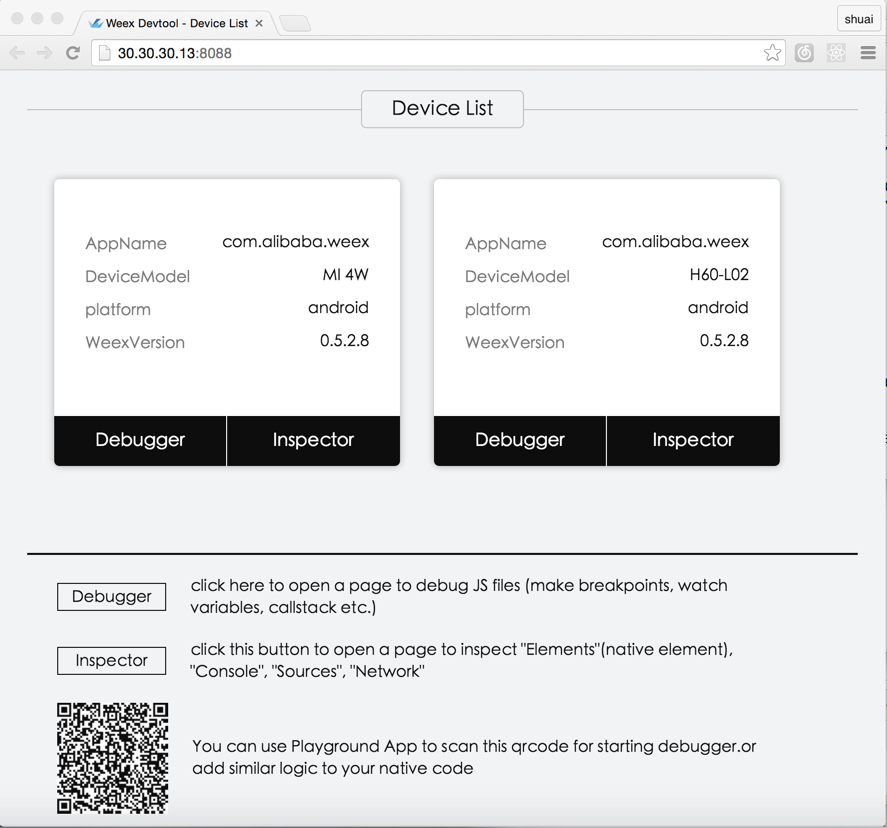 - -### Inspector - Inspector can be used to show your `Element` \ `Network` \ `Console log` \ `ScreenCast` \ `BoxModel` \ `Native View` and so on. - -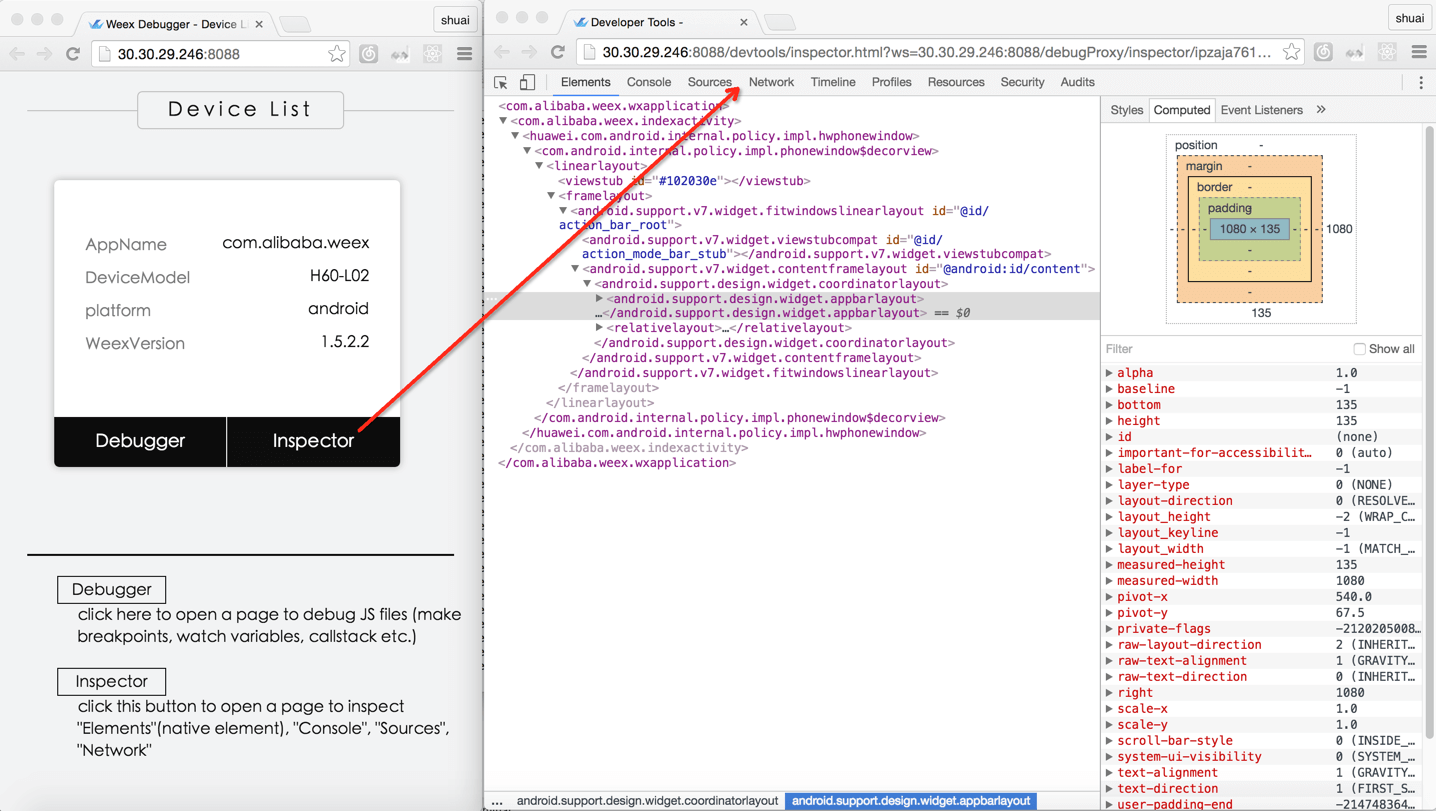 - -#### Element -##### native view element -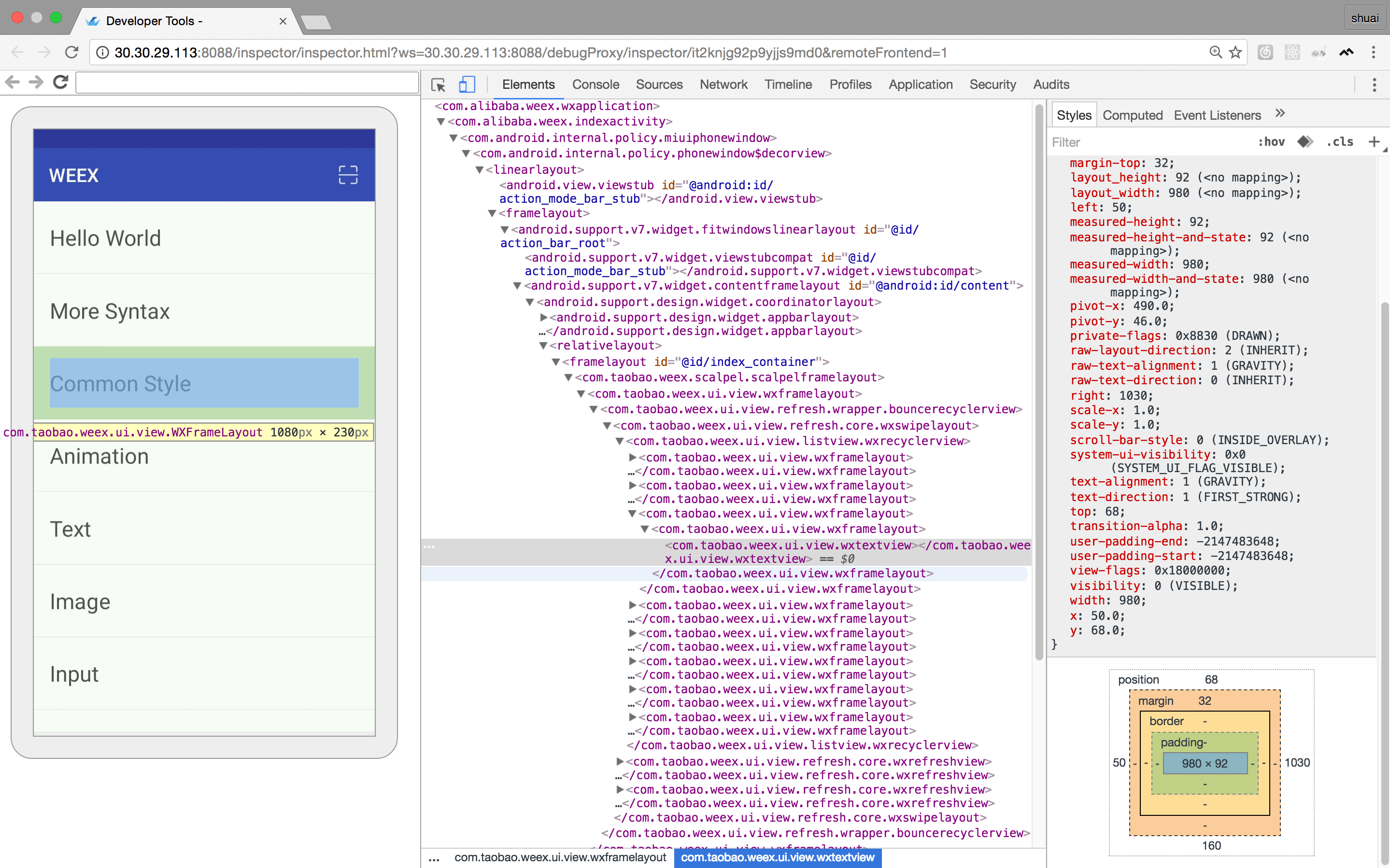 - -##### weex dom element -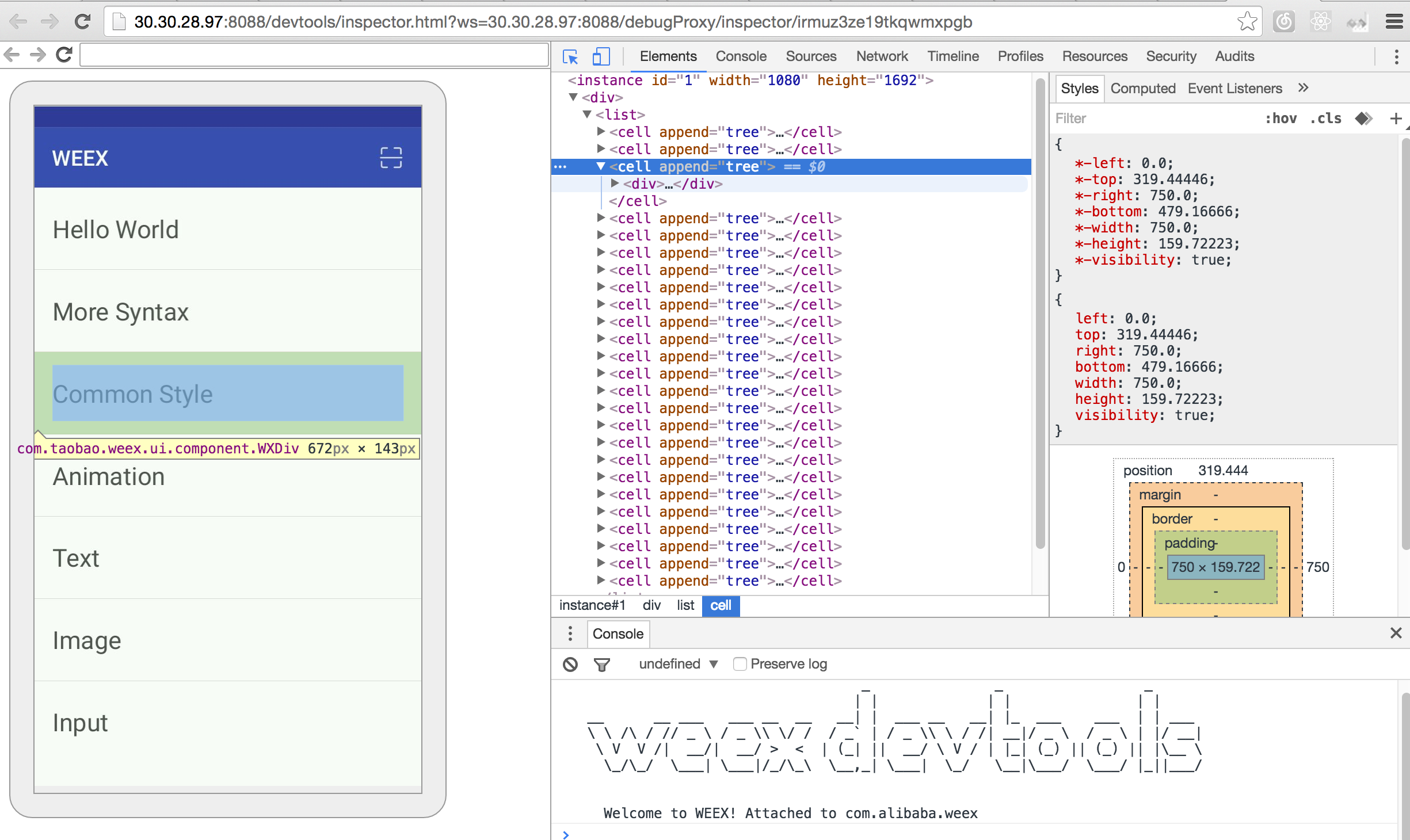 - -#### Network - -##### show the total time and latency -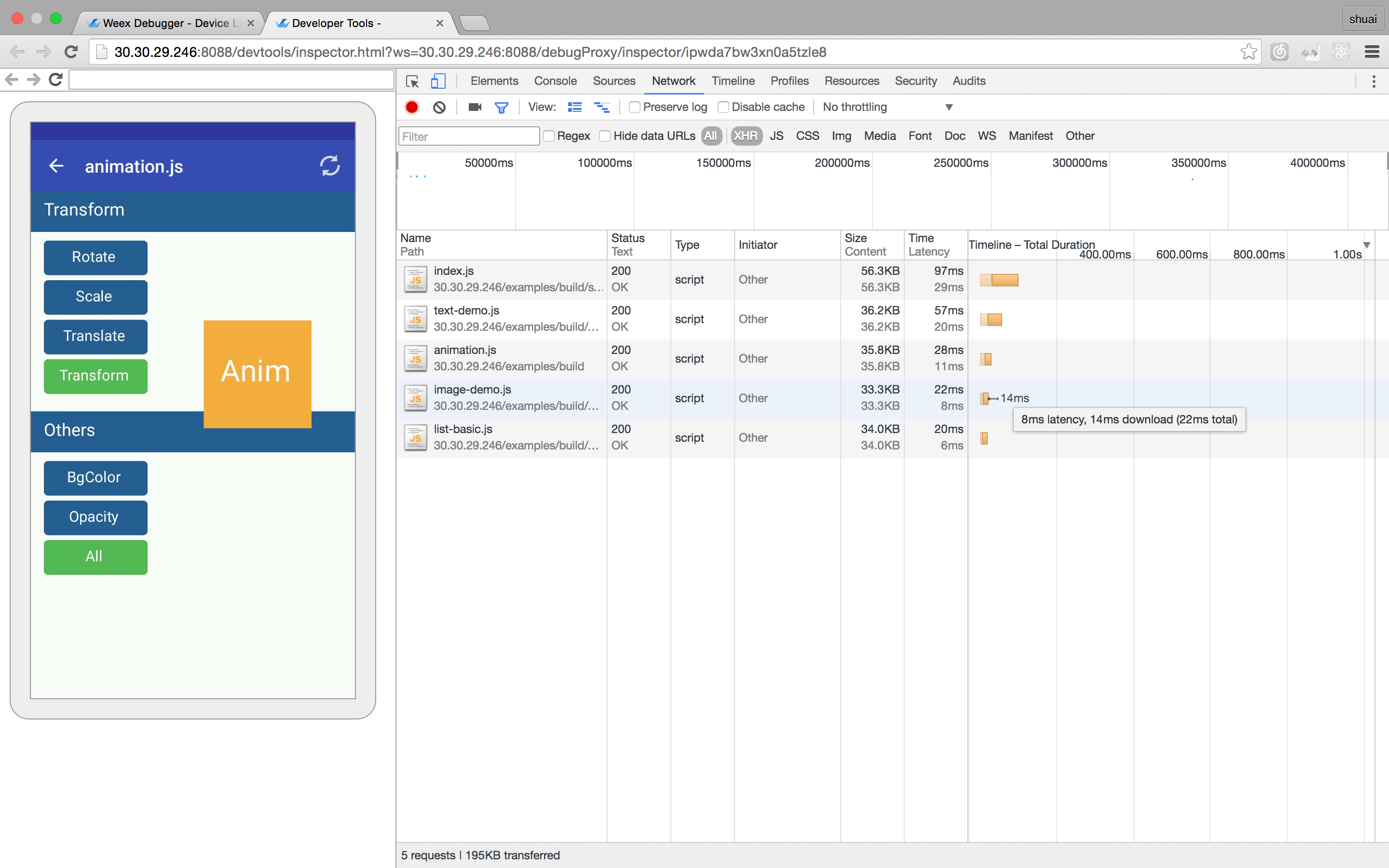 - -##### show the header and response -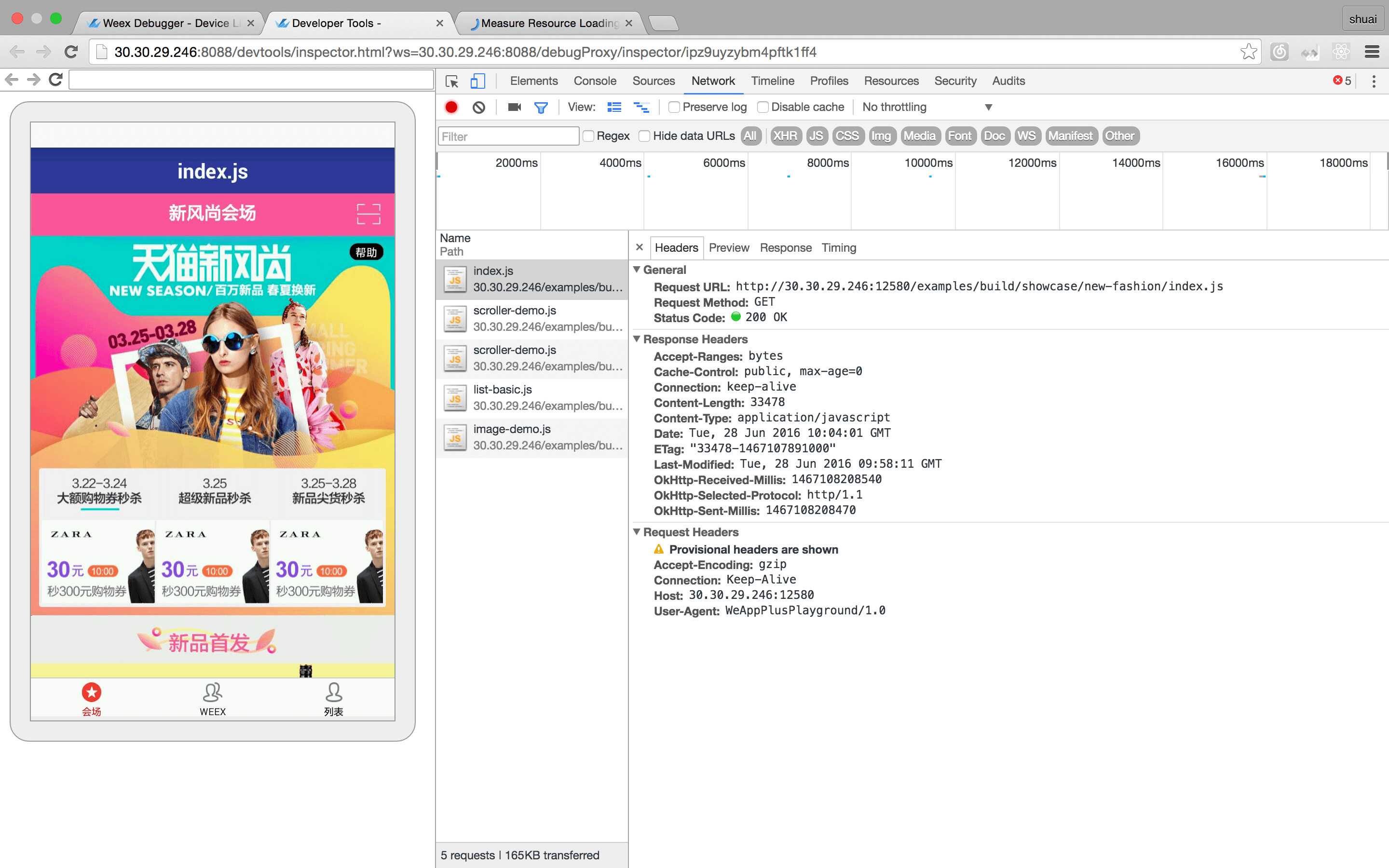 - -#### Console -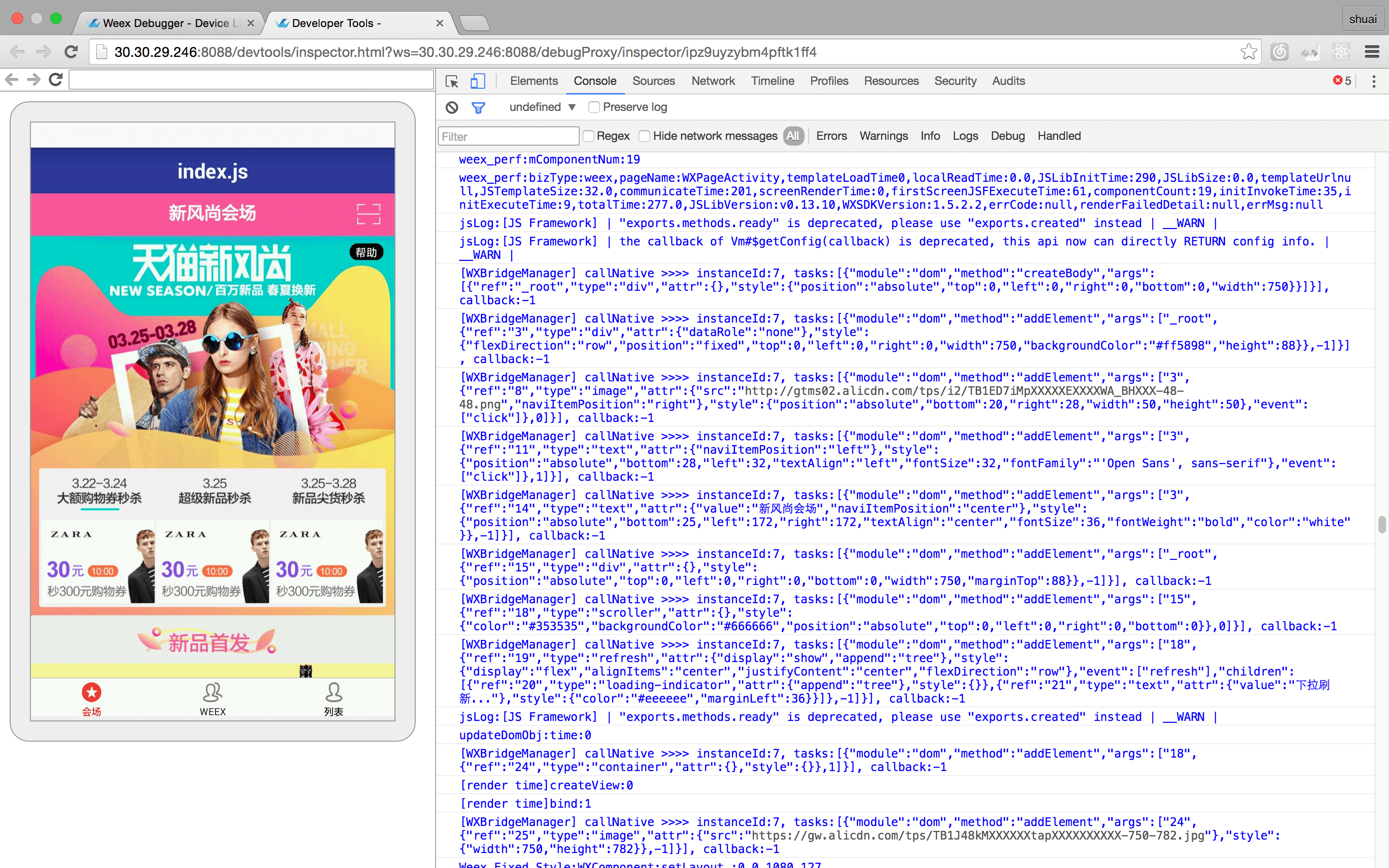 - -#### Resource -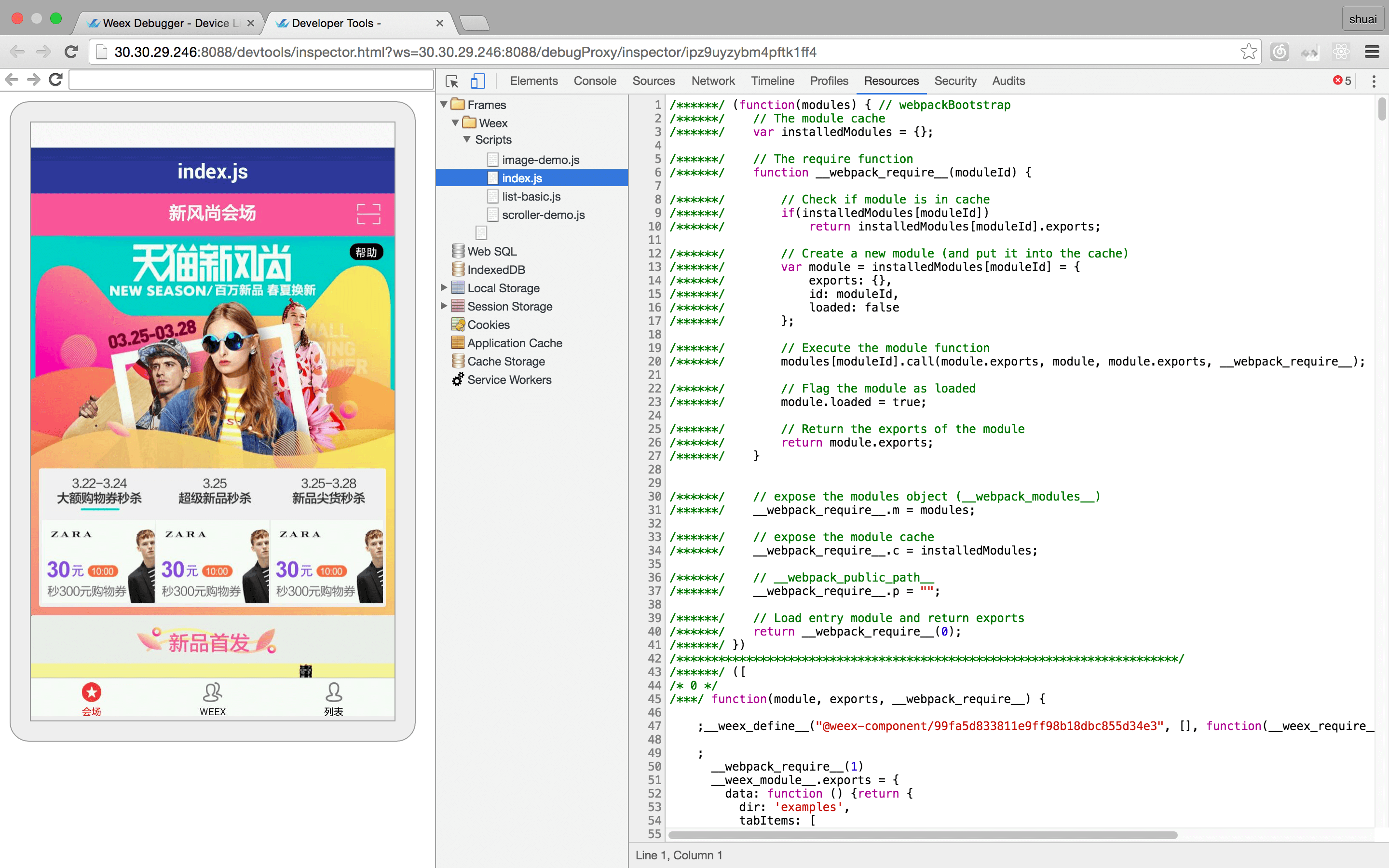 - -### Debugger - - Debugger can be used to debug your bundle js source, you can set `Breakpoint` \ watch `CallStack`. - -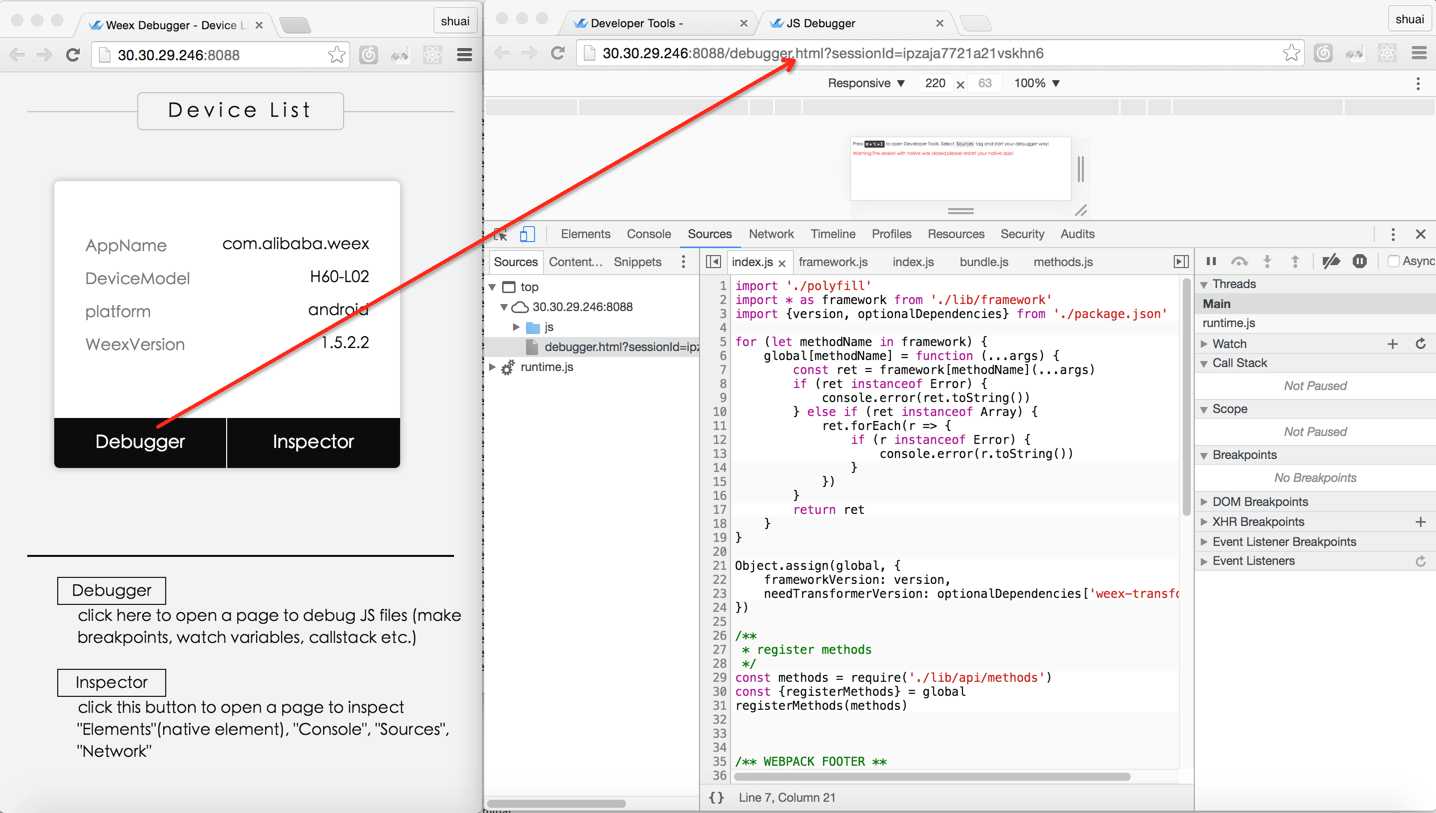 - -#### Breakpoint and CallStack -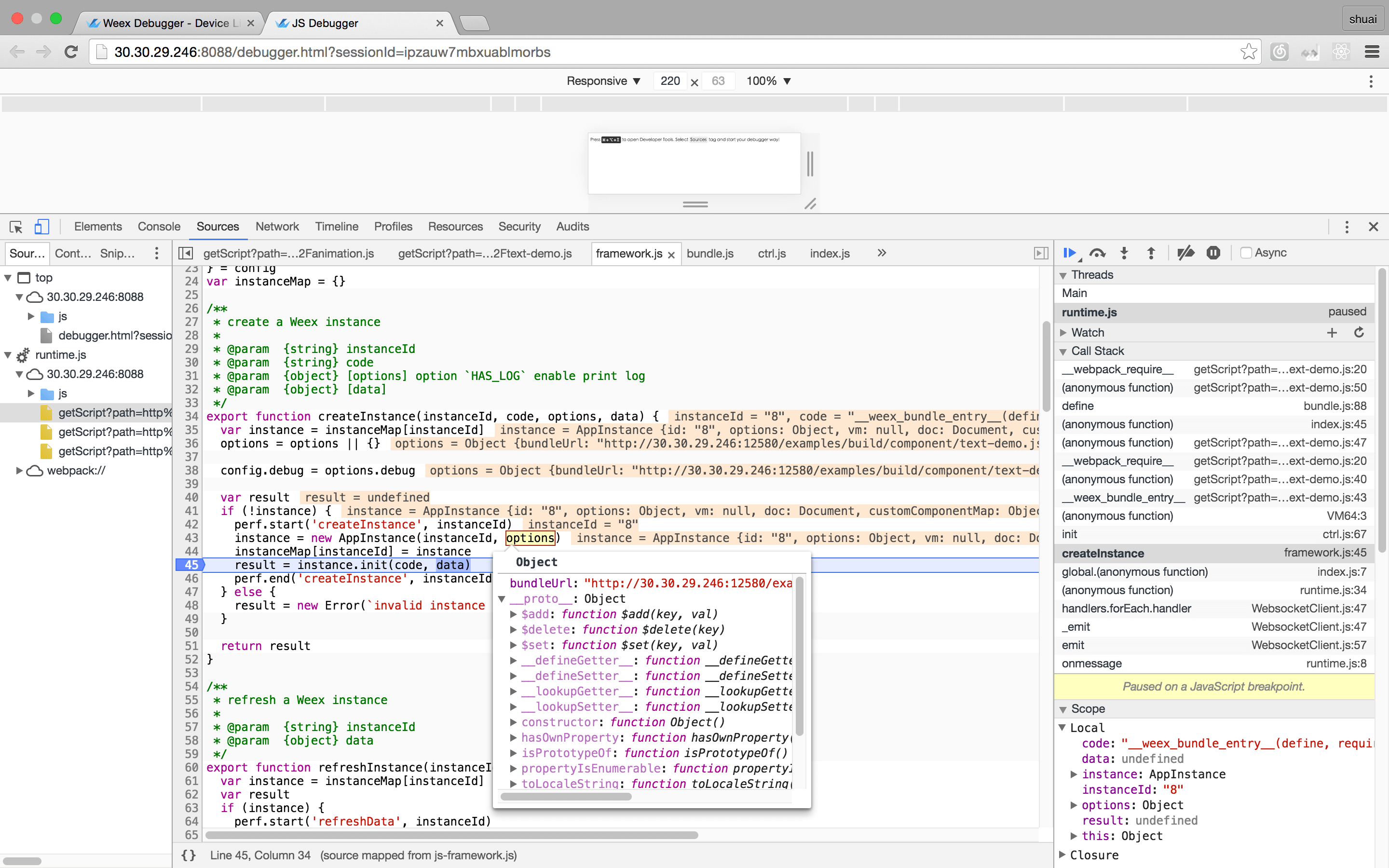 - - -## Integrate devtools - -* Android - * See the doc [Weex devtools (Android)](../../references/advanced/integrate-devtool-to-android.html), it will lead you to config and use it step by step. -* IOS - * See the doc [Weex devtools (iOS)](../../references/advanced/integrate-devtool-to-ios.html), it will lead you to config and use it step by step. \ No newline at end of file http://git-wip-us.apache.org/repos/asf/incubator-weex/blob/f6838783/doc/source/guide/set-up-env.md ---------------------------------------------------------------------- diff --git a/doc/source/guide/set-up-env.md b/doc/source/guide/set-up-env.md index 338502b..71ad2fd 100644 --- a/doc/source/guide/set-up-env.md +++ b/doc/source/guide/set-up-env.md @@ -10,7 +10,7 @@ has_chapter_content: true Use dotWe is a good choice, But if you want to develop locally on your own machine, you will set up your development environment. -You will need Node.js and the Weex CLi. +You will need Node.js and the [Weex CLi](https://github.com/weexteam/weex-toolkit). You can installing Node using [nvm](https://github.com/creationix/nvm) (Simple bash script to manage multiple active node.js versions). Run the following commands in a Terminal after installing nvm: http://git-wip-us.apache.org/repos/asf/incubator-weex/blob/f6838783/doc/source/guide/tools/weexpack.md ---------------------------------------------------------------------- diff --git a/doc/source/guide/tools/weexpack.md b/doc/source/guide/tools/weexpack.md index 699431f..dd0ee36 100644 --- a/doc/source/guide/tools/weexpack.md +++ b/doc/source/guide/tools/weexpack.md @@ -283,6 +283,8 @@ After all above steps, you could modify your application we/vue files under src 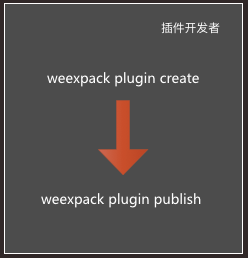 +[Plugin development guide](https://github.com/weexteam/weex-pack/blob/master/doc/plugin-devloping-web.md) + ## Examples [Create Weex One App with Weexpack](https://github.com/weexteam/weex-pack/wiki/Create-Weex-One-App-with-Weexpack)











