Hi everybody,

I spent the last hour re-reading the entire bug report, testing the new
mdadm version and testing a way to restore the system using a live CD.
Here's what I found:
 * I am really sure that this is not a GRUB bug. You all get to the
   initramfs. That's where problems start. GRUB is innocent here.

 * I am quite sure now that you all have been bitten by mdadm bug
   #583917[1] and friends. The symptoms are quite unique (loads of
   "/sys/devices/virtual/block/md0" messages and high/endless disk
   activity). Look here[2] for a good explanation of what happens.

   This bug was fixed in mdadm 3.1.4-1+8efb9d1 which just migrated to
   testing/squeeze[3]. I verified that with this version my system
   boots fine, even without the workaround[4].

So the important part is how to get your systems back online.
Here's what you can do, if your system is still not booting (you might
want to print this out):

1. Get the current Debian Live CD[5]
        32 bit:
http://cdimage.debian.org/cdimage/squeeze_live_alpha2/i386/iso-hybrid/debian-live-60alpha2-i386-standard.iso
        64 bit:
http://cdimage.debian.org/cdimage/squeeze_live_alpha2/amd64/iso-hybrid/debian-live-60alpha2-amd64-standard.iso
   burn it to a CD/DVD or write it to a USB drive using dd (if your
   machine can boot from USB) and boot the live system (note that
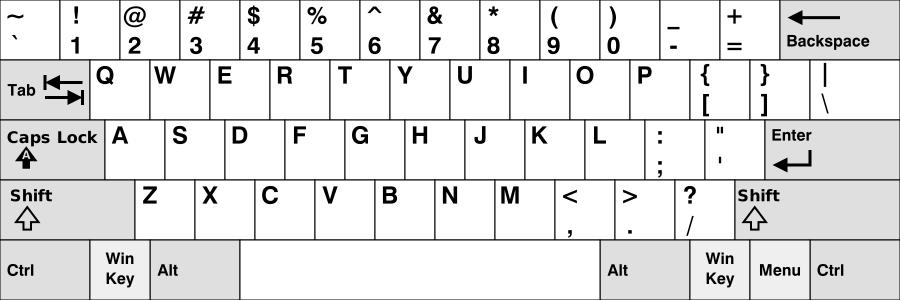
   you'll get a US keyboard layout first, this[6] might be helpful)

2. Get root and install the required tools
        sudo su
        apt-get update
        apt-get install console-data cryptsetup less lvm2 mdadm

3. Configure the keyboard layout (if necessary)
        dpkg-reconfigure console-data

4. Start your RAID arrays if not yet done. See "man mdadm".

5. Start your LVM VGs (if any). See "man lvm".

6. Load the dm_crypt kernel module using
        modprobe dm_crypt
   and open your crypto devices (see "man cryptsetup"), e.g.
        cryptsetup luksOpen /dev/mapper/lv0 root

By now all your systems block devices should be available and useable.

7. Mount your system to /mnt, e.g.
        mount /dev/mapper/root /mnt
        mount /dev/md0         /mnt/boot
        ...

8. Bind-mount the virtual file systems:
        mount -o bind /dev     /mnt/dev
        mount -o bind /dev/pts /mnt/dev/pts
        mount -o bind /proc    /mnt/proc
        mount -o bind /sys     /mnt/sys

9. Chroot into your main system
        chroot /mnt

10. Update the required tools
        apt-get update
        apt-get install cryptsetup lvm2 mdadm
    Ensure that you have mdadm v3.1.4:
        mdadm --version

11. Check your mdadm configuration
        /usr/share/mdadm/mkconf
    If the output seems sane, write it to disk
        /usr/share/mdadm/mkconf > /etc/mdadm/mdadm.conf

12. Carefully check whether the contents of /etc/fstab
    and /etc/crypttab are correct and up to date.

13. On my system mdadm didn't create the necessary links
    under /dev/md/. Check if they are *all* there
        ls -l /dev/md/
    If some links are missing, create them manually, e.g.
        ln -s /dev/md0 /dev/md/0
    See the mdadm.conf you just generated for the exact names.

14. Now you should be able to recreate the initramfs and update grub
        update-initramfs -u
        update-grub
    This should work now without any errors.

15. Exit the chroot and reboot
        exit
        init 6

16. Check if your system boots now. If so, then run
        update-initramfs -u
        update-grub
    again from the main system and reboot one last time.

I hope that you'll be able to repair your systems with that. Please
report any success or failure (Which part of the above fails? What error
messages are shown?)!

Hope this helps!

Alexander Kurtz

[1] http://bugs.debian.org/cgi-bin/bugreport.cgi?bug=583917
[2] http://bugs.debian.org/cgi-bin/bugreport.cgi?bug=585015#45
[3] http://release.debian.org/migration/testing.pl?package=mdadm
[4] http://bugs.debian.org/cgi-bin/bugreport.cgi?bug=594418#25
[5] http://live.debian.net/
[6]
http://upload.wikimedia.org/wikipedia/commons/5/51/KB_United_States-NoAltGr.svg
 signature.asc
Description: This is a digitally signed message part