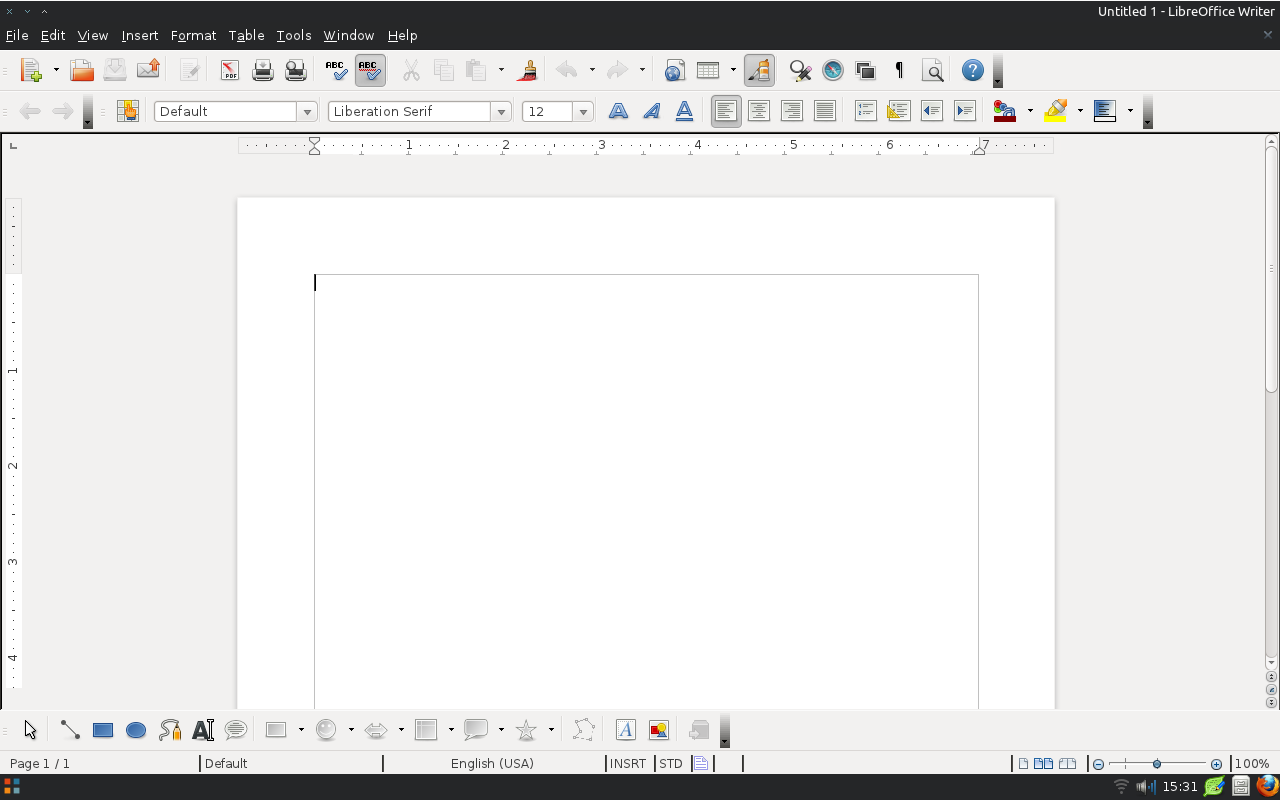
Hi Mirek, Kendy,
> One more idea -- could you change the font drop-down menu into an icon menu?

That's a little off-topic now, innit? It's probably best to start a
new topic for that... (but I hear Kendy is open to such proposals!)


>> What makes the
>> task of changing the entire chrome hard is that there is so many widget
>> types - push buttons with many states (normal, pressed, hover, default),
>> scrollbars (hover, pressed button, dragging the scroller), etc. etc.

How hard would it be to change the backgrounds of the menus and
toolbars? (Just the background gradients, not actually the widgets
themselves.)
If that were easy, we could consider a colour scheme like the one
Windows 7 Paint and Wordpad use (which seems a bit more balanced and
less glossy than our current colour scheme.) See [1].
Granted, both are ribbon apps, so their scheme of gradients would need
to be slightly adapted to fit our current UI.
For a start, they use a simple horizontal gradient RGB(197,207,223) to
RGB(220,229,242) as the document background. (Of course, all those
changes should only be activated on Vista and 7.)


> I'd suggest making the rulers adopt the document background, lose the
> divider between the background and the rulers, lose the black square around
> the tab insertion mode, and tone down the colors (black->gray). The result
> might look something like this:
> https://wiki.documentfoundation.org/images/4/45/Rulers.png

Exactly! Thanks, Mirek.


Astron.

[1] http://windows.microsoft.com/en-US/windows7/Getting-started-with-Paint

--
Unsubscribe instructions: E-mail to [email protected]
Problems? http://www.libreoffice.org/get-help/mailing-lists/how-to-unsubscribe/
Posting guidelines + more: http://wiki.documentfoundation.org/Netiquette
List archive: http://listarchives.libreoffice.org/global/design/
All messages sent to this list will be publicly archived and cannot be deleted