[SOLVED workaround]

using function keys to decrease the brightness works temporarily but
once you open the birghtness & lock settings or the screen dims then
moving the pointer increases to fullest.
It looks like the fuction key settings is not linked to the birghtness &
lock settings when I decrease/increase the brightness the slider does
not move and stays constant.

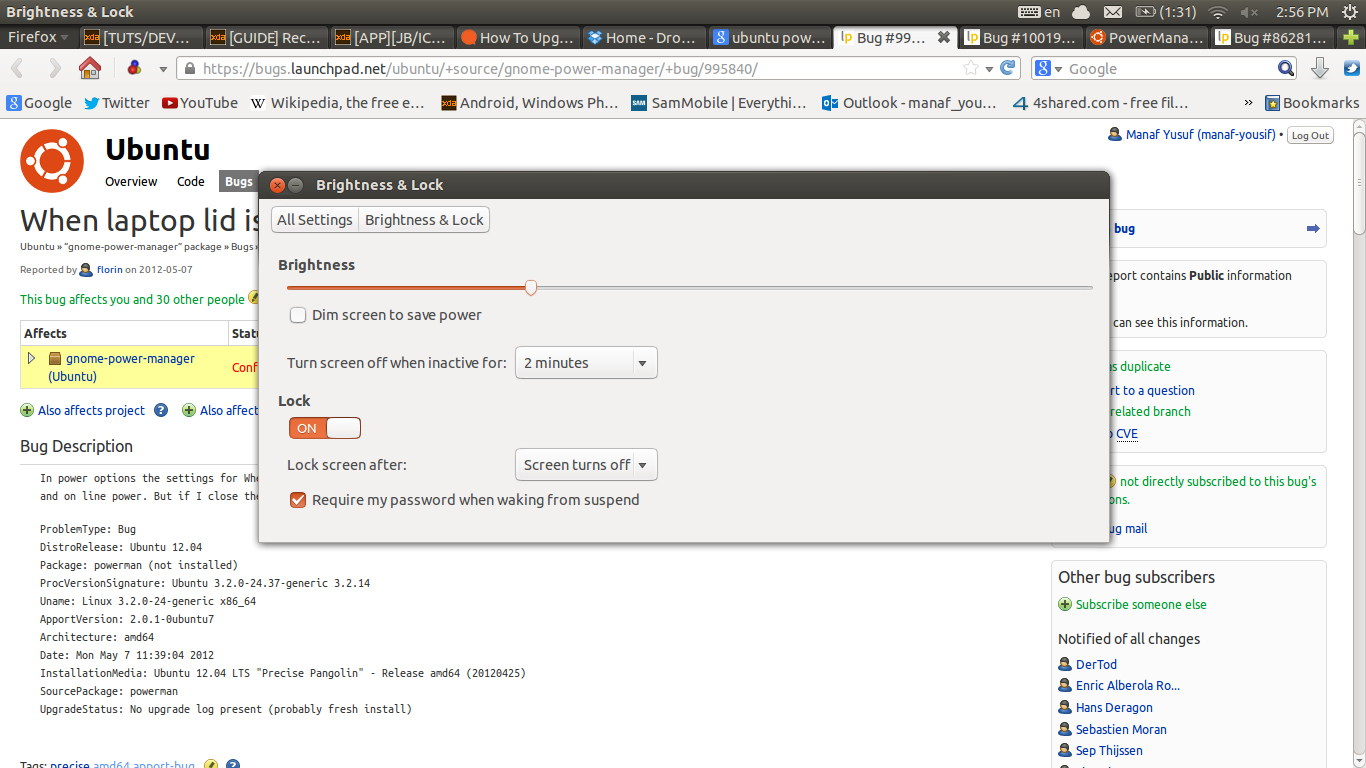
The best way is to decrease brightness from the slider in the
"brightness & lock" settings

see screenshot

** Attachment added: "Screenshot from 2013-04-29 14:56:35.png"

https://bugs.launchpad.net/ubuntu/+source/gnome-power-manager/+bug/916595/+attachment/3658834/+files/Screenshot%20from%202013-04-29%2014%3A56%3A35.png

--
You received this bug notification because you are a member of Ubuntu
Desktop Bugs, which is subscribed to gnome-power-manager in Ubuntu.
https://bugs.launchpad.net/bugs/916595

Title:
  Screen brightness increases by itself

To manage notifications about this bug go to:
https://bugs.launchpad.net/ubuntu/+source/gnome-power-manager/+bug/916595/+subscriptions

--
desktop-bugs mailing list
[email protected]
https://lists.ubuntu.com/mailman/listinfo/desktop-bugs