On Fri, 2012-04-27 at 09:40 +0300, surma wrote:
> Hello,
> On to the point.
> Why did you screw up gnome menus?
> I've
> been using gnome since 2000, and it
> has been the best desktop
> available until gnome 3
> came. I had a terrible car accident 31. Dets
> 2005,
> which caused me to spend 6 months in coma.
> That messed up my
> hands and I can't use mouse.
> That is why I liked gnome 2, everything
> could be done
> without mouse.
> And strange is ... why does
> virtualbox have normal
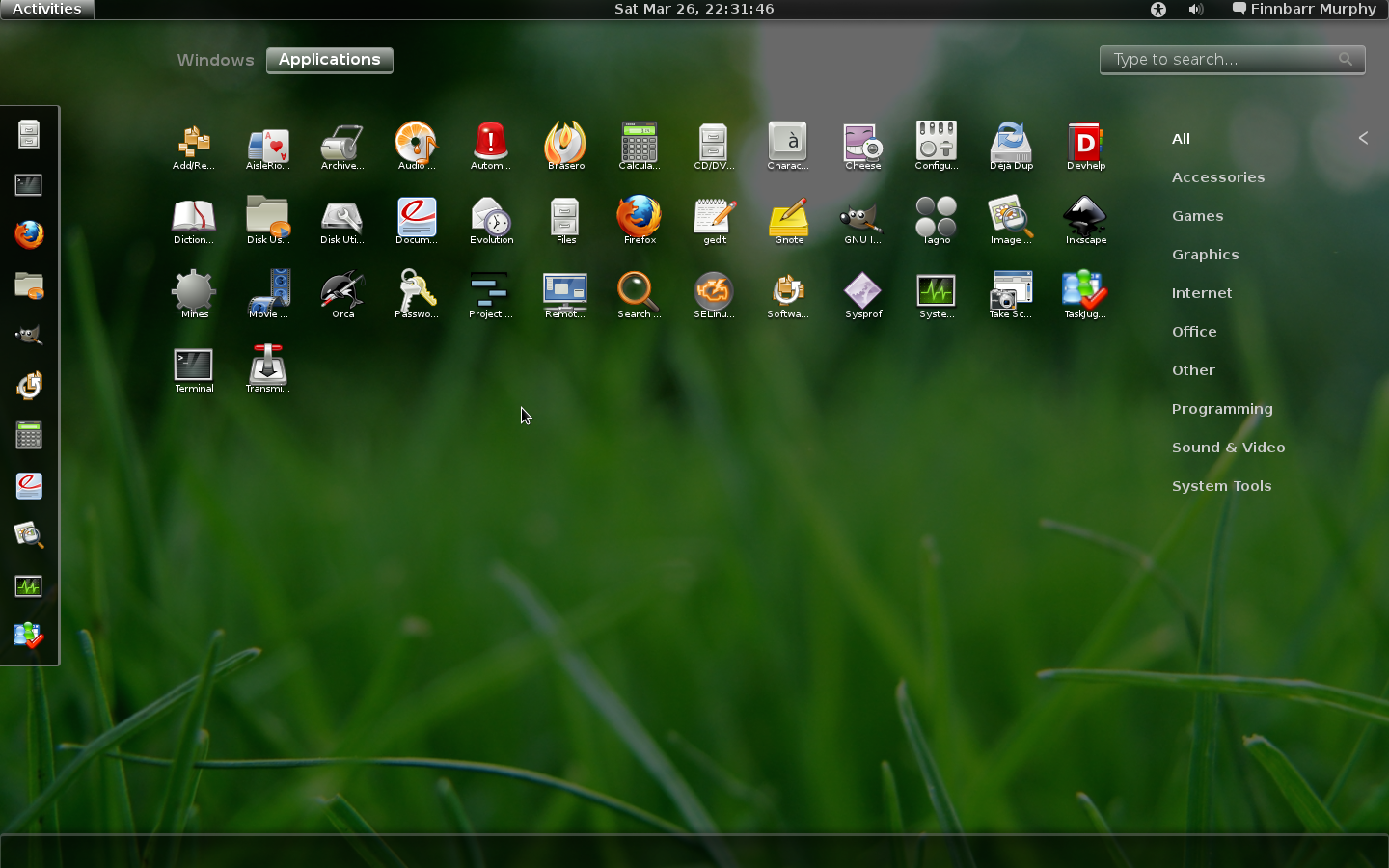
> menus, but real PC has this big mouse
> controlled
> menu??
> VBox gnome 3:
> http://www.hot.ee/surma/Vbox_gnome3.jpg
> But real computers have this
> crappy
> menu:
> http://blog.fpmurphy.com/blog-images/gnome3cust1-40.png
> Here's
> an idea:
> Maake it so, under gonf-editor you can choose the layout of
> the menu.
> -Surma
> _______________________________________________ desktop-devel-list mailing
> list [email protected]
> http://mail.gnome.org/mailman/listinfo/desktop-devel-list
Hi,

I don't know if it is possible for you but you can open application by
pressing windows key and entering the name of application (it search the
list as you type so you may need to enter just a few first letters - and
you can use arrow keys then as well).
I believe there was some further work on accessibility on Gnome 3.4.

If you are referring to any other menu could you explain what you have
on mind?

Best regards

PS. There are Gnome shell extensions which allow to 'revert' the Gnome 2
look. I don't know how good work they are doing
PPS. A really minor point but one you might be interested in - the
configuration moved to dconf so changing anything in gconf will not have
any effect.

_______________________________________________
desktop-devel-list mailing list
[email protected]
http://mail.gnome.org/mailman/listinfo/desktop-devel-list