fix released with 3.6/quantal.

** Changed in: libreoffice (Ubuntu)
       Status: Triaged => Fix Released
--
You received this bug notification because you are a member of Desktop
Packages, which is subscribed to libreoffice in Ubuntu.
https://bugs.launchpad.net/bugs/779366

Title:
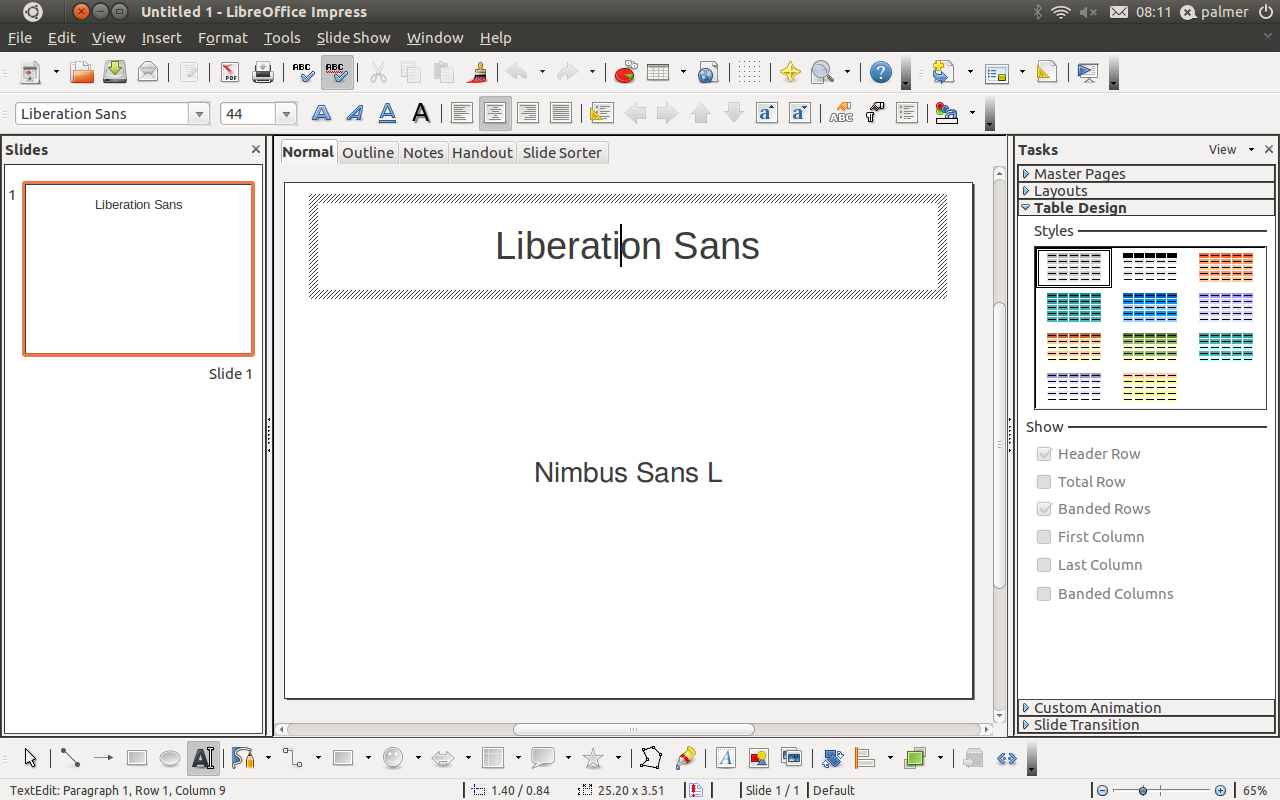
  [Upstream] Font "Nimbus Sans L" squashed in Impress slideshow

Status in LibreOffice Productivity Suite:
  Invalid
Status in “libreoffice” package in Ubuntu:
  Fix Released

Bug description:
  Binary package hint: libreoffice

  Text in some fonts, including Nimbus Sans L, Century Schoolbook L,
  Courier 10 Pitch and URW Palladio L, appears squashed in slideshow
  mode.

  1) lsb_release -rd
  Description:  Ubuntu 11.10
  Release:      11.10

  2)  apt-cache policy libreoffice-impress
  libreoffice-impress:
    Installed: 1:3.4.3-3ubuntu2
    Candidate: 1:3.4.3-3ubuntu2
    Version table:
   *** 1:3.4.3-3ubuntu2 0
          500 http://us.archive.ubuntu.com/ubuntu/ oneiric/main i386 Packages
          100 /var/lib/dpkg/status

  3) What is expected to happen in Impress via the Terminal:

  cd ~/Desktop && wget

https://bugs.launchpad.net/ubuntu/+source/libreoffice/+bug/779366/+attachment/2119346/+files/fontbug.odp
  && loimpress --nologo fontbug.odp

  is the text with Nimbus Sans L font looks in edit view as it does in
  slide show.

  4) What happens instead is the font shows differently in slide show

https://bugs.launchpad.net/ubuntu/+source/libreoffice/+bug/779366/+attachment/2119348/+files/fontbug_slideshow.png
  versus edit mode

https://bugs.launchpad.net/ubuntu/+source/libreoffice/+bug/779366/+attachment/2119347/+files/fontbug_editview.png

  WORKAROUND: Uncheck Hardware Acceleration (Tools > Options >
  LibreOffice > View)

  Also observed in amd64 11.04 and amd64 12.04 (LibreOffice); not
  present in amd64 10.10 (OpenOffice).

To manage notifications about this bug go to:
https://bugs.launchpad.net/df-libreoffice/+bug/779366/+subscriptions

--
Mailing list: https://launchpad.net/~desktop-packages
Post to     : [email protected]
Unsubscribe : https://launchpad.net/~desktop-packages
More help   : https://help.launchpad.net/ListHelp