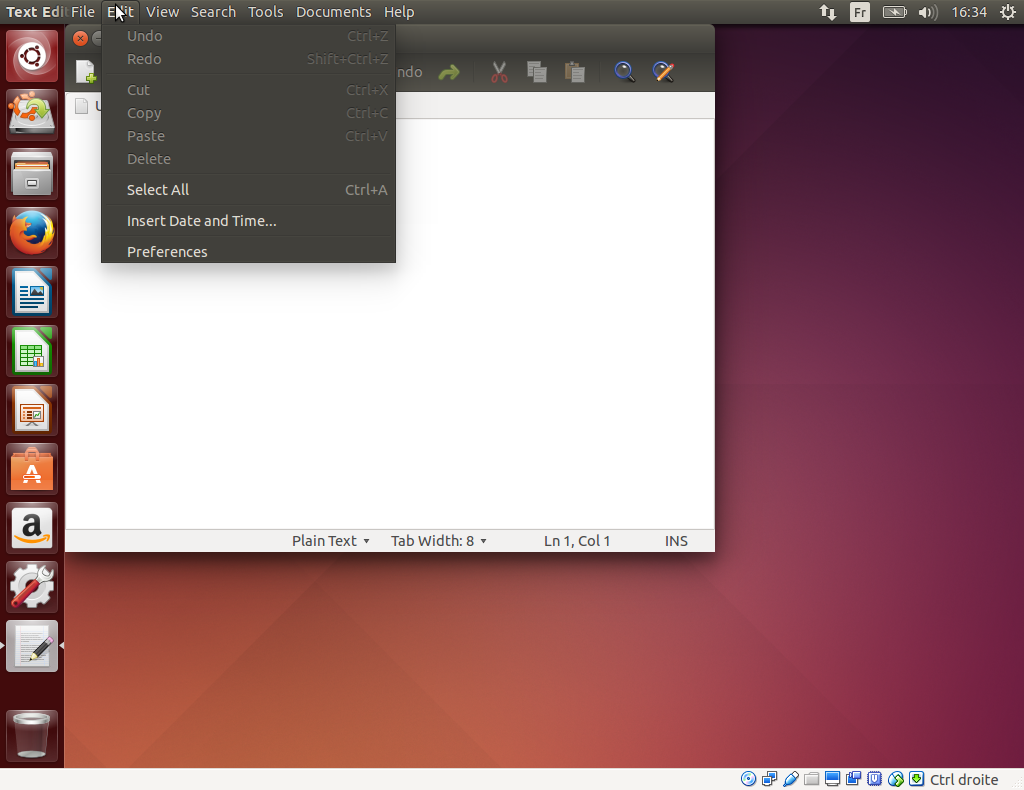
Unsure what you are describing, I just downloaded a 14.04.3 iso and
booted in a vm and took a screenshot showing the menu, seems the item is
there ... do you have any specific in your configuration? does it work
in a guest session?
** Attachment added: "screen of trusty gedit not having the issue"

https://bugs.launchpad.net/ubuntu/+source/gedit/+bug/1511900/+attachment/4514361/+files/trusty.png

--
You received this bug notification because you are a member of Desktop
Packages, which is subscribed to gedit in Ubuntu.
https://bugs.launchpad.net/bugs/1511900

Title:
  Preferences dialog missing in Gedit

Status in gedit package in Ubuntu:
  Incomplete

Bug description:
  The Edit->Preferences dialog is no longer accessible by default.

  I managed to re-enable it following the hack outlined at
  http://askubuntu.com/questions/375049/where-are-gedits-preferences by
  running:

      gsettings set org.gnome.settings-daemon.plugins.xsettings
  overrides '@a{sv} {"Gtk/ShellShowsAppMenu": <int32 0>}'

  However, by default, Gedit no longer seems to expose its preferences
  dialog, which makes Gedit far less convenient to use. Please re-enable
  this feature by default.

  ProblemType: Bug
  DistroRelease: Ubuntu 14.04
  Package: gedit 3.10.4-0ubuntu4
  ProcVersionSignature: Ubuntu 3.13.0-65.106-generic 3.13.11-ckt26
  Uname: Linux 3.13.0-65-generic x86_64
  NonfreeKernelModules: nvidia
  ApportVersion: 2.14.1-0ubuntu3.15
  Architecture: amd64
  CurrentDesktop: GNOME
  Date: Fri Oct 30 22:28:41 2015
  SourcePackage: gedit
  UpgradeStatus: Upgraded to trusty on 2015-04-19 (194 days ago)

To manage notifications about this bug go to:
https://bugs.launchpad.net/ubuntu/+source/gedit/+bug/1511900/+subscriptions

--
Mailing list: https://launchpad.net/~desktop-packages
Post to     : [email protected]
Unsubscribe : https://launchpad.net/~desktop-packages
More help   : https://help.launchpad.net/ListHelp