Public bug reported:

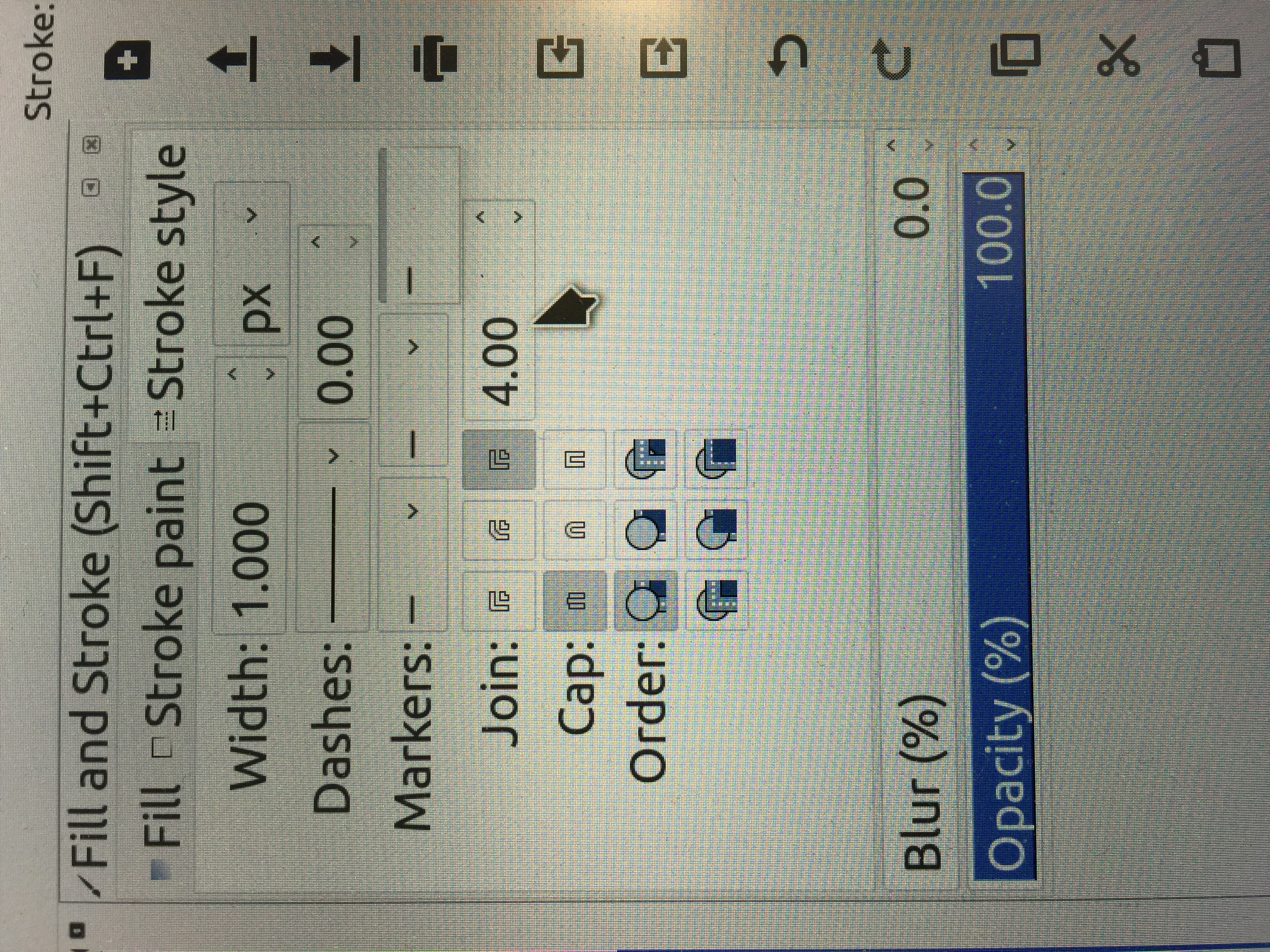
I am running ubuntu 16.04 LTS. I can not select different markers in
stroke style after drawing a line. The menu only shows a common line
option, nothing else. But I can create a object and add it to marker
(so, "object to marker" function works!). It seems like that inkscape
can not find all available pre-set markers. Need help!
Thanks!

** Affects: inkscape (Ubuntu)
     Importance: Undecided
         Status: New

** Attachment added: "IMG_4999.JPG"

https://bugs.launchpad.net/bugs/1655140/+attachment/4802102/+files/IMG_4999.JPG

--
You received this bug notification because you are a member of Desktop
Packages, which is subscribed to inkscape in Ubuntu.
https://bugs.launchpad.net/bugs/1655140

Title:
  In stroke style, I am not able to select line markers in 0.92 version

Status in inkscape package in Ubuntu:
  New

Bug description:
  I am running ubuntu 16.04 LTS. I can not select different markers in
  stroke style after drawing a line. The menu only shows a common line
  option, nothing else. But I can create a object and add it to marker
  (so, "object to marker" function works!). It seems like that inkscape
  can not find all available pre-set markers. Need help!

  Thanks!

To manage notifications about this bug go to:
https://bugs.launchpad.net/ubuntu/+source/inkscape/+bug/1655140/+subscriptions

--
Mailing list: https://launchpad.net/~desktop-packages
Post to     : [email protected]
Unsubscribe : https://launchpad.net/~desktop-packages
More help   : https://help.launchpad.net/ListHelp