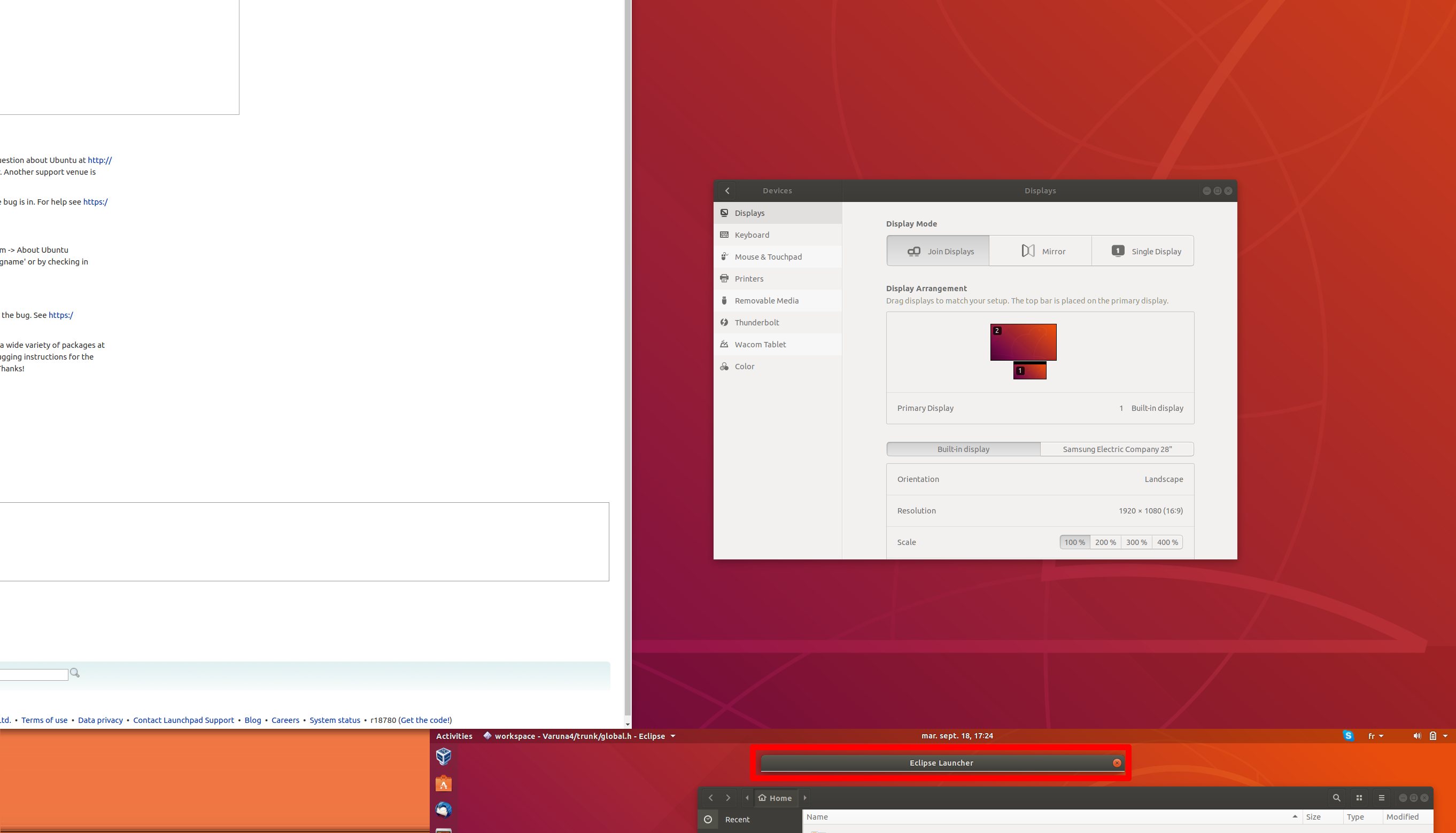
Please find same picture of eclipse JDialog issue with problem encircled

** Attachment added: "Screenshot from 2018-09-18 17-24-29.png"

https://bugs.launchpad.net/ubuntu/+source/gnome-shell/+bug/1793167/+attachment/5190452/+files/Screenshot%20from%202018-09-18%2017-24-29.png
--
You received this bug notification because you are a member of Desktop
Packages, which is subscribed to gnome-shell in Ubuntu.
https://bugs.launchpad.net/bugs/1793167

Title:
  Dual screen: context menu and dialog truncated

Status in gnome-shell package in Ubuntu:
  Incomplete

Bug description:
  I'm using two displays vertically. One large (3840x2160) and one small (1920
x1080
  If I put the 2 displays horizontally or vertically with left edge aligned
everything is correct.
  If I put the large display above the small one without left edges aligned, I
have got the following problems:
  - When right clicking in nautilus the contect menu is either tiny or
completly truncated
  - When I open Eclipse, the first JDialog is truncated and I can't continue
opening it.
  I'm using Ubuntu 18.04 LTS
  Description:  Ubuntu 18.04.1 LTS
  Release:      18.04

To manage notifications about this bug go to:
https://bugs.launchpad.net/ubuntu/+source/gnome-shell/+bug/1793167/+subscriptions

--
Mailing list: https://launchpad.net/~desktop-packages
Post to     : [email protected]
Unsubscribe : https://launchpad.net/~desktop-packages
More help   : https://help.launchpad.net/ListHelp