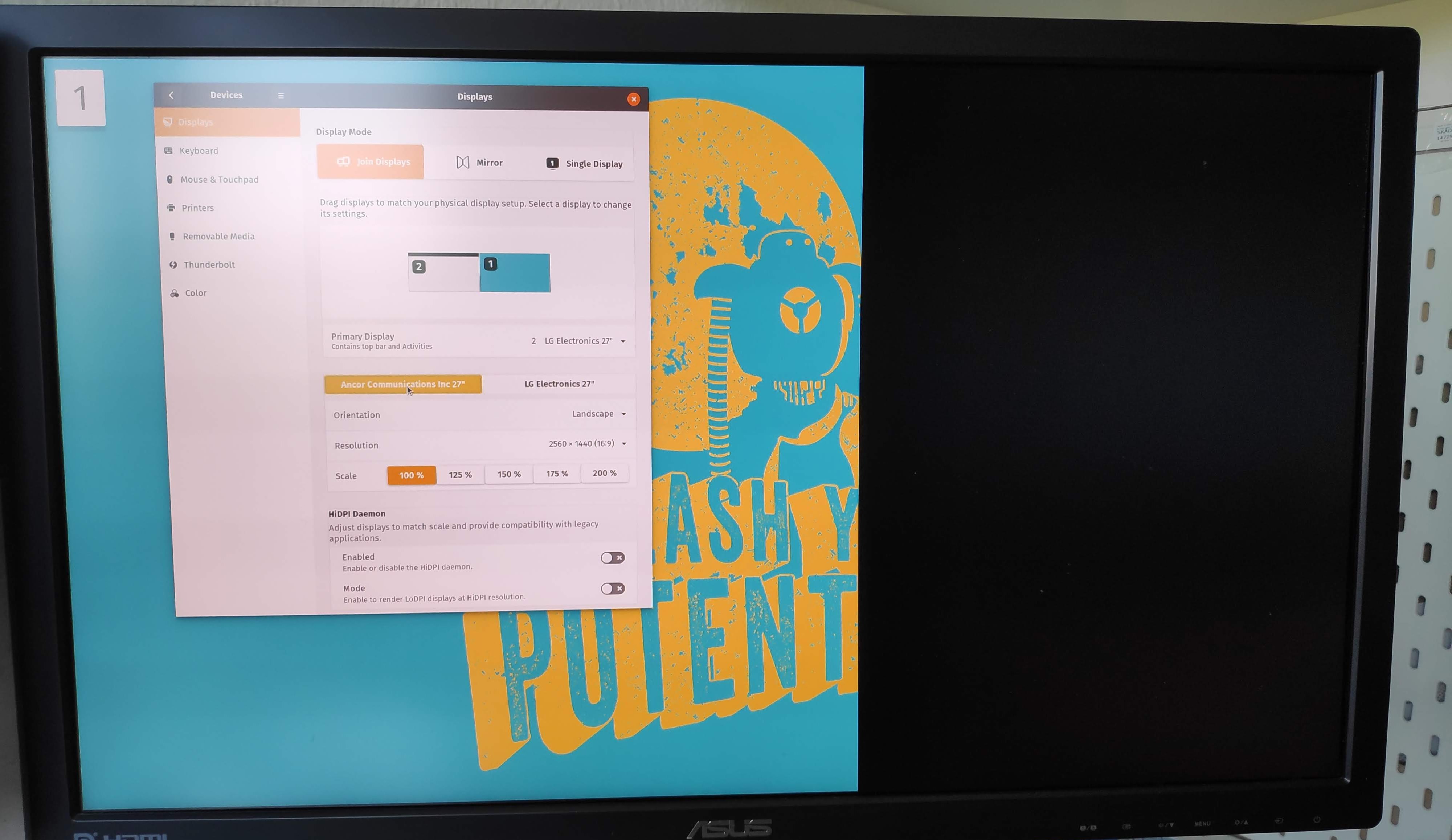
Thank you for your bug report. Not sure what desktop you are using but
that screenshot isn't Ubuntu. Those HiDPI daemon settings don't exist in
GNOME/Ubuntu.
Does it happen on Ubuntu as well? Could you add a journalctl log after
getting the issue?

** Changed in: gnome-shell (Ubuntu)
   Importance: Undecided => Low

** Changed in: gnome-shell (Ubuntu)
       Status: New => Incomplete

--
You received this bug notification because you are a member of Desktop
Packages, which is subscribed to gnome-shell in Ubuntu.
https://bugs.launchpad.net/bugs/1852864

Title:
  Fractional Scaling shows a black bar

Status in gnome-shell package in Ubuntu:
  Incomplete

Bug description:
  The right part of the external screen shows a black bar when using fractional
scaling.
  This started happening this week.

  Somebody else is also experiencing this problem:
  * [ubuntu discourse
post](https://discourse.ubuntu.com/t/x11-hidpi-scaling-available-for-testing-on-disco/10293/23)
  *
[photo](https://ubuntucommunity.s3-us-east-2.amazonaws.com/original/2X/5/509069037c78c1e5b461e526236ffeb207de1025.jpg)

  Attached monitors:
  * External 4K
  * Laptop: qhd

  Tried connection types:
  *  HDMI (30hz),
  *  HDMI over usb-c
  *  DP over usb-c

  Fractional scaling was set up in this way:
  `gsettings set org.gnome.mutter experimental-features
"['x11-randr-fractional-scaling']"`

  It doesn't seem to be monitor related.
  It works when:
  *  using wayland
  *  turning off fractional scaling
  *  during boot and login

  Installed software:
  *  ubuntu 19.04
  *  Gnome 3.32.1

To manage notifications about this bug go to:
https://bugs.launchpad.net/ubuntu/+source/gnome-shell/+bug/1852864/+subscriptions

--
Mailing list: https://launchpad.net/~desktop-packages
Post to     : [email protected]
Unsubscribe : https://launchpad.net/~desktop-packages
More help   : https://help.launchpad.net/ListHelp