Public bug reported:

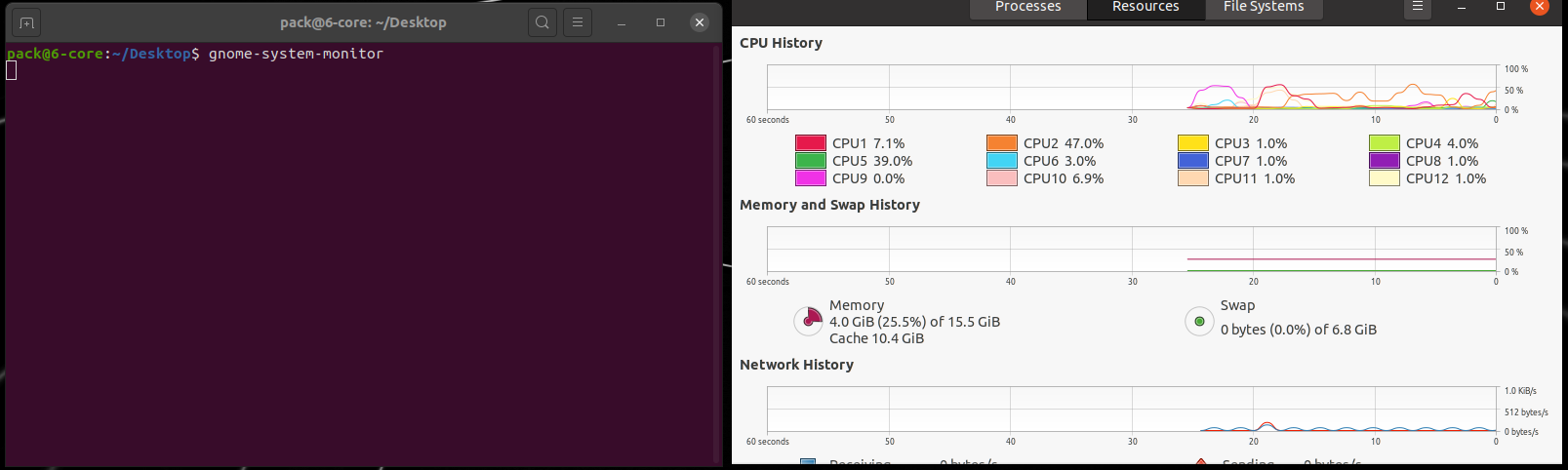
Most of the executable ELF files in /usr/bin/ will not run from any GUI
interface and most do not show up anywhere including in the files list. When I
try to execute one from GUI I get the popup box that I have attached to this
report. However, when I run the same file from a terminal it will open and run
as it should. It would seem the error is either in the GUI or every single ELF
file is missing a : in the uri. Many of those are supposed to run in the
background. They don't. I will be very happy to see this fixed and everything
running as it is supposed to run. Just in case my attachment has something
wrong with it too, I will type out what is in the popup box:
Invalid url:'/usr/bin/gnome-system-monitor' given, exiting   No ':' in the uri
ProblemType: Bug
DistroRelease: Ubuntu 20.04
Package: gnome-system-monitor 3.36.0-1
ProcVersionSignature: Ubuntu 5.4.0-48.52-generic 5.4.60
Uname: Linux 5.4.0-48-generic x86_64
ApportVersion: 2.20.11-0ubuntu27.8
Architecture: amd64
CasperMD5CheckResult: skip
CurrentDesktop: ubuntu:GNOME
Date: Wed Sep 23 17:33:43 2020
InstallationDate: Installed on 2020-09-08 (15 days ago)
InstallationMedia: Ubuntu 20.04.1 LTS "Focal Fossa" - Release amd64 (20200731)
ProcEnviron:
 PATH=(custom, no user)
 XDG_RUNTIME_DIR=<set>
 LANG=en_US.UTF-8
 SHELL=/bin/bash
SourcePackage: gnome-system-monitor
UpgradeStatus: No upgrade log present (probably fresh install)

** Affects: gnome-system-monitor (Ubuntu)
     Importance: Undecided
         Status: New


** Tags: amd64 apport-bug focal

** Attachment added: "Popup error code"

https://bugs.launchpad.net/bugs/1896847/+attachment/5413649/+files/system-monitor-terminal.png

--
You received this bug notification because you are a member of Desktop
Packages, which is subscribed to gnome-system-monitor in Ubuntu.
https://bugs.launchpad.net/bugs/1896847

Title:
  Most executables crash when running in GUI but not in terminal

Status in gnome-system-monitor package in Ubuntu:
  New

Bug description:
  Most of the executable ELF files in /usr/bin/ will not run from any GUI
interface and most do not show up anywhere including in the files list. When I
try to execute one from GUI I get the popup box that I have attached to this
report. However, when I run the same file from a terminal it will open and run
as it should. It would seem the error is either in the GUI or every single ELF
file is missing a : in the uri. Many of those are supposed to run in the
background. They don't. I will be very happy to see this fixed and everything
running as it is supposed to run. Just in case my attachment has something
wrong with it too, I will type out what is in the popup box:
  Invalid url:'/usr/bin/gnome-system-monitor' given, exiting   No ':' in the uri

  ProblemType: Bug
  DistroRelease: Ubuntu 20.04
  Package: gnome-system-monitor 3.36.0-1
  ProcVersionSignature: Ubuntu 5.4.0-48.52-generic 5.4.60
  Uname: Linux 5.4.0-48-generic x86_64
  ApportVersion: 2.20.11-0ubuntu27.8
  Architecture: amd64
  CasperMD5CheckResult: skip
  CurrentDesktop: ubuntu:GNOME
  Date: Wed Sep 23 17:33:43 2020
  InstallationDate: Installed on 2020-09-08 (15 days ago)
  InstallationMedia: Ubuntu 20.04.1 LTS "Focal Fossa" - Release amd64 (20200731)
  ProcEnviron:
   PATH=(custom, no user)
   XDG_RUNTIME_DIR=<set>
   LANG=en_US.UTF-8
   SHELL=/bin/bash
  SourcePackage: gnome-system-monitor
  UpgradeStatus: No upgrade log present (probably fresh install)

To manage notifications about this bug go to:
https://bugs.launchpad.net/ubuntu/+source/gnome-system-monitor/+bug/1896847/+subscriptions

--
Mailing list: https://launchpad.net/~desktop-packages
Post to     : [email protected]
Unsubscribe : https://launchpad.net/~desktop-packages
More help   : https://help.launchpad.net/ListHelp