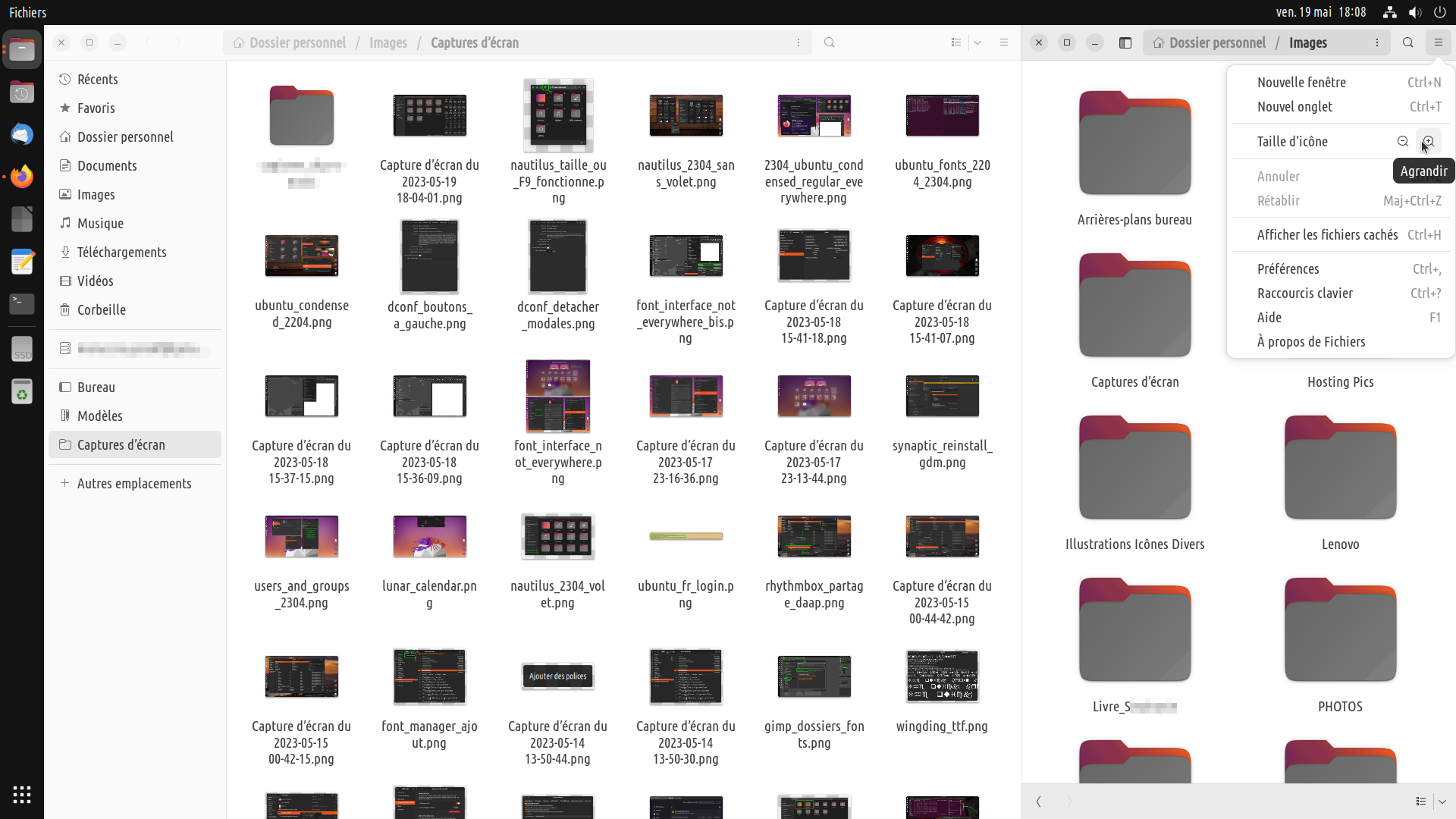
Ok I have to make amends in this respect - it's still there, maybe less
straightforward but there, plus different icon sizes in each window (
nice ! )
Maybe just the location of the « side pane = F9 » button is weird ? I
don't know really why, but I expected it at bottom left, not at top left
( but that's because I'm used to windows controls at top left, also. )

Still, it could faster to hit F9 to hide side pane instead of waiting to
find the right window width for it to hide by itself.


** Attachment added: "2 Nautilus windows side by side, full screen"

https://bugs.launchpad.net/nautilus/+bug/2020009/+attachment/5674206/+files/nautilus_2304_side_by_side.png

--
You received this bug notification because you are a member of Desktop
Packages, which is subscribed to nautilus in Ubuntu.
https://bugs.launchpad.net/bugs/2020009

Title:
  F9 no longer hides side pane

Status in Nautilus:
  Fix Released
Status in nautilus package in Ubuntu:
  New

Bug description:
  Hi,

  23.04 Ubuntu freshly installed.

  In Nautilus F9 key no longer hides side pane as it used to do.

  This keyboard shortcut is mentioned though in [ Ctrl ] + [ ? ]

  Expected :

  ability to hide side pane

  Use-case :

  easier on eyes and mouse moves when moving elements between two opened
  windows of Nautilus.

To manage notifications about this bug go to:
https://bugs.launchpad.net/nautilus/+bug/2020009/+subscriptions


--
Mailing list: https://launchpad.net/~desktop-packages
Post to     : [email protected]
Unsubscribe : https://launchpad.net/~desktop-packages
More help   : https://help.launchpad.net/ListHelp