vladimirpetrov opened a new issue #346:
URL: https://github.com/apache/cloudstack-primate/issues/346
**Describe the bug** When logged in as read-only admin (with allowed only list* actions in the role), the destroy volume icon is active. Since it doesn't have permissions, it fails with error message but still the volume is removed from the list and there is a neverending 'in progress' circle in the notification box. **To Reproduce** Steps to reproduce the behavior: 1. Login as read-only admin user (admin role with only list* actions allowed). 2. Go to Storage > Volumes, then click on a volume and press the 'Destroy' icon. There will be an error message in a pop-up notification but the volume is removed from the list. **Expected behavior** The 'Destroy' icon should be hidden when the user has no rights for this operation. **Screenshots** 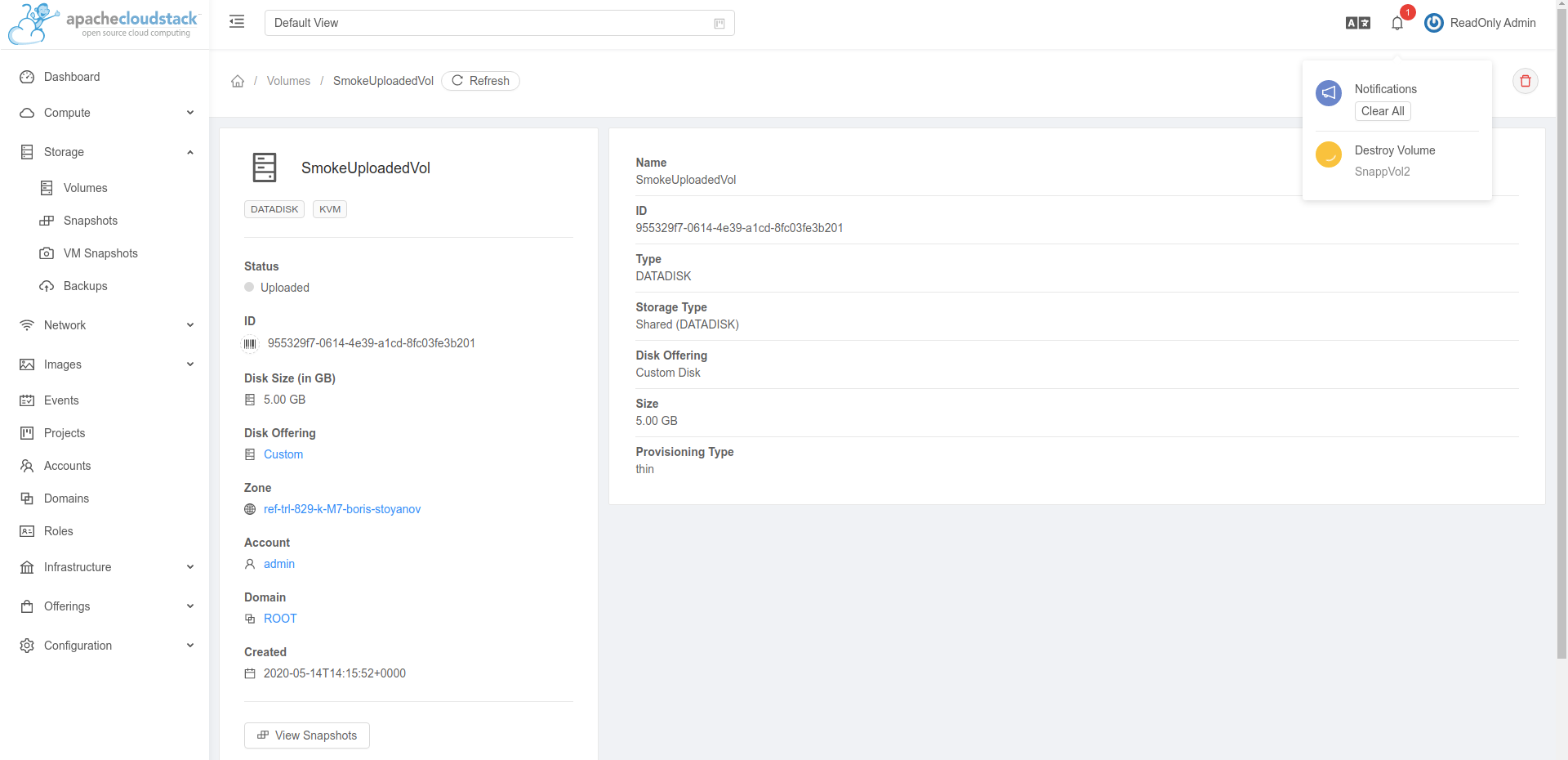 **Desktop (please complete the following information):** - OS: Ubuntu 18.04 LTS - Browser: Chrome - Version: 81.0.4044.138 (Official Build) (64-bit) **Additional context** None. ---------------------------------------------------------------- This is an automated message from the Apache Git Service. To respond to the message, please log on to GitHub and use the URL above to go to the specific comment. For queries about this service, please contact Infrastructure at: [email protected]

