billylittlefield opened a new issue #8994: clipPaths never get cleared in pie charts with animation URL: https://github.com/apache/incubator-echarts/issues/8994 ### One-line summary [问题简述] `clipPath`s are never cleared from pie chart elements when there is animation, potentially resulting in lingering `clipPath`s in `<defs>` that cut off part of the chart. ### Version & Environment [版本及环境] + ECharts version [ECharts 版本]: 4.1 + Browser version [浏览器类型和版本]: Chrome 68 + OS Version [操作系统类型和版本]: macOS 10.13.4 ### Expected behaviour [期望结果] `clipPath`s are successfully cleared after animation ### ECharts option [ECharts配置项] <!-- Copy and paste your 'echarts option' here. --> <!-- [下方贴你的option,注意不要删掉下方 ```javascript 和 尾部的 ``` 字样。最好是我们能够直接运行的 option。如何得到能运行的 option 参见上方的 guidelines for contributing] --> ```javascript option = { animation: 'auto', animationDuration: () => 0, title : { text: '某站点用户访问来源', subtext: '纯属虚构', x:'center' }, tooltip : { trigger: 'item', formatter: "{a} <br/>{b} : {c} ({d}%)" }, legend: { orient: 'vertical', left: 'left', data: ['直接访问','邮件营销','联盟广告','视频广告','搜索引擎'] }, series : [ { name: '访问来源', type: 'pie', radius : '55%', center: ['50%', '60%'], data:[ {value:335, name:'直接访问'}, {value:310, name:'邮件营销'}, {value:234, name:'联盟广告'}, {value:135, name:'视频广告'}, {value:1548, name:'搜索引擎'} ], itemStyle: { emphasis: { shadowBlur: 10, shadowOffsetX: 0, shadowColor: 'rgba(0, 0, 0, 0.5)' } } } ] }; configs = { renderer: 'svg' } ``` ### Other comments [其他信息] <!-- For example: Screenshot or Online demo --> <!-- [例如,截图或线上实例 (JSFiddle/JSBin/Codepen)] --> I've done a fair amount of investigation with this bug. It is related to resizing and the fact that `clipPath`s do not get removed after animations. In order to reproduce the bug in the sandbox, the following steps must be taken: 1. Add the options / configs posted above. The `'svg'` renderer is not necessary, but inspecting the chart is easier with SVG than canvas and it helps highlight the problem. 2. Make the chart window narrow, by shrinking your browser window horizontally 3. Click "Run" / make sure the chart is generated for this size screen. 4. Expand the browser window open horizontally, and you can see the chart starts to get cut off on the right side. See the attached gif for repro: 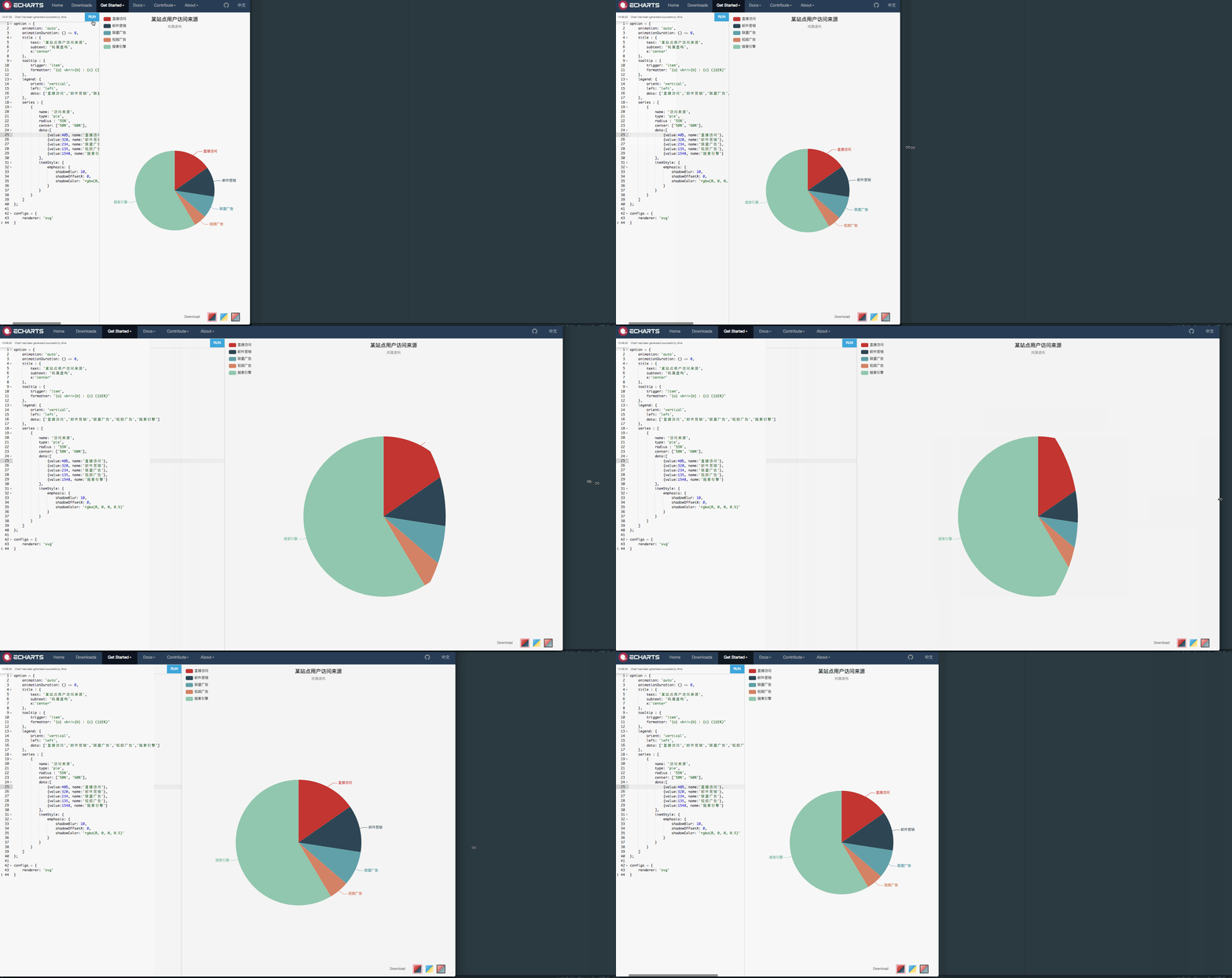 I've investigated in the source code and found that the issue is due to `clipPath`s not being removed after animation is complete. See that the `clipPath` is set [here](https://github.com/apache/incubator-echarts/blob/fd064123626c97b36cbd6da1b5fc73385c280abd/src/chart/pie/PieView.js#L364-L366) using `setClipPath`, whose argument is the `clipPath` created with `this._createClipPath()`. A callback is passed into `_createClipPath` called `removeClipPath`, presumably to remove it once animation is done. `_createClipPath` calls `initProps`, which in turn calls `animateOrSetProps` ([this](https://github.com/apache/incubator-echarts/blob/fd064123626c97b36cbd6da1b5fc73385c280abd/src/util/graphic.js#L881)), and you can see that in this function, if `animationEnabled`, it eventually executes the callback (`cb`) to remove the clip path. The problem here is that this _all_ is part of `_createClipPath` --- `setClipPath` has not yet actually set the clipPath on the group, so there is nothing to remove. Therefore, these `clipPath`s never get removed. The residual effect of this is found in the `<defs>` html tag in the SVG. If you remove this (or make it `display: 'none'`, the problem goes away: 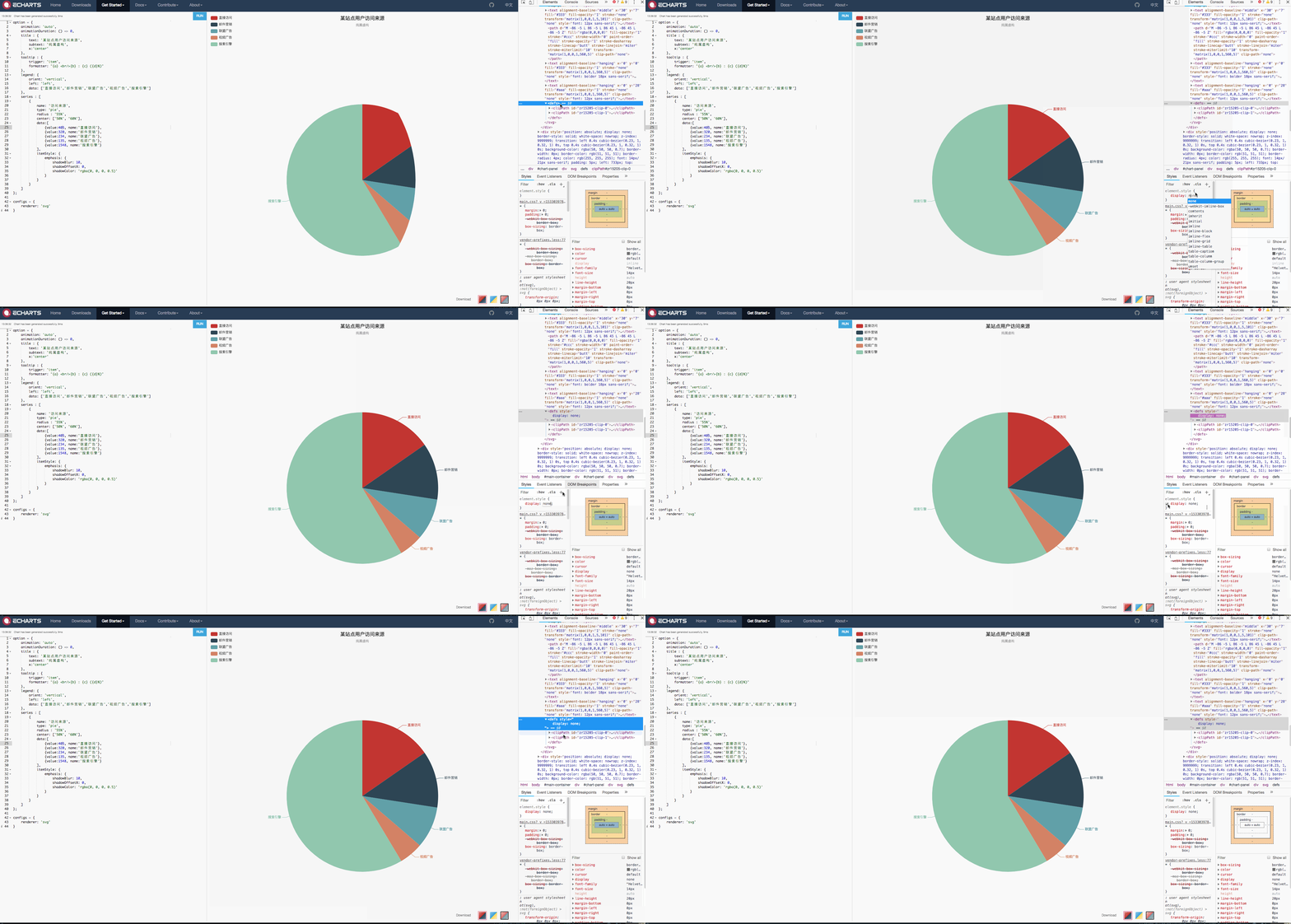 Our temporary workaround is just to hide these `<defs>`, because they are only supposed to be reference elements anyway. I am not sure the best way to fix the root problem in echarts. I tested by calling `removeClipPath` after `setClipPath`, which works, but I do not think it accounts for animation, so am not sure if that is the best solution. Let me know if you have any more questions I can help answer.
----------------------------------------------------------------
This is an automated message from the Apache Git Service.
To respond to the message, please log on GitHub and use the
URL above to go to the specific comment.

For queries about this service, please contact Infrastructure at:
[email protected]


With regards,
Apache Git Services

---------------------------------------------------------------------
To unsubscribe, e-mail: [email protected]
For additional commands, e-mail: [email protected]


