mike-jumper opened a new pull request #391: GUACAMOLE-723: Add interface for switching between multiple active connections. URL: https://github.com/apache/guacamole-client/pull/391 This change replaces the connection header in the Guacamole menu with a dropdown menu:  Clicking the menu reveals a list of all available connections. The user may use this to switch connections without navigating all the way back to the home screen: 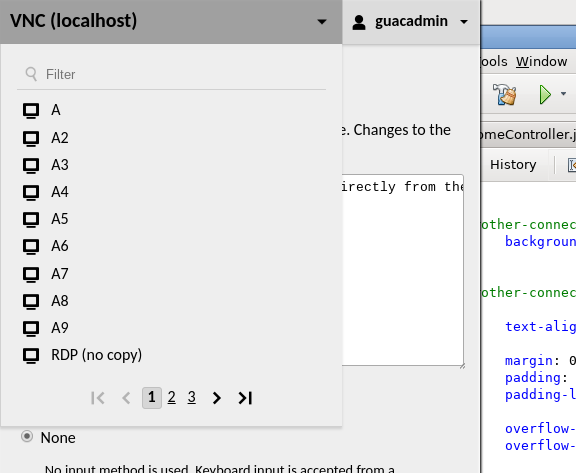 As with the list of connections on the home screen, this list both paginated and filterable: 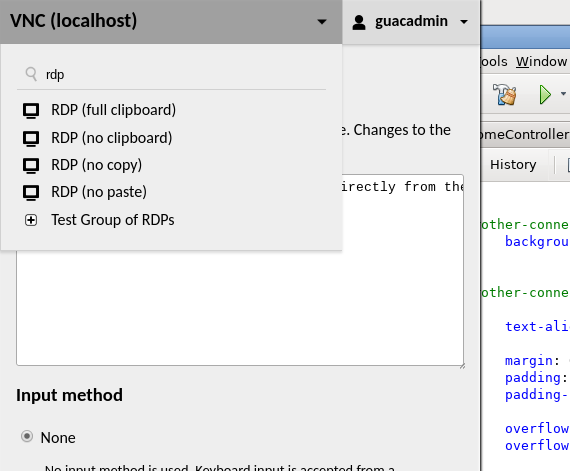 When multiple connections are opened this way within the same tab, connections running in the background are displayed as thumbnails in a collapsible panel at the bottom-right corner of the client interface: 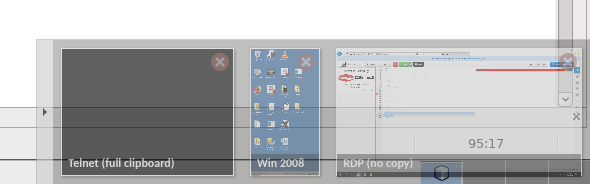 Each thumbnail updates in real-time and may be manually closed from the panel by clicking the "X" in the upper-right corner of the thumbnail. If a connection running in the background encounters an error or is disconnected by the server, a warning icon is displayed to call the user's attention to the connection: 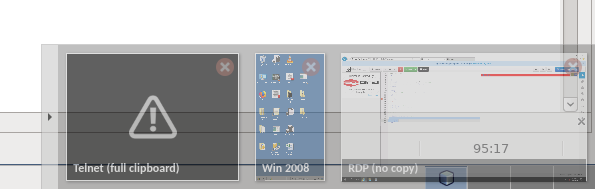 The notification containing the details of the failure will only be visible once the user navigates back to that connection. Alternatively, if the failure is expected, the user can simply click the "X" to dismiss the connection and remove the thumbnail. The arrow button on the left edge of the panel functions as a show/hide toggle, allowing the panel to be collapsed against the right edge of the screen if it is preventing interaction with the display underneath. If so many connections are open that the panel expands to the width of the browser window, the panel will cease expanding and become scrollable. Scrolling with the mouse scroll wheel will work even though the scroll direction is horizontal, as vertical scrolling via the mouse has been manually redirected horizontally with JavaScript.
----------------------------------------------------------------
This is an automated message from the Apache Git Service.
To respond to the message, please log on to GitHub and use the
URL above to go to the specific comment.

For queries about this service, please contact Infrastructure at:
[email protected]


With regards,
Apache Git Services





