mike-jumper opened a new pull request, #797:
URL: https://github.com/apache/guacamole-client/pull/797
This change adds a new SSO extension that leverages SSL/TLS authentication to determine user identity. In practice, this means that users can sign in with a certificate issued to their browser by an employer or using a smart card and card reader (including PIV/CAC cards). **NOTE:** This _does not_ mean that you can pass through that authentication result to an RDP server that accepts smart cards. That's an entirely different can of worms. # Overall Authentication Flow If configured, users are presented with an option to log in with a smart card or certificate, similar to existing support for SAML, etc.: 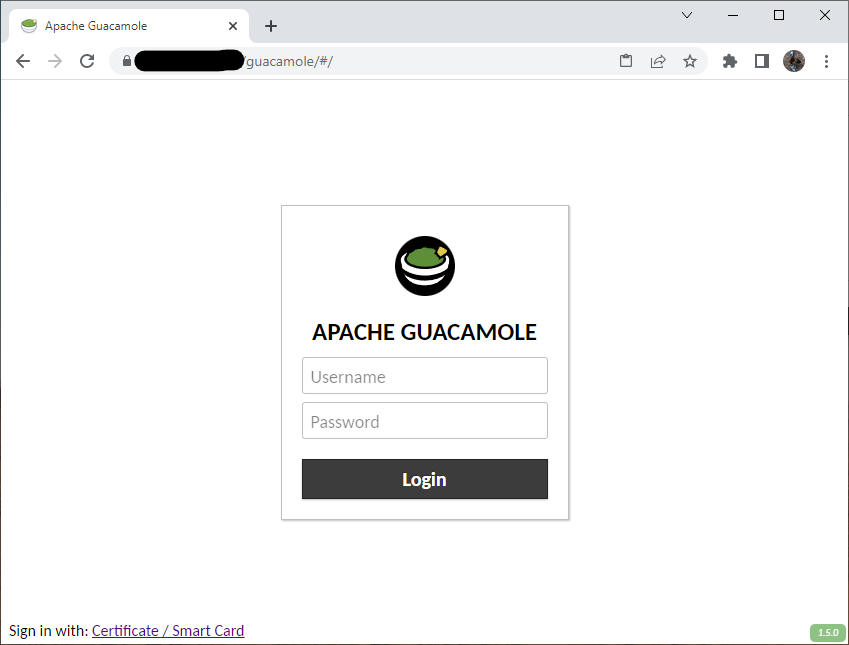 Clicking on "Certificate / Smart Card" requests that the browser present a certificate to authentication, typically resulting in a prompt from the OS to select a card: 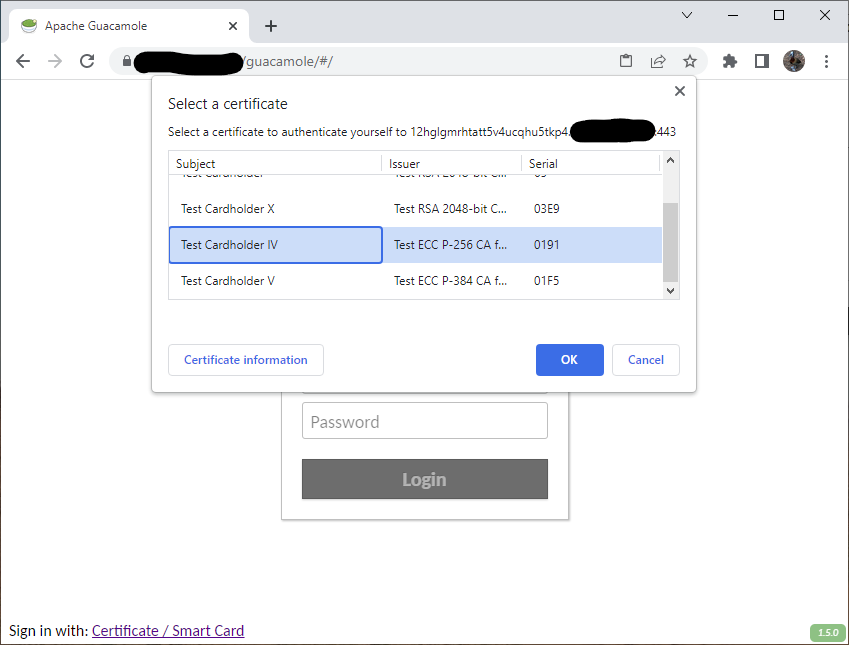 Authentication flow at that point is entirely between the OS, browser, and SSL termination. If the card requires a PIN, the OS should prompt you for that: 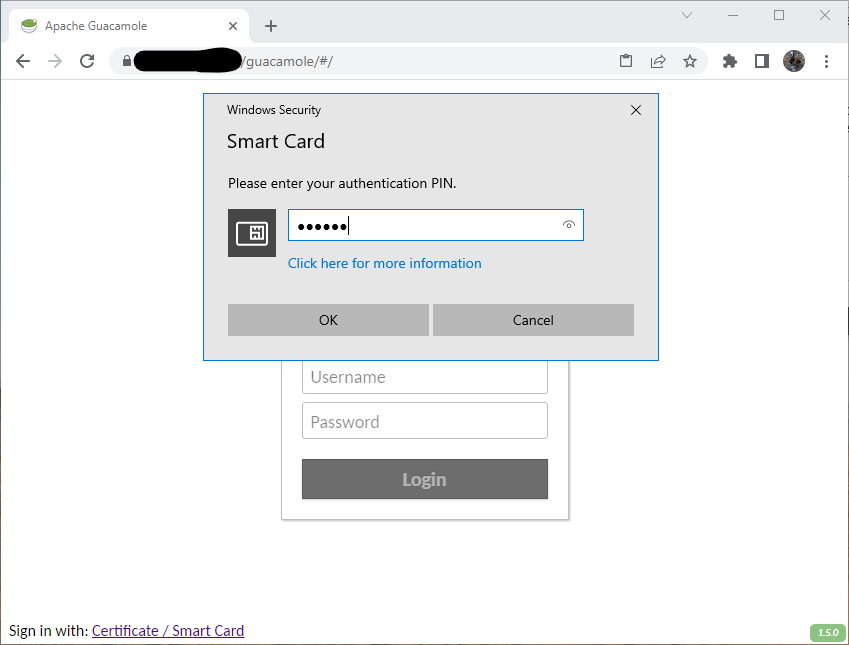 If everything checks out, the user is authenticated with a username extracted from the subject DN in their certificate: 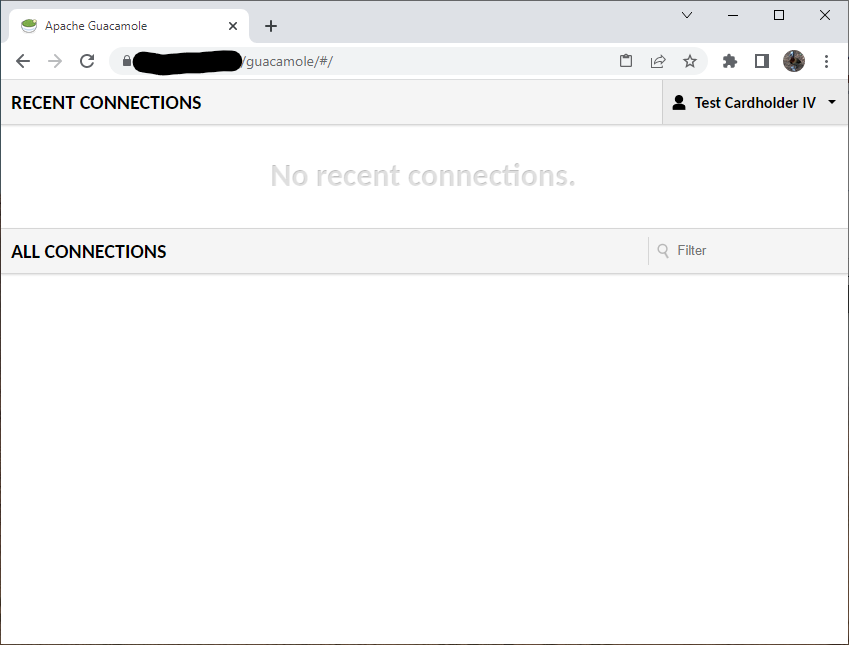 If not, the user sees a typical authentication failure: 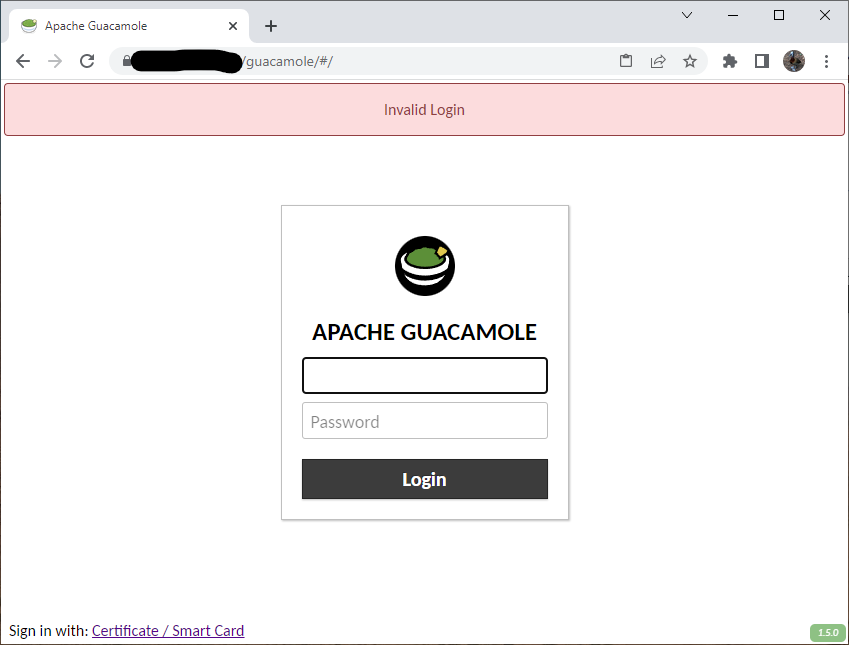 # How This Works SSL/TLS client authentication is both simple and complex. Requiring it is easy in principle - you just set up SSL termination with something like Nginx and configure your SSL termination to perform SSL client authentication. In practice, things are more complex: * The identity asserted via SSL/TLS client authentication is bound to that SSL session and may be cached by the browser or OS. * If the OS or browser does manage to cache the certificate, then another user that happens to use that same system after the previous user logs out could inherit their identity. * It is not possible for the application sitting behind SSL termination to force revalidation of the certificate. To protect against this, these changes _dynamically generate subdomains_. When you click the link to sign in with a smart card, Guacamole actually: 1. Generates a random subdomain with a lengthy nonce value. 2. Redirects you to that subdomain. 3. Verifies that (a) the certificate presented at that subdomain is valid and (b) the subdomain is a subdomain that we generated and has never been used before. 4. Regardless of the result of validation, the user is issued a temporary auth session token representing the authentication result. 5. The temporary session token is presented to the main domain as the user's credentials. If it represents a valid identity, the user is authenticated and the token is discarded. If not, authentication fails. Thus, any potentially cached credentials are tied to a unique subdomain that can only be used once, guaranteeing auth attempts always require fresh validation of the user's certificate. Prerequisites for configuring this are: * Wildcard DNS configured to point at the Guacamole server * A wildcard certificate that is valid for the Guacamole server * SSL termination pre-configured to request SSL/TLS client authentication for any subdomain of the Guacamole server, but _not_ for the Guacamole server itself. # Configuration Options ## Required * `ssl-primary-uri` - The URI of this instance without SSL/TLS client authentication required. This must be a URI that points to THIS instance of Guacamole, but behind SSL termination that DOES NOT require or request SSL/TLS client authentication. * `ssl-client-auth-uri` - The URI that should be used to authenticate users with SSL/TLS client authentication. This must be a URI that points to THIS instance of Guacamole, but behind SSL termination that requires SSL/TLS client authentication, and the domain must start with a wildcard (which Guacamole will replace with uniquely-generated subdomains). ## Optional * `ssl-subject-username-attribute` - A comma-separated list of all attributes that may contain the user's username in the subject DN of their certificate. The least-significant (leftmost) attribute of the DN is always used, so a subject DN without one of these attributes in the leftmost position will not be accepted at all. By default, all attributes are allowed. * `ssl-subject-base-dn` - The base DN to require of any subject DN. Only subject DNs beneath this base DN will be accepted. By default, no restriction is placed on the subject DN. * `ssl-client-certificate-header` - The name of the header to use to retrieve the URL-encoded client certificate from an HTTP request received from the SSL termination service. This defaults to `X-Client-Certificate`/ * `ssl-client-verified-header` - The name of the header containing the validation result from the SSL termination service. The value of this header must be either `SUCCESS` (successful), `NONE` (no certificate present), or `FAILED:reason` where "reason" is a description of the error. Guacamole will assume that any value that doesn't match these represents generic failure. By default, the header `X-Client-Verified` is used. * `ssl-max-domain-validity` - The maximum amount of time that a generated subdomain should remain valid if left unused, in minutes. By default, domains are valid for 5 minutes. Each subdomain immediately ceases to be valid upon use. * `ssl-max-token-validity` - The maximum amount of time that the temporary token representing the authentication result should be valid if left unused, in minutes. By default, tokens are valid for 5 minutes. Each temporary token immediately ceases to be valid upon use. ## Example Configuration ``` ssl-primary-uri: https://example.net/guacamole ssl-client-auth-uri: https://*.example.net/guacamole # My test cards contain subject DNs like: # "CN=Test Cardholder IV,OU=Test Agency,OU=Test Department,O=U.S. Government,C=US" ssl-subject-username-attribute: cn ssl-subject-base-dn: ou=test department,o=u.s. government,c=us ``` -- This is an automated message from the Apache Git Service. To respond to the message, please log on to GitHub and use the URL above to go to the specific comment. To unsubscribe, e-mail: [email protected] For queries about this service, please contact Infrastructure at: [email protected]





